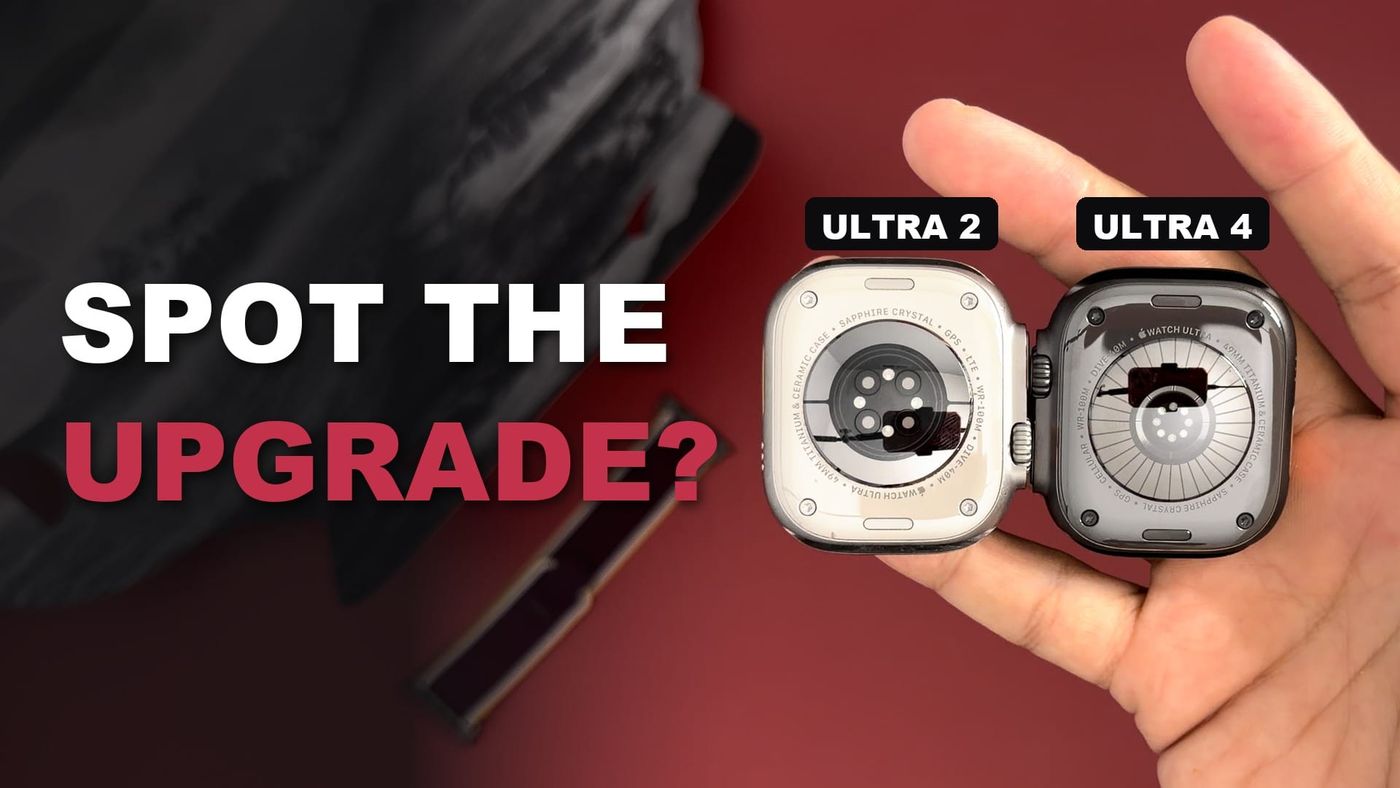
The Apple Watch Ultra 4 replaces my Apple Watch Ultra 2, which I bought as a pre-order in 2023 and have worn daily since. I skipped the Ultra 3 because nothing in it made me want to upgrade, but the Ultra 4’s new heart sensor and longer battery life convinced me this time. The new watch is the black titanium model with a burgundy nylon band. This first look covers the unboxing, a side-by-side comparison with the Ultra 2, the price after a trade-in, and setting it up.
UPDATE What’s new since publishing
Apple has fixed the unexpected restarts that early Ultra 4 units suffered. watchOS 27.0.1, released on September 23, addresses a bug that made the Series 12 and Ultra 4 restart on their own, according to iClarified. My watch never had the problem, but the update is worth installing on any Ultra 4; it needs more than 50 percent charge and installs through the Watch app on the iPhone or the Settings app on the watch.
Battery life has been the clearest improvement over my Ultra 2. In my everyday use, including overnight health tracking, I am seeing about two and a half to three days per charge, comfortably beyond Apple’s 50-hour rating. That is a big step up from the 36 hours Apple rates the Ultra 2 for, and the Ultra 4 manages it while reading my heart rate every five seconds and building a far more detailed health record.
The Readiness score is exclusive to the Series 12 and Ultra 4, because it relies on the new heart sensor. Apple is testing a redesigned Health app, with new Insights and Longevity tabs and a Health Age estimate, in the iOS 27.2 beta, but it will not ship with iOS 27.2 and is due later this year, according to MacRumors. Anyone looking for those features on the current software will not find them yet.
What is in the box
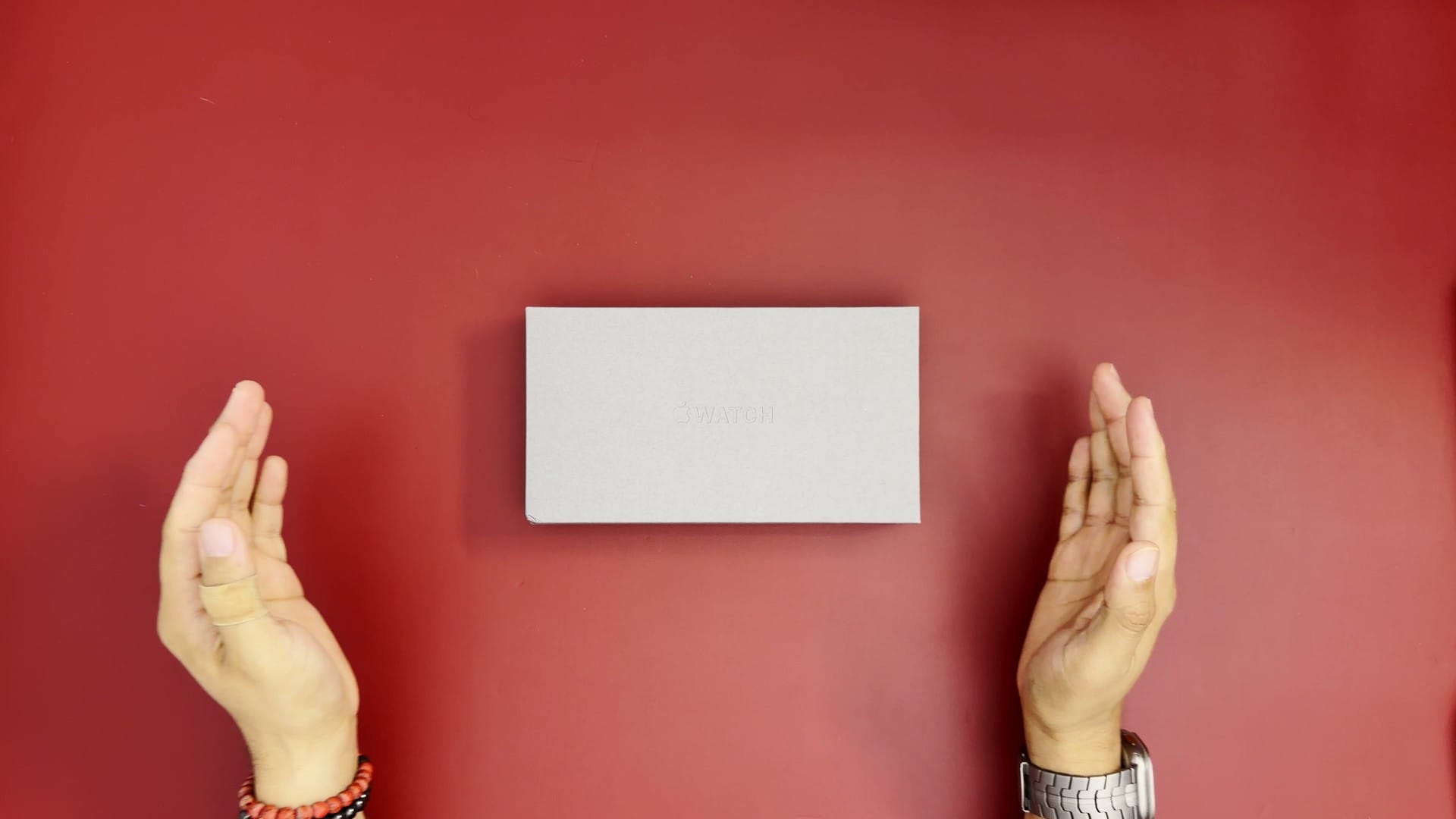
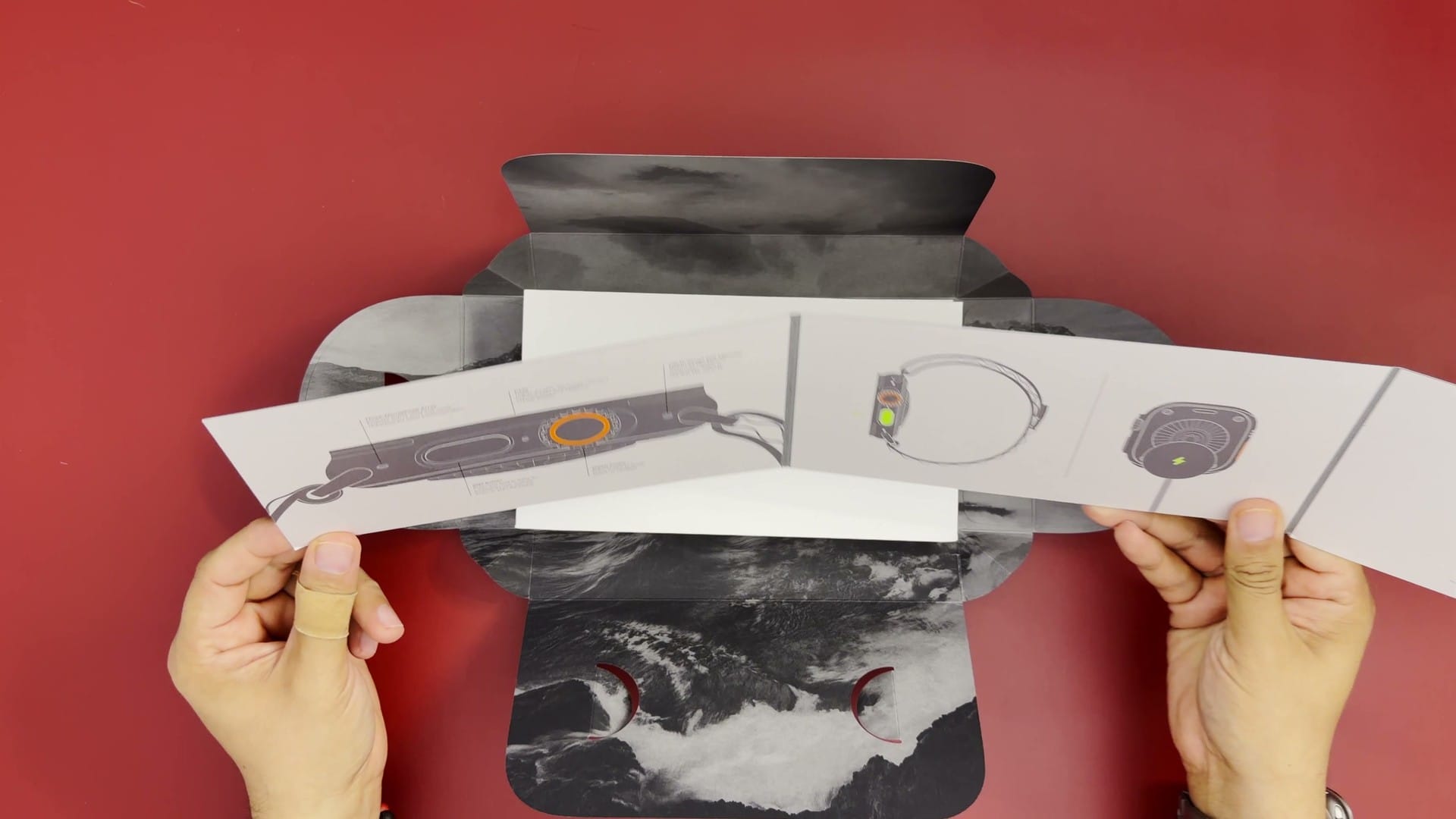
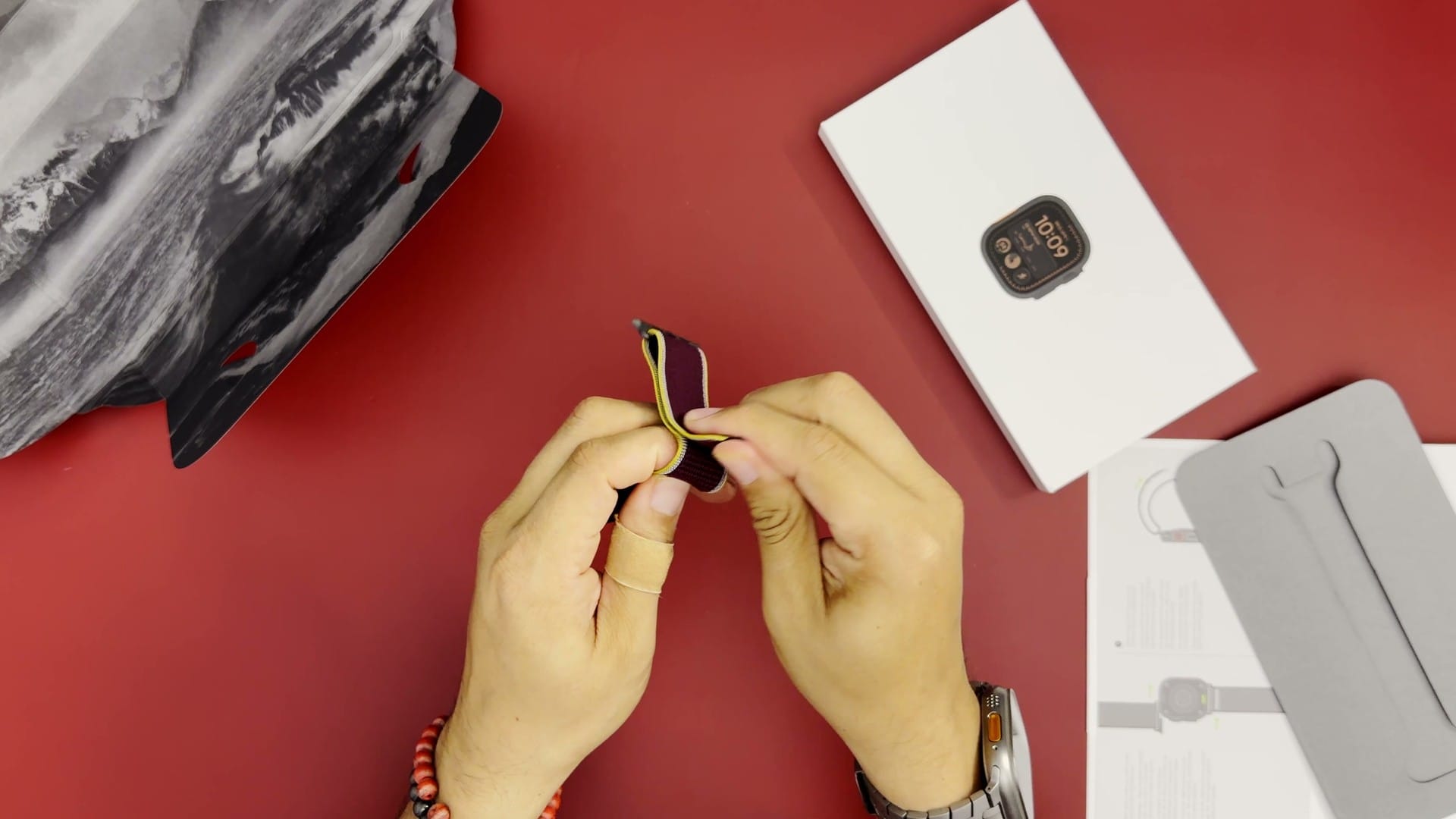
The Ultra 4 ships in a rectangular grey box with a debossed Apple Watch logo, and the presentation is as careful as Apple’s packaging usually is. Inside, a small booklet explains the buttons and their functions, which will be familiar to anyone who has owned an Apple Watch. The watch and the band come in two separate boxes. The watch box opens with pull tabs and slides out, with the charger packed above the watch.
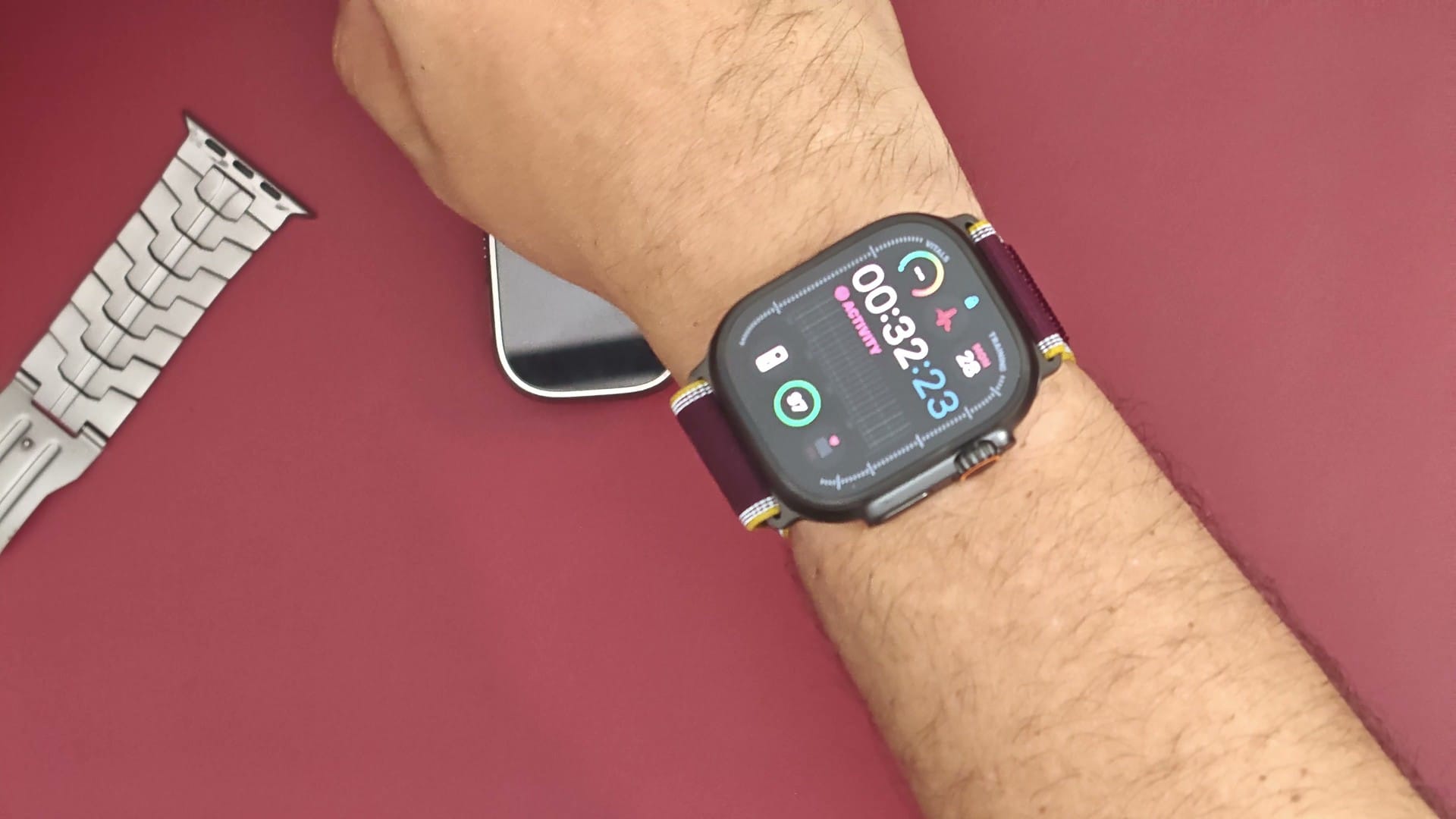
The band is the 49 mm size that matches the Ultra’s case width. Mine is a burgundy nylon band with a hook-and-loop fastener, and Apple sells the Trail Loop, its nylon hook-and-loop band, in burgundy for the Ultra 4 at $99, according to MacRumors. The charger is the same magnetic fast charger with a USB-C cable that came with the Ultra 2 and Ultra 3, and Apple does not include a power adapter. Additional bands from Apple cost $99 for the standard designs and about $199 for premium ones such as the Titanium Milanese Loop.
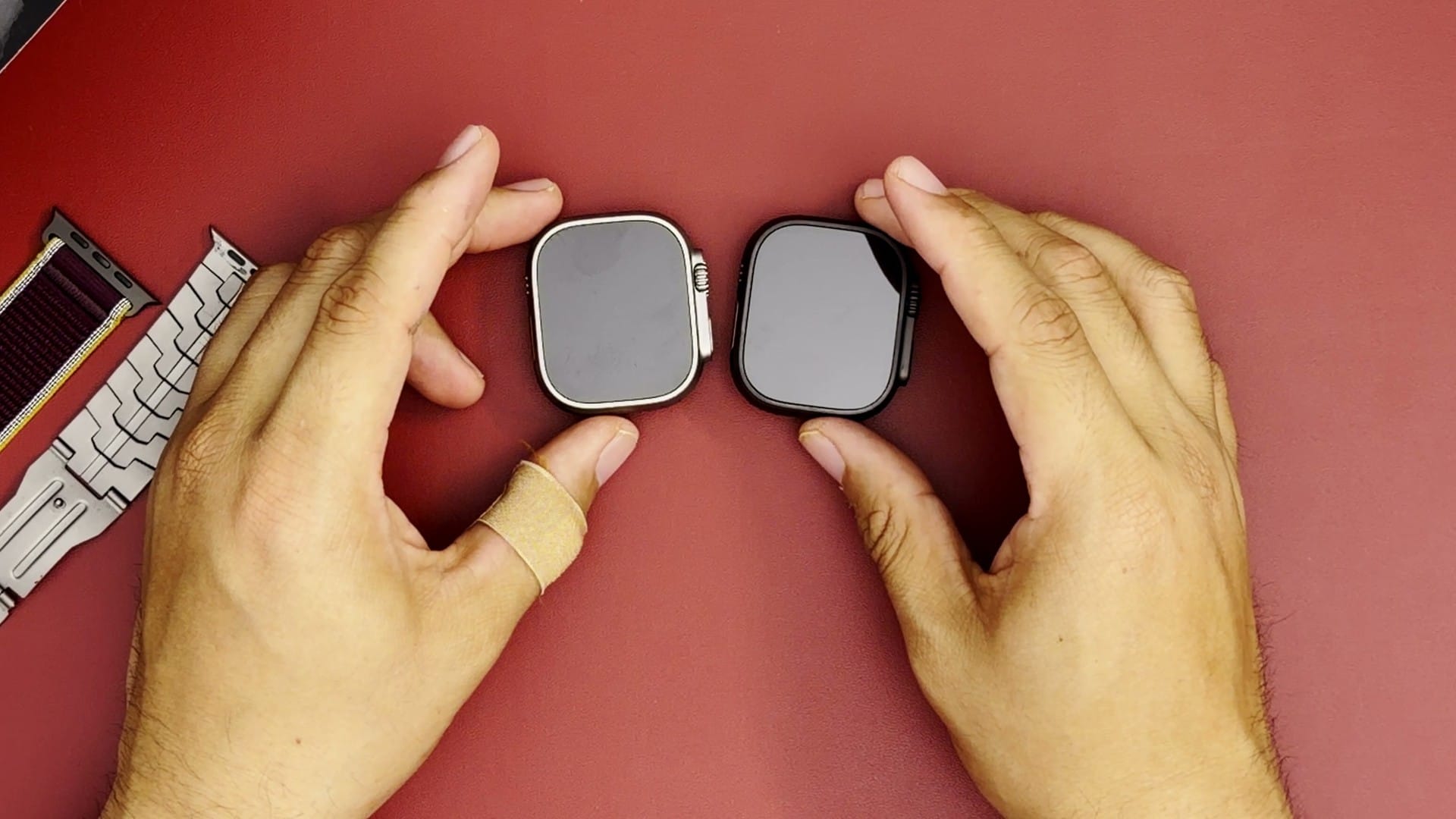
Ultra 2 and Ultra 4 side by side
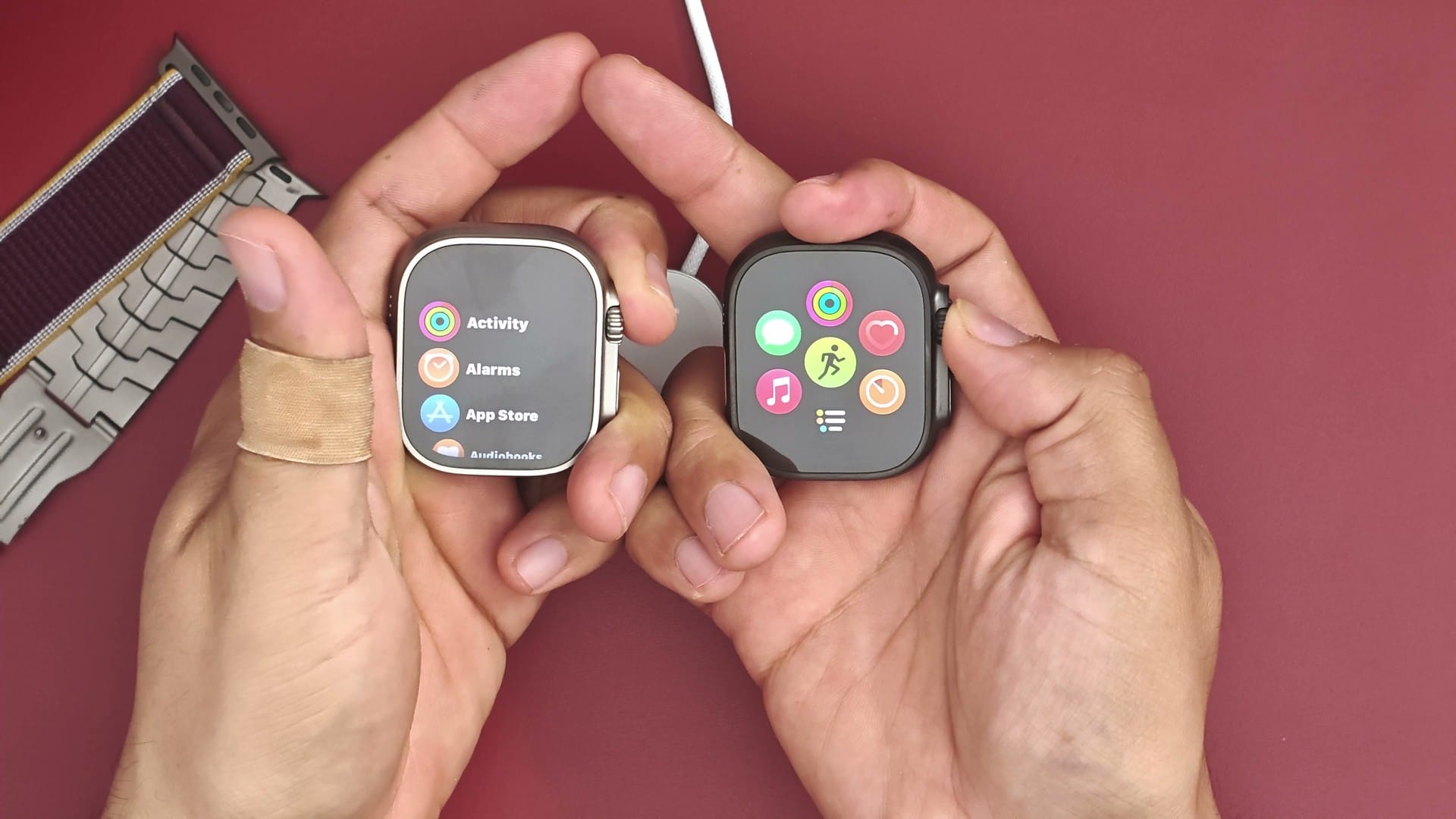
Placed next to each other, the two watches are almost identical. Both cases measure 49 by 44 by 12 mm and are made of grade 5 titanium, according to Apple’s specifications for the Ultra 2 and the Ultra 4. Apple describes the 2023 Ultra 2 as 95 percent recycled titanium and the Ultra 4 as 100 percent recycled. The Ultra 4 is slightly heavier, at 63 g for the natural finish against 61.4 g for the Ultra 2.
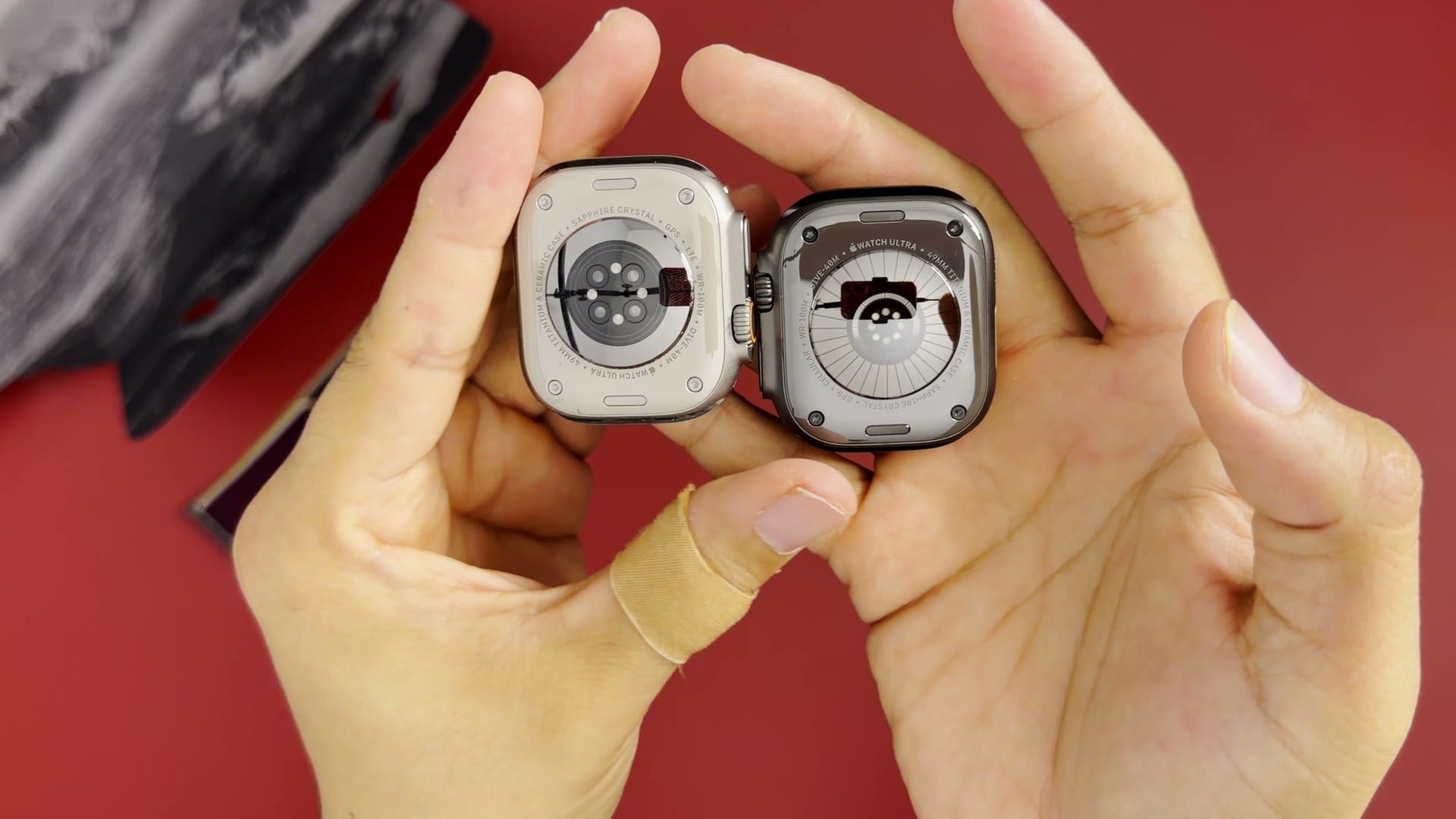
The buttons, the emergency siren, the three-microphone array with wind noise reduction and the two speakers are all unchanged. So are the ratings: water resistance to 100 metres, recreational scuba diving to 40 metres, IP6X dust resistance, an operating temperature of minus 20 to 55 °C and an altitude range of minus 500 to 9,000 metres. The only visible difference is on the back. The Ultra 4’s sensor is redesigned, with a ring of photodiodes and a larger electrode, according to Apple’s announcement.
Both watches come in natural or black titanium. My Ultra 2 is natural because I pre-ordered it when it was announced in 2023, and Apple only added the black finish in September 2024. With the Ultra 4 I went with black. It pairs with the red band in a colour combination I keep coming back to.
What the Ultra 4 adds over the Ultra 2
The differences sit inside the case, and several of them arrived first with the Ultra 3, which I skipped. The display is one of these. The Ultra 3 introduced a wide-angle OLED panel with LTPO3 technology, which Apple says is easier to read at an angle, along with a slightly larger display area and an always-on mode that updates once per second. The Ultra 4 carries that same screen, and it keeps the Ultra 2’s peak brightness of 3,000 nits.
The redesigned heart sensor is the main reason I upgraded. According to Apple, the Ultra 4 measures heart rate every five seconds throughout the day, 60 times more often than the Ultra 3, and it samples heart rate variability as often as every five minutes. Apple’s comparison works out to roughly one heart rate reading every five minutes on the older sensor design, which the Ultra 2 shares with the Ultra 3. Those readings feed a new Readiness score that is exclusive to the Ultra 4 and Series 12, according to Notebookcheck. The Ultra 2 keeps its older sensor layout and does not get the feature.
Battery life is the other large change. Apple rates the Ultra 4 at up to 50 hours of normal use against 36 hours for the Ultra 2, and at up to 84 hours in Low Power Mode. A new Max Extended workout mode stretches GPS workouts to up to 45 hours, with 18 hours for a standard GPS workout. The Ultra 4 also charges faster, reaching 80 percent in about 45 minutes against about an hour for the Ultra 2.
Connectivity changes as well. The Ultra 2 supports LTE, while the Ultra 4 adds 5G, which the Ultra 3 introduced. The Ultra 4 can also send emergency SOS calls and messages and share its location in Find My over satellite when there is no cellular or Wi-Fi signal, free for two years, according to Apple. None of this exists on the Ultra 2.
| Ultra 2 (2023) | Ultra 4 (2026) | |
|---|---|---|
| Chip | S9 | S11 |
| Display | LTPO2 OLED, 1185 sq mm | Wide-angle OLED, LTPO3, 1245 sq mm |
| Battery life | Up to 36 hours, 72 in Low Power Mode | Up to 50 hours, 84 in Low Power Mode |
| Fast charge to 80% | About 1 hour | About 45 minutes |
| Heart rate sampling | Standard | Every 5 seconds, all day |
| Cellular | LTE | 5G and LTE |
| Satellite | None | SOS, Messages, Find My |
| Weight (natural) | 61.4 g | 63.0 g |
| Launch price | $799 | $799 |
A few details go the other way. Apple no longer lists GLONASS, the Russian satellite navigation system, among the Ultra 4’s positioning systems, although DC Rainmaker found no meaningful change in GPS accuracy in testing. Some early Ultra 4 and Series 12 units restarted unexpectedly, and Apple released watchOS 27.0.1 for those models to fix the problem, according to MacRumors. Installing the latest update during setup avoids it.
Price and trade-in
Apple launched the Ultra 2, Ultra 3 and Ultra 4 at the same $799 in the US. Sales and Apple’s education discount can bring that down, and AppleInsider reported the Ultra 4 at $779 during a weekend sale within a week of launch. I traded in my Ultra 2, and Apple offered $300 for it when I placed the order. That brings my effective price for the Ultra 4 to about $499.
Trade-in values change over time, and Apple’s quote depends on the watch’s condition. For the Ultra 2, Apple’s published trade-in value has been up to $305 in recent updates, according to MacRumors. My Ultra 2 cost me about $600 in 2023, also after a trade-in of an older Apple Watch, and I wore it for three years. On that basis, about $500 for another two or three years of use is a fair price to me.
Setting it up
The Ultra 4 arrived with a flat battery, so it needed charging before it would turn on. Once charged, it started automatically and the iPhone recognised it straight away. Pairing works by holding the watch up to the iPhone’s camera, and it took only a moment. Because I was replacing an Ultra 2, the new watch inherited my existing settings without any customisation.
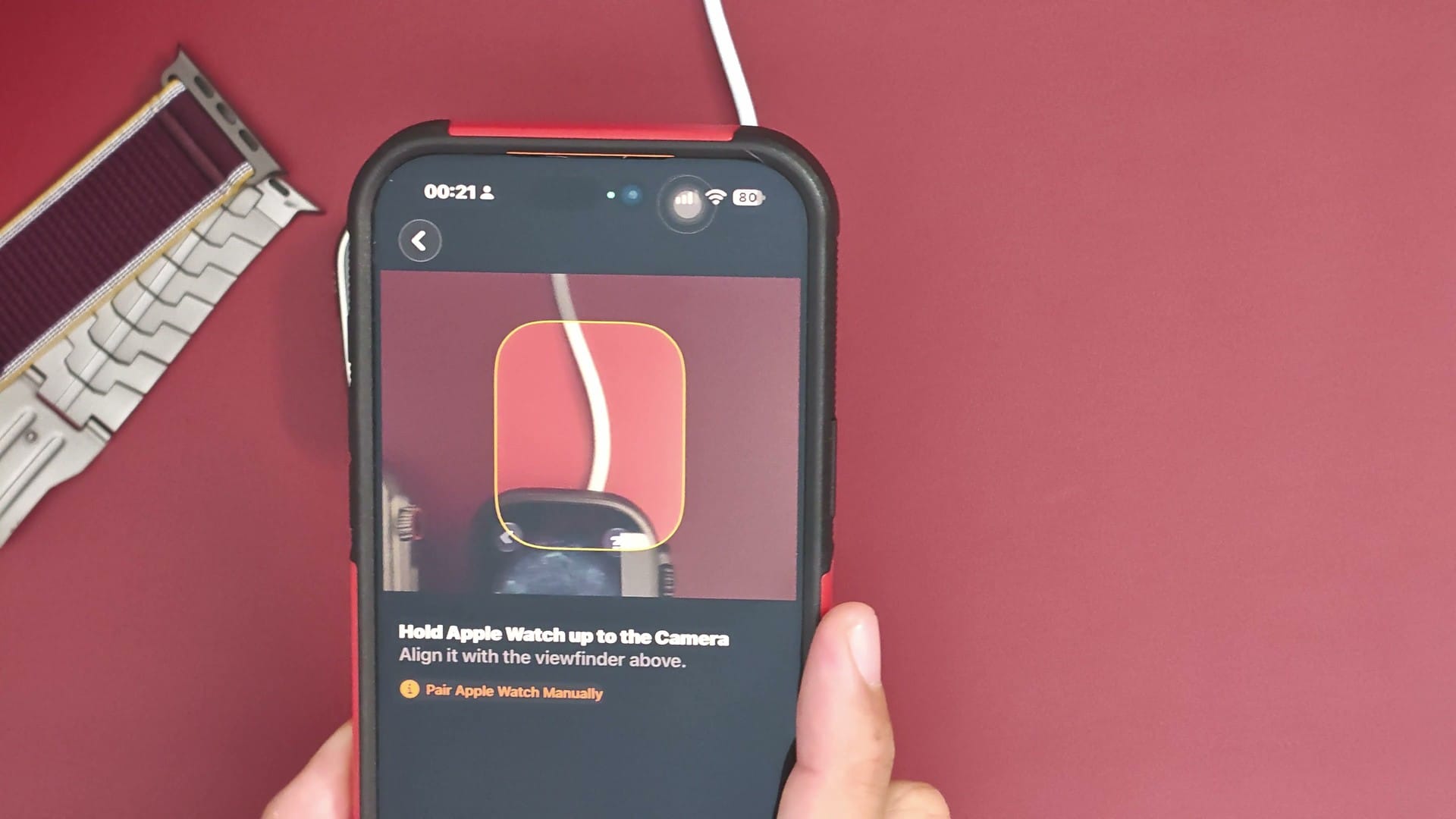
The rest of setup is a series of screens: a passcode, accessibility options, a list of safety features, cellular service, gestures, Apple Pay and a sync. The Ultra 4 has cellular built in, but using it requires a service plan from a carrier, which I have never had, so I skipped that step. The one-handed gestures and diving features are there for anyone who uses them. I wear the watch mainly for health and fitness tracking, so I left them alone and set Apple Pay aside for later.
The final sync takes a few minutes, and it keeps going in the background after setup reports that it is done. Apps download, the watch checks for updates, and the watch face fills in details such as location and temperature as the sync completes. In my case, the watch had already installed an update by the time setup finished. Fitting the band clip took a couple of attempts.
Why I upgraded
The Ultra 4 was not a necessary upgrade for me. My Ultra 2 still works, and Apple’s watchOS 27 still supports it. I wear my watch for health and fitness monitoring, including overnight, and the new sensor’s frequent heart rate readings are aimed squarely at that. The new Readiness score is the feature I most want to try over the coming weeks.
That pattern matches how I usually upgrade. I have worn an Apple Watch since the second generation, and I only replace mine when a generation brings something I will use every day. The Ultra 3 did not meet that bar for me, and the Ultra 4’s sensor did. The Ultra 2 goes back to Apple as part of the trade-in, after a reset.