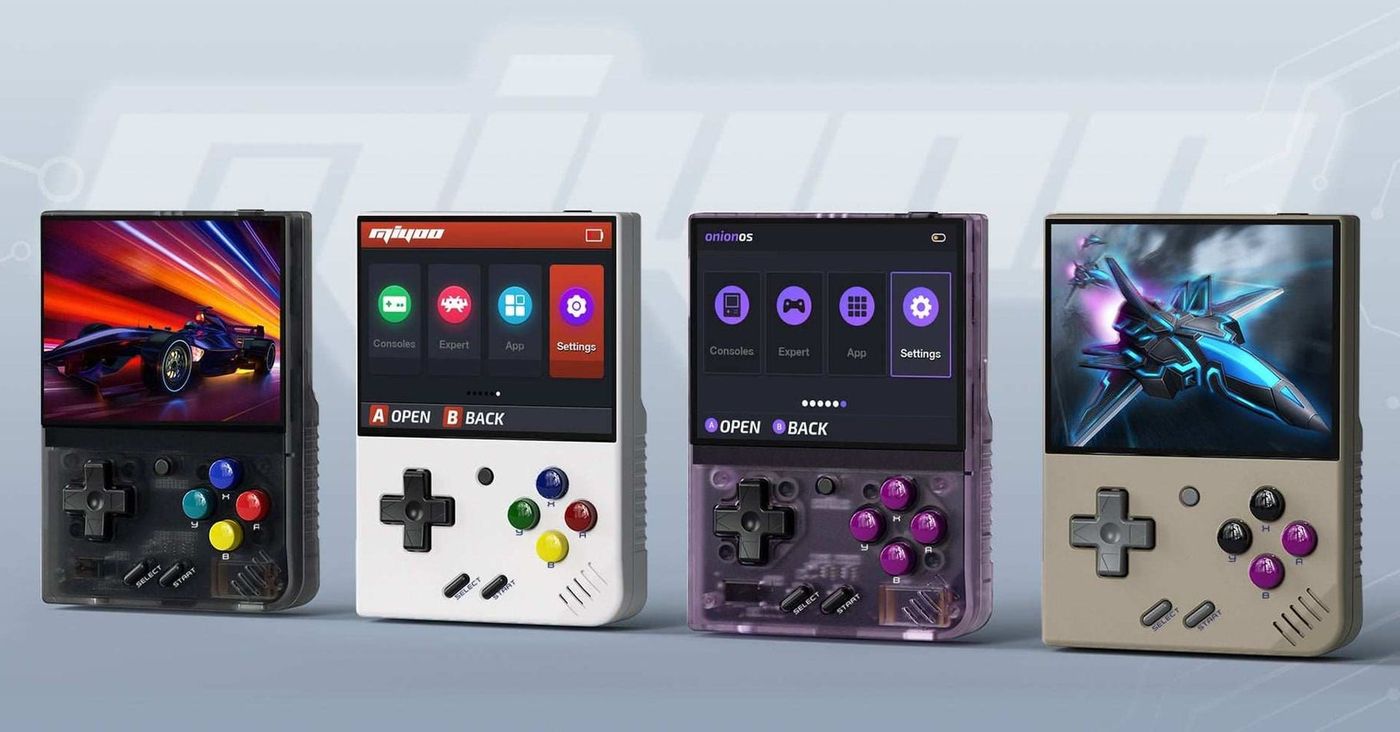
I have just ordered a Miyoo Mini Plus in transparent black with the 64 GB card, and a first-impressions video will follow once it arrives. The Mini Plus is far from new, since it came out in early 2023 and has been covered widely since. It is still on sale in 2026, though, now for $58.99 with a 64 GB card on Miyoo’s own store, and it remains one of the most recommended budget retro handhelds. This guide covers what it is, what it plays, how to set it up and what to know before buying one.
What the Miyoo Mini Plus is
The Mini Plus is the larger sibling of Miyoo’s original Mini, a tiny vertical handheld styled after the Game Boy. It keeps the upright layout, with the screen on top and a D-pad and four face buttons below, but grows the screen to 3.5 inches and adds Wi-Fi and a bigger battery. It launched in early 2023, according to RetroCatalog, and it is still part of Miyoo’s line alongside the smaller Mini V4, the clamshell Mini Flip and the Flip V2.
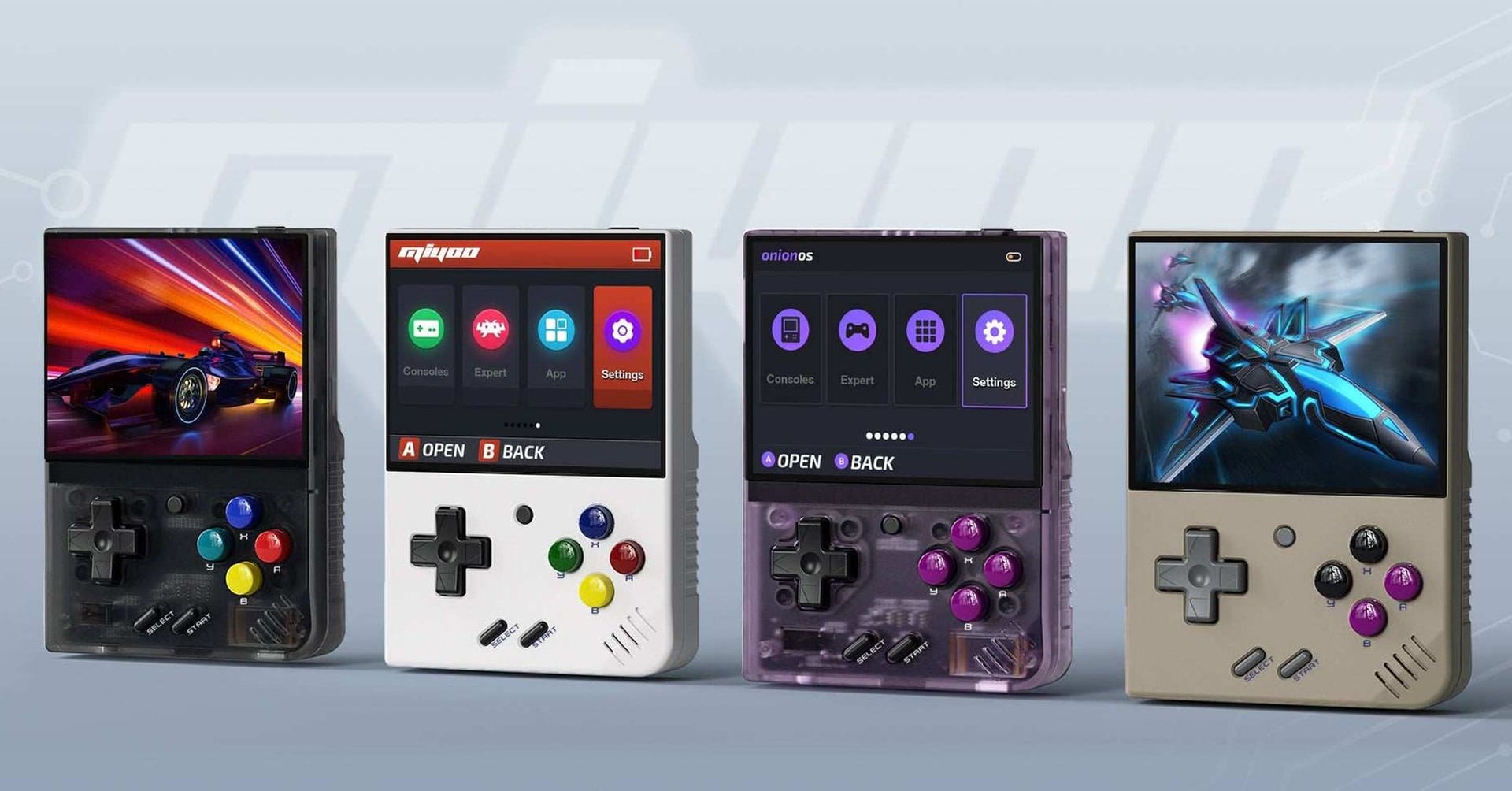
It runs a lightweight Linux system on a low-power chip, which keeps it cheap and gives it long battery life for its size. That chip is also its ceiling. The Mini Plus is built for 8-bit, 16-bit and 32-bit games, and anything newer than the original PlayStation is outside its comfort zone.
Hardware and specifications
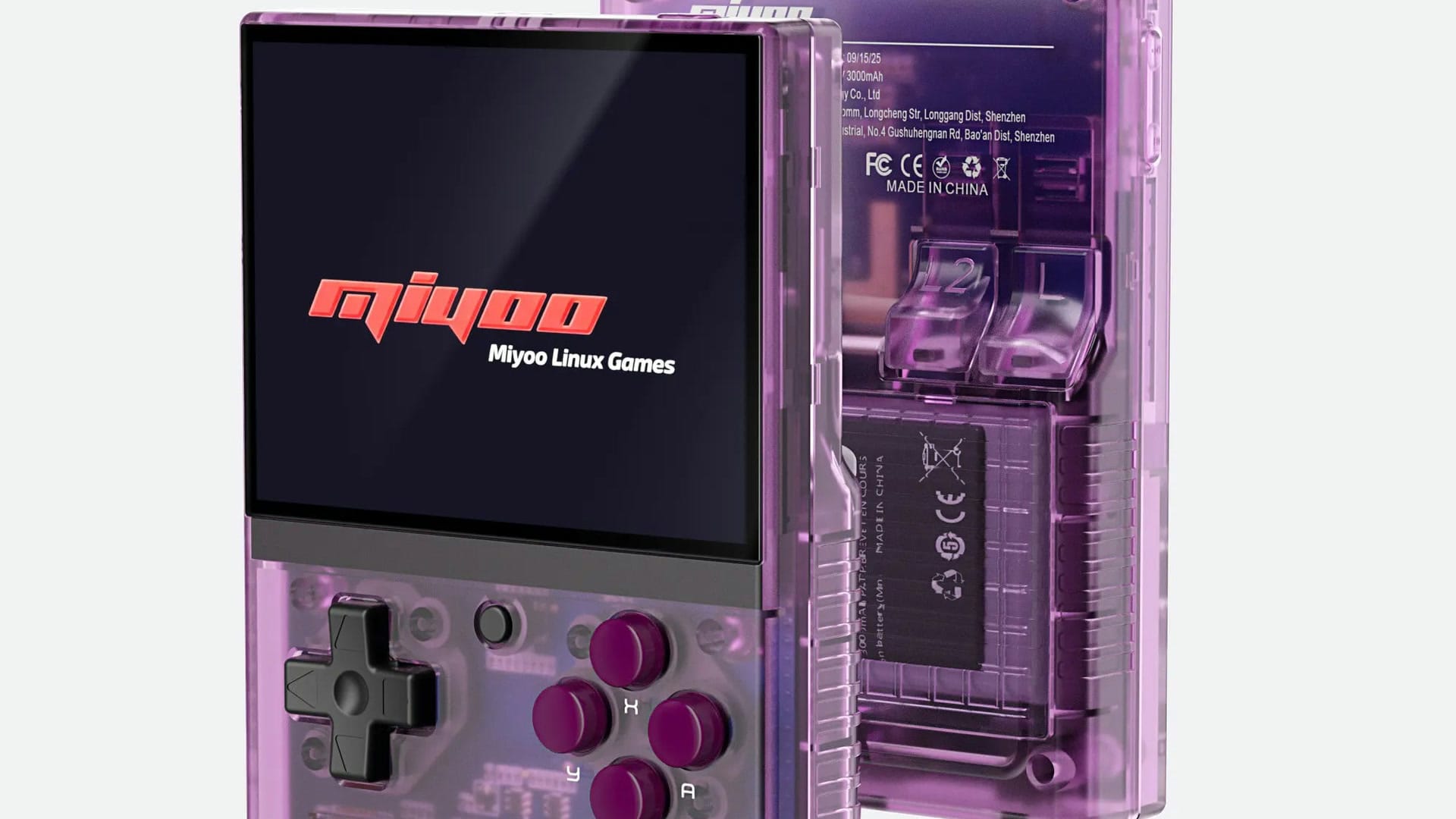
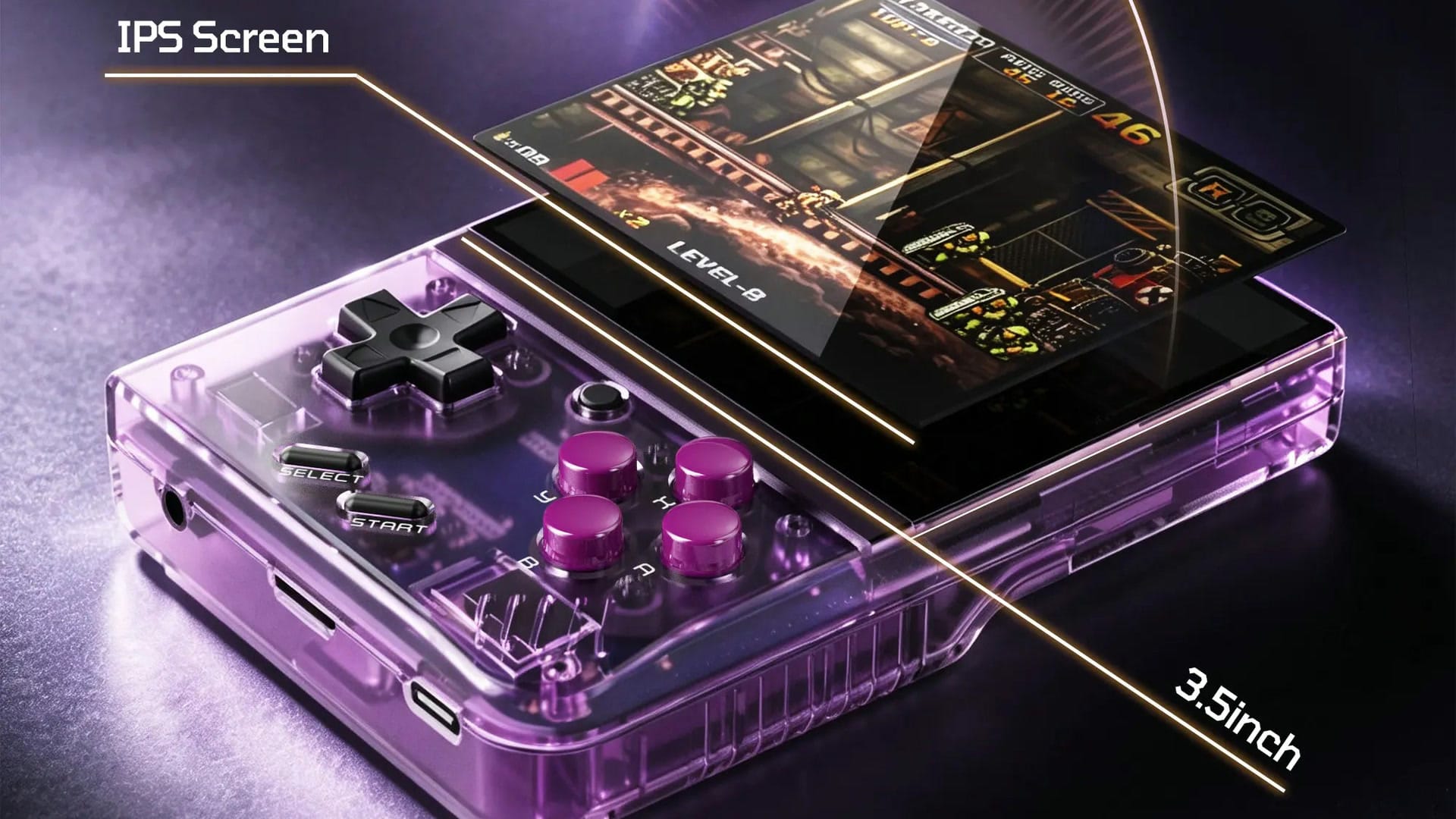
The screen is a 3.5-inch IPS panel at 640 by 480, a 4:3 shape that matches older consoles. Miyoo says it is fully laminated, which removes the air gap between the glass and the display. Inside is a SigmaStar SSD202D processor with two Cortex-A7 cores at 1.2 GHz and 128 MB of memory, according to RetroCatalog. The battery is rated at 3,000 mAh, and the device weighs about 162 g.
| Specification | Miyoo Mini Plus |
|---|---|
| Screen | 3.5-inch IPS, 640 x 480, 4:3, fully laminated |
| Processor | SigmaStar SSD202D, 2 x Cortex-A7 at 1.2 GHz |
| Memory | 128 MB |
| Storage | microSD (64 GB card optional) |
| Battery | 3,000 mAh, USB-C charging |
| Connectivity | Wi-Fi, no Bluetooth |
| Controls | D-pad, ABXY, L1/L2/R1/R2, no analog sticks |
| Audio and feedback | Stereo front speakers, 3.5 mm jack, rumble |
| Size and weight | 108 x 78.5 x 22.3 mm, about 162 g |
| Software | Miyoo’s Linux system; Onion OS and others available |
The controls are a D-pad, four face buttons, Start and Select, and two shoulder buttons on each side. There are no analog sticks, which rules out games built around them. Wi-Fi is built in, Bluetooth is not, and a 3.5 mm headphone jack, stereo speakers on the front and a rumble motor round it out. XDA Developers found the small size can be hard on larger hands over long sessions.
What it plays
The Mini Plus is at its best with the NES, Super NES, Game Boy family, Sega Genesis and the original PlayStation. Game Boy Advance and PlayStation games run well, according to XDA’s review. Nintendo DS games can run with Onion OS through the DraStic emulator, which Onion added in version 4.2.3, according to Retro Dodo, but heavier titles push the chip to its limit, and the single screen has to show both DS screens. Nintendo 64, Dreamcast and PSP games are beyond what it is designed for.
That range covers a huge library on its own. For anyone whose favourite games are from the 8-bit to PlayStation era, the chip is enough, and the 4:3 screen shows those games without stretching or black bars at the sides. Players who want newer systems should look at more powerful handhelds.
Owners who want a little more speed can overclock the processor, which helps with demanding DS games and some PlayStation titles, according to TechTactician’s overclocking guide. The Onion 4.4 beta adds hotkeys and an on-screen display for it. It is optional, and 8-bit and 16-bit games run without it.
Software: stock system and Onion OS
Miyoo ships its own Linux-based system, which works but is basic. Most owners install Onion OS, a free custom firmware that its developers describe as an enhanced operating system with more than 100 built-in emulators, automatic save and resume, and a wealth of customization options. XDA called installing it a “complete no-brainer.” Onion’s latest stable release is version 4.3.1-1 from June 2024, and a version 4.4 beta arrived on January 21, 2026, according to its GitHub releases page, so the project is still moving. The beta updates RetroArch to version 1.22.2, adds Pokémon trading and battles for Game Boy Advance games, and speeds up pausing and resuming through its game switcher, according to the release notes.
That beta matters for new buyers. Early Mini Plus units had no internal clock, which XDA listed as a weakness, so the time reset whenever the device was switched off. Newer units include a real-time clock, and Onion 4.4 now detects it, according to the release notes and Onion’s documentation. Other firmware options include MinUI, a minimalist launcher, along with Allium and Koriki.
What the Wi-Fi is for
Wi-Fi is the Mini Plus’s main advantage over the smaller Mini V4, and Onion OS makes use of it. It can download box art for games, connect to RetroAchievements, the free service that adds achievements to classic games, and set the clock over the internet. Onion also added ad-hoc netplay in 2023, letting two units connect directly without a router, which enables Game Boy Pokémon trading and battles without a link cable, according to Time Extension. None of it is essential, so turning Wi-Fi off when it is not in use is an easy way to save battery.
Battery and charging
Claims vary widely. XDA measured up to about six hours of play with Wi-Fi on and modest brightness, Hardware Busters lists five to six hours, and some retailers advertise up to eight. Charging is slow at about 5 W and can take up to three hours, according to XDA. Turning Wi-Fi off and lowering the brightness are the easiest ways to stretch a charge.
In the box, and the preloaded card
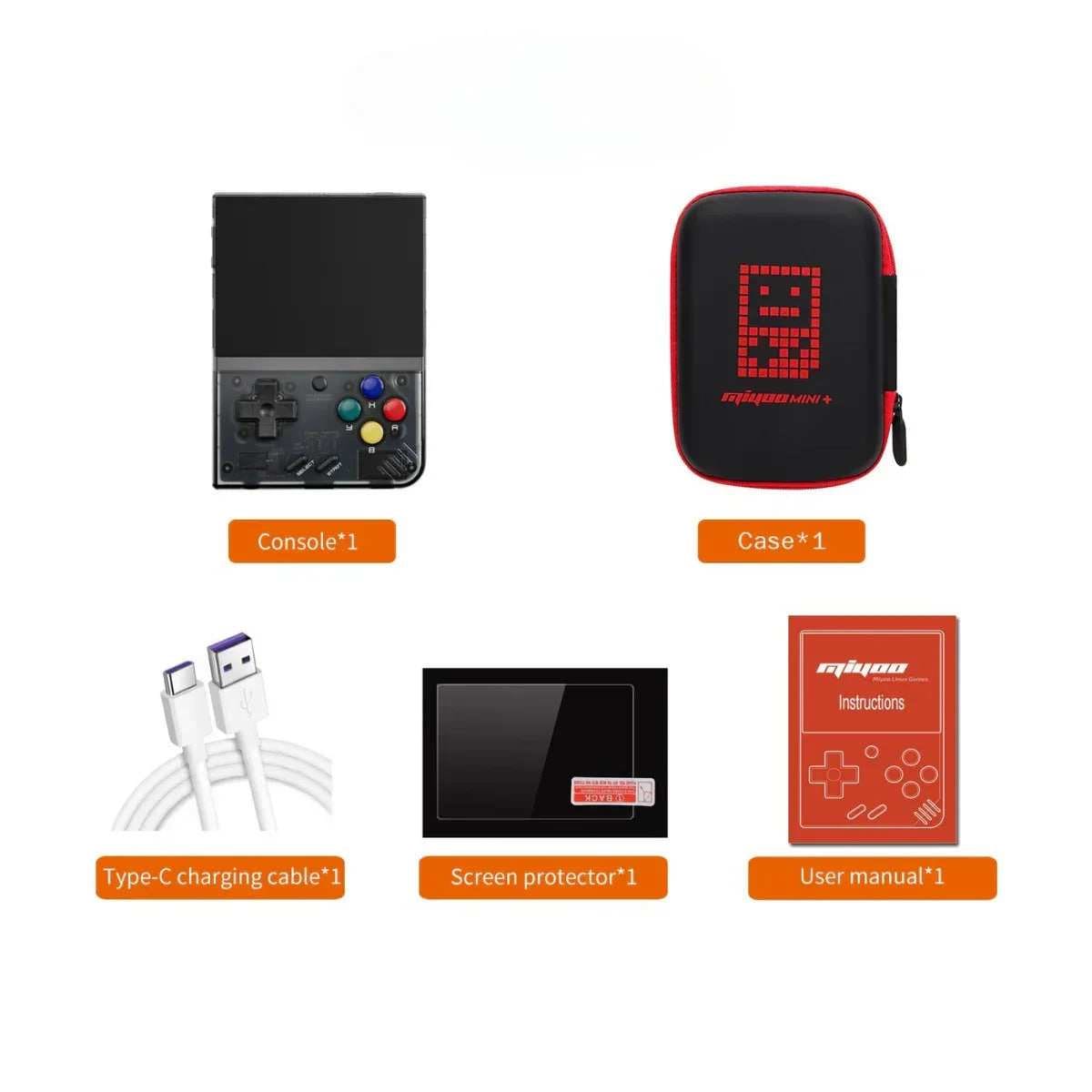
Miyoo lists the console, a carrying case, a USB-C cable, a screen protector and a manual in the box, with a 64 GB microSD card as an option. That card comes preloaded with games, which Miyoo promotes as a selling point. Most of those are commercial games that are not licensed for distribution, so this site does not cover the preloaded library, and its guides assume backups of games the reader owns.
The card itself is the bigger practical problem. Setup guides, including Retro Game Corps’ Miyoo Mini guide, warn that the bundled cards are unbranded, low quality and one of the most common failure points on these devices. The usual advice is to start fresh on a good-quality microSD card from a known brand, install Onion OS on it and keep the original card as a backup. Buying the version without a card saves $5 for anyone who plans to do that anyway.
Setting it up: an overview
The first step happens before installing anything. Onion requires a recent stock firmware on the Mini Plus, at least version 20230505, with 20230628 recommended, and the Mini Plus needs Onion 4.2 or later because earlier versions do not support its hardware, according to Onion’s installation guide. Miyoo publishes stock firmware updates on the firmware page of its store.
The install itself is straightforward. Onion’s fresh install guide asks for a microSD card formatted as FAT32, with a large-FAT32 tool such as Rufus for cards above 32 GB, and the seven folders from the Onion download copied to the root of the card. On first boot, the installer runs automatically, shows a quick guide and opens a package manager for choosing which systems and apps to install. Games then go into the matching folders under Roms, and some systems, including the PlayStation and Game Boy Advance, work best with their BIOS files in the BIOS folder.
Questions new owners ask most
Mine came with Onion already installed. Do I need to do anything? It is still worth checking which version is on the card against the latest on Onion’s releases page, and moving to a good-quality card. Onion’s update guide says updating means copying the seven folders from the new download over the old ones, choosing to overwrite, or to merge and replace on a Mac. Saves, save states, games, BIOS files and settings carry over, although Onion recommends making in-game saves first because some save states may not survive an update.
Do I need a computer? Yes. Installing or updating Onion means copying files to the microSD card, which is done on a computer with a card reader.
Where do my games go, and why are they not showing up? Each system has its own folder inside the Roms folder on the card. After adding games, refresh the list from the Games tab by pressing Select, according to Onion’s update guide, and the new games appear.
Which microSD card should I use? A card from a known brand, such as SanDisk or Samsung, formatted as FAT32. Setup guides such as Retro Game Corps’ warn against unbranded cards, and a 64 GB or 128 GB card leaves plenty of room for a large 8-bit to PlayStation library. On cards larger than 32 GB, Windows needs a separate tool to format FAT32, and Onion’s guide suggests Rufus.
Can it play Nintendo 64, PSP or PS2 games? No. Its chip is built for systems up to the original PlayStation, with Nintendo DS as a stretch. There is no Bluetooth either, so headphones need the 3.5 mm jack.
How do I know if my unit has the real-time clock? Switch Wi-Fi off, power the device down for a while and check the clock when it starts again. Without a clock, Onion restores the time it saved at shutdown and adds four hours, according to its documentation, so the time will be wrong. A unit with the clock shows the correct time.
Quirks to know about
The Mini Plus has a few small annoyances that reviews mention again and again. XDA found the power button hard to find and press, the all-plastic shell can feel cheap, and the size can be cramped for larger hands. Charging is also slow. Miyoo includes a carrying case in the box, which is worth using for a device that lives in pockets and bags. None of these stop it from being a good handheld, but they are worth knowing before ordering.
Repairs and parts
Miyoo sells replacement parts for its handhelds on its own store. The listings include a battery and a screen at $9 each, a Mini Plus shell at $7 and a motherboard at $25. The battery and screen listings cover several Miyoo models, so it is worth checking which handheld each part fits before ordering. Cheap official parts add to its long-term value.
Mini Plus, Mini V4 or Mini Flip?
Miyoo’s own range is the first comparison to make, since all three use the same family of chips and run Onion OS. The difference is size, screen and Wi-Fi. Specifications for the V4 come from DROIX’s listing, and those for the Mini Flip from Miyoo’s store.
| Mini Plus | Mini V4 | Mini Flip | |
|---|---|---|---|
| Price (Miyoo store) | From $53.99 | From $54.99 | From $49.99 |
| Screen | 3.5-inch, 640 x 480 | 2.8-inch, 750 x 560 | 2.8-inch, 750 x 560 |
| Battery | 3,000 mAh | 2,000 mAh | 2,500 mAh |
| Wi-Fi | Yes | No | Yes |
| Weight | About 162 g | About 107 g | About 120 g |
| Form factor | Vertical | Vertical, smaller | Clamshell |
The Mini Plus has the largest screen, the biggest battery and Wi-Fi, at the cost of size and weight. The Mini V4 is far smaller and has a sharper, denser screen, but no Wi-Fi. The Mini Flip folds shut to protect its screen and keeps Wi-Fi, with a smaller battery. The Mini Plus suits longer sessions, while the V4 and the Flip suit pockets.
How it compares with other brands
Outside Miyoo, the TrimUI Brick, at around $79, offers a sharper screen and a stronger processor in a similar vertical shape. AYANEO’s KONKR Pocket Block takes a different route, with full Android and a faster chip from $79, which this site covered when it launched. Both cost more and do more on paper.
The Mini Plus stands out for its software and community. Its chip is the weakest of the group, but Onion OS has had years of refinement, and almost every question a new owner might have has already been answered somewhere. For a first retro handheld, that support counts for a lot.
Who it is for, and who should skip it
The Mini Plus suits anyone buying a first retro handheld, players whose favourite games run from the 8-bit era to the original PlayStation, and anyone who wants something pocketable and simple at a low price. Its Wi-Fi features and Onion OS also make it rewarding for people who enjoy tinkering. It is one of the easiest handhelds to recommend for those players.
It is the wrong choice for anyone who wants Nintendo DS, Nintendo 64 or PSP games to run well, needs analog sticks or Bluetooth, or wants the sharpest possible screen. Those buyers should look at the TrimUI Brick, the KONKR Pocket Block or a more powerful handheld. Players who only want the smallest possible device may prefer the Mini V4.
Why I ordered one
The Mini Plus has been covered widely, and that is a big part of why I wanted one. As an Average TechNerd, someone who loves tech and loves gaming, I want to get my hands on this specific device and experience for myself why so many people love it. I have also pre-ordered the KONKR Pocket Block, another vertical handheld, which runs Android on a faster chip. Once the Mini Plus arrives, this article will be updated with what I find.