Guide · Guides · Retro Gaming
How to Softmod a PS2 in 2026: FreeMcBoot, OpenTuna and OPL, Model by Model
Which softmod fits your PS2, how a burned DVD gets you in, how to install FreeMcBoot or OpenTuna, and how to set up Open PS2 Loader for backups of games you own.
https://averagetechnerds.com/how-to-softmod-ps2-freemcboot-opentuna-opl/
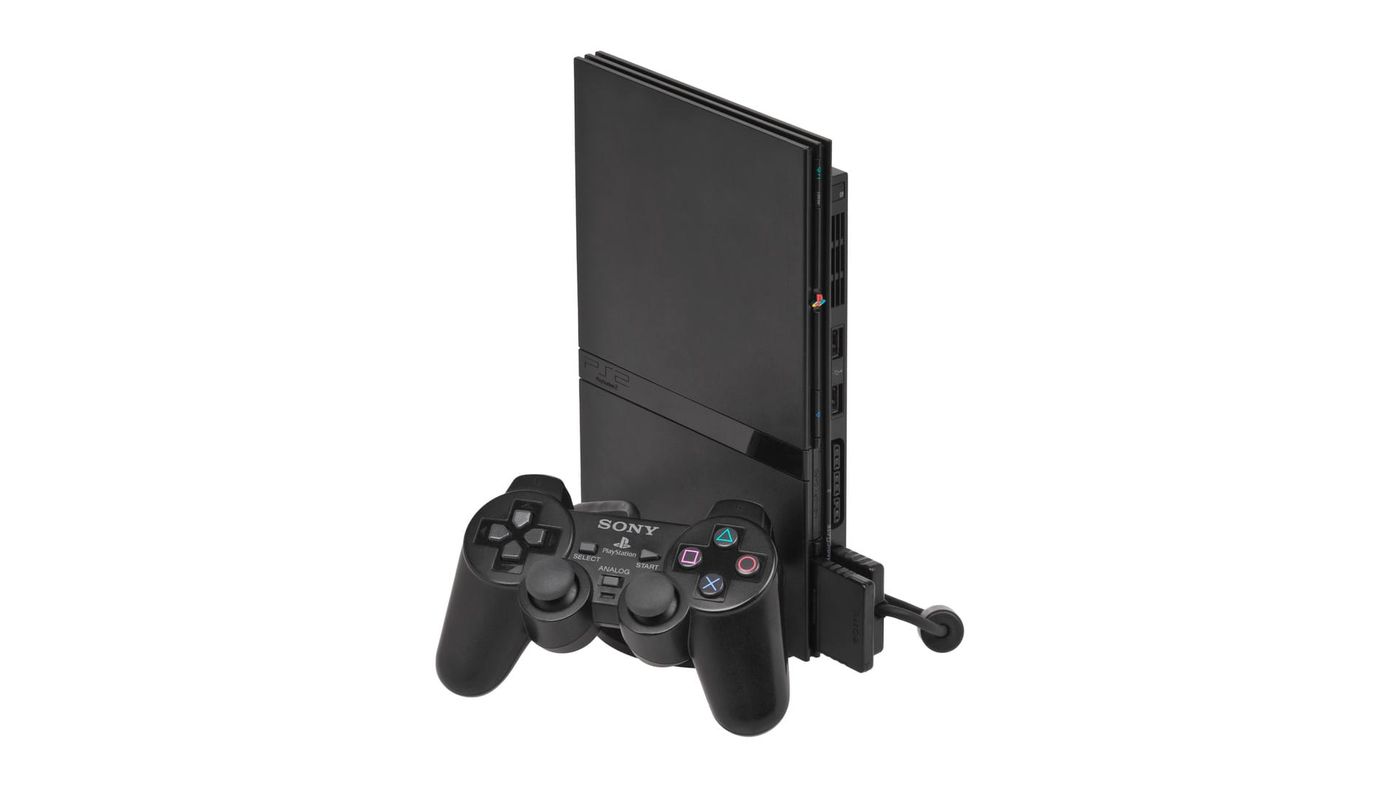
A burned DVD that the PlayStation 2 thinks is a movie. That’s how most PS2s get softmodded today. The console’s own DVD player reads the disc, trips over it, and runs a file manager instead, and from there you can put a homebrew menu on a memory card that the PS2 loads every time you turn it on. No soldering, no opening the case, and you can take it all back off. The PS2 was one of the consoles I grew up with, and this guide walks through the whole thing: working out which PS2 you have, getting in, installing the right menu for your model, and setting up Open PS2 Loader to play your own game backups from a USB stick or a network share.
What a softmod actually does
Out of the box, a PS2 runs licensed game discs, DVD movies and its own menus, and nothing else. A softmod gets around that from the memory card. FreeMcBoot, OpenTuna and PS2BBL all live on the card and put a menu of your own in front of the console’s, so the PS2 can run homebrew: programs made by fans that Sony never approved. With a memory card install, nothing inside the console changes. Take the card out and it starts up the way it always did.
Once that menu is there, it’s mostly used for three things.
Playing your games from a drive. Open PS2 Loader runs backups of games you own from a USB stick, a network share, an internal hard drive or an SD card adapter. It shows your library with cover art, can give each game its own virtual memory card, and supports cheats. The original disc drive, now more than 20 years old, gets a rest.
Managing files. wLaunchELF is a file manager for the PS2. It copies saves from the memory card to a USB stick so you can keep them on a computer, and it’s what the disc opens the first time you get in.
Running other homebrew. Any homebrew program can go on the card or a USB stick and be started from the menu, or from Open PS2 Loader’s apps list.
Your discs still work. Original games play from the drive the way they always did, and the normal PS2 menu is one button away. What it can’t do comes at the end: burned game discs still won’t play.
Which PS2 you have
Start with the label underneath or on the back. You’re looking for a model number that begins with SCPH, plus a short datecode. The model tells you whether it’s a fat or a slim, and that’s the first fork in the road. The last digit is the region, and a 1 means a US console.
If it’s a fat, you also want its DVD player version. Turn it on with no disc in, wait for the main menu, and press Triangle. The version shows up on screen, something like 3.02U. Write it down, because the disc you burn has to match it.
If it’s one of the last slims, an SCPH-900xx, there’s one more number to know: the boot ROM. Sony changed it in mid-2008, and a console on boot ROM 2.30 or newer won’t start FreeMcBoot by itself. The change landed around datecode 8C, so 8A and 8B units are usually still on the older 2.20, but the FreeMcBoot team says the only sure way to know is to check. So check. Install FreeMcBoot first and restart. Comes up on its own? You’re set. Doesn’t start by itself? You’re on 2.30, so move to OpenTuna.
Here’s how the models break down:
| Model | Softmod | Way in |
|---|---|---|
| SCPH-10000 and 15000 (Japan launch) | FreeMcBoot 1.966 | A memory card that’s already modded |
| SCPH-18000 (Japan) | FreeMcBoot 1.966 | A memory card that’s already modded |
| SCPH-3000x, 3500x, 37000, 390xx | FreeMcBoot 1.966 | FreeDVDBoot on DVD 2.10 (some) and 2.12; otherwise a hard drive or a modded card |
| SCPH-500xx | FreeMcBoot 1.966 | YADE for your DVD version, or FreeDVDBoot on 3.04M; otherwise a hard drive or a modded card |
| SCPH-700xx to 790xx | FreeMcBoot 1.966 | FreeDVDBoot |
| SCPH-900xx on boot ROM 2.20 | FreeMcBoot 1.966 | FreeDVDBoot |
| SCPH-900xx on boot ROM 2.30, PS2 TV | PS2BBL with OpenTuna (untested on the PS2 TV) | FreeDVDBoot |
| Any PS2 with a modchip | FreeMcBoot 1.953 or PS2BBL | Usually the modchip itself |
What you need
The memory card matters most. The softmod installs as a fake system update, and to do that the console asks the card to prove it’s a real PlayStation 2 card. Cheap third-party cards often can’t answer, and the FreeMcBoot FAQ is blunt that a card throwing a “MagicGate error” will never work. An official Sony 8 MB card is the safe choice. If you’re not sure about a card, KELFBinder, one of the PS2 homebrew tools, has a MagicGate Test that checks it without writing anything.
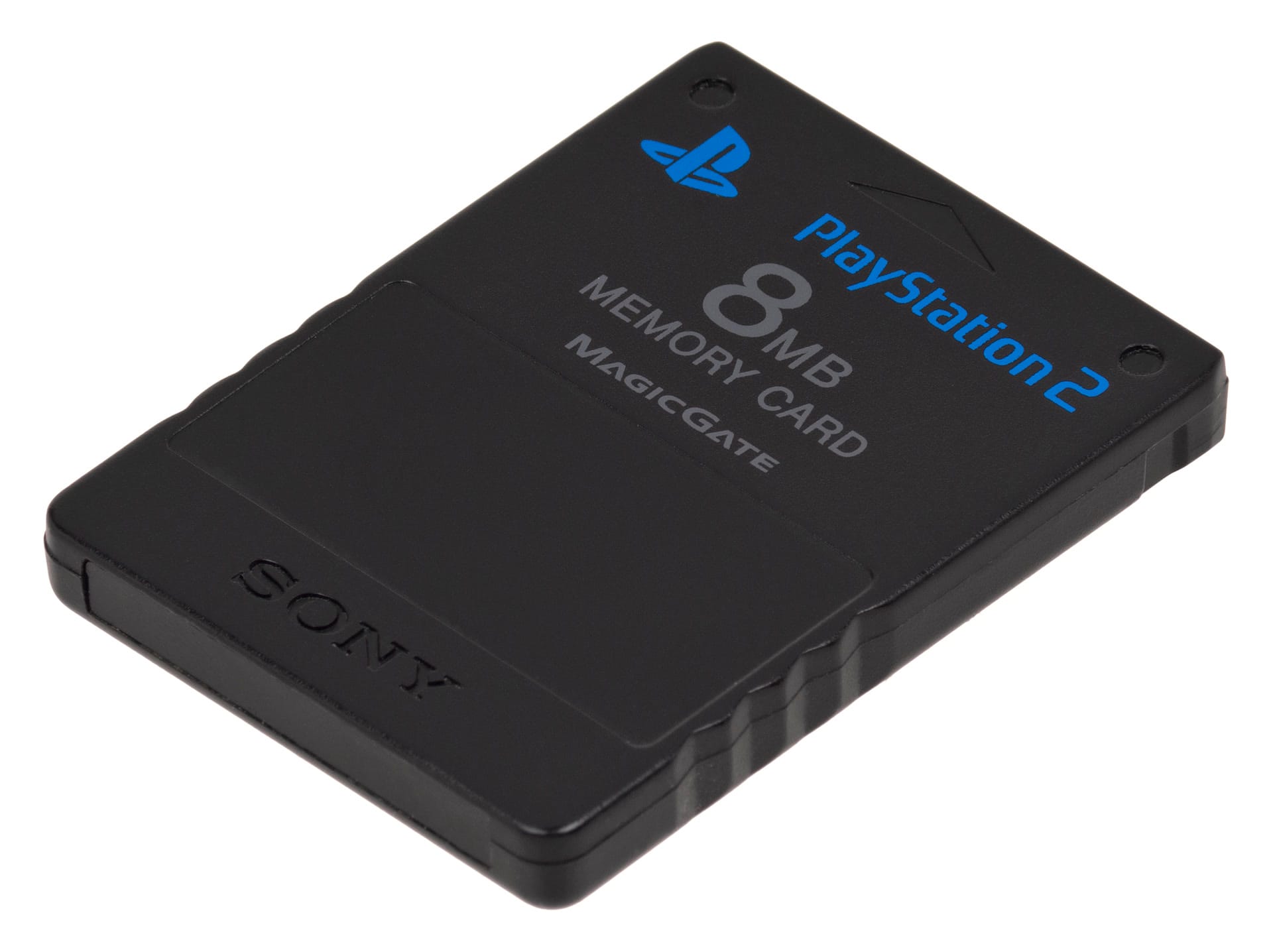
You’ll also want a USB stick. FAT32 is the format that works with everything here, including the FreeMcBoot installer. Newer tools read exFAT too, but FAT32 is the one that won’t trip anything up during setup.
For the disc, grab DVD-R blanks. It has to be a DVD. Skip rewritable DVD+RW too, because those are hard on the laser. Any burning app will do if it lets you pick the slowest speed and finalise the disc, which closes it off so a player can read it. If your usual one fails, try CDBurnerXP. Burn slow. On fats and the first slims (SCPH-700xx), the MechaPwn team warns that a badly burned disc can damage the laser, so use good blanks and don’t leave a failing disc spinning.
There are also memory card adapters that take a microSD card. The MemCard PRO2 from 8BitMods can boot ready-made FreeMcBoot card images that the FreeMcBoot team publishes, which makes it a handy way in for the models with no disc trick. SD2PSX is an open-source alternative, but before it works as a PS2 card it needs a security value that the project doesn’t supply, so it’s a harder first pick for a beginner.
Getting in
Every route ends in the same place: wLaunchELF, a file manager that can run the installer from your USB stick. The disc is just how you get there the first time.
On any slim, and on the PS2 TV, that’s FreeDVDBoot. Download release 1.0 and pick the “All PS2 Slims” image. Before you put the disc in, set the console’s language to English, because the slim image depends on it.
- Burn the image to a DVD-R at the slowest speed, and finalise it.
- Set the PS2’s system language to English.
- Put the disc in and close the lid. On a slim, pressing the lid down or setting something light on it helps the drive read.
- In a few seconds, wLaunchELF appears.
If it doesn’t, FreeDVDBoot’s troubleshooting is worth reading. A black, red or green screen can take about three minutes to clear, so wait before giving up. If the browser shows “PlayStation 2 disc” for your burn, the console probably has a modchip. And if it says it can’t read the disc, try a real DVD movie to rule out the drive, then try a different brand of blank.
On the last fat models, the SCPH-500xx, the disc is YADE instead. Its latest release, 1.0.7, covers only some of the DVD versions from 3.00 to 3.04, and its developer warns that anything not on its list won’t work. So check before you burn. Find the version you wrote down in the release list and grab that image. Two quirks to know. Japanese versions show no letter, and 3.04M shows up on screen as cvrM040402a. Burn it the same way, and it boots its own copy of wLaunchELF.
Older fats are trickier. FreeDVDBoot covers DVD versions 2.10 (on some units) and 2.12 with a second image, so check yours. If neither disc fits, there are two other ways in. Fats with a network adapter and hard drive can boot a small starter image written to the drive from a computer, which the FreeMcBoot team walks through in its FreeHDBoot tutorial. That erases the drive, so use a spare one and double-check which disk you pick on the computer. Or someone with a modded PS2 can put the softmod on your memory card for you, as a Cross-region install so it boots on your model, or you can use a MemCard PRO2 image. The Japanese launch models only have that card route.
Installing FreeMcBoot
FreeMcBoot is the classic. It sits on the memory card as a system update, so the PS2 loads it every time it starts, and it gives you a menu where Open PS2 Loader and wLaunchELF are a button away. The installers are maintained on the FreeMcBoot Installer page.
If your console has no modchip, version 1.966 is the one to use. The FAQ says newer versions clash more with modchips, so modded consoles should try 1.953, and if nothing works, PS2BBL.
- Download the 1.966 package, extract it, and copy its folder to the FAT32 USB stick.
- Put the official memory card in slot 1, plug in the stick, and boot your disc into wLaunchELF.
- In wLaunchELF, open
mass:/, go into the installer’s folder and runFMCBinstaller.ELF. - Before installing, open the memory card menu and use Dump MC. It saves an image of the whole card to the USB stick.
- Choose Install, then Normal install for just this console.
- Take the disc out and restart. FreeMcBoot’s menu comes up.
The installer also offers Cross-model and Cross-region installs, which make one card work on other PS2s. Pick Cross-region if you ever plan to look at MechaPwn on a later slim. Its instructions require it there. The old Multi-Install mode is gone from these packages, and the FreeMcBoot team says it can corrupt cards. Cross-region does the same job safely.
The last slims: OpenTuna and PS2BBL
On an SCPH-900xx with boot ROM 2.30, and on the PS2 TV, Sony closed the system update door, so nothing can start by itself. OpenTuna gets around it from a different direction. It’s a specially made save icon that trips up the console’s memory card browser when it tries to draw it. So instead of booting straight into homebrew, you open the memory card screen and it takes over.
The current package pairs it with PS2BBL, a small bootloader, and it’s on the PS2BBL downloads page. Two warnings before you run it. The installer wipes several folders off the card, including BOOT, APPS and SYS-CONF, so dump or copy the card first. And its source code warns that OpenTuna crashes if the console’s language is Japanese.
- Copy the PS2BBL and OpenTuna package to the USB stick, and boot FreeDVDBoot into wLaunchELF.
- Back up the card first: copy your save folders to the USB stick in wLaunchELF, or run the FreeMcBoot installer’s Dump MC.
- Run the installer from
mass:/. - Press L1 or R1 to pick the card’s slot, then R2 for the automatic install.
- Take the disc out and restart into the normal PS2 menu.
- Open Browser, select the memory card, then back out twice. PS2BBL starts.
Out of the box, PS2BBL opens Open PS2 Loader automatically, R1 opens wLaunchELF, and Start drops you into the normal PS2 menu. You do the browser trick each time you power on. PS2BBL’s developer lists the PS2 TV as should-work but not confirmed.
Other ways to set it up
PS2BBL isn’t only for late slims. On every model that accepts system updates, it can be installed as one with KELFBinder, and then it starts by itself the way FreeMcBoot does. It’s lighter, reads exFAT drives, and gets along better with modchips.
There’s also OSDMenu, which reached version 1.3.0 in June. It’s a menu built from FreeMcBoot 1.8’s code that installs the same way through KELFBinder, boots faster, and works on the Japanese launch models. Either one is a fine pick if you’d rather not use FreeMcBoot. FreeMcBoot is still the one with the most help written for it.
Setting up Open PS2 Loader
Now the payoff. Open PS2 Loader, or OPL, plays backups of your own games straight from a drive. The FreeMcBoot 1.966 package comes with an older version, though. Update it from the OPL page.
You’ve got two choices there. The stable release, 1.1.0, is from 2021 and works fine with FAT32 drives. The 1.2.0 beta is newer and adds exFAT drives and compressed games, and the README recommends it over 1.1.0, whose network-drive server has known bugs. Either runs from the memory card or the USB stick.
On a USB stick, OPL looks for two folders at the top of the drive: CD for games that came on CDs and DVD for games that came on DVDs. A game backup is an ISO file, a full image of the disc. On FAT32, a single file can’t be bigger than 4 GB, which matters for the biggest DVD games: exFAT on the 1.2.0 beta avoids it. OPL creates its other folders, for artwork, settings, virtual memory cards and cheats, the first time you turn a device on in its settings.
Network play works too. OPL can read a shared folder on a computer or NAS over SMB version 1, the old version of the file-sharing protocol, so you’ll need to turn that on for the share. TrueNAS has an “Enable SMB1 support” switch for exactly this. Then, in OPL’s network settings, enter the server’s address and the share name.
On a fat with Sony’s network adapter, an internal hard drive works best of all. OPL reads drives up to 2 TB in the PS2’s own format, and games are copied onto it from a computer with a tool called hdl-dump.
A couple of OPL habits help. In settings, set the device you use to start automatically, and save. If a game misbehaves, its compatibility modes, numbered 1 to 6, fix a lot of problems, and OPL’s README says a white screen in game means the file is fragmented or the image is damaged. Copying the games off, reformatting and copying them back fixes fragmentation.
Backing up and undoing it
Keep that card dump from the installer somewhere safe, along with a copy of the card’s saves. The FreeMcBoot installer can put a dumped card back with Restore MC, and it can remove itself with Uninstall FMCB. On a MemCard PRO2 or SD2PSX, the card is just a file on the microSD, so a computer copy is a full backup.
PS2BBL, OSDMenu and OpenTuna don’t come with an uninstaller. Their files live in folders on the card, so with your saves backed up, formatting the card in the FreeMcBoot installer or in wLaunchELF puts it back to a blank card.
When something goes wrong
Most problems come from a handful of causes, and the FreeMcBoot FAQ covers them. A “MagicGate error” means the card can’t do system updates, so swap to an official card. Freezing on the orb animation, or a black screen for every app, points to a modchip that doesn’t get along with FreeMcBoot; 1.953 or PS2BBL is the answer. If it sits on the FreeMcBoot logo, unplug the USB stick: its drivers crashed looking for a rescue file.
In OPL, if it freezes on its logo, hold Start while it loads, and if there’s no picture, hold Triangle and Cross. If the PS2BBL installer says there isn’t enough space, clear some saves off the card, after backing them up.
What it won’t do
A softmod runs software from the memory card. It doesn’t change the disc drive, so the PS2 still won’t boot a burned game disc. The FreeMcBoot FAQ calls that a hardware limit. MechaPwn is a separate tool that rewrites the drive controller’s settings on later models, with its own backup steps and its own risks, and it’s outside this guide.
It also won’t make every game work from OPL. Most do, and the compatibility modes cover a lot of the rest. And on boot ROM 2.30 consoles, nothing will make it start by itself: the browser trick is part of owning one.
Nerd Alert
Your Turn
What are YOUR thoughts
What have your experiences been? Let us know.