News · News · PC Hardware
ASUS Brings Back the ROG XG Station, and This Time You Bring the Power Supply
ASUS’s new Thunderbolt 5 graphics dock leaves the card and the power supply to you, and its 120Gbps headline isn’t what your graphics card gets.
https://averagetechnerds.com/asus-rog-xg-station-3-thunderbolt-5-egpu/
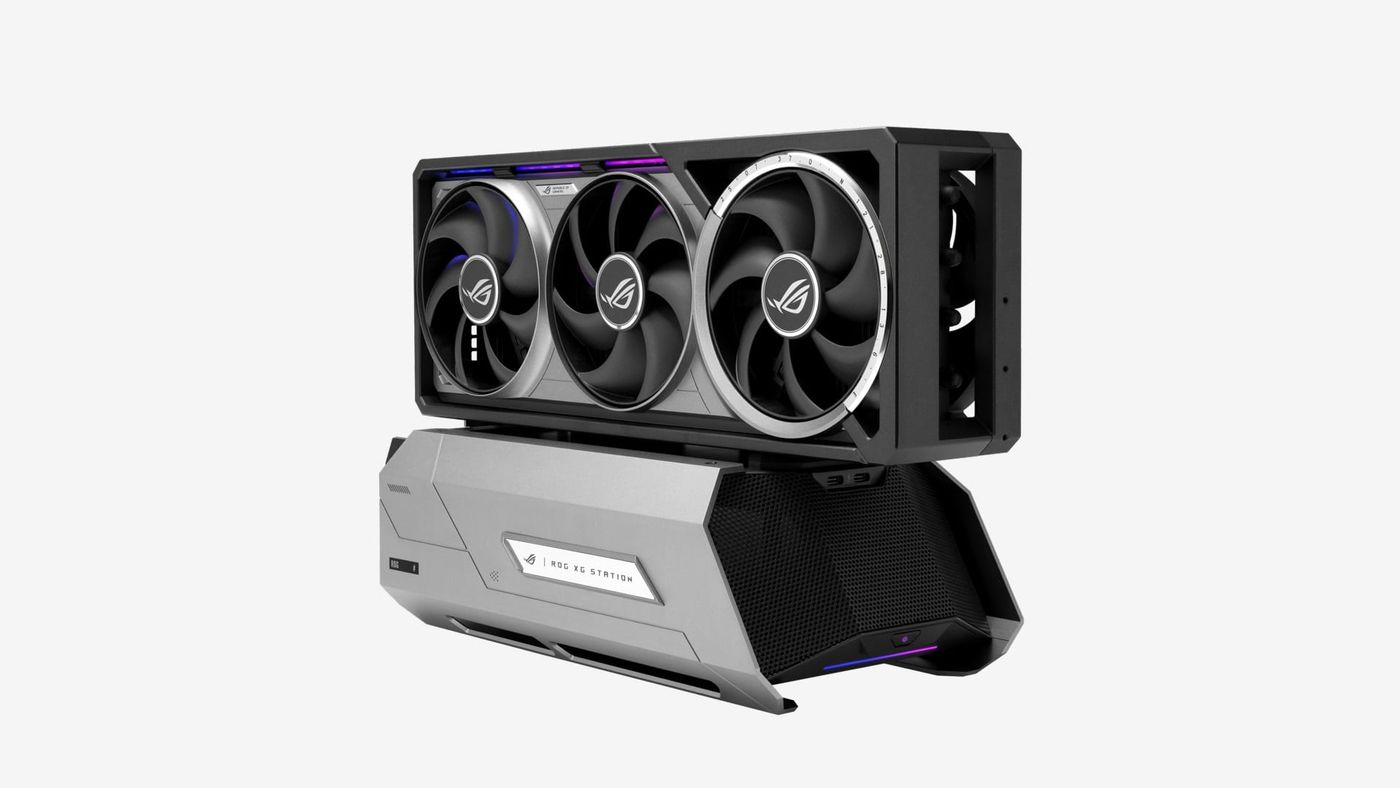
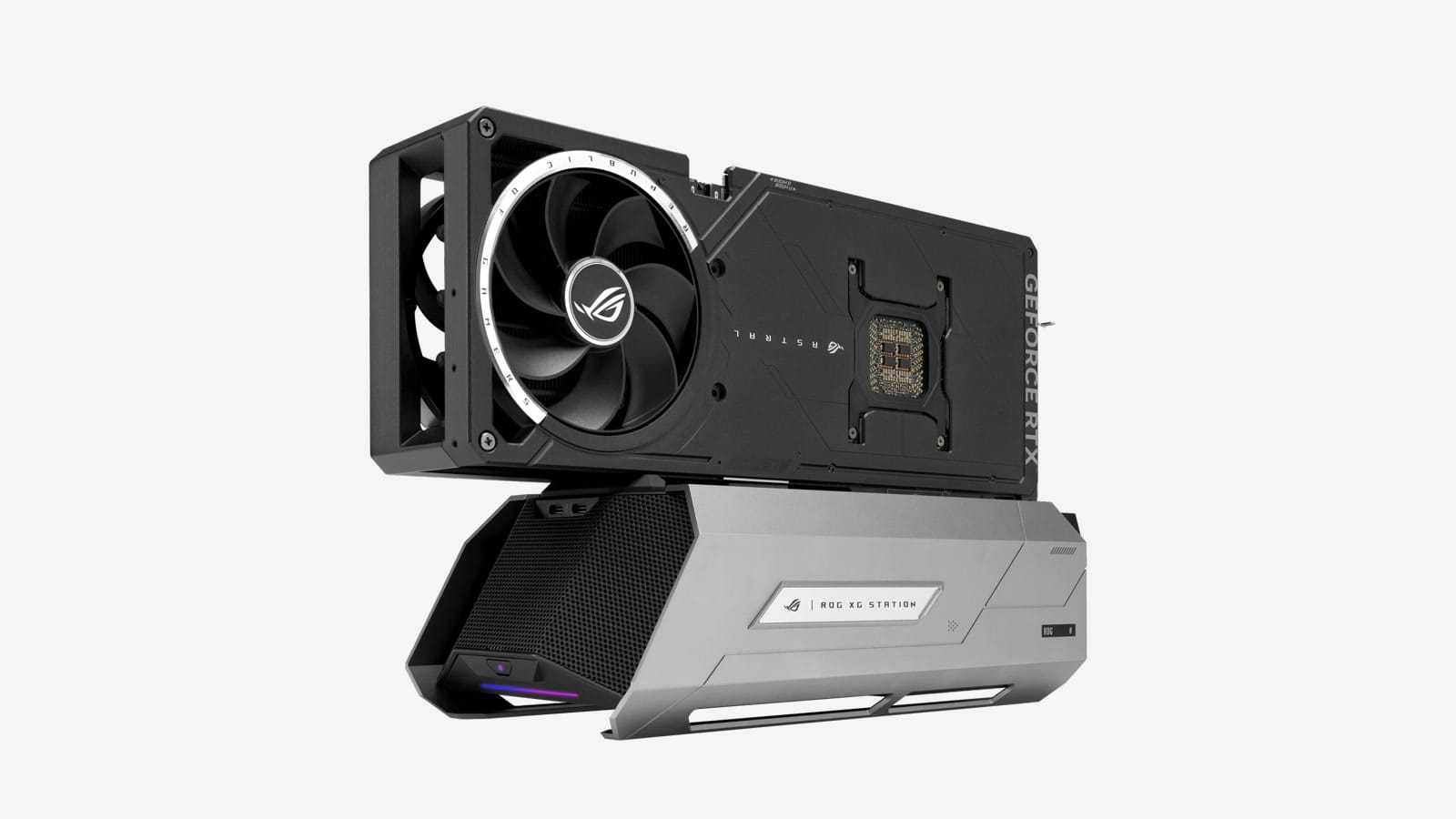
Picture a big graphics card standing on a silver base on your desk, no case around it, fans out in the open, and one cable running from it to a laptop. That’s the ROG XG Station 3, the external graphics dock ASUS announced on November 3. It’s a new take on the XG Station docks ASUS sold back in the Thunderbolt 3 days, this time built around Thunderbolt 5. Before you start pricing one up, though, know that the shopping list is longer than the dock. The graphics card isn’t included, and neither is the power supply. Here’s what it is, what ASUS still hasn’t said, and which machines it’ll actually work with.
UPDATE What’s new since publishing
The XG Station 3 has its first price. In Malaysia it’ll cost RM1,539 when it arrives in early December, Pokde and Tech Critter report. That’s about US$380 at today’s exchange rate, and it’s still just the dock, with no graphics card or power supply.
Malaysia is the only country with a price so far, so treat it as a hint for the US. Converted, it’s about $30 more than Razer’s Core X V2 at $349.99, another dock that leaves the card and the power supply to you. What ASUS charges in the US is still its call.
What is the ROG XG Station 3?
It’s a dock that gives a laptop a desktop graphics card whenever it’s plugged in. ASUS announced it on November 3, about a year and a half after it first showed the dock at Computex in 2025, and it has a product page up with the full spec sheet.
The card sits on top, completely uncovered. ASUS pitches that as a look, with the card on show as the centrepiece of the desk, and as a cooling win, since nothing is in the way of the fans. The base has polished metal panels and RGB lighting that syncs with ASUS’s Aura software.
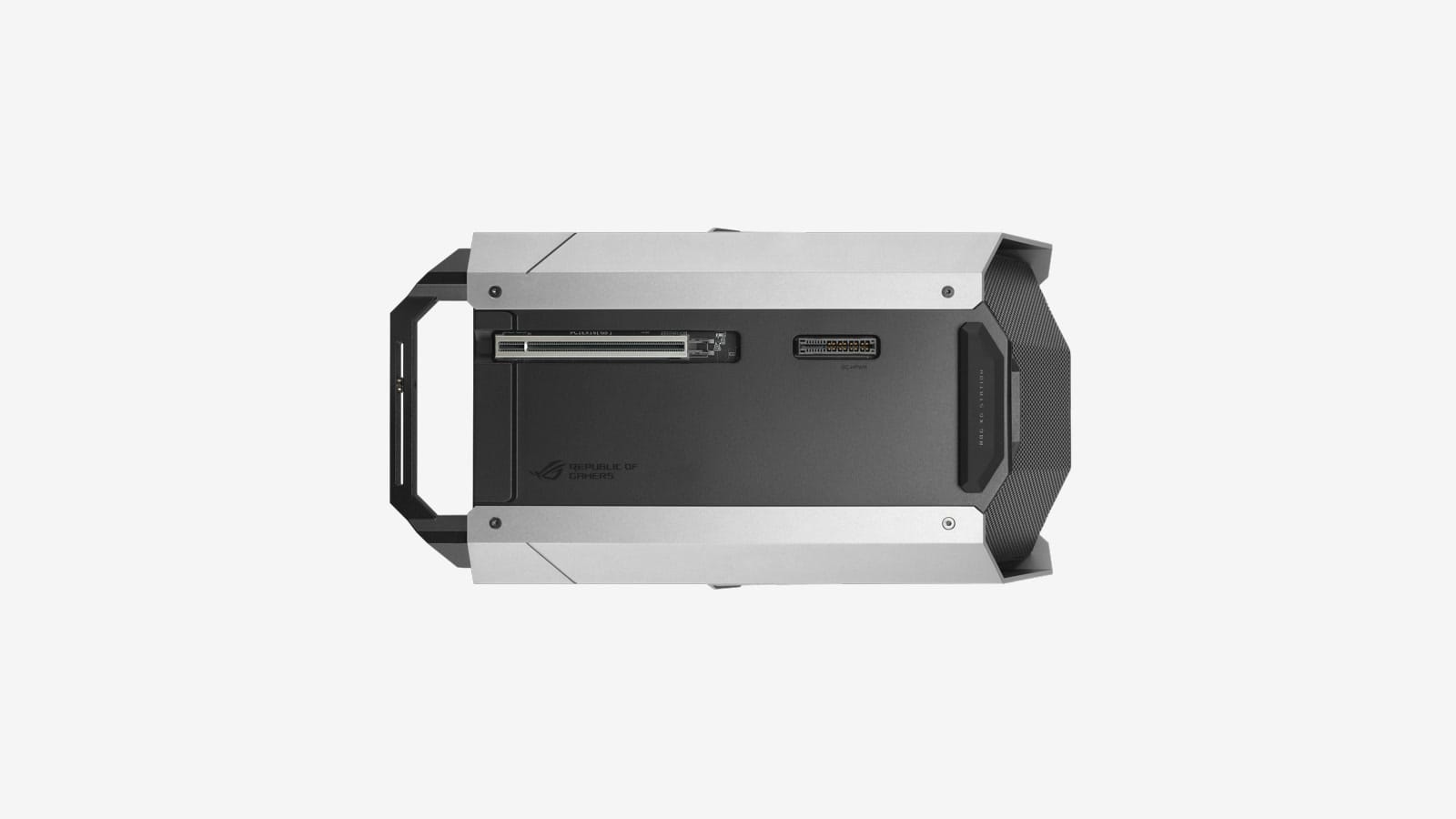
One Thunderbolt 5 cable to the laptop carries the graphics, the USB ports and up to 140W of charging, so for a lot of laptops that’s the only cable you’ll plug in. Around the dock you get a second Thunderbolt 5 port for monitors or other gear, which can also put out 36W, and two 10Gbps USB-C ports on the front for a keyboard, a mouse or a drive. That’s the whole list: no Ethernet, no USB-A and no SD card slot.
How much is it, and when can you buy it?
Only in Malaysia so far: RM1,539, about US$380, from early December. There’s no price or date for anywhere else yet, and the only product page is the global one, with no US or UK page so far. For a sense of where it could land, Razer’s Core X V2, another Thunderbolt 5 dock that also leaves the card and the power supply to you, costs $349.99.
Does it come with a power supply?
No, and that’s a change from the dock ASUS showed off last year. At Computex 2025, PCGamesN reported it with a 330W SFX power supply built in. The final version has a bay for your own SFX or SFX-L unit instead, and ASUS recommends 750W or more, rated 80 PLUS Gold or better. Its own launch image says it plainly: graphics card and power supply sold separately.
So the real price of a working setup is the dock, plus a card, plus a small-form-factor power supply. Razer’s dock asks for a regular ATX supply instead. The SFX size is what keeps ASUS’s base compact.
What’s the BTF slot for?
Hiding the power cable. A normal graphics card takes its power through a thick cable plugged into its side, and on an open frame that cable would be right there in plain view. ASUS’s BTF cards get their power through a second connector on the bottom edge, next to the regular PCIe connector, and the XG Station 3 has the matching slot, which ASUS calls GC-HPWR. ASUS names two cards that fit it, the TUF Gaming RTX 5080 BTF OC Edition and the ROG Astral RTX 5090 BTF Edition. Any regular card works too. You’ll just see its cable.
What graphics cards fit?
Big ones. ASUS’s FAQ gives the limit as 361 x 139.3 x 93.9 mm, without saying which number is which, and if 93.9 mm is the thickness, that’s about four and a half slots, enough for the big triple-fan cards. ASUS lists GeForce RTX 50, RTX PRO 6000, Radeon RX 9000 and Intel Arc cards, so all three brands are covered, workstation cards included.
Does 120Gbps make the graphics card faster?
No, and this is the line in the announcement worth slowing down for. Thunderbolt 5 moves 80Gbps in each direction. When you’re pushing a lot of video out to monitors, a feature called Bandwidth Boost tips that balance to 120Gbps one way and 40Gbps the other, according to Intel. That boost is for screens.
The graphics card talks to your laptop over PCIe, the same kind of link it would use in a desktop slot, carried inside the Thunderbolt cable. Intel lists that link at 64Gbps on Thunderbolt 5, double the 32Gbps of Thunderbolt 4. That’s a real step up from older docks, and it’s about what a card gets from four PCIe 4.0 lanes, a quarter of the lanes it would get in a desktop. So expect some performance loss next to the same card in a desktop. When Notebookcheck tested Gigabyte’s AORUS RTX 5090 AI BOX, a Thunderbolt 5 dock with the card built in, it ran about 27% slower in games than a desktop RTX 5090.
Which laptops does it work with?
Thunderbolt 5 laptops get the full 64Gbps, and ASUS says the dock is fully backward compatible with Thunderbolt 4, where the card’s link drops to Thunderbolt 4’s 32Gbps. You’ll need Windows 11 version 25H2 or later. Macs aren’t supported.
The awkward part is the one laptop the announcement names. Its pitch to laptop owners points to the ROG Zephyrus G14 as proof of how far compact laptops have come, but the 2025 G14’s spec sheet lists a USB4 port at 40Gbps and no Thunderbolt 5. ASUS laptops that do have Thunderbolt 5 today include the ROG Strix SCAR 16 and SCAR 18 from 2025, and some Strix G16 and G18 configurations.
Will it work with the ROG Ally X?
ASUS hasn’t said. For USB4 machines, the spec sheet tells you to confirm eGPU compatibility with your PC’s manufacturer, which is a funny instruction when the manufacturer is ASUS. The Ally X and the ROG Xbox Ally X list a USB4 port with Thunderbolt 4 compliance, and ASUS’s smaller XG Mobile dock does name both handhelds as supported. Until ASUS says the same about this one, treat a handheld as a maybe.
How does it compare with the Razer Core X V2 and the XG Mobile?
It isn’t the first Thunderbolt 5 graphics dock. Razer’s Core X V2 has been on sale since late 2025, and ASUS’s own XG Mobile moved to Thunderbolt 5 last year.
| Dock | Graphics | Power supply | Laptop charging | Price |
|---|---|---|---|---|
| ROG XG Station 3 | Your desktop card | Yours, SFX or SFX-L, 750W+ recommended | Up to 140W | RM1,539 in Malaysia (about US$380) |
| Razer Core X V2 | Your desktop card, up to 4 slots | Yours, ATX | Up to 140W | $349.99 |
| ROG XG Mobile (2025) | Built-in RTX 5070 Ti or RTX 5090 Laptop GPU | Built in | Up to 140W | From C$1,999 in Canada |
Against Razer’s dock, ASUS adds the cable-free BTF slot, the front USB-C ports and the lighting, and asks for the smaller SFX power supply. The XG Mobile is the opposite idea: a sealed box with a laptop graphics chip already inside, small enough to carry, and it adds Ethernet, an SD card reader and video outputs of its own. You can’t swap its graphics, though, and the XG Station 3 exists for exactly that.
What happens next?
A US price and a release date, first. ASUS hasn’t even put up regional product pages, so it may be a while. After that, the reviews that matter will measure how much a big card loses over the 64Gbps link, and whether a handheld like the Ally X runs it at all.
Nerd Alert
Your Turn
What are YOUR thoughts
What have your experiences been? Let us know.