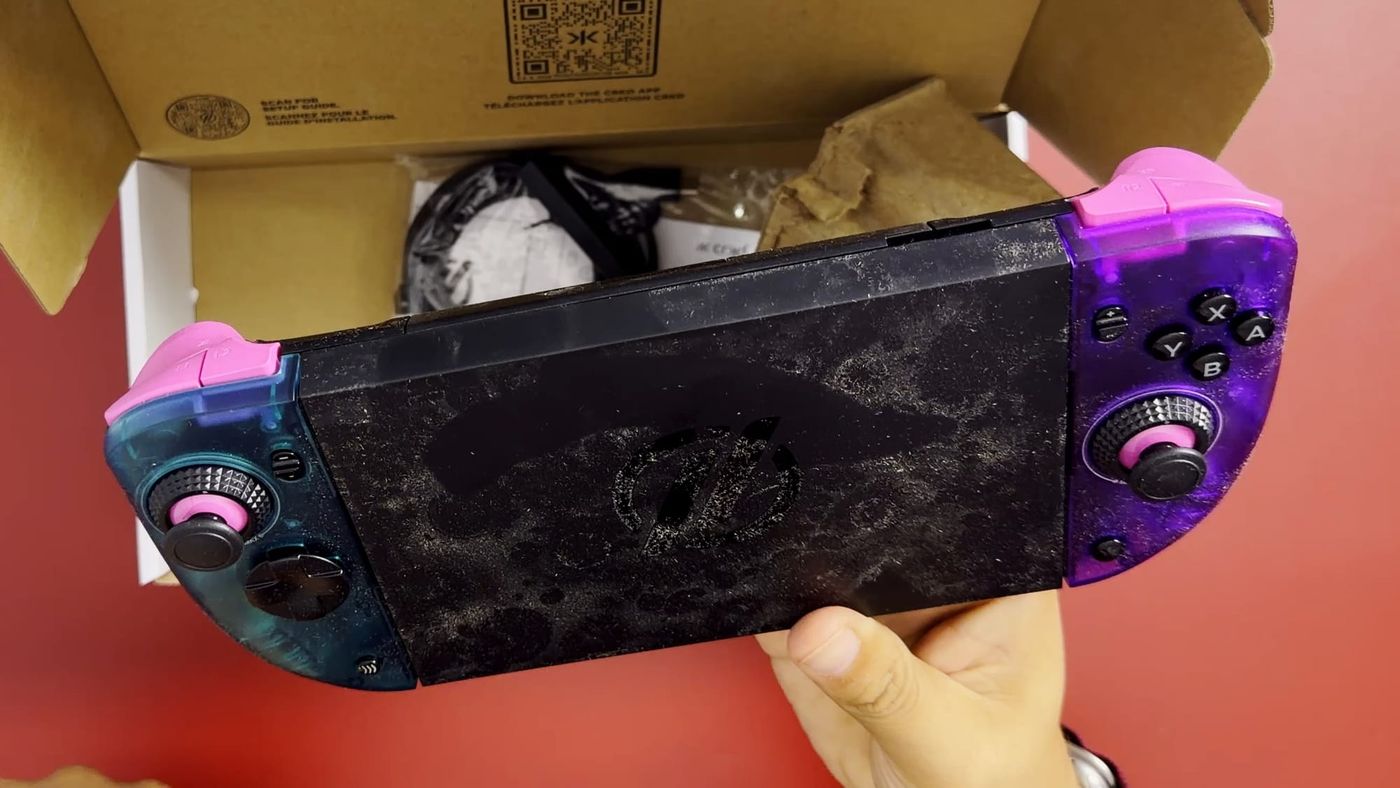
The CRKD Nitro Deck 2 turns the Nintendo Switch 2 into a single handheld by clamping the console into one controller body. The unit covered here is the Limited Run Games edition, which adds a split Glacier Blue and Atomic Purple finish but uses the same electronics as the standard Nitro Deck 2. I ordered it new, directly from CRKD’s website, for $99.99, and it took about two weeks to arrive. It is the second controller in my Switch 2 series, after the NYXI Hyperion 3.
UPDATE What’s new since publishing
I have confirmed the cause of the wired connection delay mentioned in the article. The USB bridge needs the Switch 2’s Pro Controller Wired Communication setting turned on, and once it is enabled, the wired connection works reliably. If your Nitro Deck 2 will not connect through the bridge, that setting is the first thing to check.
The replacement CRKD sent after my first unit arrived dusty came about four days after it shipped, clean and complete this time. On rumble, which I called weak by default, turning it up to the highest setting in CRKD’s app makes a clear difference. It is still weaker than some other controllers, which can push their rumble much further, but at its maximum it is sufficient.
After this article was published, I contacted CRKD about the condition of my unit. Within 24 hours, the company offered a replacement, sent a new unit and provided a prepaid shipping label for returning the original. That covered both the product and the cost of sending the dusty unit back.
CRKD’s customer service handled this quickly and at no cost to me, and it has made a great impression. It has clearly improved my view of the brand. A unit arriving in that condition is still a reason to inspect a new Nitro Deck 2 when it arrives, and CRKD’s response shows how the company handles the problem when it happens.
It arrived dusty
The unit came loosely packed and covered in dust, with more dust under the protective cover on the back. For a product I paid full price for and ordered as new, the condition suggested a returned or used unit. I cannot confirm that, and it may be an isolated mistake. I am treating the condition and the controller as separate questions, so the rest of this article covers the hardware itself.
The box contained the deck, the Centerpiece, a U-shaped USB-C bridge that CRKD calls the Wired Mode Adapter, a Legacy Adapter, a USB-C to USB-A charging cable and a few small rubber pieces. The Legacy Adapter exists because the Nitro Deck 2 also fits the original Switch, which is physically smaller; attached to a Switch 1, it fills the extra space so the console sits properly and can still use the bridge. CRKD’s listing for this edition also includes a microfiber drawstring bag and a collector pin, and neither was in my box. No replacement D-pad is included.
Build, grip and buttons
The deck is plastic and lightweight, which helps during long sessions. The plastic feels a little better than the Hyperion 3’s, and the grips use a textured plastic surface. Rubber grips tend to peel and degrade over time, so the plastic finish should age better. The transparent shell also has the see-through 1990s look that I like.
Alongside the standard bumpers and triggers (L, R, ZL and ZR), the deck adds four rear buttons and a second pair of shoulder buttons, L2 and R2. All six are programmable, either on the controller itself with the Program button or through CRKD’s app, and out of the box L2 and R2 copy L and R until they are reassigned. The triggers and rear buttons have a clicky feel, although they do not appear to use microswitches. The face buttons feel like membrane switches, similar to the original Joy-Con buttons with slightly longer travel.
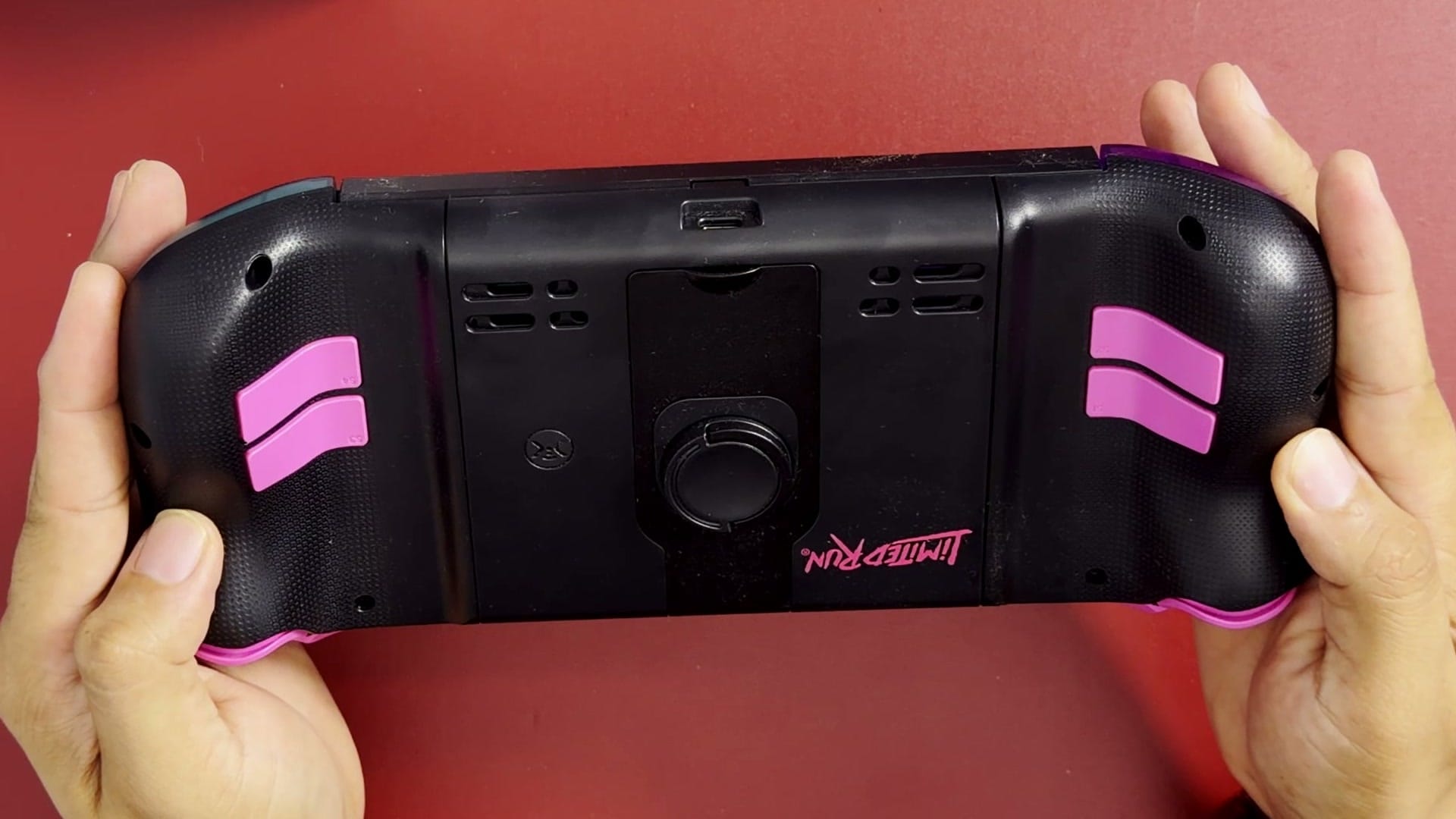
The minus and plus buttons share two small rocker switches. One rocker pairs minus with the Capture button, and the other pairs plus with a button marked M. CRKD’s guide calls it the Program button, used to set up button programming, although pressing it during play on my unit opened Game Chat. A CRKD button acts as Home. The rocker layout feels odd at first, although it is something I could get used to, and the D-pad clicks out, which leaves room for replacements or 3D-printed alternatives.
CaptiStick sticks with adjustable tension
CRKD markets its joysticks as CaptiStick, its own name for capacitive sticks. According to CRKD, they are designed to resist drift, which is a claim other stick technologies such as TMR and Hall effect also make. The more useful feature is the adjustable tension ring around each stick. Tightening it increases the force needed to move the stick, which gives finer control in shooters and other precision games.
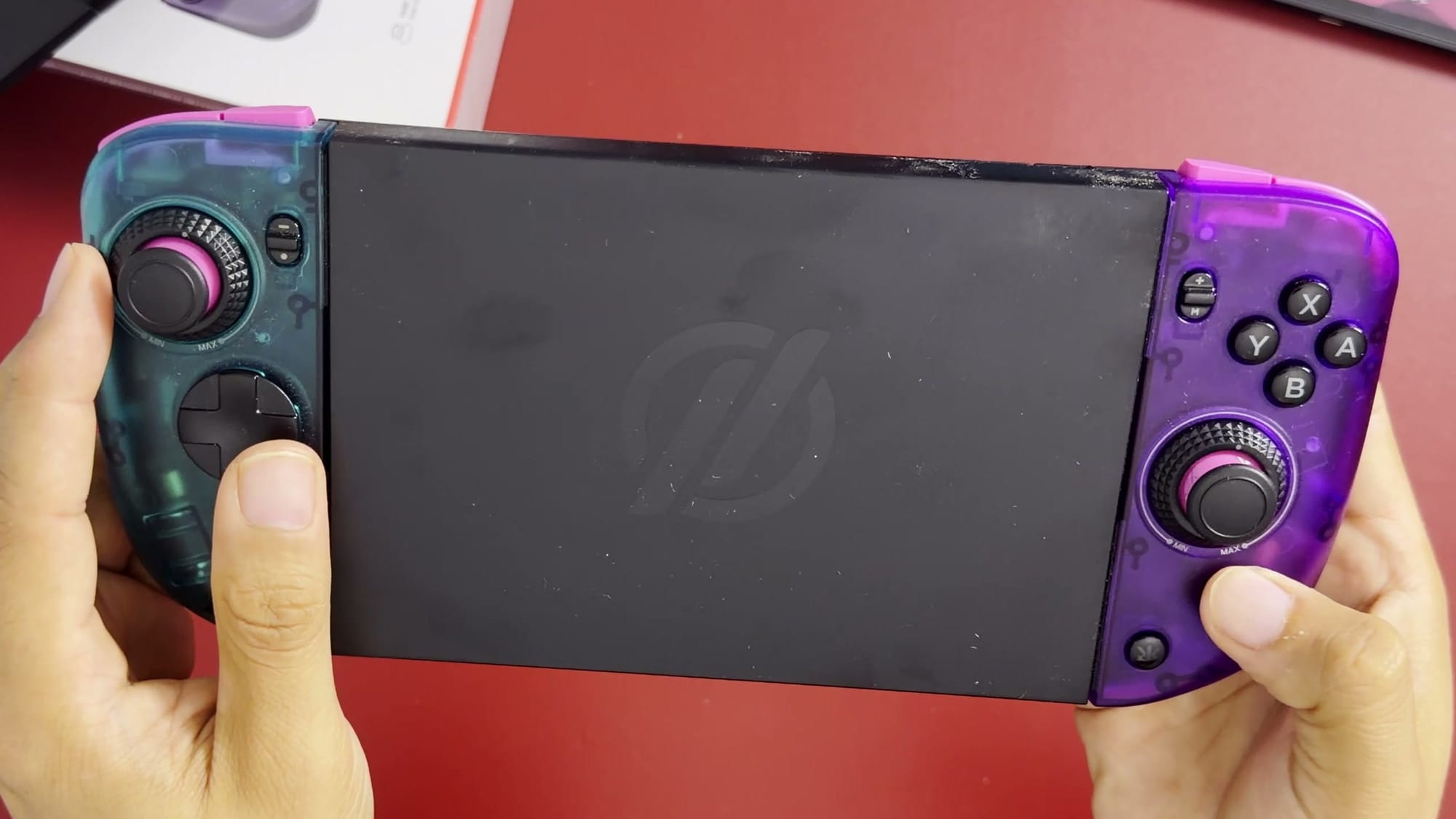
The difference between settings is significant. At its loosest, the stick moves with almost no resistance, which I found too loose, while a midpoint felt right to me. The Hyperion 3’s sticks have a fixed resistance that I also liked. Being able to set it myself makes the Nitro Deck 2 the better option on this point.
The clamp and the USB-C bridge
The Switch 2 is held by a twist-tension clamp. Pulling the locking dial up releases it so the grips can slide apart; with the console in place and the sides pushed in, pressing the dial down and turning it clockwise locks it with audible clicks. Nothing guides the console into position, although the USB-C bridge and a small lip along the bottom can help center it. I figured the mechanism out without reading the manual, and it took some trial and error.
The bridge is what makes the connection wired. Without it, the deck connects over Bluetooth 5.3 and has to be paired. The bridge must be aligned before clamping, and on my unit it did not respond at first; the deck later vibrated and connected on its own. CRKD’s guide notes that wired mode requires the Pro Controller Wired Communication setting to be turned on in the Switch settings, which may explain the delay. Between the bridge, the clamp and the twist mechanism, there are several points that could fail, and once installed, the console is held in place by clamping force alone.
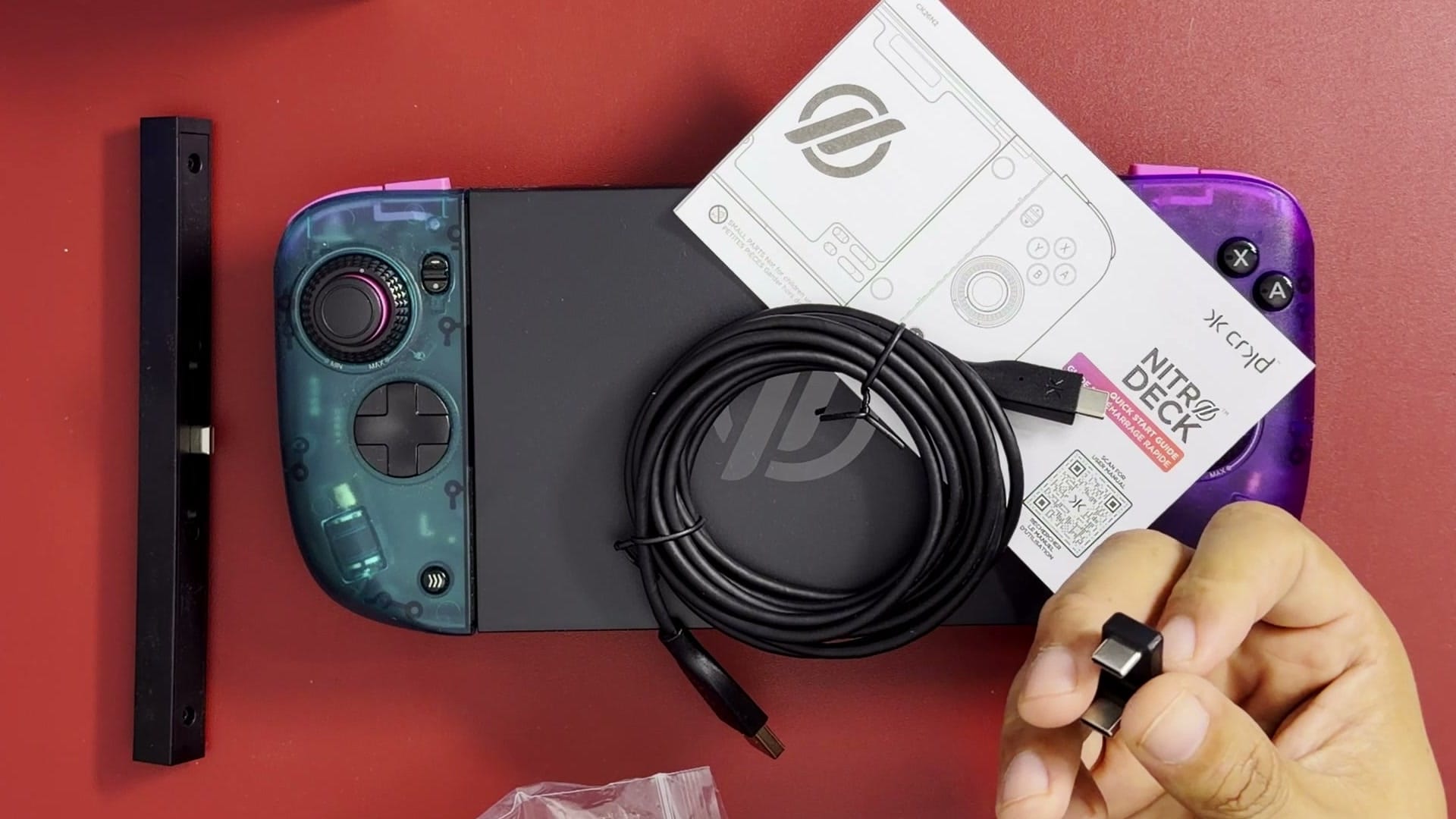
After the Switch 2 is installed, the deck slightly obstructs the game card slot. Cards can still be removed, but it is awkward. Because of the clamp, the deck suits someone who installs the console once and leaves it there, more than someone who moves between setups often.
Switch 1 protocol, battery and rumble
The Nitro Deck 2 connects as a Switch 1 Pro Controller. As a result, it cannot read amiibo and cannot wake a Switch 2 wirelessly; its built-in RFID tag only registers the deck in CRKD’s app. Since the deck is designed to hold the console in handheld use, waking it from a dock matters less than it would for a standalone controller. Even so, I think CRKD should have committed to a dedicated Switch 2 version with Switch 2 electronics.
The internal battery powers only the controller’s wireless use. It does not charge the console, and there is no HDMI pass-through. CRKD’s guide describes two rumble motors, each adjustable to six levels, either on the controller with a button combination or in CRKD’s app. Out of the box, the rumble felt weak to me, and CRKD does not advertise HD rumble for the Nitro Deck 2.
Firmware updates go through the CRKD CTRL section of CRKD’s app. I prefer updating controllers from a computer, as 8BitDo allows, although I have not checked whether CRKD offers a PC option. Mouse functionality is not supported.
Weight and comfort
The deck weighs about 280 grams on its own and about 680 to 690 grams with the Switch 2 installed. That is heavier than a Switch 2 with Joy-Cons and lighter than most PC handhelds. The ergonomics are excellent. The shape feels like a Steam Deck in one piece, and I really enjoy how it feels in my hands.
What comes next
Buyers ordering one should inspect it on arrival, because my unit arrived in a condition I would not expect from a new product. CRKD’s quick replacement, covered in the update above, shows that the company will put it right. I will compare it with the Hyperion 3, the MobaPad and the abxylute N6 once I have spent more time with all four.