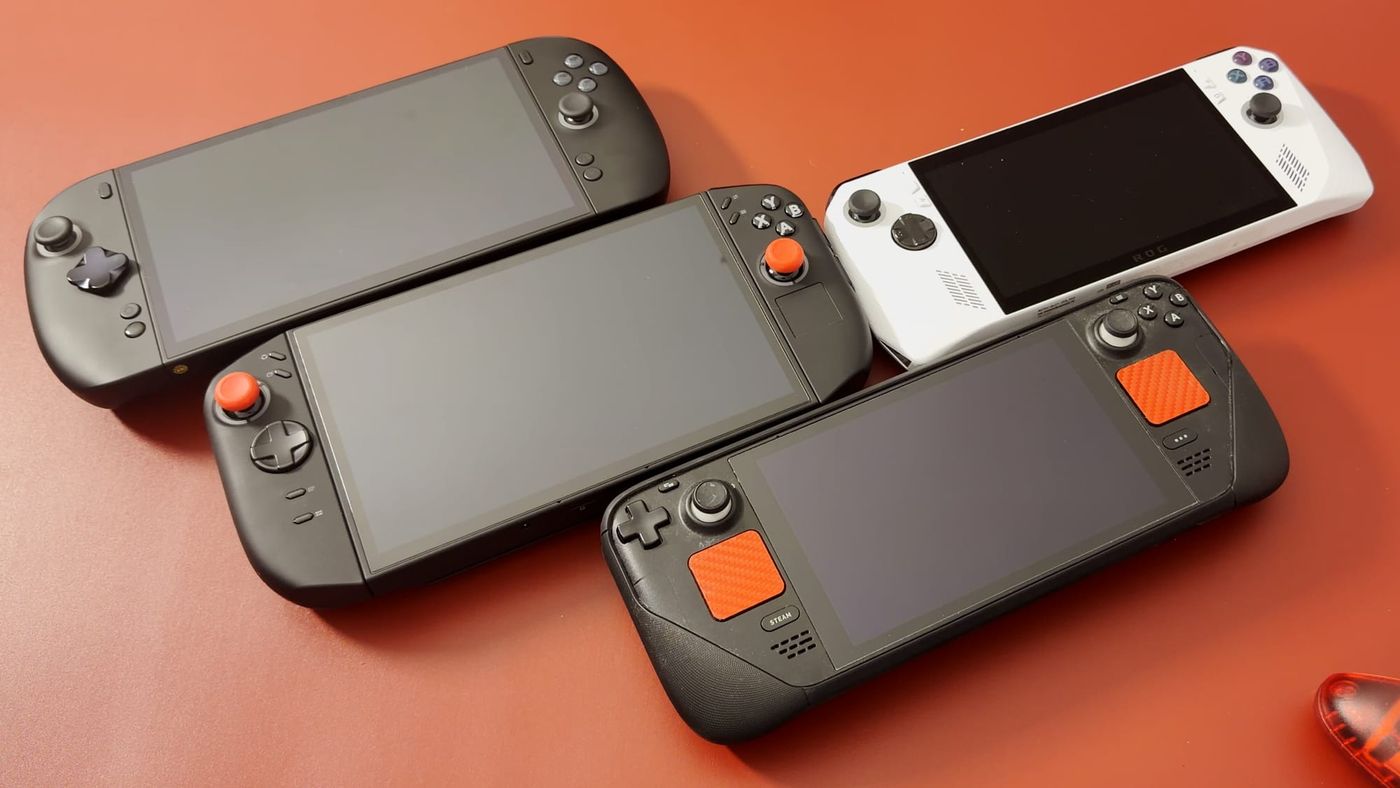
This comparison draws on my four handhelds: a Steam Deck, an original ROG Ally, a Legion Go 2 and a OneXPlayer X2 Mini Pro. My Legion Go 2 is my primary handheld, and my X2 Mini Pro stays docked to a bigger screen. The X2 cost around $2,400, yet my handheld play does not call for all of its power. I put its extra capability to use at the TV instead. That outcome raises a broader question about how buyers decide which of these devices suits them.
Interest in hardware is part of the picture. I keep buying new devices and have a clear enthusiasm for them. I also travel frequently for work, have children and have limited time to sit down and play. Under those conditions, the handheld I carry around is not always the one with the most impressive spec sheet.
The sections below explain how that arrangement came about. They cover portability, battery life, power settings and screen size in turn. Together, those factors explain why the more expensive handheld did not become the one I travel with.
The four handhelds being compared
The four devices are an LCD Steam Deck, the original ROG Ally with the Z1 Extreme, a Legion Go 2 with the Z2 Extreme and the OneXPlayer X2 Mini Pro. My X2 uses the Ryzen AI Max+ 388 with Radeon 8060S graphics. It is the most powerful of the four and a capable machine. Even so, my Legion already delivers what I need for handheld play, and the X2’s additional capability pays off mainly when it is connected to a bigger screen.
The price gap frames the comparison. My Legion cost about $1,300 and my X2 around $2,400, a difference of roughly $1,100. The useful question is how much that extra $1,100 changes the way I actually play them.
Both devices have 8.8-inch OLED screens, which make a strong case for either one. The larger screens also mean a bigger device to hold and to fit in a bag. Away from an outlet, battery life becomes part of every session, because I have to decide how long to play before charging.
The X2’s battery travels with it
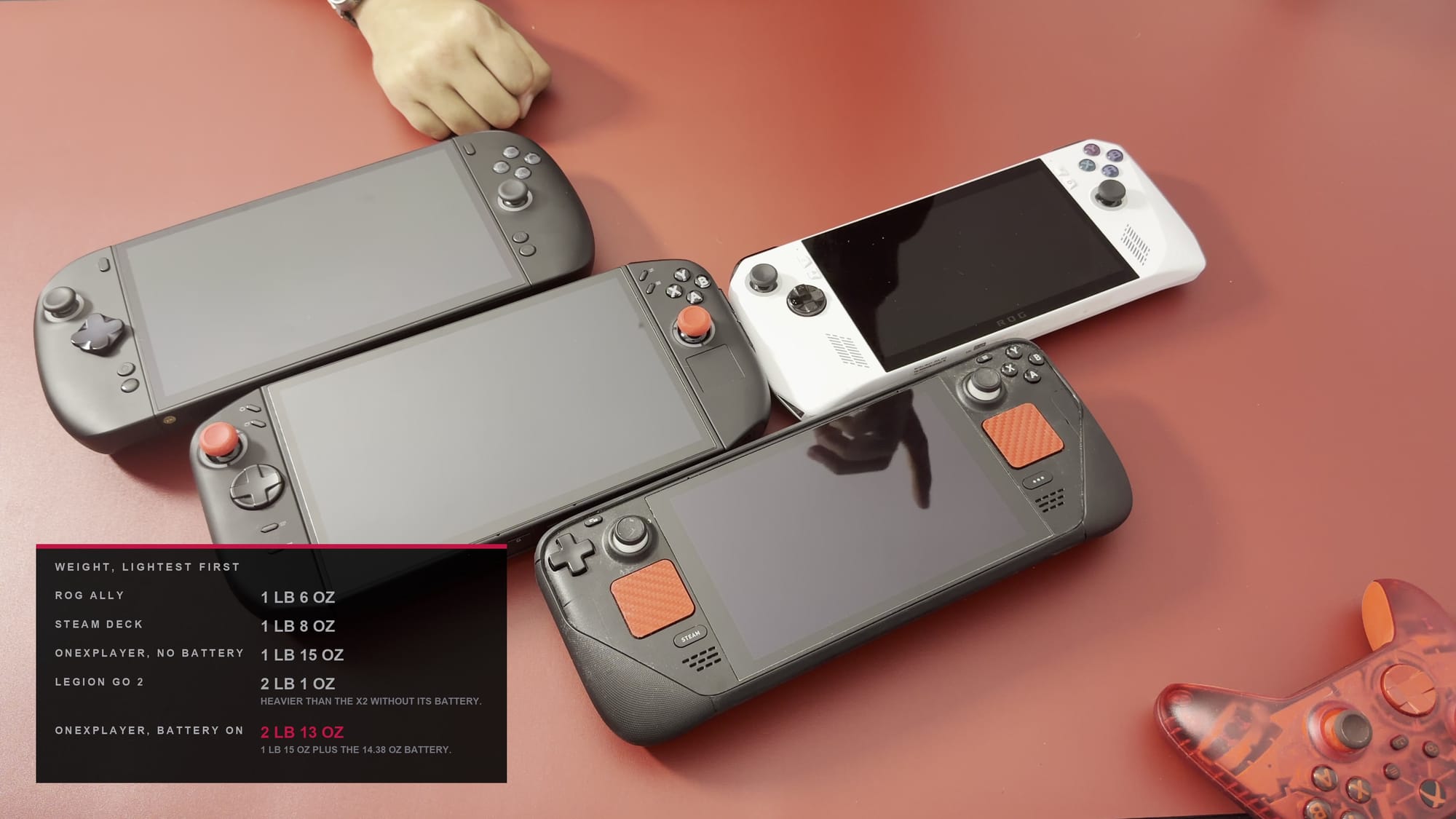
The X2’s battery offers an unusual option because it detaches from the back of the device. Near an outlet, such as on a couch, the battery can come off while the handheld runs from wall power. That leaves less weight in the hands during play.
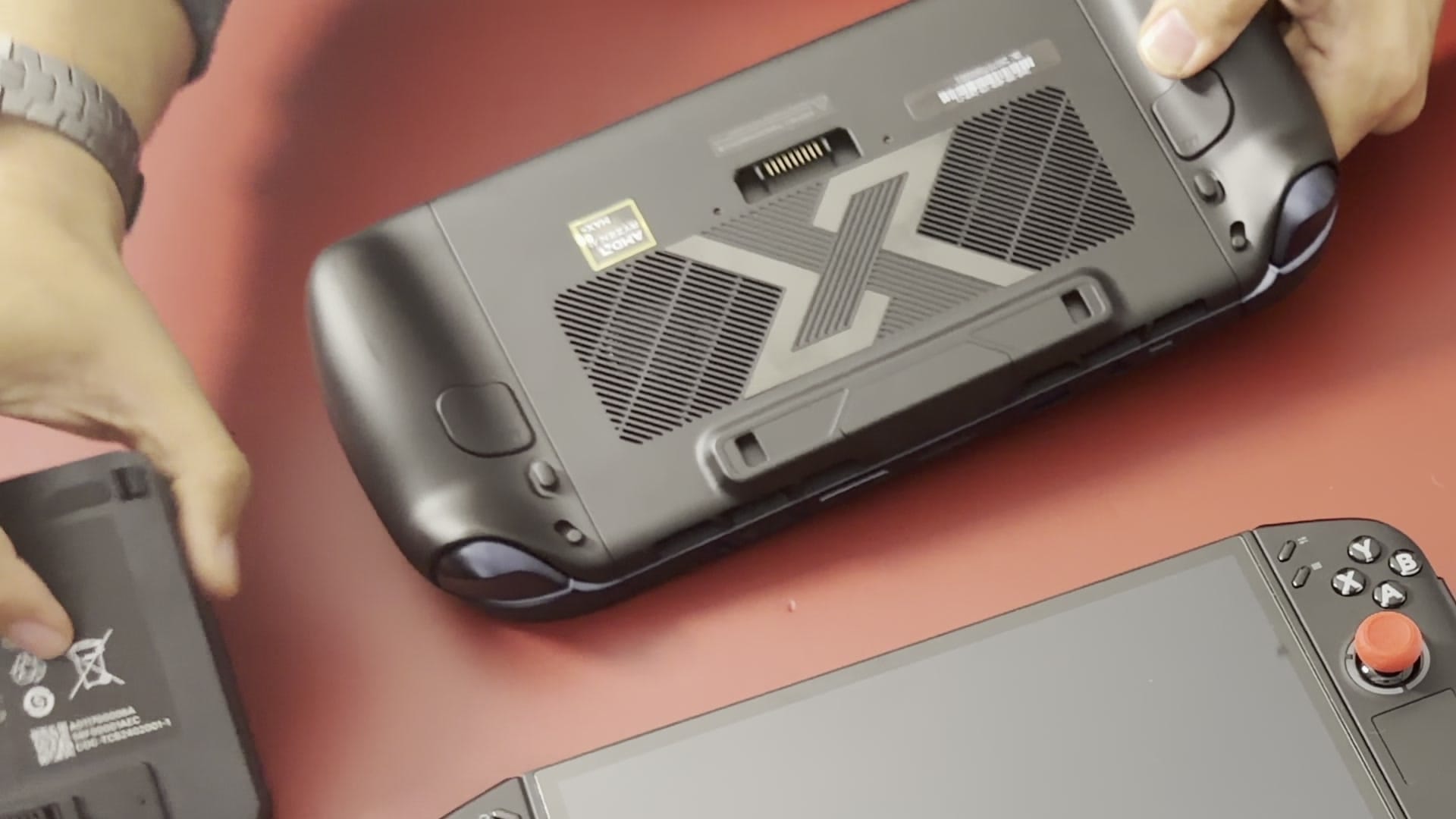
The option has a firm limit once the power cable is unplugged. The X2 has no second internal battery to keep it running, so the detachable battery must be attached. If the power plug comes loose while the battery is detached, the X2 shuts off immediately.
Travel therefore means carrying the battery along with the X2. Removing it can make the handheld more comfortable at home, but the whole package still has to be packed for a trip. For now, my Legion is the handheld I travel with.
I travel frequently, so that choice is consequential. My goal is a big screen and a portable game library that still leave room for everything else in my bag. The battery is part of that packing decision, alongside the size and weight of the handheld itself.
Once a session begins, the battery raises a second question. I have to decide how much power to use. That choice determines how soon I will need the charger.
Why the X2 does not run at maximum power
Turning down the power on a handheld that cost around $2,400 can seem counterintuitive. I often run the X2 below its maximum, depending on the game. The performance is there when needed, but longer sessions away from an outlet also matter to me. A higher power setting has to produce a visible difference on screen to justify the extra battery drain.
The X2 has an 85 Wh battery, although the power setting alone does not determine how long it lasts. The screen and the rest of the device draw power as well. The system’s actual draw also depends on how demanding the game is.
At the 40 W setting I usually use, my X2 delivers roughly two to three hours of play, depending on the game. I keep it at 40 W for the entire session. That runtime lets me settle in and enjoy a game, which is a major reason it remains my default.
How 40 W became the default setting
I did not choose 40 W as a theoretical ideal for this handheld. It emerged after I tried several settings across different games. It stayed because it gave me the most satisfying experience.
Many games do not need that much power. When an older game runs comfortably at a lower setting, I turn the power down. Once a game looks and plays well, I see little reason to keep raising the slider.
The Steam Deck illustrates the point. It tops out at 15 W and has still given me plenty of enjoyable play. More demanding games do expose its limits, but a large library remains playable on it, and I do not regret owning it.
That flexibility has value of its own. Some sessions are about pushing a handheld as far as it will go. Others are simply about getting comfortable and resuming a game.
Screen size shapes what players notice
The Legion and the X2 both have 1920 × 1200 screens. At 8.8 inches, games look very good on them. When adjusting graphics settings, though, the relevant question is how much of the difference is visible while holding the device and playing.
Raising settings is a natural first step on expensive hardware. Seeing how good a game can look is part of the appeal, so I try the higher settings and evaluate them. The first impression is not always where my settings end up.
I often lower some settings again afterward. If the game feels smoother and still looks good, the trade is worthwhile. During actual play, my attention tends to go to the game itself more than to whether a setting is on High or Ultra.
Players will reach different conclusions on this point. A flaw that bothers one player may barely register with another. Some will prioritize a higher frame rate, while others will accept a few fewer frames for a better-looking image.
For the games I play on an 8.8-inch screen, my Legion already provides an enjoyable experience. The X2 has far more capability in reserve. In handheld mode, however, the games often do not ask enough of it to make use of that difference.
The X2 found its role at the TV
My X2 now stays docked to a bigger TV screen, which has become its role. The fit is much better there. On the TV, there is a reason to push toward 4K and see what the extra graphics power can do. Settings still vary by game, but the machine is asked to do more than it usually is on its built-in screen.
I tested up to 80 W without the optional liquid cooler. The fans became more noticeable as the power increased, so higher settings carry a noise trade-off. When a higher setting delivers a worthwhile improvement, the noise is acceptable, and otherwise the power can come back down for a quieter machine.
This is where the extra cost starts to make sense. For handheld play, my Legion already satisfies me. Connected to the TV, the X2 has room to use the performance that justified its price, on a screen where pushing further is worthwhile.
My devices have settled into distinct roles as a result. The Legion travels, and the X2 stays at the TV. Each is used where its strengths matter most.
Extra money needs a clear purpose
That arrangement brings the discussion back to the extra $1,100 spent on the X2. I use the additional capability for docked gaming. For handheld play alone, my Legion would already have been enough.
The Legion has the same large OLED screen and runs much of my library at satisfying settings. When I pick it up, it is about getting back into a game. It does not leave me feeling I settled for less than the more expensive handheld.
That observation is useful when considering any upgrade. The first step is to identify what the current device struggles to do. That might be a specific game the buyer wants to play, or a compromise that keeps getting in the way. Either one gives a real reason to consider spending the money.
The Ally or Steam Deck a player already owns might still do everything that player wants.
This advice comes from someone who owns four handhelds. I enjoy tinkering with hardware and sometimes buy a device out of curiosity. For me, exploring new hardware is part of the appeal.
Other players share that motivation. Some would rather own one handheld that meets their needs and spend the rest on games or something else entirely. Buyers have different reasons for their interest in these devices, and different amounts they are comfortable spending.
Before you spend $2,400
The buyers who benefit most from the X2 are those who plan to dock it and push toward 4K on a TV. They must also accept more fan noise at higher power; I tested up to 80 W without the optional liquid cooler. Its extra graphics power may also give it more room as games become more demanding. How many years of use that headroom will buy is not known.
Before spending around $2,400, a buyer should check three things. The first is what the current device, whether an Ally, a Steam Deck or something else, actually struggles to run. The second is where the extra power would be used, on the handheld screen or on a bigger display. The third is whether the difference at typical handheld settings is visible enough to matter. If the games a player enjoys already run well on something less expensive, that cheaper device is likely enough.