TRMNL's DIY Kit From Seeed Builds an E-Paper Dashboard for About $45
Seeed's $45 kit builds TRMNL's e-paper dashboard. The hardware is the easy part; the real choice is which of four ways you feed it.
https://averagetechnerds.com/trmnl-diy-kit-seeed-e-paper-dashboard/
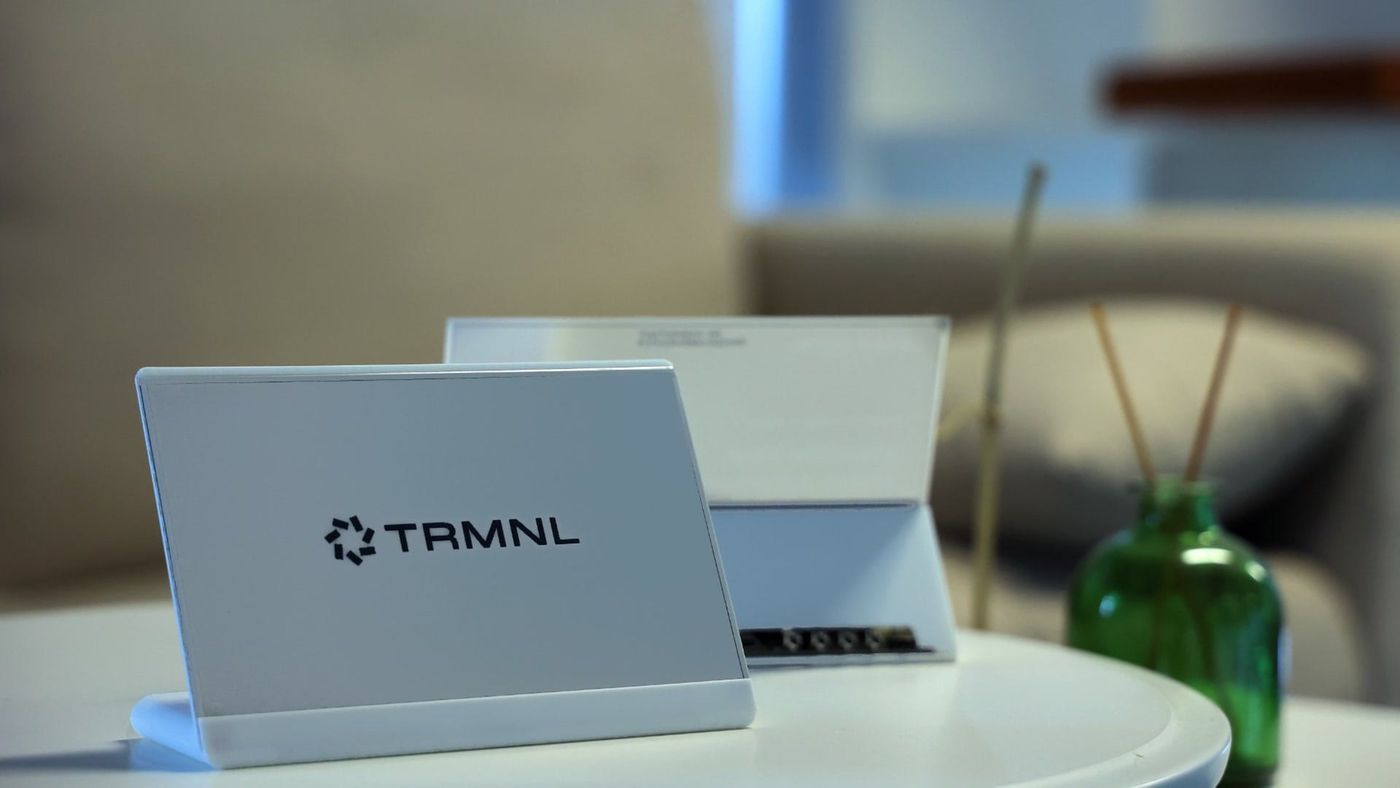
Picture a screen on your kitchen counter that never lights up, never pings you and never asks for anything. It just sits there showing the weather, today’s calendar or the phase of the moon, and every so often it quietly changes its mind. That’s TRMNL, and Ars Technica just built one from the TRMNL DIY kit that Seeed Studio sells for about $45.
The hardware turns out to be the easy part. The real choice is where the pictures on that screen come from, because there are four ways to feed it and only one of them costs anything. Here’s what’s in the box, what each route asks of you, and the part worth a second read: you might not need the kit at all if there’s an old e-reader in a drawer.
UPDATE What’s new since publishing
Want TRMNL on your wall instead of your counter? On November 16, TRMNL opened pre-orders for Frame, a 31.5-inch full-colour e-paper screen in a wooden frame that TRMNL makes in its own woodshop in Georgia. It hangs in portrait or landscape, runs on a rechargeable battery, and has a second USB-C port on the back if you’d rather keep it plugged in. Same TRMNL software as the kit. Same plugins. A microSD slot lets it run fully offline, too, with no personal information reaching TRMNL’s servers.
It’s a very different buy, though. Engadget puts the starting price at $1,300. The first batch is only about 470 units, shipping to the US, Canada, Mexico and Australia. TRMNL hopes to ship a few by the end of 2026, with most arriving in early 2027. If you only want the dashboard idea, the kit is still the cheap way in.
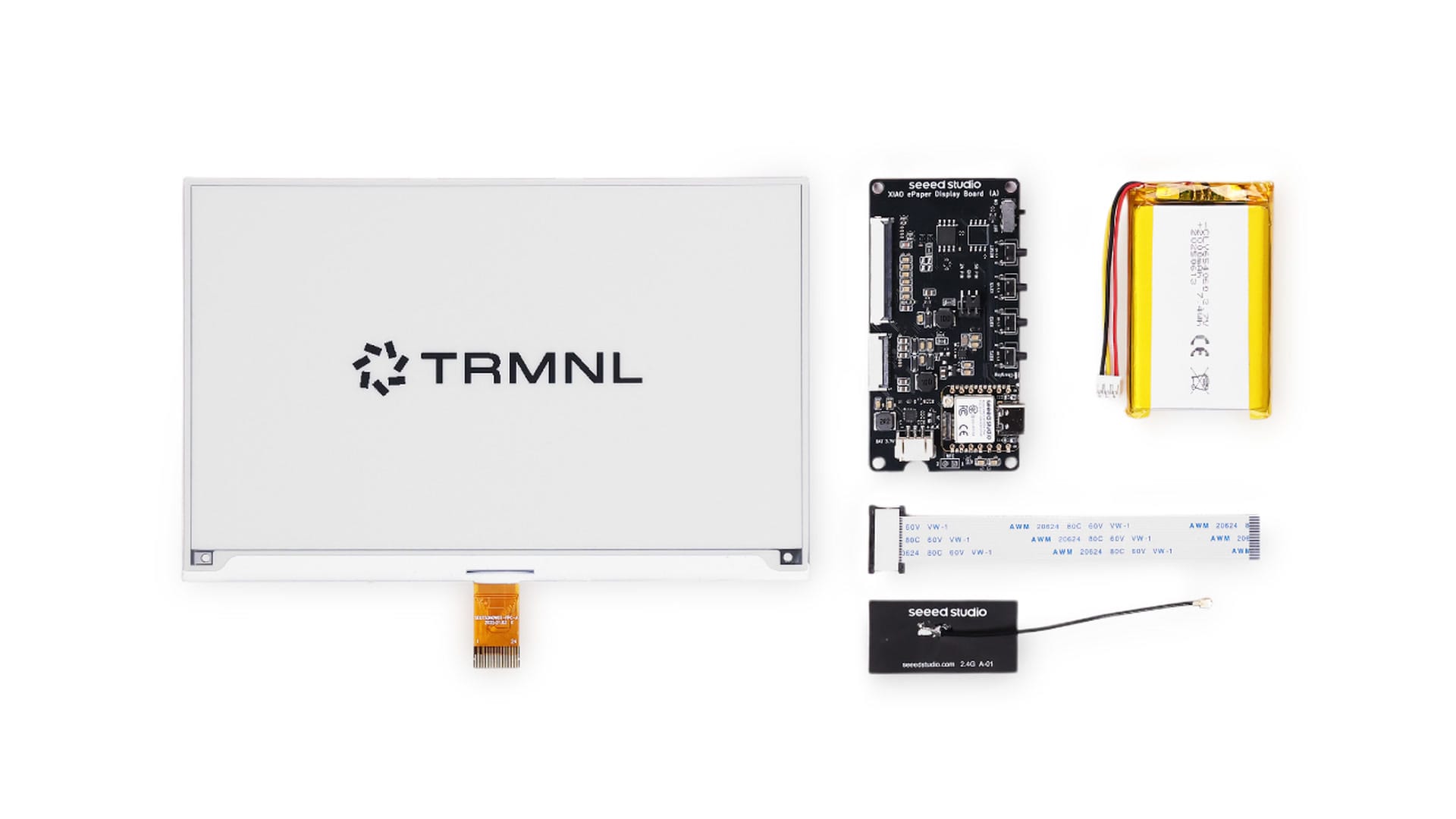
What is the TRMNL DIY kit, and how much is it?
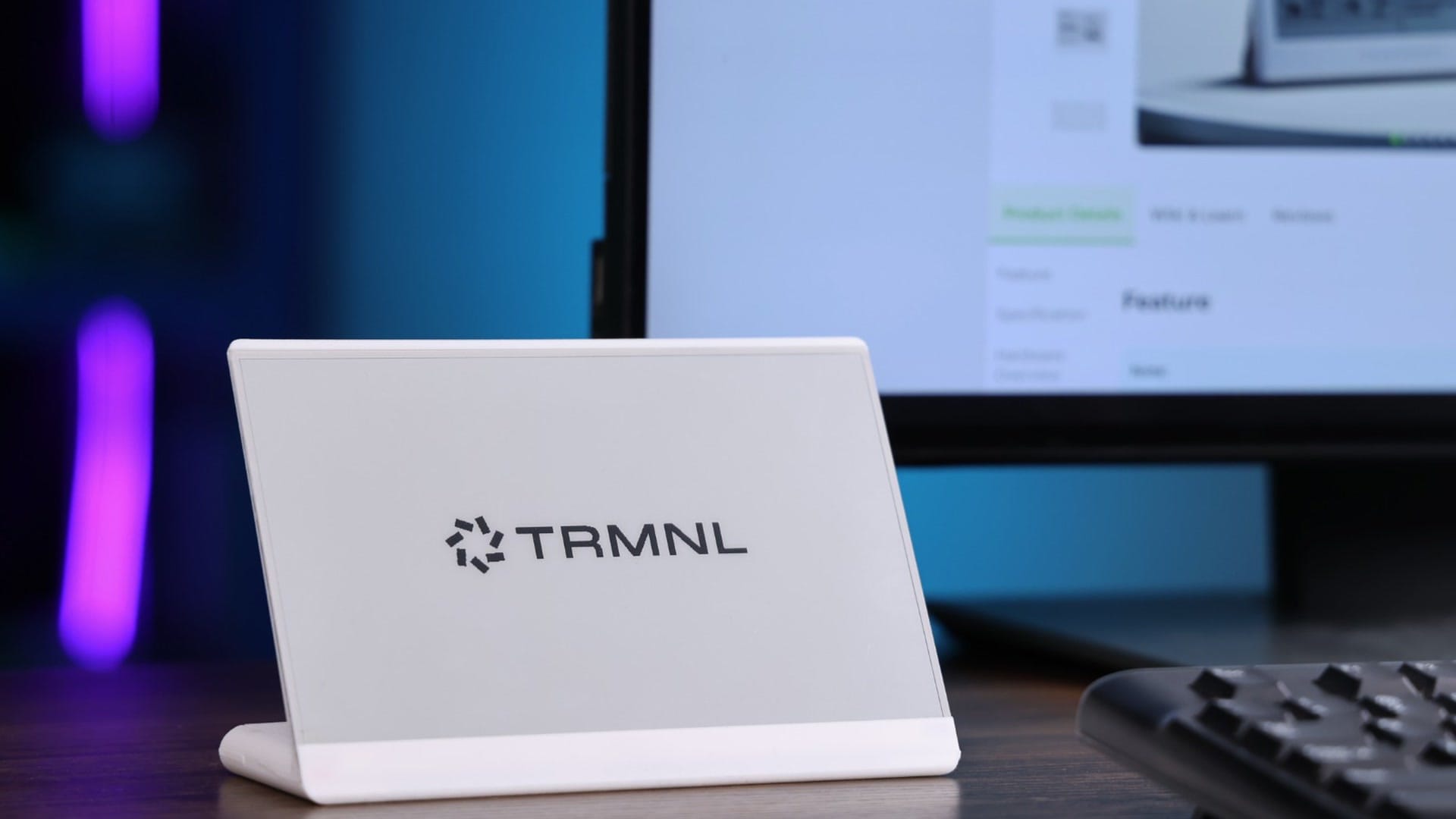
It’s the parts for TRMNL’s original 7.5-inch dashboard, minus the case, for $44.90 at Seeed. TRMNL makes e-paper screens that sit on a desk or a counter and cycle through whatever you’ve picked: calendars, weather, stock prices, transit times, or something sillier, like Star Trek’s Ferengi Rules of Acquisition, which Ars found in the plugin store. The screen wakes up, asks a server for its next picture, draws it and goes back to sleep.
That’s the trick behind the whole idea. E-paper holds its image with no power at all, so between updates it looks like a printed card, and the battery lasts months instead of hours.
Seeed, the Shenzhen hardware company behind the tiny XIAO boards, developed the kit with TRMNL. Seeed builds the hardware. TRMNL looks after the firmware, the plugins and the hosted service.
Does the kit come with a case?
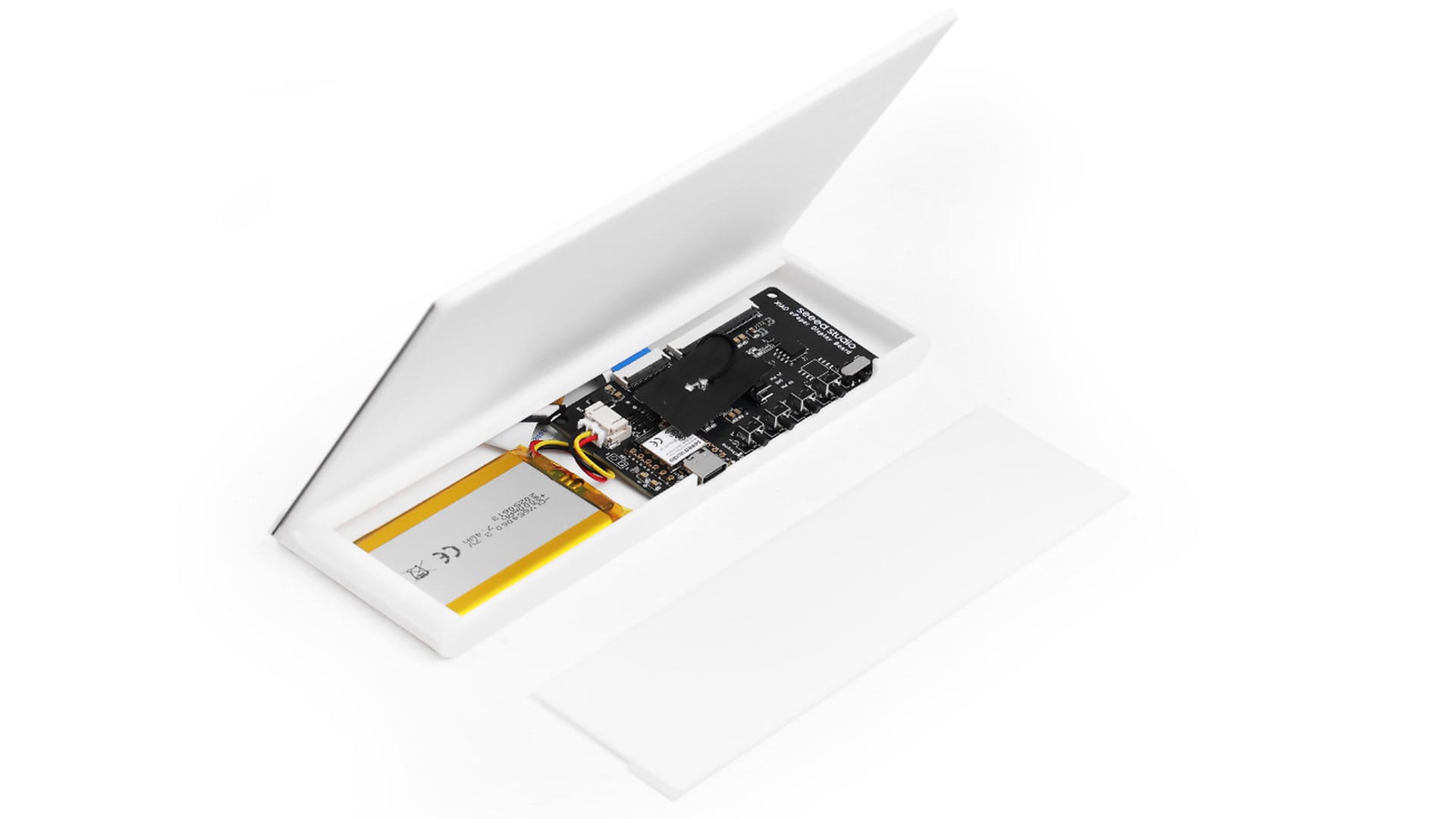
No. Seeed sells it bare, and the stands in its photos are only there for show. What it does give you is its enclosure designs, free on Printables and Thingiverse, including a triangular prism and an L-shaped stand. No printer at home? Ars printed the L-shaped one on its local library’s printer for $8.
That L shape is where the build got fiddly. The ribbon cable between the screen and the board is fragile, and it really doesn’t want to bend around a sharp corner. Ars ended up cutting a channel for it and threading it through with a strip of paper tape stuck to the end, a tip from a commenter on MakerWorld. Its advice is to print the prism instead.
Before any case, though, it’s about as simple as electronics get. Plug the screen into the board, give it power, and join it to your Wi-Fi from your phone.
Do you have to pay for TRMNL’s $50 license?
Only if you want TRMNL’s own service. There are four ways to run the kit, and that’s the only one that costs anything after you’ve bought it.
| Cost after the kit | Runs on | Best for | |
|---|---|---|---|
| TRMNL hosted (BYOD) | $50 once, per device, after a 14-day trial | TRMNL’s servers | Hundreds of ready-made plugins, no setup |
| SenseCraft Seeedash | Nothing | Seeed’s servers | A free hosted option |
| Home Assistant (ESPHome) | Nothing | Your Home Assistant | Smart home dashboards |
| Terminus (BYOS) | Nothing | Your own server | Keeping everything at home |
TRMNL calls the first one BYOD, bring your own device: your hardware, its servers. The license is a one-time payment for each device, and the trial takes a card up front with a refundable $1 hold, which TRMNL says is there to keep out spam. Ars, happy to see a one-time fee instead of yet another subscription, called $50 a fair price for the people running the platform.
SenseCraft Seeedash is Seeed’s free alternative, with its own plugin marketplace and a flasher that runs right in the browser, as long as that browser is Chromium-based. Ars had the firmware on in a few clicks, but couldn’t get several of its community feeds to show up and found a lot of the catalogue aimed at Chinese users. Seeed is a Chinese company and SenseCraft runs under its own privacy policy, so that one’s your call.
Can it run fully local, with no account?
Yes, using TRMNL’s own open-source server. Terminus is TRMNL’s main BYOS app, build your own server: you run it on a machine at home, point the screen at it, and it makes the screens itself. Its GitHub page puts it simply: “You own the stack and the data.” TRMNL’s docs also say it intends every device to be un-brickable and able to run with no outside dependencies, which speaks to the obvious worry about buying into a small company.
There are two catches. Terminus is still beta software, and TRMNL says outright that it isn’t trying to match the hosted service feature for feature. And the usual setup is a Docker Compose stack, with a database and a few other services that all have to talk to each other.
Ars spent some late nights on exactly that. Terminus fought it over networking on one home server and worked on a second machine. Then the kit’s old firmware needed updating, and flashing failed for half an hour on a Linux PC before working first time on a Mac. Even the setting that points the screen at your own server is tucked under the advanced options in the Wi-Fi setup page. If compose files aren’t your thing, that’s what the $50 buys you out of.
Does it work with Home Assistant?
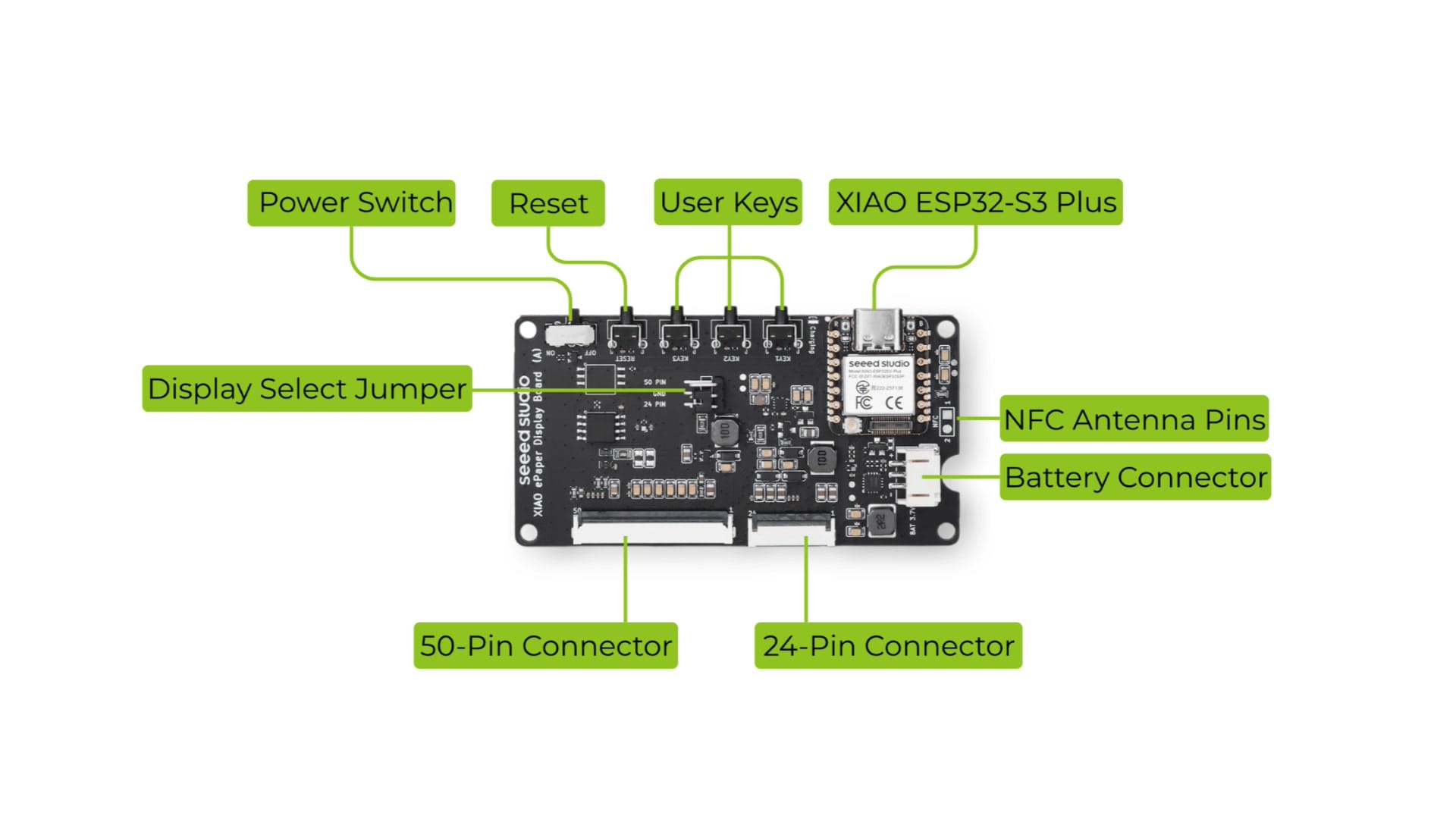
Yes. Seeed’s board runs ESPHome, which drops it straight into Home Assistant as a screen for your sensors, your energy use or the weather, and it works with Arduino if you’d rather write the code yourself. There’s no touchscreen, so it’s mostly a window into your smart home, though the board’s three programmable buttons can be put to work through ESPHome.
How often does it refresh, and can it show a clock?
It updates on a schedule, so it won’t tick like a clock. On TRMNL’s service the screen checks in anywhere from every five minutes to once a day and sleeps in between. Seeed’s three-month battery estimate assumes one update every six hours. Ars likes something closer to hourly, which drains it a lot faster, so it plans to leave the kit on USB power and keep the battery as a backup.
On the counter, it holds up. The 7.5-inch screen is big enough to read from across the room, by Ars’s account, and its plugins looked crisp. One of them won over a younger member of the household: a moon phase screen.
Could you skip the kit and use an old e-reader?
You might not need the kit at all. TRMNL’s BYOD service runs on far more than its own screens, and its supported list reads like a drawer of retired gadgets: jailbroken Kindles through a KOReader plugin, Kobo readers with community firmware, Boox and other Android e-paper tablets through an app, Raspberry Pi e-paper boards and even reMarkable tablets.
TRMNL pitches it as a second life for older Kindles, which it says lost access to Amazon’s store in May 2026. It’s the same $50 license, with no soldering and no cable to fight. And TRMNL will pay some of it back: the first three approved photos of each device type running TRMNL get $25 back on their license.
How does it compare with the reTerminal E1001, E1002 and XIAO panel?
The reTerminals are the finished versions of this idea, and the XIAO panel is an older half-step. Seeed’s own comparison lines the kit up against three ready-made e-paper screens, all at 800 x 480, and every one of them runs TRMNL, Home Assistant and Arduino. Seeed makes bigger reTerminals too, up to a 13.3-inch colour model, but these are the three it puts next to the kit. What changes is how much is done for you, and what you get on top.
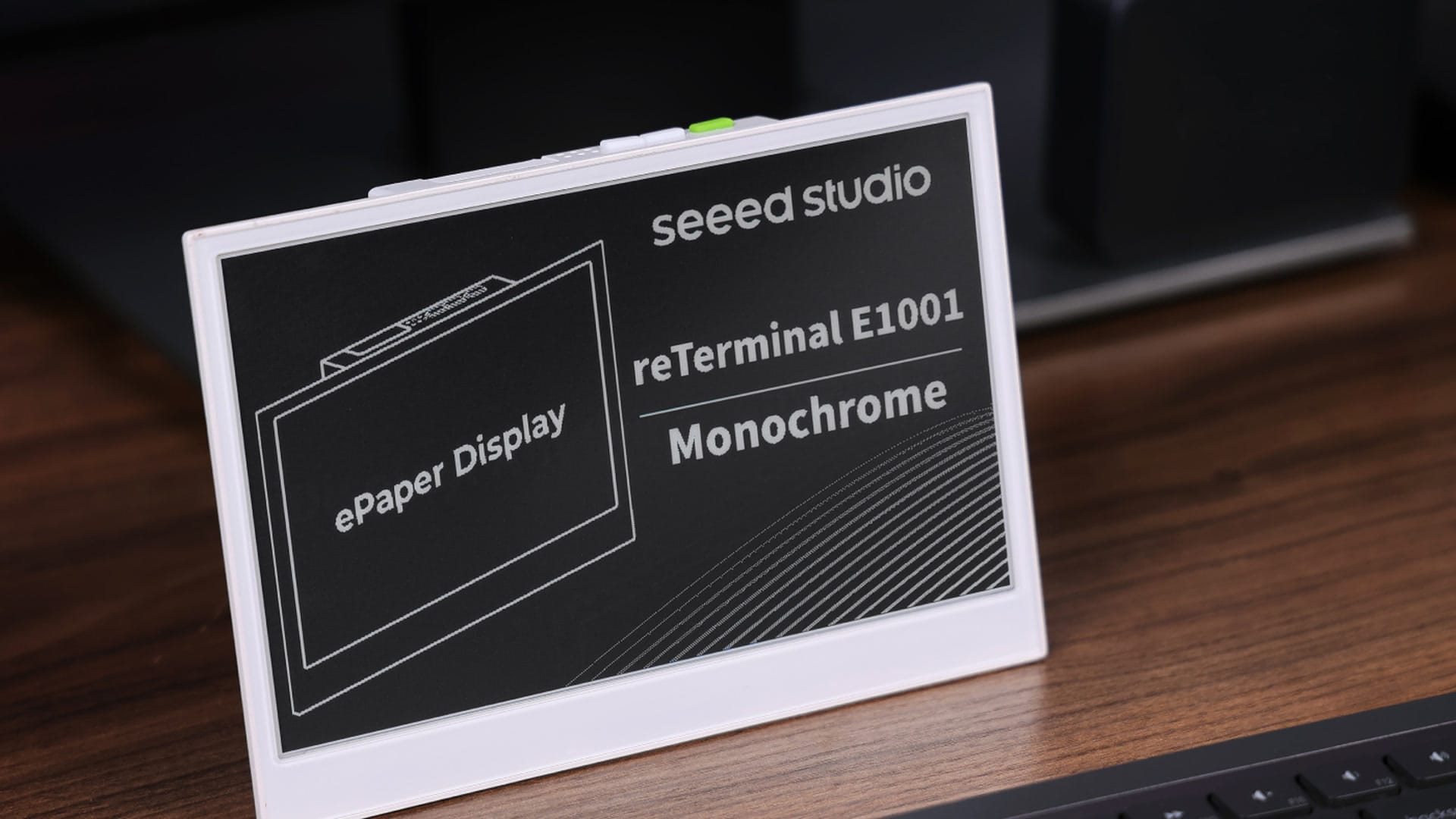
The reTerminal E1001 is the kit with the building already done. It has a black-and-white screen of the same size, the same ESP32-S3 chip, the same battery and the same three-month estimate, but it arrives assembled in a metal case with a stand. It also adds things the kit can’t do: a microSD slot, a temperature and humidity sensor, a buzzer for alerts and expansion ports. It ships running Seeed’s SenseCraft, and switching it to TRMNL’s service still takes the same $50 license.
The XIAO 7.5" ePaper Panel is the odd one out. It’s the same black-and-white screen in a white 3D-printed frame with a fold-out stand, on the older ESP32-C3 chip, and Seeed sells it as an Early Build, its label for beta hardware. It costs more than the finished E1001, and Seeed’s own page points anyone after a solid build to the E1001 instead.
| Screen | Chip | Case | Extras | Price at Seeed | |
|---|---|---|---|---|---|
| TRMNL 7.5" (OG) DIY Kit | 7.5-inch, black and white | ESP32-S3 | None | None | $44.90 |
| XIAO 7.5" ePaper Panel | 7.5-inch, black and white | ESP32-C3 | 3D-printed frame and stand | None | $80.99 |
| reTerminal E1001 | 7.5-inch, black and white | ESP32-S3 | Metal, with stand | microSD, temperature and humidity sensor, buzzer, expansion ports | $69 on sale, usually $79 |
| reTerminal E1002 | 7.3-inch, full colour | ESP32-S3 | Metal, with stand | Same as the E1001 | $99 on sale, usually $109 |
Is the colour reTerminal E1002 worth it?
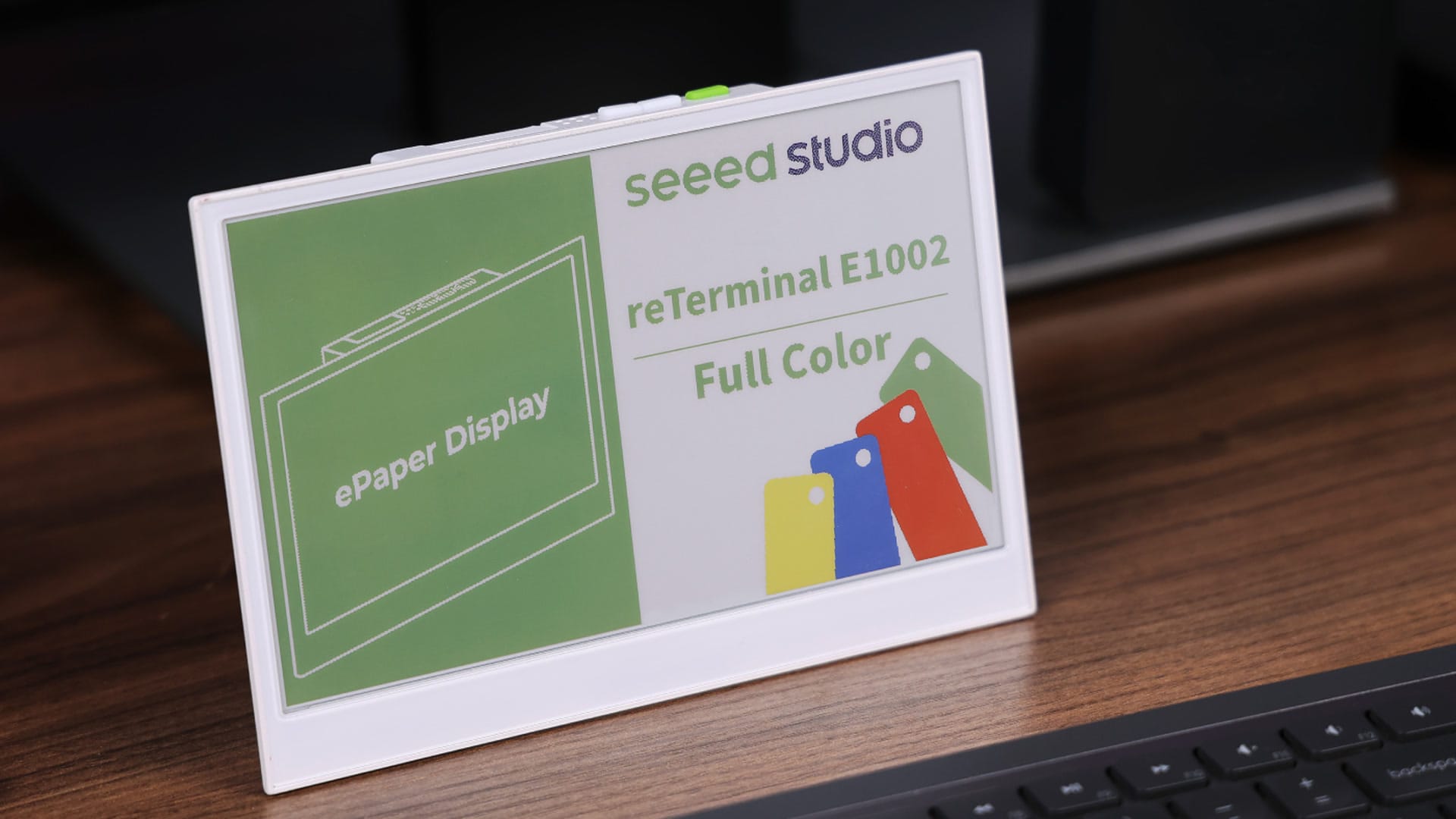
It’s the only one of the four that does colour, and it pays for it in speed. The reTerminal E1002 uses E Ink’s Spectra 6 screen, which TRMNL lists at six colours, in a 7.3-inch size at 800 x 480. Everything else matches the E1001: the case, the stand, the sensor, the buzzer and the slot.
The catch is the redraw. Seeed’s own product page warns that a full refresh takes about 25 to 30 seconds, with colours flashing on the way before the picture settles. Its comparison chart puts it at 12 to 15 seconds, and the chart also says there’s no partial refresh, so every change redraws the whole screen.
On a dashboard that changes once an hour, that’s half a minute of colourful flicker you’ll rarely be looking at. On anything you’d want to change quickly, it’s the wrong screen. Seeed pitches it at photo frames and colourful dashboards, and it claims the same three months of battery as the black-and-white models at one update every six hours.
Who is the TRMNL DIY kit for?
It’s for people who’d rather glance than tap. Apple’s new HomeView wants the whole family talking to it. This is the opposite: a quiet board that shows the few things you care about and never asks for your attention.
The kit suits anyone with access to a 3D printer, Home Assistant users after a cheap low-power screen, and homelab fans who’d enjoy running Terminus. If you just want it to work, the $50 license is the easy road, and it roughly doubles the price. Ars, which hoped to self-host, admits the hosted route is starting to look tempting.
Nerd Alert
Your Turn
What are YOUR thoughts
What have your experiences been? Let us know.