News · News · PC Hardware
A Free Mod Runs NVIDIA’s DLSS 5 Neural Rendering on AMD Radeon Cards, Now With 6x Frame Generation
A free fan mod runs NVIDIA’s DLSS 5 neural rendering on Radeon RX 9000 cards and bundles Apex frame generation up to 6x. Keep it offline.
https://averagetechnerds.com/amdlss5-dlss-5-neural-rendering-radeon/
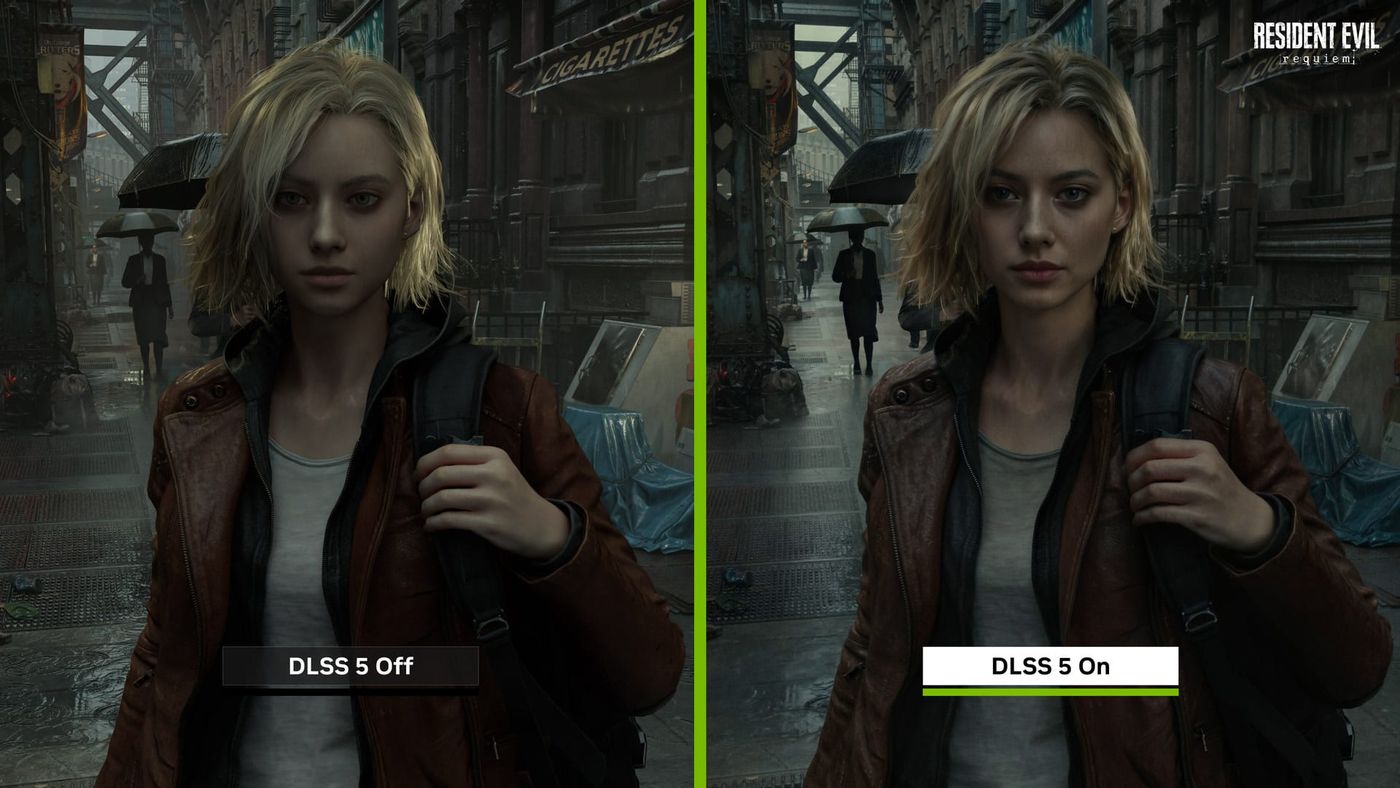
Back in March, NVIDIA showed off DLSS 5 with a Resident Evil Requiem character standing in the rain, once with it off and once with it on. On the “on” side, the light sits on her face and jacket the way it would on a real person. There’s a hitch, though: officially, it’s a GeForce RTX 50 thing. A free fan mod called AMDLSS5 disagrees. Version 2.5 runs that same AI model on AMD’s Radeon RX 9000 cards and the RX 7800 XT, with the rest of RX 7000 in beta, and it now throws in frame generation at up to six times the frame rate. It also slips files into your game folders, which is why it comes with a couple of rules you really don’t want to break.
What is DLSS 5, and why is it NVIDIA only?
Think of earlier DLSS versions as speed tools. They render a game at a lower resolution and use AI to fill in the rest, or invent extra frames in between. DLSS 5 goes after looks instead. NVIDIA announced it in March, and it takes each frame’s color and motion data and uses an AI model to add more lifelike lighting and materials, like the way light sits on skin, hair and fabric.
Officially, it runs on GeForce RTX 50 series cards, RTX Spark PCs and GeForce NOW Ultimate, and Hogwarts Legacy got it on November 5. That leaves out everyone else, older GeForce cards included. Even the RTX 3090 in my home server, the card that spends its days running chat models, is two generations old and on the outside looking in.
How does a mod run it on AMD?
By rebuilding the brain in a language Radeon cards speak. The real engine here is a separate open-source project, DLSSNR-AMD, from a developer called Mochizuki. NVIDIA’s model is built to run on GeForce hardware, so Mochizuki rewrote the code that runs it as general-purpose graphics code a Radeon RX 9000 card already handles. And it holds up. Side by side with NVIDIA’s own version on an RTX 5090, the two came out nearly identical in that developer’s comparison.
So where does AMDLSS5 get the model? That part gets murky. Mochizuki’s project doesn’t include it at all, and its installer copies it out of your own copy of NVIDIA’s DLSS 5 file. AMDLSS5’s install steps never ask you for that file, and the mod lists NVIDIA’s network data among the closed parts its own license doesn’t cover. It doesn’t say more than that, so neither will I.
Isn’t that what FSR already does?
No, and that’s exactly the door the mod walks through. FSR and Intel’s XeSS exist to make frames faster, by upscaling a lower resolution or adding generated frames. DLSS 5 changes how each frame looks. When the game passes its picture to FSR or XeSS, it usually sends along how far away everything is and how bright the scene is, and the mod is standing right at that spot. It grabs the lot and runs NVIDIA’s model on it. That’s why nearly every game on its list says the same thing: pick FSR or XeSS as your upscaler.
How do you install it?
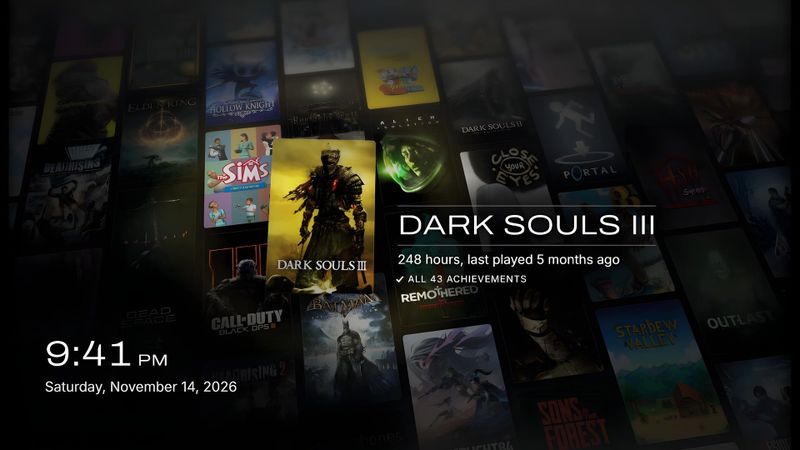
It’s a few clicks. Download the 2.5.0 zip from the project’s GitHub page and extract the whole folder, since the installer needs the folder that sits next to it. Run the installer, and it finds your games across Steam, Epic, GOG, Ubisoft, EA, Battle.net and the Xbox app, shown as a wall of covers. Click a game and pick Install.
In the game, F10 turns the AI pass on and off, and End opens the mod’s menu. Baldur’s Gate 3 uses Ctrl+F10 instead, since F10 already does something there. Changed your mind? Open the installer, click the game and pick Remove. The game folder goes back exactly as it was. Updating works the same way, and keeps your menu settings.
What’s new in 2.5?
Speed, mostly. The engine got rebuilt for 2.5, and the developer says the AI pass is up to about 60% quicker. Before you get excited, that works out to roughly 10% more frames in the game itself compared with version 2.0, measured in one game, Resident Evil Requiem, on one card, an RX 9070 XT. Ten free percent is still ten free percent, and it hands back about half a gigabyte of video memory too.
Five more games came along with it: Baldur’s Gate 3, Microsoft Flight Simulator 2024, The Last of Us Part I, Batman: Arkham City and, as an experiment, the Black Myth: Wukong benchmark. And don’t panic the first time you launch one. The mod takes a while to prepare its shaders, with a yellow progress line on screen, and the game hasn’t frozen. Let it finish. It does it again after every driver update.
What does Neural Apex frame generation add?
Up to six times the frames. Neural Apex is Apex Compute’s own frame generation, out as a public beta since November 11, and AMDLSS5 bundles it untouched. Pick anywhere from 2x to 6x in the menu and it runs on top of the AI lighting, even in games that never shipped frame generation of their own, with your input lag shown on screen while it works.
Is it any good? Digital Foundry pitted it against NVIDIA’s own frame generation on an RTX 5070 Ti, and it mostly kept up. It was a touch faster in Marvel’s Spider-Man and about 10% slower in Cyberpunk 2077, and how fast the game answered a button press stayed within a few milliseconds of NVIDIA’s. Where it slipped was parts of the picture, around on-screen text and camera cuts.
Then they moved it to a Radeon, and if you own one, this is the bit to read twice. On an RX 6700 the frame times went uneven and latency hit 82 milliseconds, well above the 43 to 51 milliseconds Apex showed on the GeForce card. That’s because Apex leaves frame pacing to each card maker’s own tech, and AMD’s didn’t play along. To be fair to the mod, that was Apex on its own through OptiScaler, another mod tool. AMDLSS5 says it puts even pacing first and holds the game just before each frame is shown to keep lag down.
Which games work?
The mod’s list of tested games is short but solid. Cyberpunk 2077, Red Dead Redemption 2, The Witcher 3 in DirectX 12, Monster Hunter Wilds, Final Fantasy XVI, Shadow of the Tomb Raider and Resident Evil Requiem are all on it, along with the five new ones. Most of them only need FSR or XeSS picked as the game’s upscaler.
Other DirectX 12 games with FSR or XeSS may work too, untested, and the installer has an option to add a game by hand if it doesn’t find yours. Games that run on Vulkan or OpenGL won’t, and neither will games with anti-cheat.
Is it safe to use?
Offline, mostly yes. Online, no. The mod drops files into the game’s folder, and anti-cheat software looks for exactly that. GTA V Enhanced is on the tested list for Story Mode only, with BattlEye switched off, and the mod’s own instruction is to never go online with it. DLSSNR-AMD is blunter about it: injected files can get an account banned.
What should you set before your first launch?
A few settings will save you some grief. Drop the game’s own sharpening to zero, because the AI pass takes that sharpening noise and blows it up into flicker and ghosting. In AMD’s software, turn off the metrics overlay and instant replay, and leave performance tuning on Default, or the card can hang while the game loads. And it isn’t polished yet. With its “Neural passes” option set to 2, you may see some ghosting and halos around characters in motion, and hair against a bright background can pick up artifacts.
Does it work on an AMD handheld?
Not this mod. AMDLSS5 lists integrated graphics as unsupported, which rules out the chips in handhelds like my Legion Go 2 and my Steam Deck. The engine underneath it, DLSSNR-AMD, does list Radeon 700M and 800M graphics as experimental on Windows, which covers the chip in my Legion Go 2, though not the Steam Deck’s. It also warns that support has been tried on only a few machines. If it’s more frames you’re after on a Deck, MAKO 5.0 brings free frame generation that does run there.
What does it cost, and is it open source?
Nothing, and the developer is firm about that. There’s no paid version, no early access and nothing locked behind a donation, though you can donate if you want to. The real cost is the card, since you need one of the Radeon RX 9000 or RX 7000 models on the list.
Open source is more of a “sort of”. The code for an older version, 1.6.1, is up on GitHub, and the developer says the 2.x code will follow in stages. A few parts will stay closed: NVIDIA’s network data, third-party pieces like the Apex frame generator, and some engine components. Want to be sure the zip you grabbed is the real one? Every release lists a checksum to check it against.
What’s next?
More games, by the look of things. The developer takes requests and asks people to gift games on Steam so they can be tested, which is about as fan project as it gets. Apex Compute also still has its own upscaler to ship.
What this mod really needs now is somebody running it on a Radeon card the way Digital Foundry ran Apex, frame-time graph and all. Until then, the mod’s own speed numbers are the developer’s. The look is a different story, and you can judge that yourself. If there’s an RX 9070 in your rig and one of the games on its list, it costs nothing, it comes out cleanly, and you’ll know in a few minutes whether you like what it does to a face in the rain.
Nerd Alert
Your Turn
What are YOUR thoughts
What have your experiences been? Let us know.