Hands-on · Controllers & Accessories
Backbone One vs Backbone Pro: Which Phone Controller Should You Buy?
The Backbone One plugs in and costs less; the Pro adds a battery, Bluetooth, back buttons and bigger grips. Here’s who should buy which.
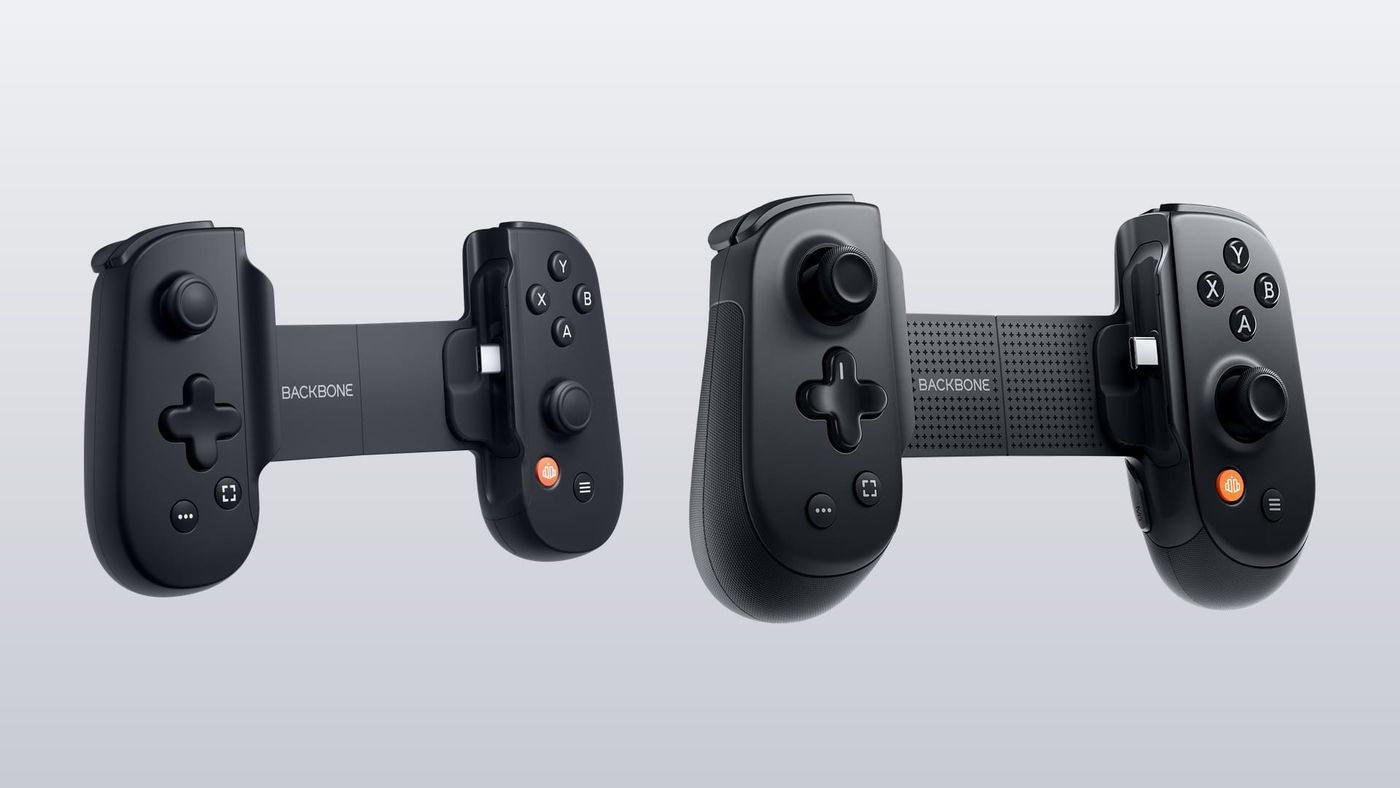
Backbone One vs Pro comes down to one question: how much are you willing to pay for a controller that clips onto your phone? The One is Backbone’s original compact plug-in controller, and the Pro is the bigger 2025 model with a battery, Bluetooth and back buttons. Right now the gap at Backbone’s own store is a clean $100: $69.99 for a USB-C One on sale, $169.99 for the standard Pro. So here’s everything Backbone publishes, plus what the reviews found, boiled down to what that hundred bucks actually buys you. Spoiler: I have thoughts.
Backbone One vs Backbone Pro: what’s the difference?
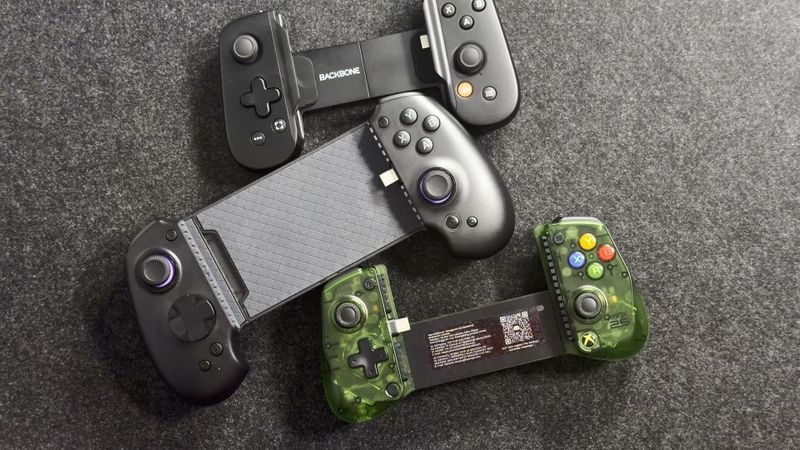
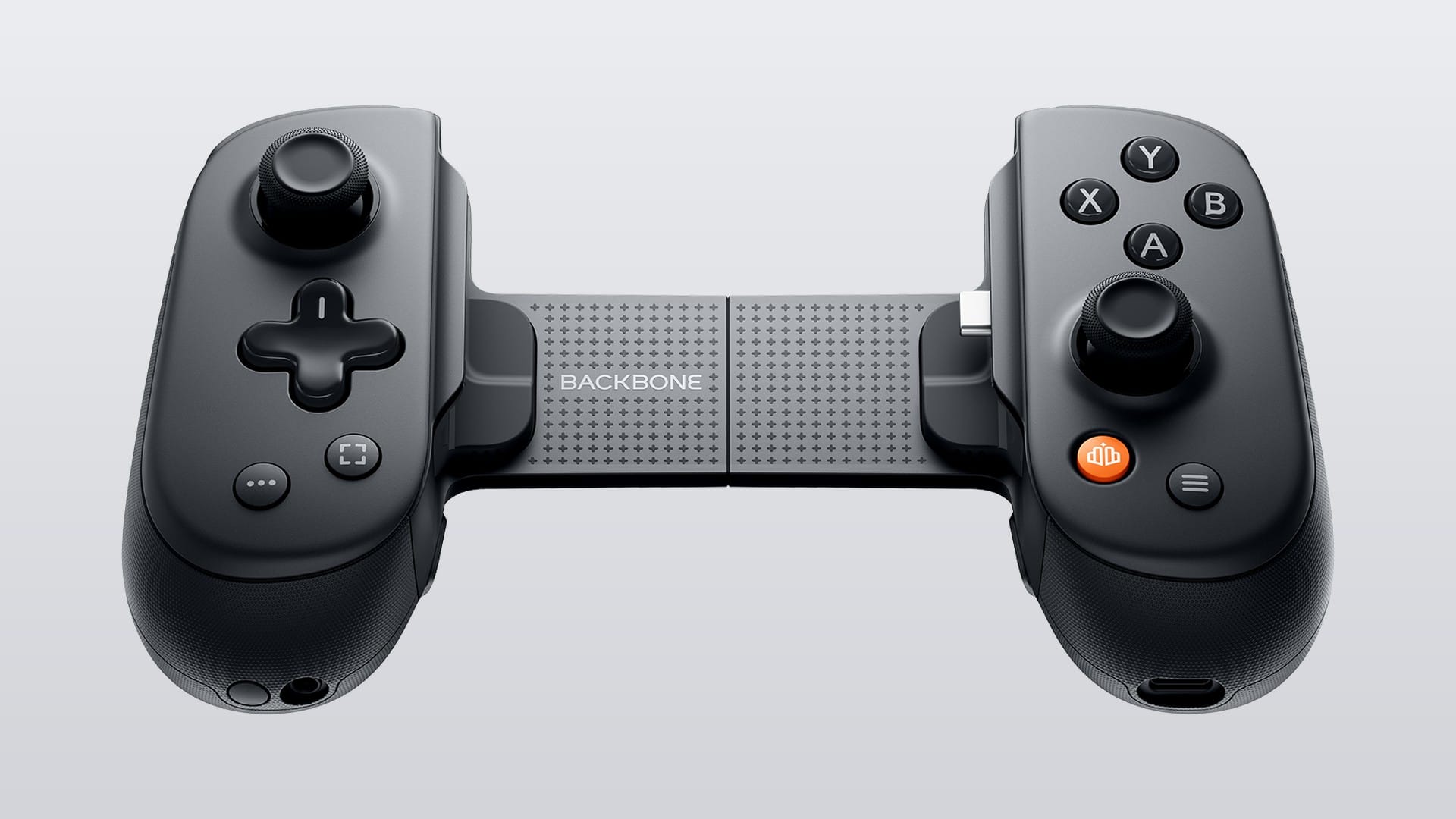
The Pro is basically the One, but bigger and wireless. Backbone’s own comparison lists the Pro’s extras as full-size joysticks, bigger grips, two back buttons, quieter face buttons, button remapping in the Backbone app with stick and trigger sensitivity, and Bluetooth. The Pro also adds a battery, rated for up to 40 hours of wireless play. The One keeps a slim shape built for portability and runs off your phone, so there’s nothing to charge.
With your phone clipped in, both play the same games. That means anything with controller support in the App Store or Google Play, cloud services like Xbox Cloud Gaming and GeForce NOW, and remote play from a PlayStation, Xbox or PC. One catch there: on Android, only the One’s PlayStation Edition gets PS Remote Play. Both also work as a wired controller for an iPad, Mac or PC over a USB-C cable.
| Backbone One (2nd gen) | Backbone Pro | |
|---|---|---|
| Price | $69.99 USB-C (on sale from $79.99); $99.99 Lightning; $99.99 Xbox Edition | $169.99 standard; $179.99 Xbox Edition; $159.99 limited Xbox 25th Anniversary Edition |
| Battery | None, runs off your phone | Up to 40 hours wireless, full charge in under 3 hours |
| Connection | Plugs into the phone; USB-C cable to an iPad, Mac or PC | Plugs into the phone; Bluetooth LE; USB-C cable |
| Works with | USB-C iPhones and Android, or iPhone 14 and older (Lightning model); iPad, Mac, PC by cable | USB-C iPhones (15 and later) and Android; tablets, PCs, Macs and smart TVs over Bluetooth |
| Sticks | Compact precision joysticks (no Hall effect claimed) | Full-size ALPS joysticks (no Hall effect) |
| Triggers | Analog | Hall effect |
| Back buttons | None | Two (M1 and M2) |
| Rumble | None listed | None listed |
| Remapping | iPhone only, through iOS settings | Backbone app, free, with stick and trigger sensitivity |
| Phone fit | 176.3 to 265.0 mm wide; adapters for cases | 180.7 to 280.7 mm wide; adapters for cases; 203 g |
| Lightning / USB-C | Both, as separate models | USB-C only |
Is there a newer Backbone One, or a Pro 2?
No. The Backbone One (2nd gen) is still the current One, and there’s only one generation of the Pro. Backbone’s store lists every One as “2nd gen”, and the Pro has picked up new editions instead of a successor. The One did change quietly this year, though, and you should know about it before you buy: Ones bought on or after August 1, 2026 have no headphone jack and ship with one pair of rubber adapters instead of two magnetic sets.
So if you want to plug wired headphones into the controller itself, the Pro is the one that still has a 3.5 mm jack. With a new One, it’s Bluetooth earbuds paired to your phone, because the controller’s USB-C port carries power only.
How much do they cost?
The One starts at $69.99 and the standard Pro costs $169.99 on Backbone’s store, as of October 21, 2026. The standard USB-C One and the PlayStation Edition USB-C One are both $69.99 right now, marked down from $79.99. The Xbox Edition One is $99.99, and so are both Lightning Ones, standard and PlayStation. On the Pro side, the Xbox Edition is $179.99, and the limited Xbox 25th Anniversary Edition is actually the cheapest Pro at $159.99.
Amazon, where Backbone itself is the seller, had the same prices that day: $169.99 for the Pro and $69.99 for the USB-C One. The one outlier was the Lightning PlayStation Edition One at $82.49, under its $99.99 list price. The Xbox editions come with a month of Xbox Game Pass Ultimate for new members. Both controllers carry a one-year warranty, and Backbone’s own store takes returns within 30 days, so you can try before you commit.
Which editions and colours can you get?
The One comes in three editions: Standard in black, a white PlayStation Edition with PlayStation symbols on the buttons, and a translucent green Xbox Edition with an Xbox button. The Xbox Edition is USB-C only. Backbone says all three work with Xbox, PlayStation and Steam, so for the most part you’re picking a look. The exception is PS Remote Play on Android, which only works with the PlayStation Edition, and I’ll come back to that.
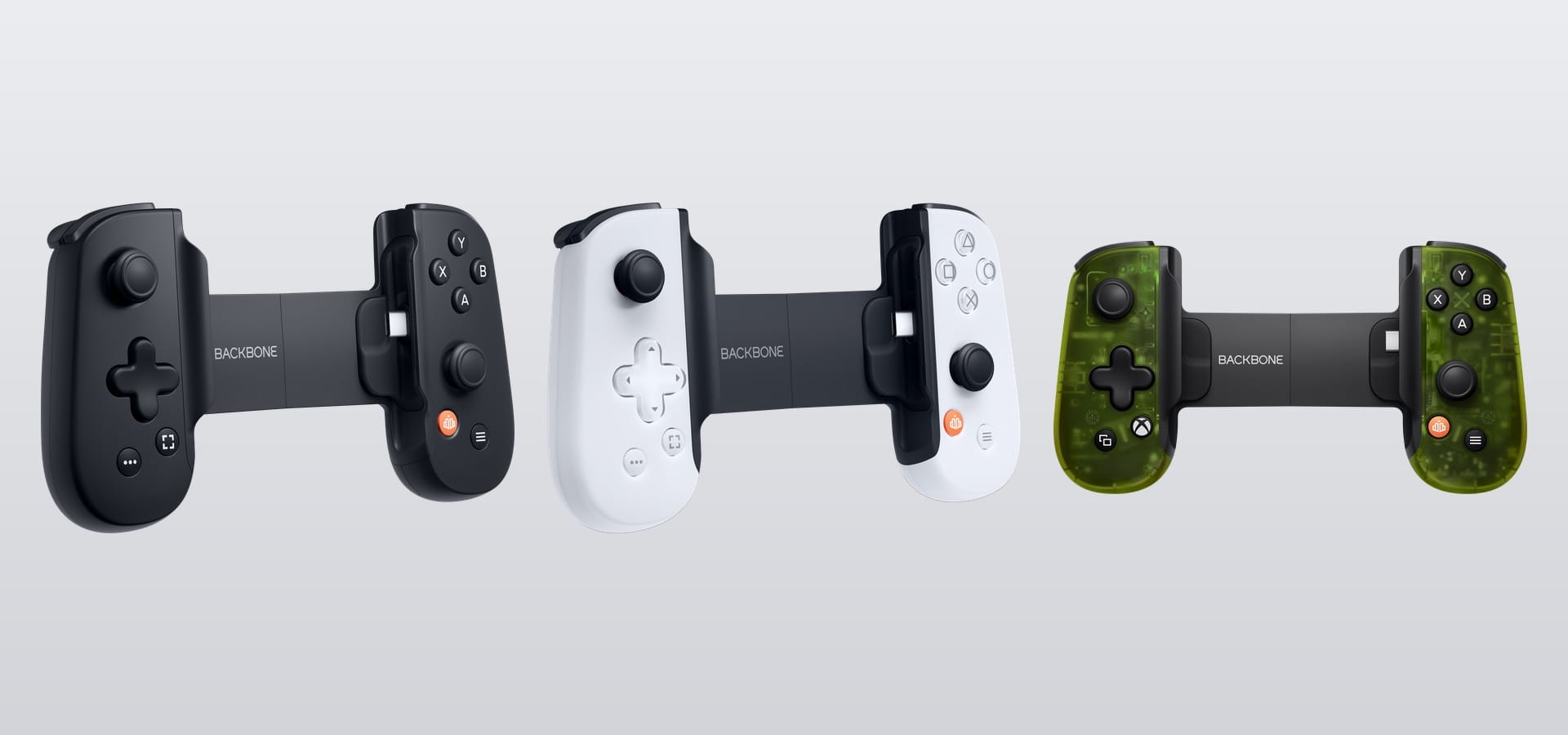
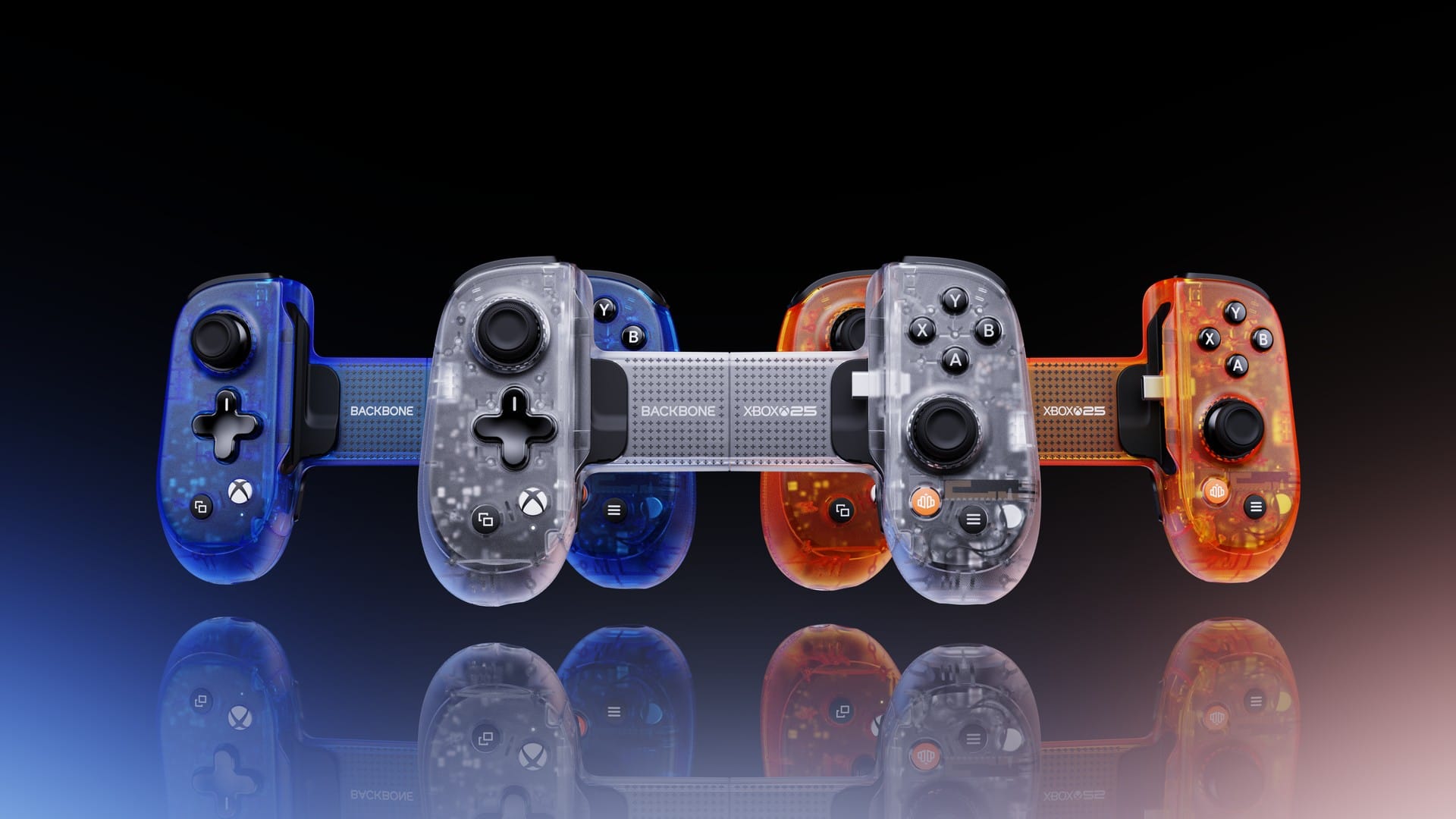
The Pro comes in black, as a translucent green Xbox Edition, and as the Xbox 25th Anniversary Edition that Backbone showed off with Xbox in August. That last one sells as a blind box: you get Crystal Clear, Iconic Blue or Bold Orange at equal odds, while supplies last. Fun if you collect these. Less fun if you really wanted the orange one.
Does the Backbone Pro need charging, and how long does the battery last?
Only for wireless play. With a phone clipped in, the Pro runs off the phone and needs no charge, and the One never needs charging because there’s no battery in it at all. For Bluetooth, Backbone rates the Pro’s battery at up to 40 hours and says it fully charges in under three hours. It also switches itself off after about 10 minutes idle.
Both controllers have a USB-C port for pass-through charging, so you can charge your phone while you play. On the Pro, that port handles up to 30 W if your phone and charger support it. One thing the Pro won’t do is top up your phone from its own battery. It isn’t a power bank.
Can you use them over Bluetooth, on a PC or on a TV?
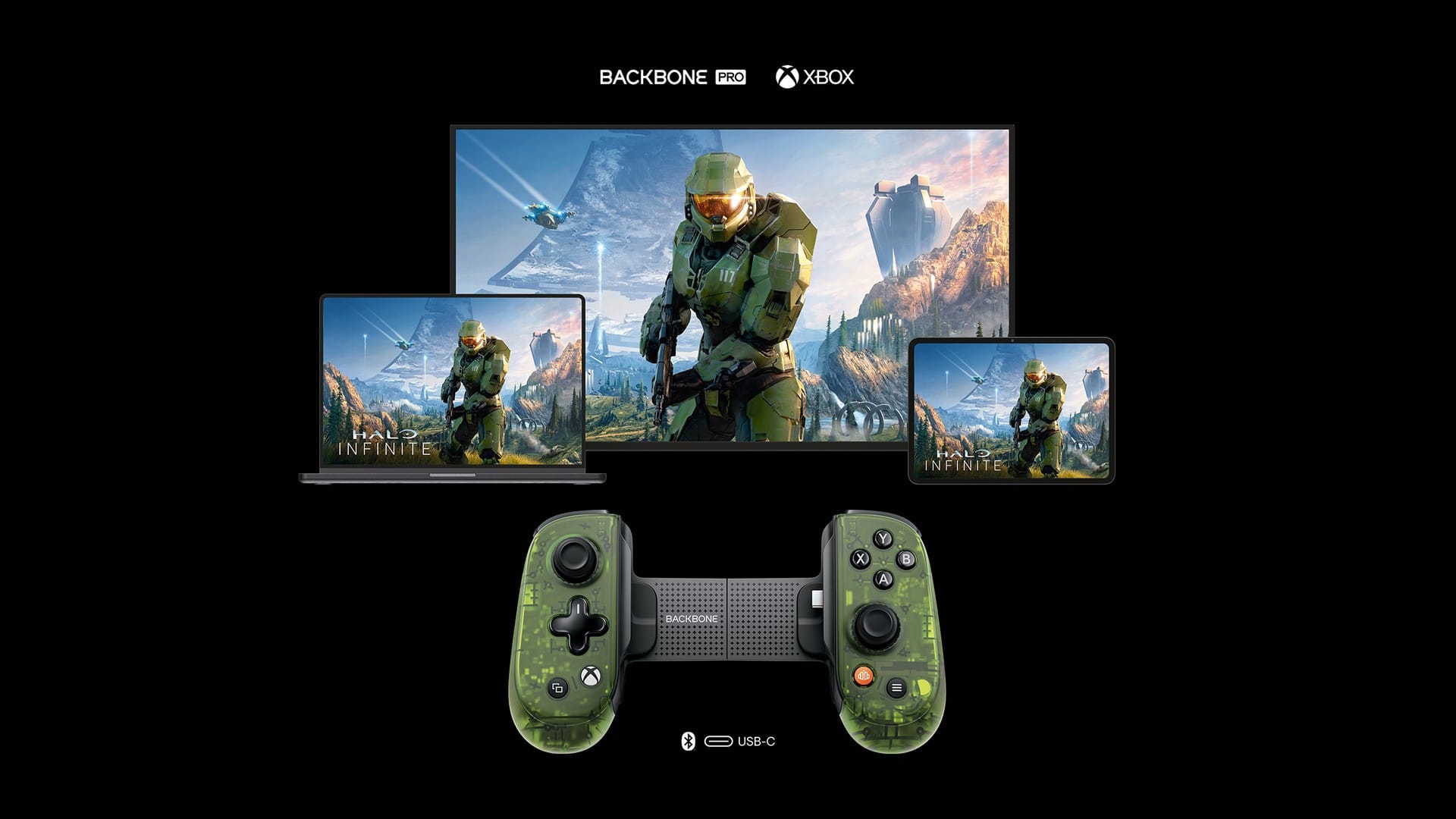
Only the Pro has Bluetooth. It pairs over Bluetooth Low Energy with tablets, PCs, Macs, smart TVs and more, and Backbone’s FlowState feature lets you hop between saved devices from the Backbone app. Backbone puts the range at about 30 feet. On Steam, it shows up as an Xbox Series X controller.
The One is wired only. Plug it into an iPad, Mac or PC with a USB-C cable and it works as a regular controller, which Backbone calls Play On Any Screen. The Pro does the same over a cable, and it charges while it’s plugged in.
Now, how well does the wireless part work? TechRadar found the Pro’s wireless mode works well, but the instant device switching was hit or miss: fine with tablets and smart TVs, while on a PC the controller kept showing up as a brand-new device. TechRadar also noticed a little flex in the extending mechanism when you hold the Pro without a phone in it. And remember what the Pro is without a phone in the middle: a small, cramped controller. Using it on a PC is possible, but it’s a last resort, and I’d rather grab a real full-size controller for that.
A couple of limits to know about. You can’t change button mapping, profiles or stick and trigger sensitivity while the Pro is connected over Bluetooth, so you set those up with the phone clipped in. And it can’t connect directly to an Xbox or PlayStation console, as Backbone’s Amazon listing points out.
How big are they, and will they fit your phone and case?
The Pro is the bigger controller. Backbone lists it at 101.1 mm tall and 49.8 mm deep, stretching from 180.7 mm to 280.7 mm wide, and it weighs 203 g. The second-gen One goes from 176.3 mm to 265.0 mm wide, and Backbone doesn’t list its weight.
Both fit most phones in slim cases. They come with adapters that tune the fit with or without a case, and you can pull them out entirely for a thick case or a big camera bump. Backbone keeps tested-case lists for the One and the Pro, covering iPhone 15, 16 and 17 models, Samsung’s Galaxy S23 and S24 Ultra, Google’s Pixel 7 Pro, 8 and 8 Pro, the Pixel Fold and the Galaxy Z Fold 5.
Neither one is made to hold a tablet. Gizmodo found the Pro doesn’t stretch far enough for the latest iPad mini. For an iPad, you’re looking at Bluetooth with the Pro or a USB-C cable with either one.
Do they work with iPhone and Android?
Yes, both do, but your iPhone decides which One you buy. USB-C iPhones, meaning the iPhone 15 and newer, including the iPhone 17 family, the iPhone Air and the iPhone 18 Pro models, need the USB-C One. The iPhone 14 and older need the Lightning One. Heads up: Lightning-to-USB-C adapters don’t work, and Backbone doesn’t offer trade-ins if you upgrade your phone later.
The Pro is USB-C only, for iPhone 15 and later on iOS 17.3 or newer. A Lightning iPhone can still use it over Bluetooth, but most Backbone app features, like button mapping and profiles, don’t work that way. On Android, both need Android 10 or later. Android also gets one extra: TouchSync, which maps the controller onto on-screen touch controls in games that don’t support controllers, like Genshin Impact, though it needs Backbone+.
Do they have Hall effect sticks, back buttons or rumble?
Neither controller has Hall effect sticks or rumble. The Pro has Hall effect triggers and two back buttons. The Pro uses full-size ALPS joysticks, the One has smaller sticks and analog triggers, and both have clickable sticks. Tom’s Guide and Macworld both wished the Pro’s sticks were Hall effect at this price, and I’m with them, since magnetic sensors are less prone to drift.
The Pro’s two back buttons, M1 and M2, come unassigned, and you map them in the Backbone app without paying for Backbone+. TechRadar found they’re stiff enough that you won’t hit them by accident, and Tom’s Guide found them easy to reach with a ring or pinky finger. The One has no back buttons, and its regular buttons can only be remapped on iPhone, through iOS settings.
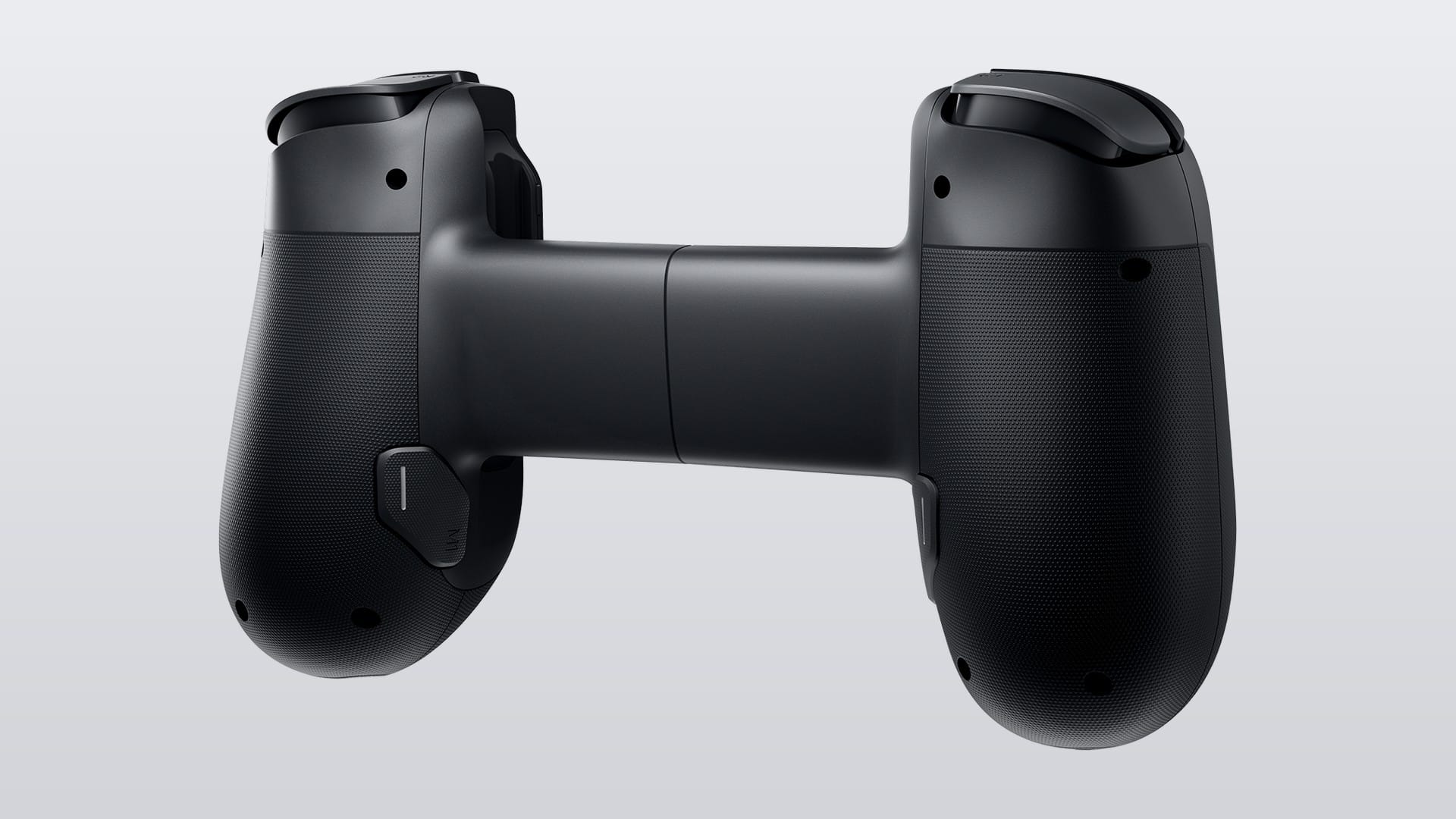
Backbone doesn’t list rumble for either controller, and Macworld called out the Pro’s lack of vibration at this price. So if you love feeling every explosion in your hands, neither of these is it.
Comfort is where the Pro earns its size. TechRadar called it much more comfortable than the One, with bigger grips and quieter, softer face buttons, and still small enough for a bag or a large pocket. Gizmodo’s reviewer, who has big hands, still had to shift grip a little to reach the face buttons and D-pad.
Does the Pro work with a PS5 or PS Remote Play?
It works with PS Remote Play on an iPhone, but it can’t connect to a PS5 directly. On Android it’s a no, because PS Remote Play there only works with the One’s PlayStation Edition. Sony keeps the list of controllers that work with PS Remote Play on Android, and the PlayStation Edition is the only Backbone on it so far. On a PC or Mac, Sony’s official Remote Play app only takes its own DualSense and DualShock controllers.
Xbox is simpler. Xbox Cloud Gaming and Xbox Remote Play work on any Backbone, and the Xbox editions add an Xbox button that opens the Xbox guide in Xbox apps and games. Launching cloud games from inside the Backbone app needs Backbone+, but you can always just open the Xbox app yourself.
Do you need a Backbone+ subscription?
No. Both controllers work without it, and the Backbone app itself is free. The free app handles firmware updates, stick calibration, wired play on other screens and, on the Pro, button remapping, profiles and Bluetooth device switching. Backbone+ adds 1080p 60 fps recording, Twitch streaming, party chat, TouchSync on Android, launching cloud games inside the app and a built-in emulator for your own game files.
In the App Store, Backbone+ costs $3.99 a month or $39.99 a year. The emulator, one of its headline extras, needs iOS 18.4 or Android 11 or newer. One warning: new controllers come with a free trial that renews automatically, so cancel it if you don’t want it.
Are there cheaper alternatives?
Yes, and this is where the Backbone pricing starts to look rough. The GameSir X5 Lite for XBOX is $44.99, plugs into USB-C like the One, and has Hall effect sticks and Hall effect analog triggers. It has no battery, Bluetooth or back buttons. I’ve spent time with that one, and my first impressions cover how it fits a phone in a case and how its analog triggers behave.
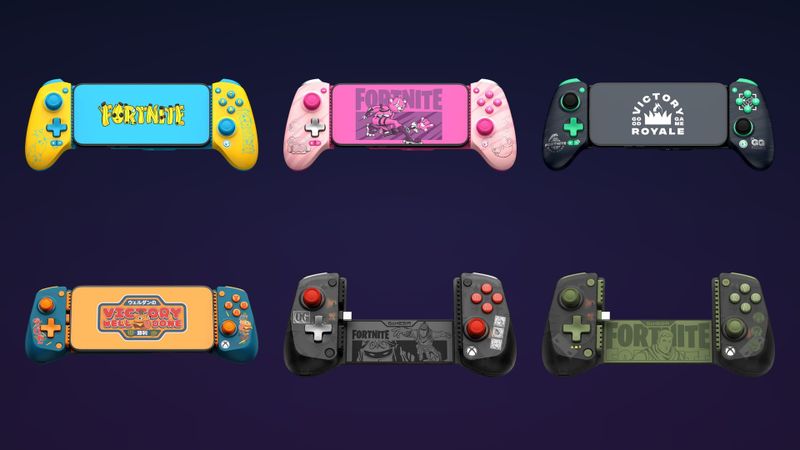
The GameSir G8 Plus is the closer match for the Pro, at $79.99. It’s a Bluetooth controller with Hall effect sticks and triggers, two back buttons, rumble and a gyro, and it pairs with a Switch or Switch 2 as well. GameSir even sells it in Fortnite editions now. And if you step outside phone controllers for a second, the EasySMX X10 launched at $49.99 with Hall effect sticks, two back buttons and rumble, per GamesRadar’s and The Gadgeteer’s reviews.
So what is Backbone’s argument? The finish and the app. TechRadar and Gizmodo both rated the Pro’s build quality highly, and TechRadar compared its feel to something Apple would make. That’s real, and it might be worth something to you. Whether it’s worth a hundred dollars is the question.
Which one should you buy?
Honestly, I don’t get the Backbone Pro at $169.99. A quality full-size controller costs $60 to $80, and the EasySMX X10 launched at $49.99 with Hall effect sticks and back buttons. The Pro’s sticks aren’t even Hall effect, and back paddles alone don’t justify that price. Yes, it’s more portable, but without a phone or tablet in the middle it’s a small, cramped controller, so using it on a PC is a last resort. The One is easier to swallow at $69.99 on sale, but it’s still overpriced next to a $44.99 GameSir X5 Lite that has Hall effect sticks and triggers. Unless Backbone’s controllers are measurably better, I don’t see why I’d pay that much more.
If you’re set on a Backbone anyway, here’s how it breaks down. Mostly play on your phone, want the smallest option, or still rock a Lightning iPhone? The One. On Android and want PS Remote Play? The PlayStation Edition One, since it’s the only one Sony lists.
Want back buttons, full-size sticks and one controller for your phone, PC, tablet and TV? That’s the Pro, and you’re paying for the app and the finish as much as the hardware. And if Hall effect sticks or rumble matter more to you than the Backbone app, the GameSir G8 Plus does both for less than half the Pro’s price.
Nerd Alert
Your Turn
What are YOUR thoughts
What have your experiences been? Let us know.