Hands-on / First look · First Impressions · Controllers & Accessories
GameSir X5 Lite for XBOX: A $45 Phone Controller That Fits My Case
GameSir’s $45 Xbox-licensed phone controller fits my phone with its case on, stretches to an iPad mini, and finally has analog triggers.
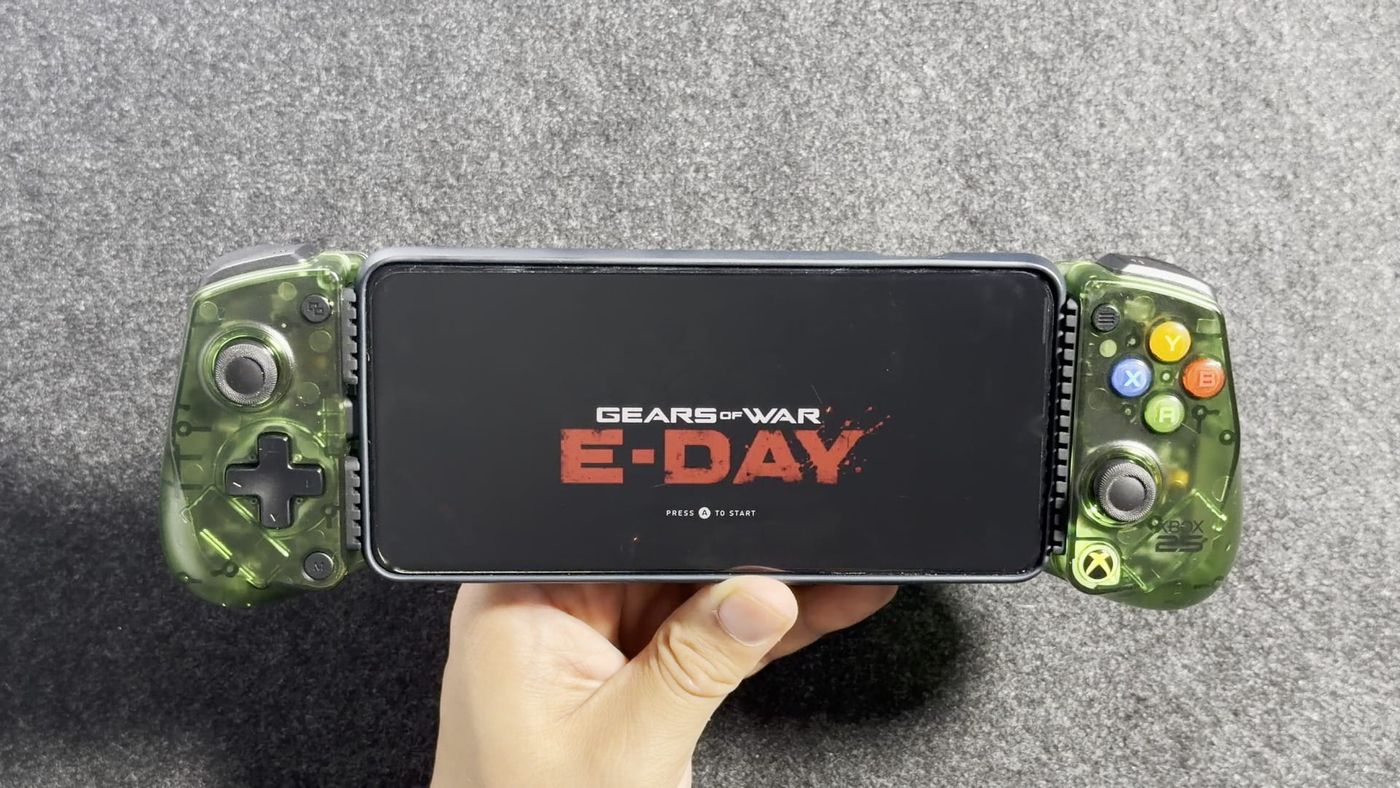
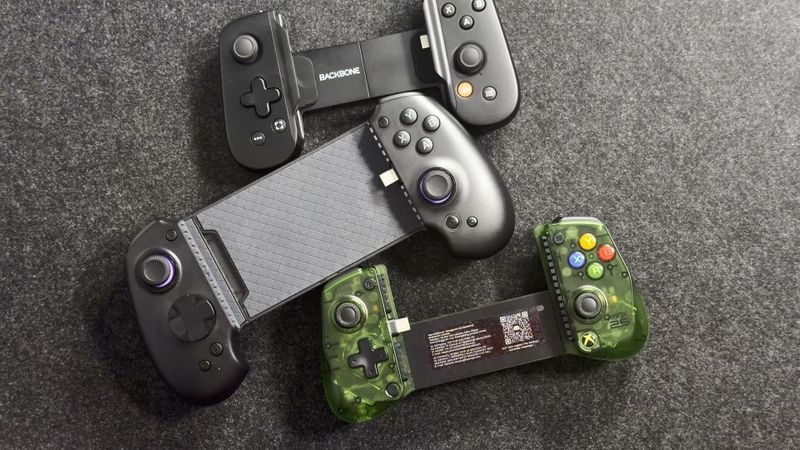
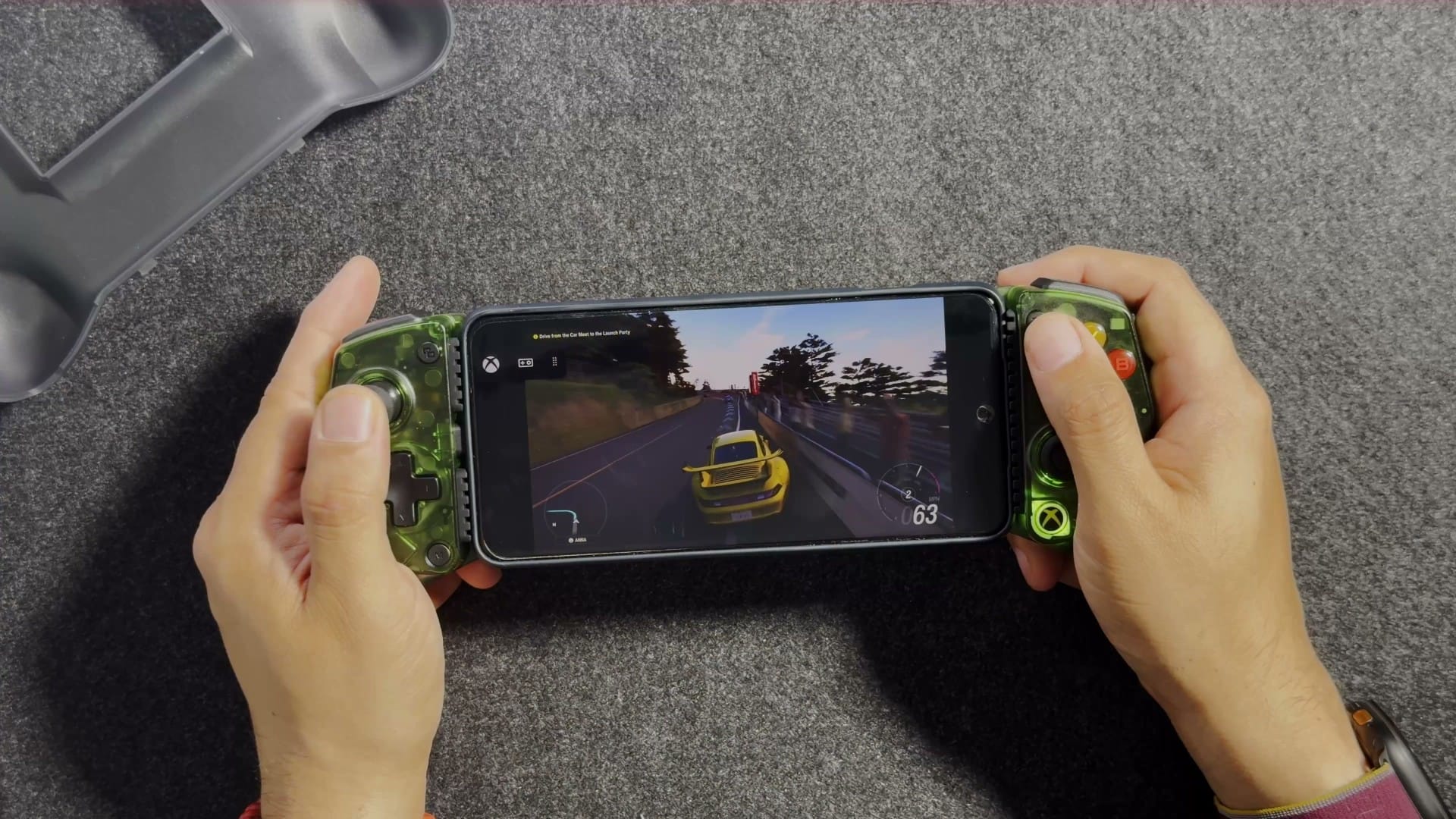
It looks like 2001, and that’s the whole idea: the translucent green is the original Xbox colour, back for Xbox’s 25th anniversary. Underneath, it’s the GameSir X5 Lite, a $45 phone controller. In the video, I fitted it to my Android phone and my iPad mini.
What is the GameSir X5 Lite for XBOX?
It’s a telescoping controller that grips a phone or small tablet from both ends and plugs into its USB-C port. GameSir announced it on August 25 as part of Microsoft’s Designed for XBOX 25th Anniversary Collection, with official Xbox licensing and Apple’s MFi certification. As I put it in the video, it’s an officially licensed Xbox controller that doesn’t touch an Xbox: GameSir’s manual says it can’t connect to a console directly. The translucent green is the anniversary edition, and GameSir also sells the same controller in White and Black at the same price. There’s also a Fortnite Edition in three character designs for $49.99, each with an in-game item.
Underneath, it’s a reskinned version of GameSir’s original X5 Lite, which I’d call tried and true. That original is still listed at $34.99 and only officially supports Android. This one adds Apple certification, Hall effect analog triggers (they use magnets to sense how far you press), a case, a button clip (for removing the face buttons) and a one-month Game Pass Ultimate card in the box, for $10 more.
| Spec | GameSir X5 Lite for XBOX (25th Anniversary Edition) |
|---|---|
| Type | Telescoping USB-C controller for phones and small tablets |
| Editions | 25th Anniversary translucent green; also White and Black |
| Licensing | Official Xbox licence (Designed for XBOX) and Apple MFi certification |
| Works with | iPhone, iPad, Mac and Android (iOS 13 or later, Android 8.0 or later); Windows 10 and 11 wired, per the manual |
| Fits | Devices 105 to 213 mm (4.13 to 8.39 in) long |
| Connection | Built-in USB-C, wired only; no Bluetooth and no battery |
| Polling rate | 250 Hz (it reports its inputs 250 times a second) |
| Sticks | GameSir Hall effect, clickable (L3 and R3) |
| Triggers | Hall effect analog |
| Bumpers | Tactile switches |
| Face buttons and D-pad | Membrane; ABXY caps removable and swappable |
| Extras | Pass-through charging, turbo, hair-trigger mode, GameSir app |
| Missing | Rumble, gyro and back buttons |
| Weight | 145 g (product page and manual spec table); about 135.4 g in the manual’s FAQ |
| In the box | Controller, seven silicone pads, button clip, storage case, one-month Game Pass Ultimate card (new members), sticker, GameSir card, manual |
| Price | $44.99 (original X5 Lite: $34.99) |
| Price paid | $44.99 (I bought it myself) |
| Returns | 30-day money-back guarantee on GameSir’s store |
What comes in the box?
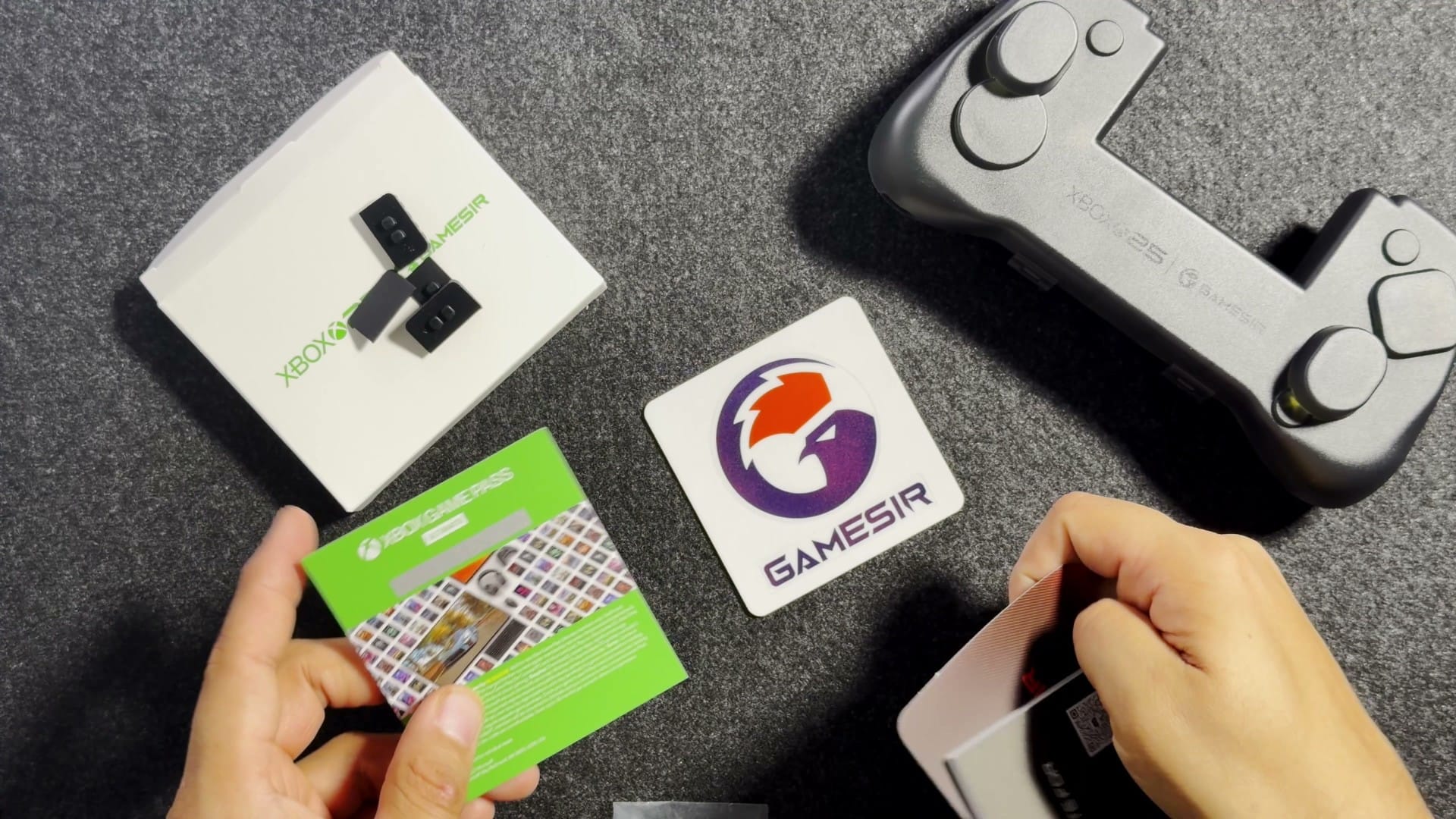
Alongside the controller, you get a storage case, seven silicone pads, a button clip, a Game Pass card, a sticker, a GameSir card and a manual. The case is the big extra, and I appreciate it. The pads protect the edges of the controller and your phone. The Game Pass card is one month of Game Pass Ultimate, and the code is for new subscribers only, as The Gadgeteer reports.
Why is the USB-C plug on the left?
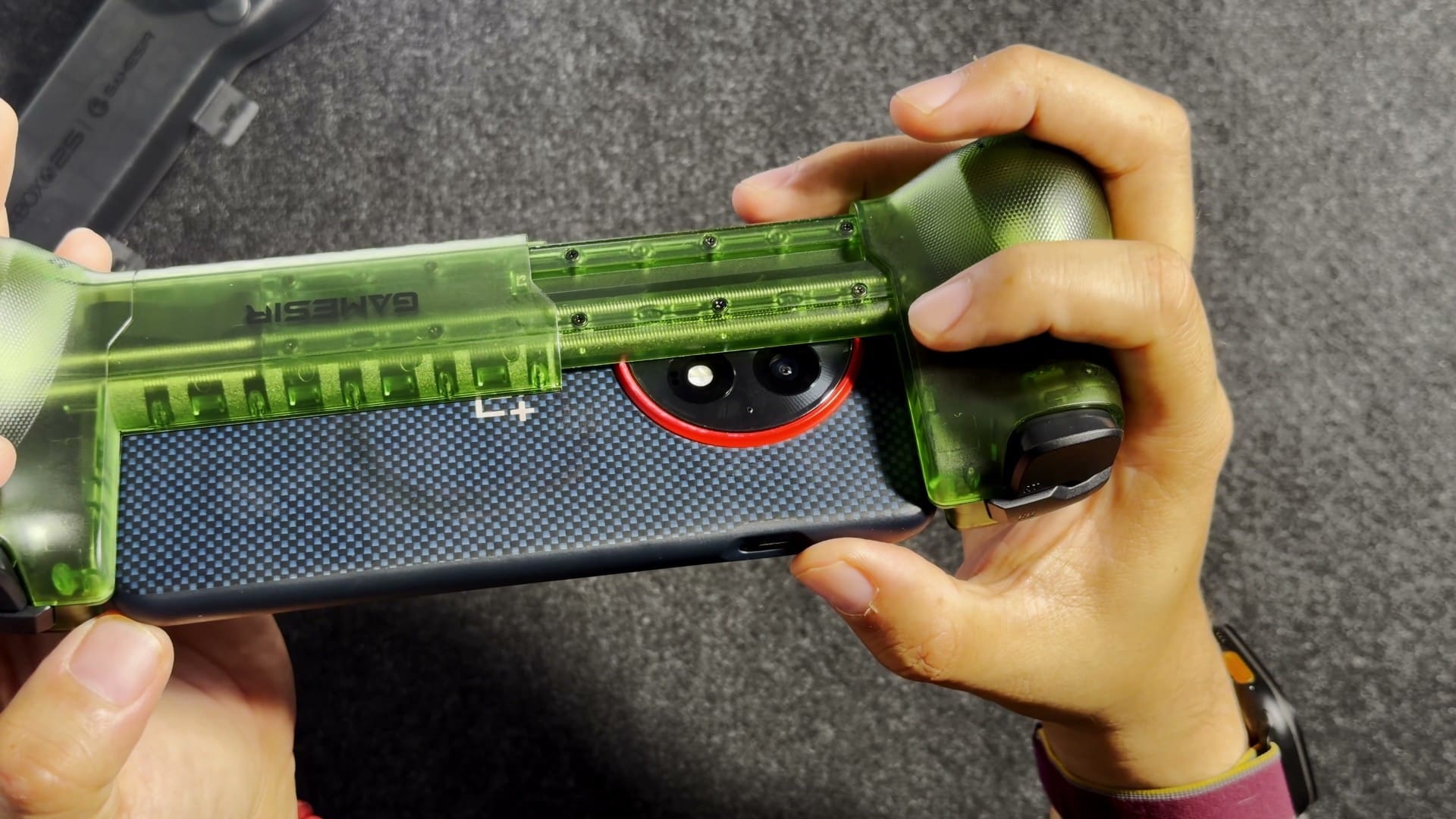
GameSir doesn’t say, but my best guess is the new foldable phones and their form factor. I still find the choice curious. Whatever the reason, the placement decides where your camera bump goes: with the plug on the left, the bump ends up on the right.
Does it fit your phone with a case on?
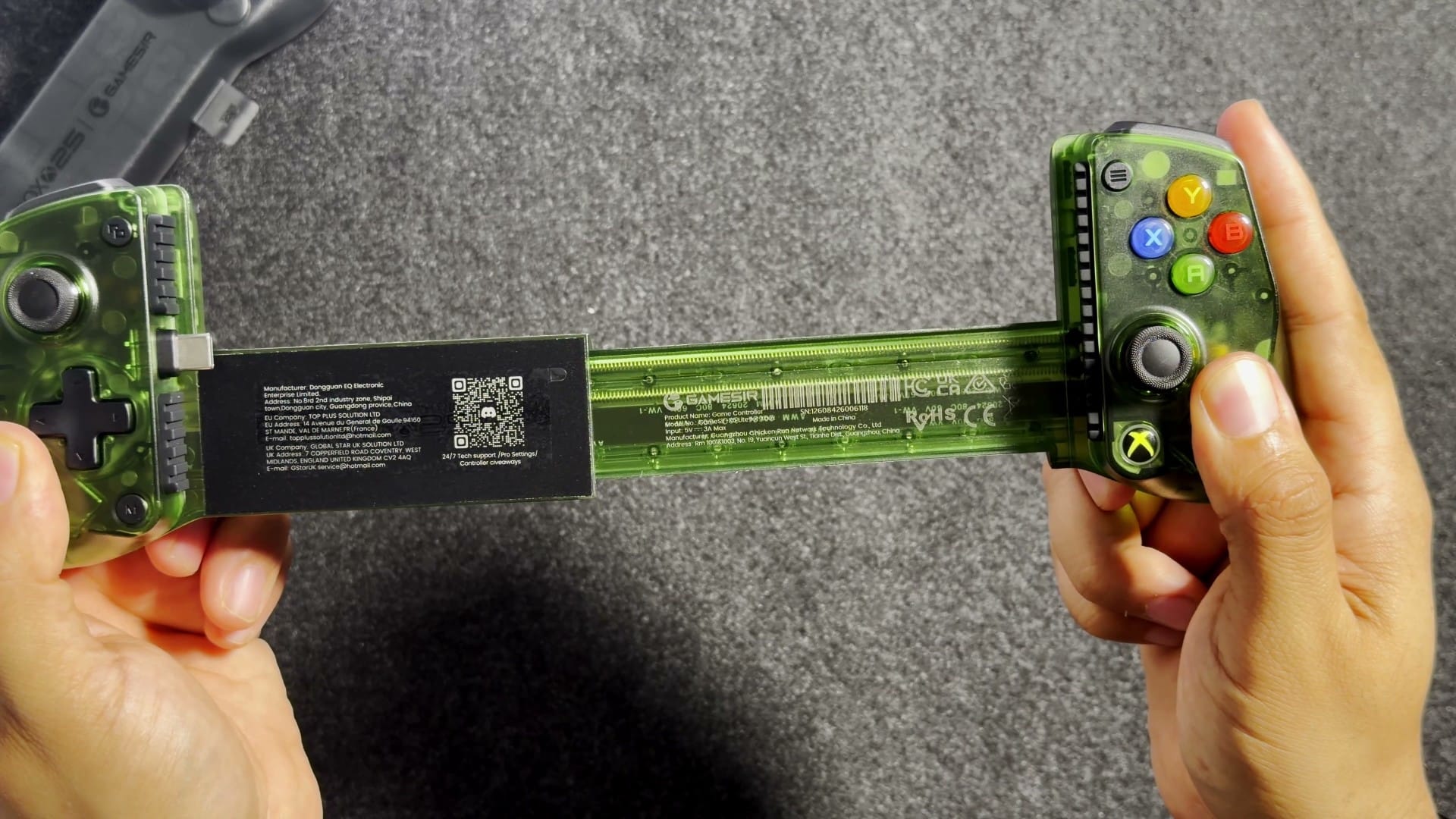
Yes, mine did: my Android phone went in with its case on, and it sits flush against the rubber backing. My Android phone’s case is a little thin, but I think even thicker cases should be fine, because the plug can wiggle up and down to meet the phone’s port; GameSir calls it a movable USB-C connector that makes plugging in easier while protecting your phone’s port. After filming, I fitted my iPhone too, case and all.
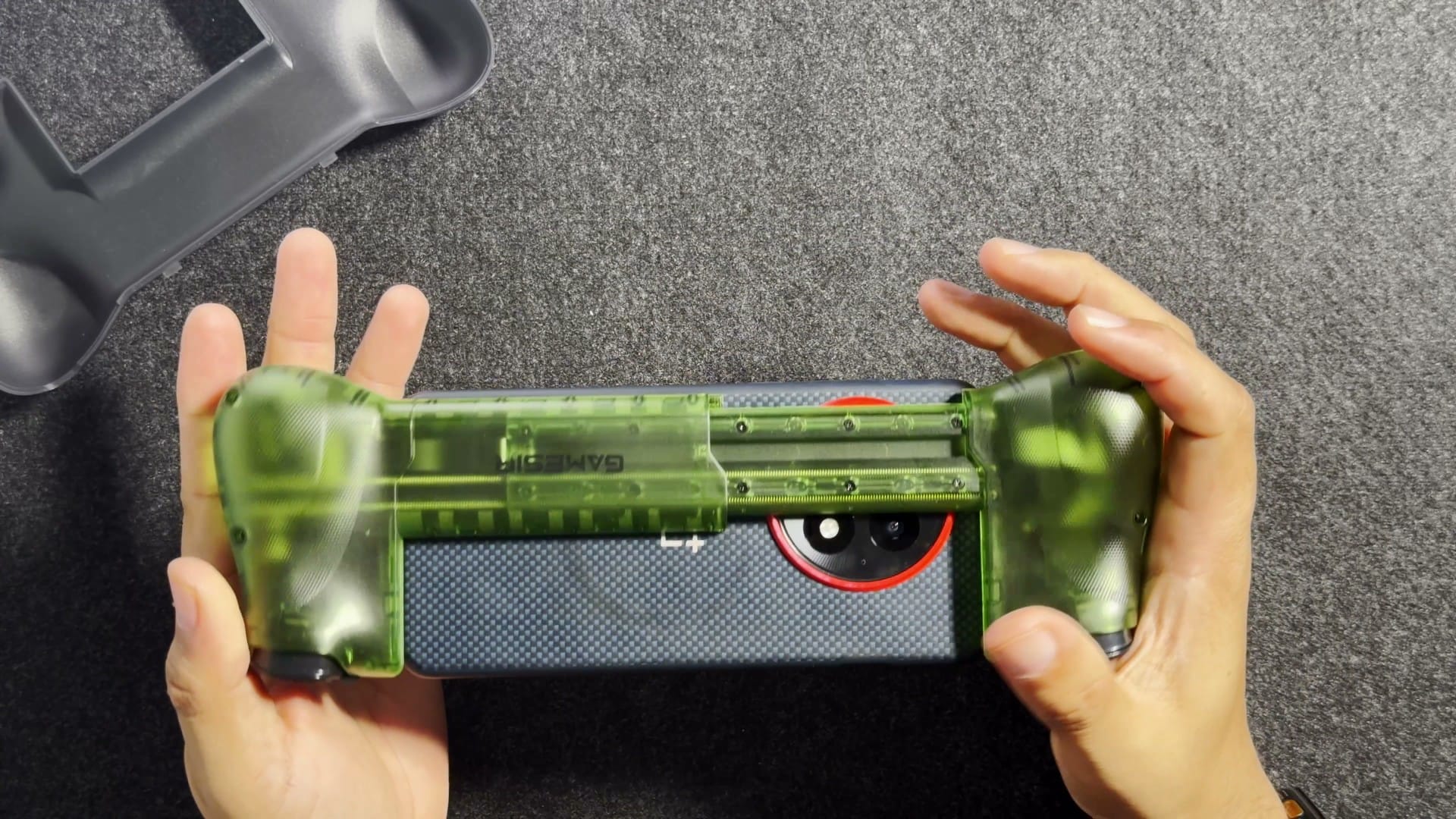
The rails (the arms that slide out to hold the phone) also clear the camera bump on the right. The controller sits almost flat over the bump, so GameSir clearly designed around it. I wonder if thicker bumps would rub against the rails; mine doesn’t.
The silicone pads matter here too. GameSir’s product image shows three kinds among the seven (two smooth, four ribbed and one long strip), and the manual says they go thick side up and thin side down. The original X5 Lite came with seven pads too, in three sizes, and The Xbox Hub’s reviewer had to fit thinner ones before a Pixel 9 Pro XL in a case would connect properly. If a cased phone won’t seat, try a different set of pads.
Does it really stretch to an iPad mini?
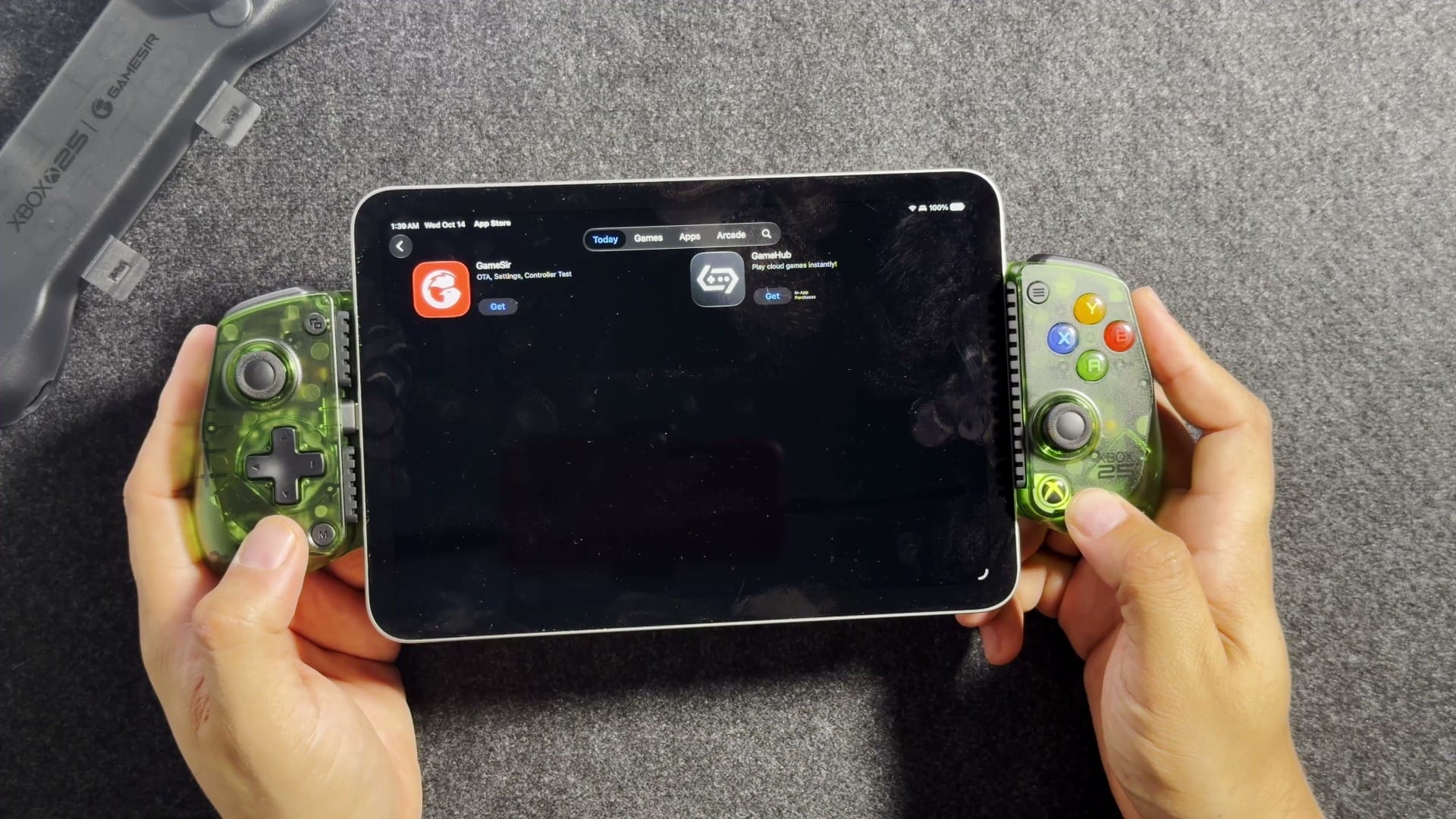
Yes, with room to spare. I tried it with my own iPad mini, and Apple lists the current iPad mini at 195.4 mm tall, well inside GameSir’s rated stretch of 105 to 213 mm of device length. The same stretch covers gaming tablets such as the RedMagic Astra 2 at 207.1 mm and Lenovo’s Legion Tab (8.8-inch, third generation) at 208.54 mm. There is a small gap behind my iPad mini, though, and I don’t know if I’m comfortable with that; I think it’s there to make room for cases on phones.
Does the GameSir X5 Lite work with iPhone, Android and PC?
Yes, all three: GameSir lists iPhone, iPad and Android devices that have USB-C and fit the stretch range, plus Mac, and its manual adds Windows 10 and 11 over a wired connection, where the controller switches to a green-light Xbox mode. For iPhones, that means iPhone 15 or later (iPhone 17 included), the models with USB-C; older Lightning iPhones can’t plug in. The manual asks for iOS 13 or later or Android 8.0 or later. My iPad mini detected the controller immediately, and a little white LED came on, which the manual says means MFi mode, the one for iPhone, iPad and Mac. The manual also says some Android phones, naming Xiaomi, OPPO, Vivo, Realme and iQOO, need OTG (USB On-The-Go, the setting that lets a phone power accessories) switched on, and if it still won’t connect, it suggests turning on USB debugging in the phone’s developer settings.
Device support is only half of it, because games need their own controller support. On Android, GameSir’s G-Touch mode maps the controller onto touch controls for games without controller support, but the manual says touch mapping isn’t available on iPhone or iPad. There, you’re limited to games with native controller support, which the manual says work without any setup.
How heavy is it, and how does it feel?
It weighs 145 g, according to GameSir’s product page and the manual’s spec table, but the same manual’s FAQ says about 135.4 g, so GameSir’s own figures disagree with each other. That lower figure is the original X5 Lite’s listed weight, and the weight isn’t the only detail in that FAQ that still describes the older model (more on that under the triggers). The plastic feels decent, and it’s very lightweight.
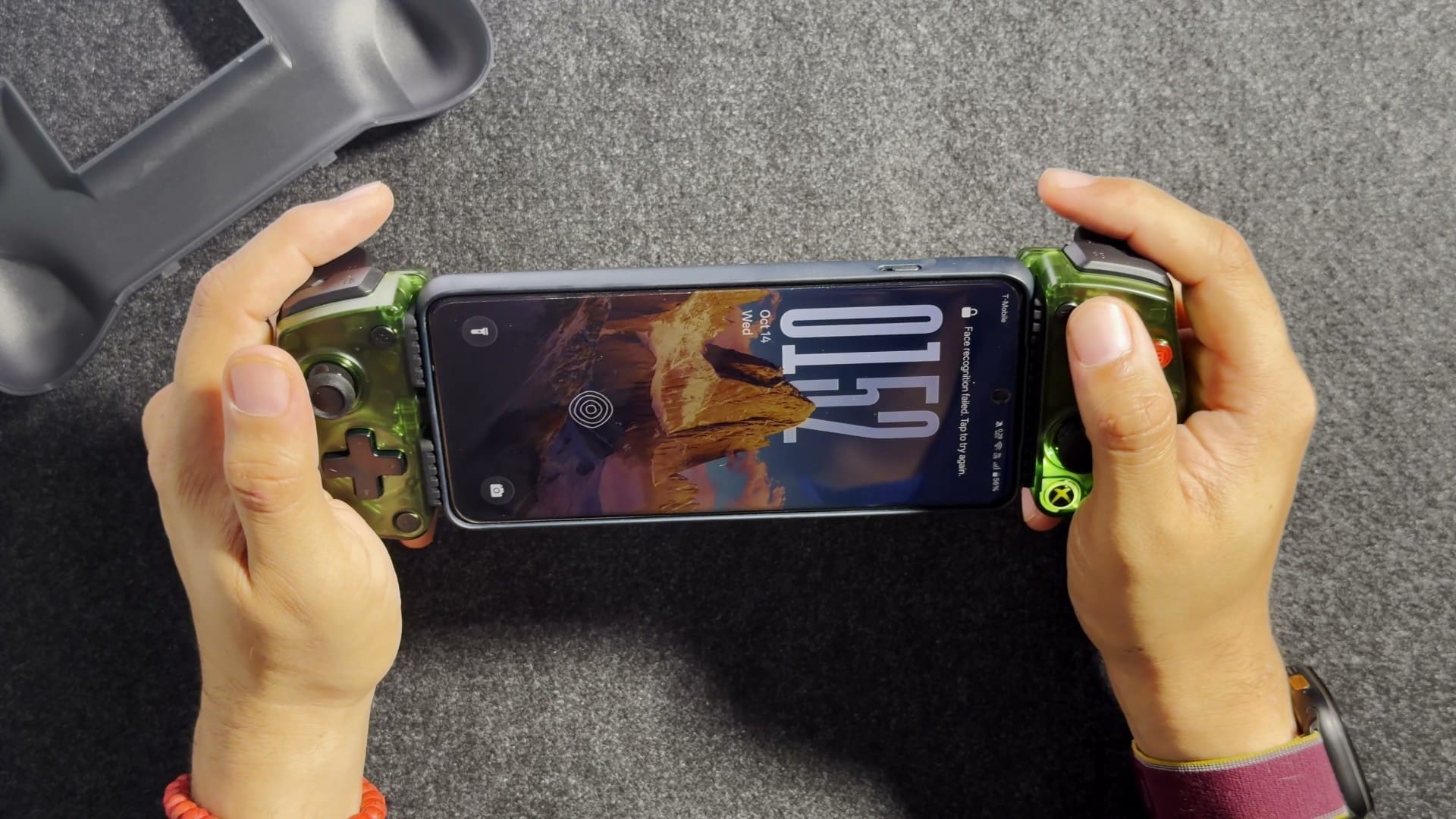
It’s okay, but it could be more comfortable. Then again, for something meant to be portable and removable, perhaps you don’t want too wide a grip. The rounded humps on the back give your hands some extra grip, better than flat Joy-Con. With my medium-sized hands, I grip it with three fingers and just rest the others. I can certainly use it for an extended period.
One thing to note is the right stick, which sits directly below the face buttons. When I rest my thumb, I’m already hitting it. If I try to press A with the middle of my thumb, I hit the joystick too.
What are the buttons and D-pad like?
The face buttons and D-pad are all membrane (each press pushes down a rubber dome over the contacts), with tactile feedback on the buttons and a D-pad that feels very smooth. You can hear the face buttons, but they’re not the clicky kind, and the D-pad is silent. The Xbox Hub found the original X5 Lite’s D-pad cheap, with little depth to its motion, and I remember it needed a firm press; this one is easy.
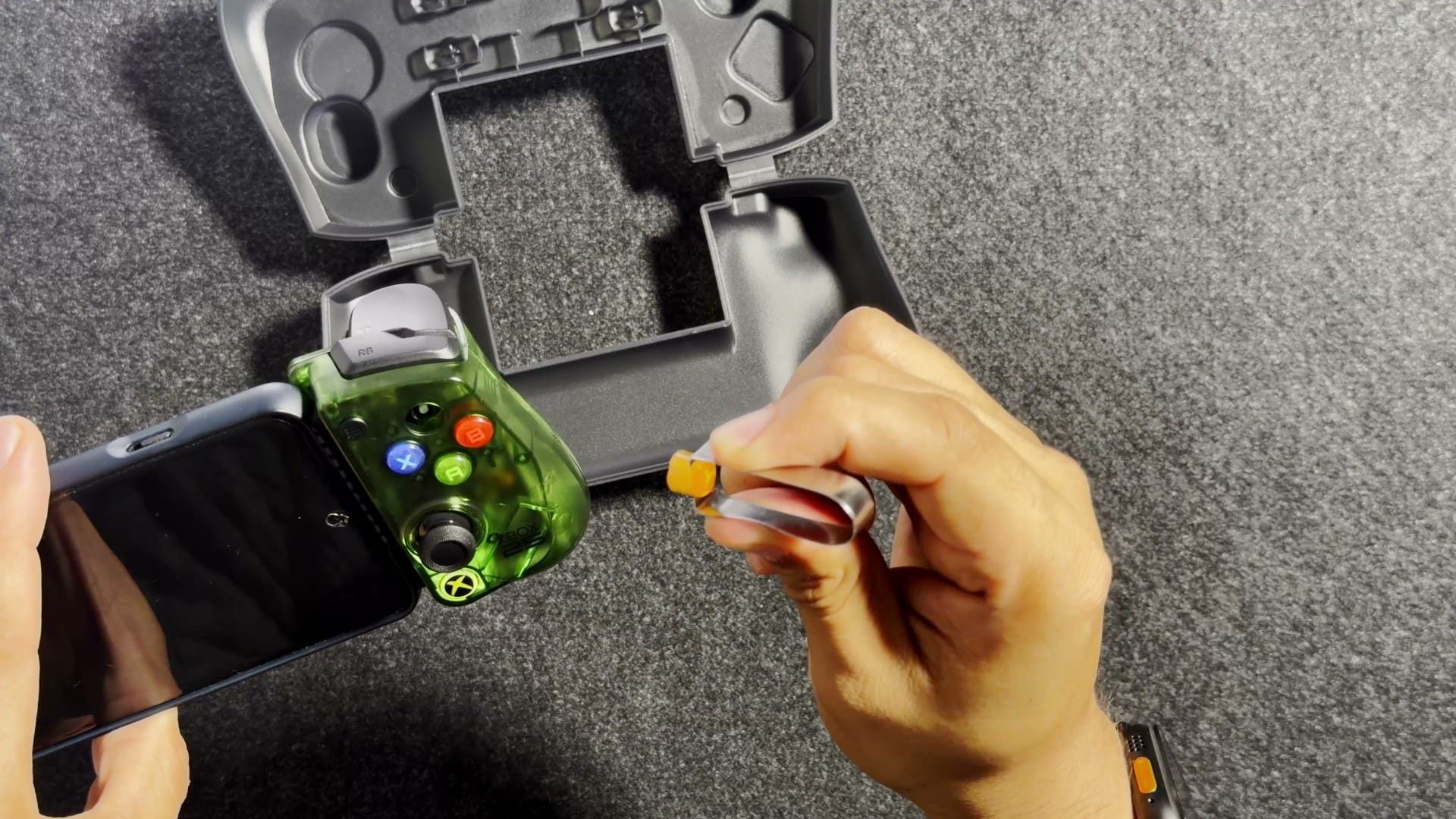
The face buttons also come out. I did wonder how easily they’d fall out, and in my hands they stayed put. The button clip in the box is the tool for removing them, and GameSir says you can swap them to the layout you’re used to, then switch the controller’s input layout so each press matches its new cap (hold the M function button and A for two seconds). There are no spare caps in the box, and the manual says replacement buttons aren’t sold separately. I’m already thinking about 3D printing different ones.
Button combinations and the GameSir app handle the extra functions. The manual lists turbo (auto-repeat while you hold a button) on every face button, bumper and trigger, plus remapping through the GameSir app. A reset to defaults lives in the app, since there’s no button combination for it.
Does it have Hall effect sticks, and how good are they?
Yes, they’re Hall effect sticks, using the same magnetic sensing as the triggers, and GameSir pitches them against stick drift (worn sticks registering movement on their own). Good, in my opinion. They have a little bit of tension, which I like, because you don’t want sticks to be too loose; it isn’t adjustable, but the default is good. They also click in, so you have L3 and R3 as usual on an Xbox controller, and the manual has a calibration routine (hold Menu, View and the Xbox button) if they ever need it.
Are the triggers analog now?
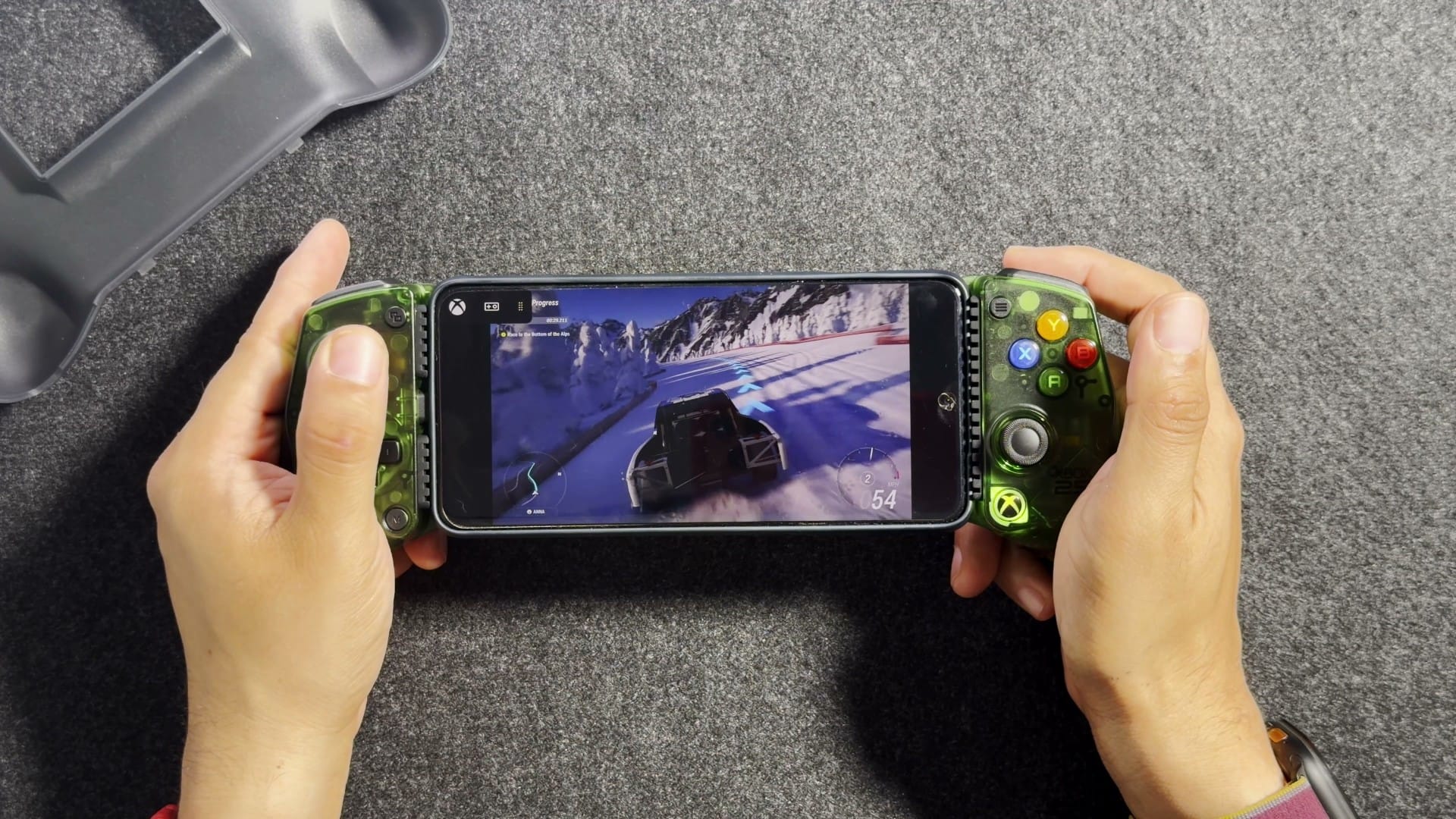
Yes, I confirmed it. The original X5 Lite had basically binary triggers, either on or off: GameSir lists them as membrane triggers, and The Xbox Hub found nothing in between. In a racing game on this one, I could slowly apply the throttle and bring my speed up, ease on the brake to slow down, or just tap the brake. That’s the big upgrade for the extra $10. If you want a trigger to fire near the top of its press instead, the manual describes a hair-trigger mode (hold M and the trigger for two seconds).
Don’t let GameSir’s own manual confuse you here. Its FAQ still says the X5 Lite for XBOX has membrane triggers that aren’t analog, while the product page for the green edition and the page for the White and Black ones both list Hall effect analog triggers. My unit behaves like the product page.
Does it block your phone’s speakers?
On most phones, the grips cover the speakers, because most fire out the bottom or top; phones that fire out the back or forward stay clear. My Android phone has bottom-firing speakers, and the left grip covers them. Even so, the sound came through loud and clear for me.
Can you plug headphones into the controller’s USB-C port?
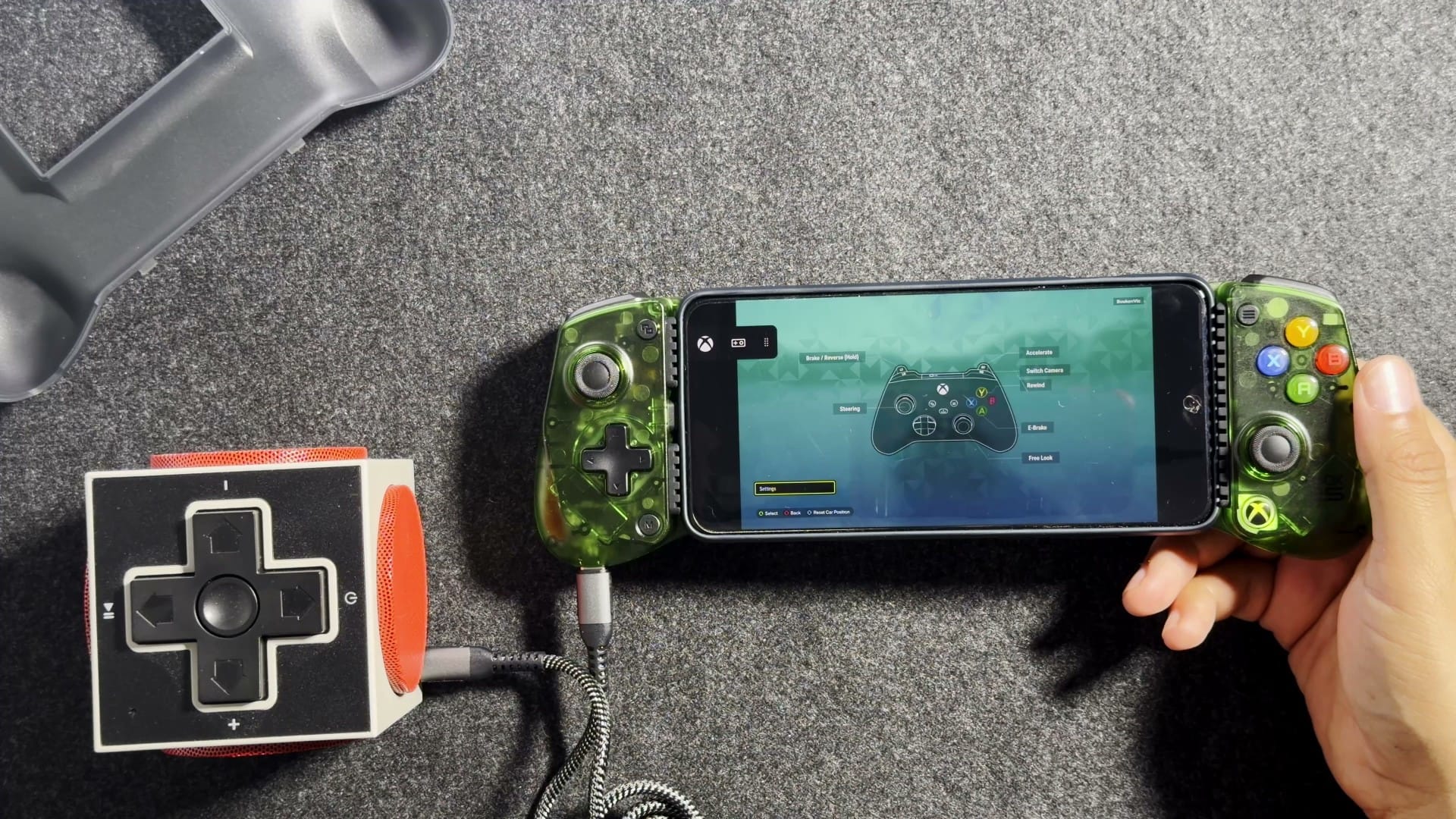
No: it charges your phone while you play, as GameSir promises, and that’s all. I was really curious whether the port also passes data, because then you could use USB-C wired headphones or an external speaker, so I tested it live with my 8BitDo Retro Cube 2 speaker on my Android phone. Nothing played, but that test proved little, because the speaker wouldn’t play on that phone even plugged straight in. After filming, I tried my iPhone: the speaker works plugged straight into the phone, and through the controller’s port, nothing.
How do you play Xbox games on it?
Through Xbox Cloud Gaming, or Remote Play from your own console, the two uses GameSir’s manual says the controller’s Xbox licence covers. Cloud gaming needs a Game Pass Ultimate subscription and a supported controller, according to Xbox. At $22.99 a month in the US (the price since Microsoft’s April 21 cut), the one-month card in the box is worth more than the $10 extra this edition costs if you’re a new member, as I said in the video. The controller itself doesn’t require any subscription: it works with local iPhone and Android games and emulators too.
Does it have Bluetooth, rumble or a battery?
No to all three. It’s wired over USB-C with no battery, because it runs off the device it’s plugged into. It has no rumble, gyro or back buttons either. Add the limits covered above (no console connection, no touch mapping on Apple devices and no audio through the controller’s port), and that’s everything it can’t do. If you want gyro in a GameSir phone controller, the manual points to the G8+, X5S, X3 Pro and G8+ MFi.
When can you get one?
Now. As of October 27, GameSir’s store sells it as a regular in-stock product at $44.99 in all three colours: the 25th Anniversary green, White and Black. The October pre-order window it launched with is over, so it ships like any other order. GameSir quotes four to six business days for local US delivery and offers a 30-day money-back guarantee on undamaged returns.
GameSir X5 Lite vs Backbone Pro: which should you get?
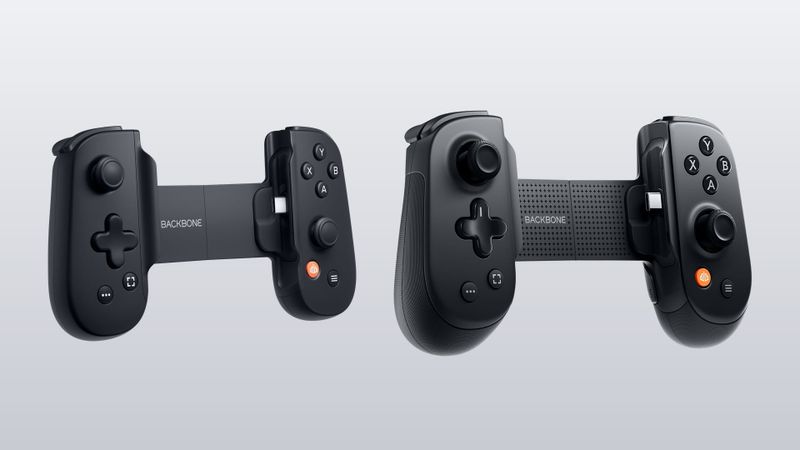
It depends on whether you want more than a controller. The Backbone Pro, Backbone’s phone controller that also comes in Xbox editions, provides a more robust Xbox integration and a far better app experience, including a curated storefront that some people like and some people hate. Arguably, the Backbone has better specifications (Bluetooth on top of USB-C, a battery and two remappable rear buttons) and perhaps a better build. Still, at $45, the X5 Lite gives you Hall effect sticks, Hall effect analog triggers, pass-through charging and swappable buttons.
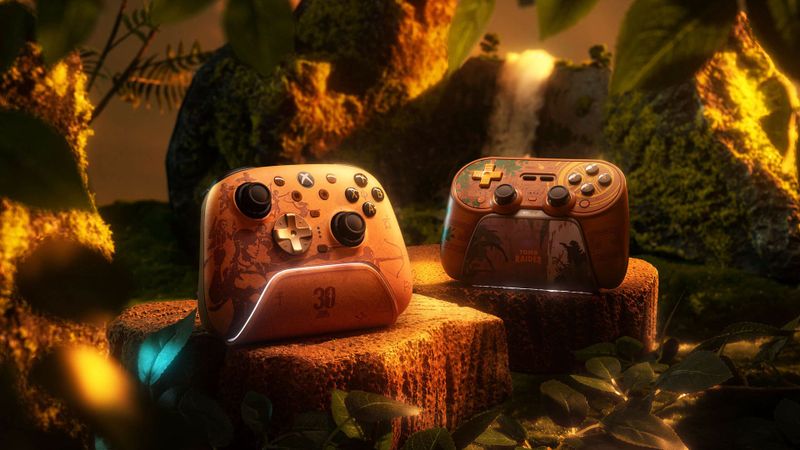
The 25th Anniversary Backbone Pro is $159.99 and sells as a blind box, so you don’t know which of three translucent colours you’ll get. The regular Backbone Pro Xbox Edition is $179.99, so the Backbone costs three and a half to four times as much as the X5 Lite.
| X5 Lite for XBOX | Original X5 Lite | Backbone One (2nd gen) | Backbone Pro (25th Anniversary) | |
|---|---|---|---|---|
| Price | $44.99 | $34.99 | $99.99 | $159.99 (Xbox Edition: $179.99) |
| Official iPhone support | Yes, MFi | No, Android only | Yes | Yes |
| Triggers | Hall effect analog | Membrane, on or off | Analog | Hall effect (analog) |
| Connection | USB-C | USB-C | USB-C or Lightning | USB-C or Bluetooth |
| Battery | None | None | None | Yes |
| Rear buttons | None | None | None | Two |
| Extras in the box | Case, silicone pads, button clip, one month of Game Pass Ultimate | Silicone pads only | Magnetic adapters for phone fit | One month of Game Pass Ultimate |
Is the GameSir X5 Lite worth $45?
For me, yes. At $45, it’s an excellent value proposition. As always, the answer is subjective. I’m buying this one to be a controller, and the app and Xbox ecosystem integration don’t factor in. My primary use is emulators, and either controller will provide the same kind of functionality there.
Nerd Alert
Your Turn
What are YOUR thoughts
What have your experiences been? Let us know.