Hands-on / First look · First Impressions · Controllers & Accessories · PC Hardware
8BitDo Retro 87 Gears of War E-Day Keyboard First Impressions: Quieter, Heavier, and It Works on My Xbox
The Gears of War: E-Day Retro 87 is 8BitDo's green Xbox keyboard in black and crimson, with linear switches instead of clicky ones. It's heavier, and it works on my Xbox.
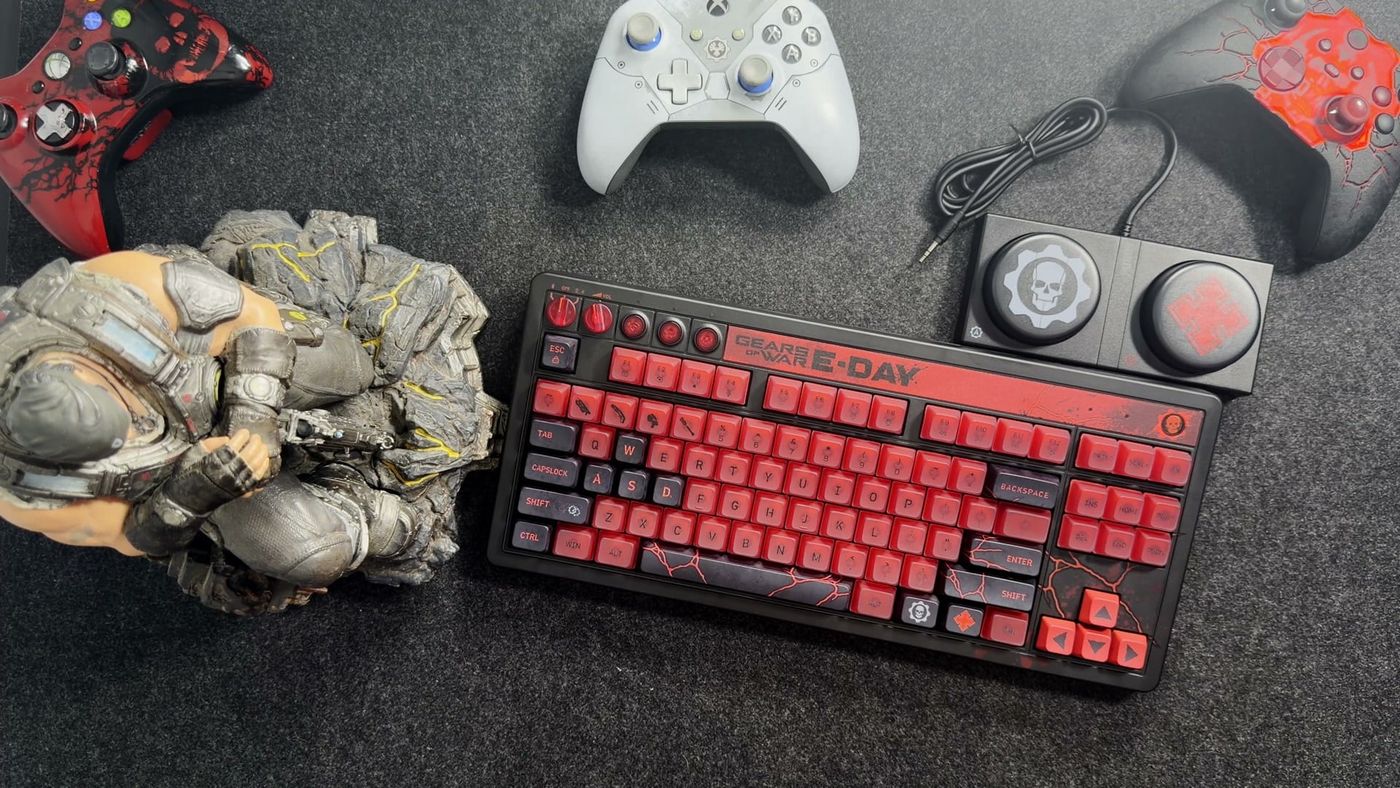
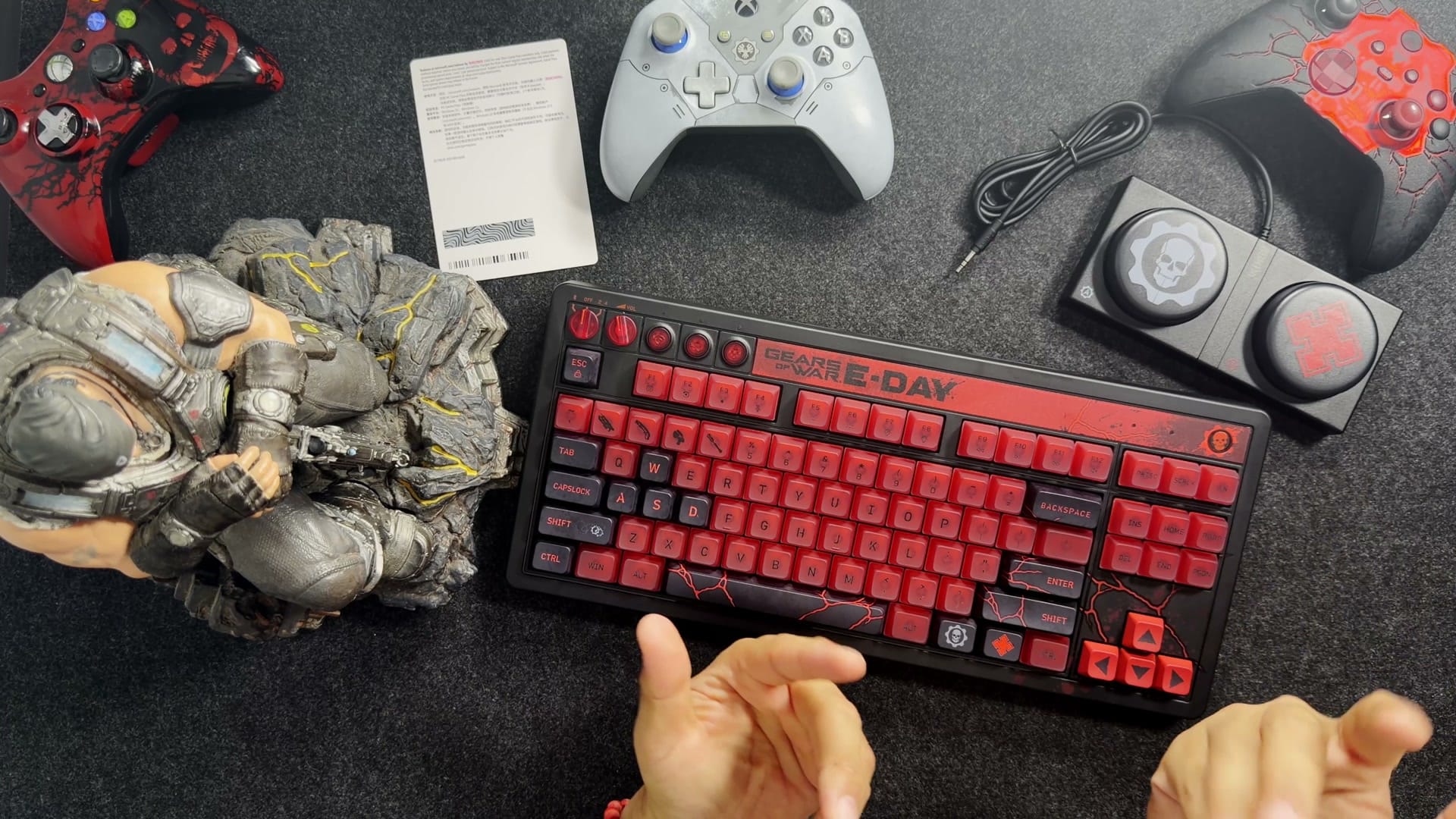
My Gears keyboard showed up a few days before it was even supposed to ship. Gears of War is one of my favourite things, red and black is my favourite colour scheme, and 8BitDo put both on one keyboard, so the pre-order wasn’t exactly a tough call. Here’s the funny part. I already own this keyboard. Twice. The 8BitDo Retro 87 Gears of War: E-Day edition is my translucent green Xbox edition in black and crimson, and a close cousin of the Nintendo one I type on every day. So the fun was in finding what changed. The switches did. The weight did. And it does one thing 8BitDo says it can’t.
What is the Retro 87 Gears of War edition, and what does it cost?
Under the paint, it’s 8BitDo’s Retro 87, a keyboard that’s been around in a few different costumes. Retro 87 means tenkeyless: everything a full keyboard has except the number pad on the right, 87 keys in all, which keeps your mouse a little closer to home. There’s the translucent green Xbox edition, an NES-style one, a Famicom one, and now this. Same body, same layout, same big round buttons riding along. What changes from costume to costume is the stuff you can’t see, like the switches, the battery and a few bits inside.
I know this formula well. My Nintendo edition has been my everyday keyboard, and the green one is my spare. So I wasn’t asking whether 8BitDo makes a good keyboard. I was asking what this one does differently.
It doesn’t cost more, for a start. $119.99 is exactly what the green edition lists for, so the theme comes free, as long as you don’t mind paying full price while it’s new. I didn’t. And if Gears means nothing to you, there’s a whole closet of this same keyboard in other colours.
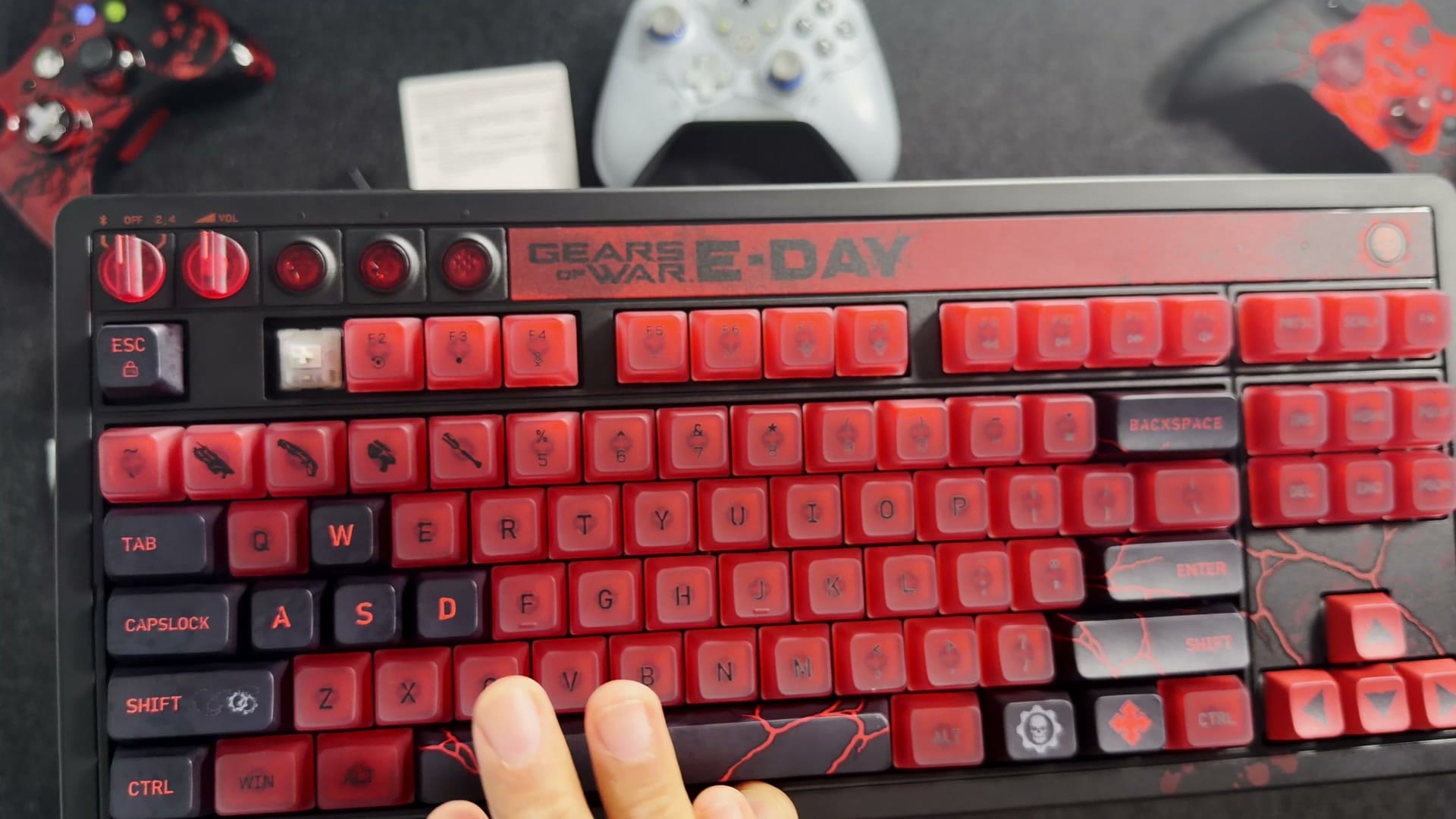
If Gears does mean something to you, this is where it pays off. The 1 to 4 keys are weapons: the Lancer, the Gnasher, the Boltok and a frag grenade. The space bar looks like the ground just split open on E-Day. The Crimson Omen sits on a button in the top corner, and even the wireless dongle is translucent red.
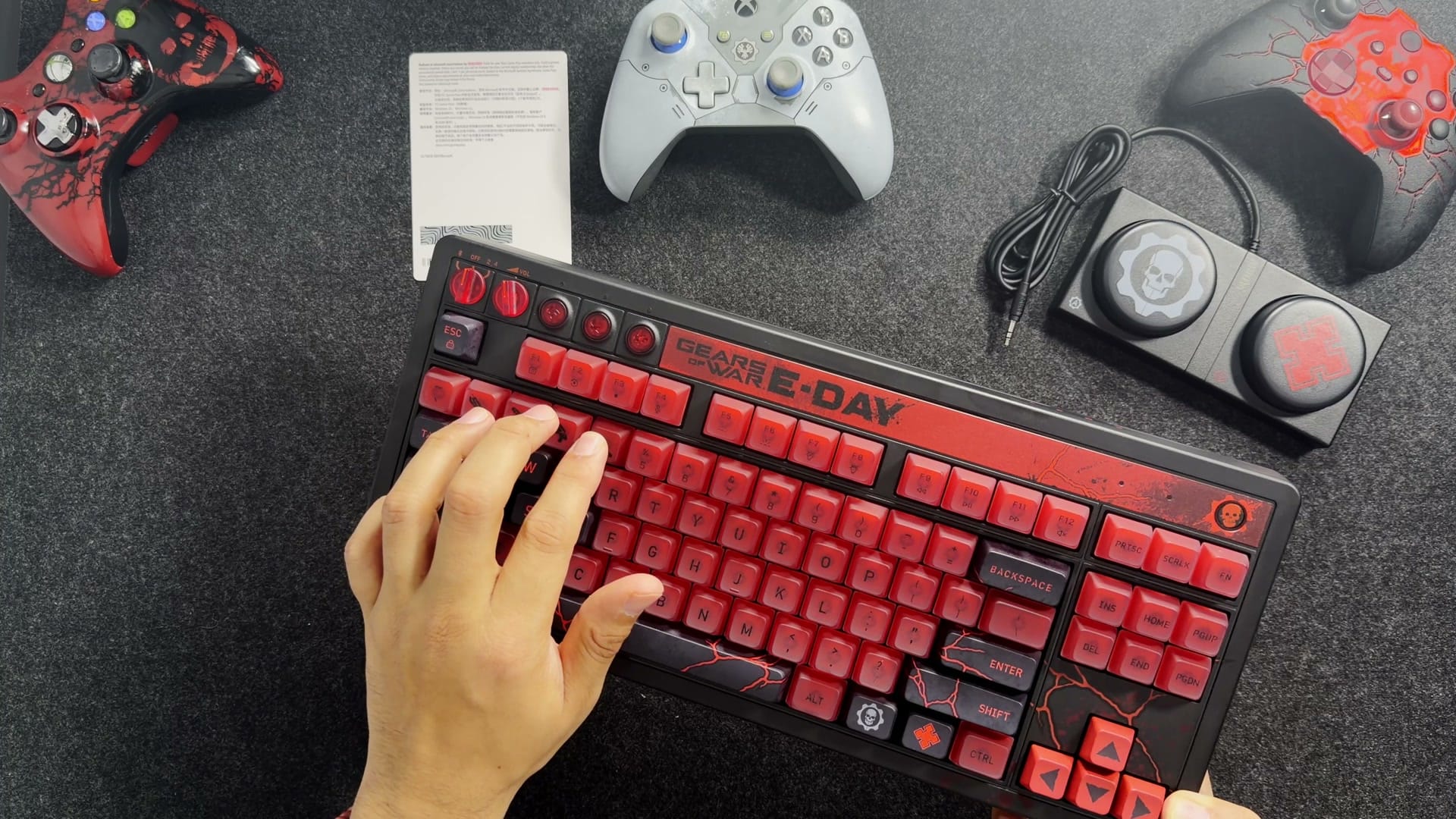
The one thing it doesn’t have is a number pad. If that’s a deal-breaker, 8BitDo sells one separately, the Retro 18, with a little calculator built in, in NES, Famicom, Commodore 64, M Edition and green Xbox looks. There’s no Gears one. I really hope they make one.
What’s in the box?
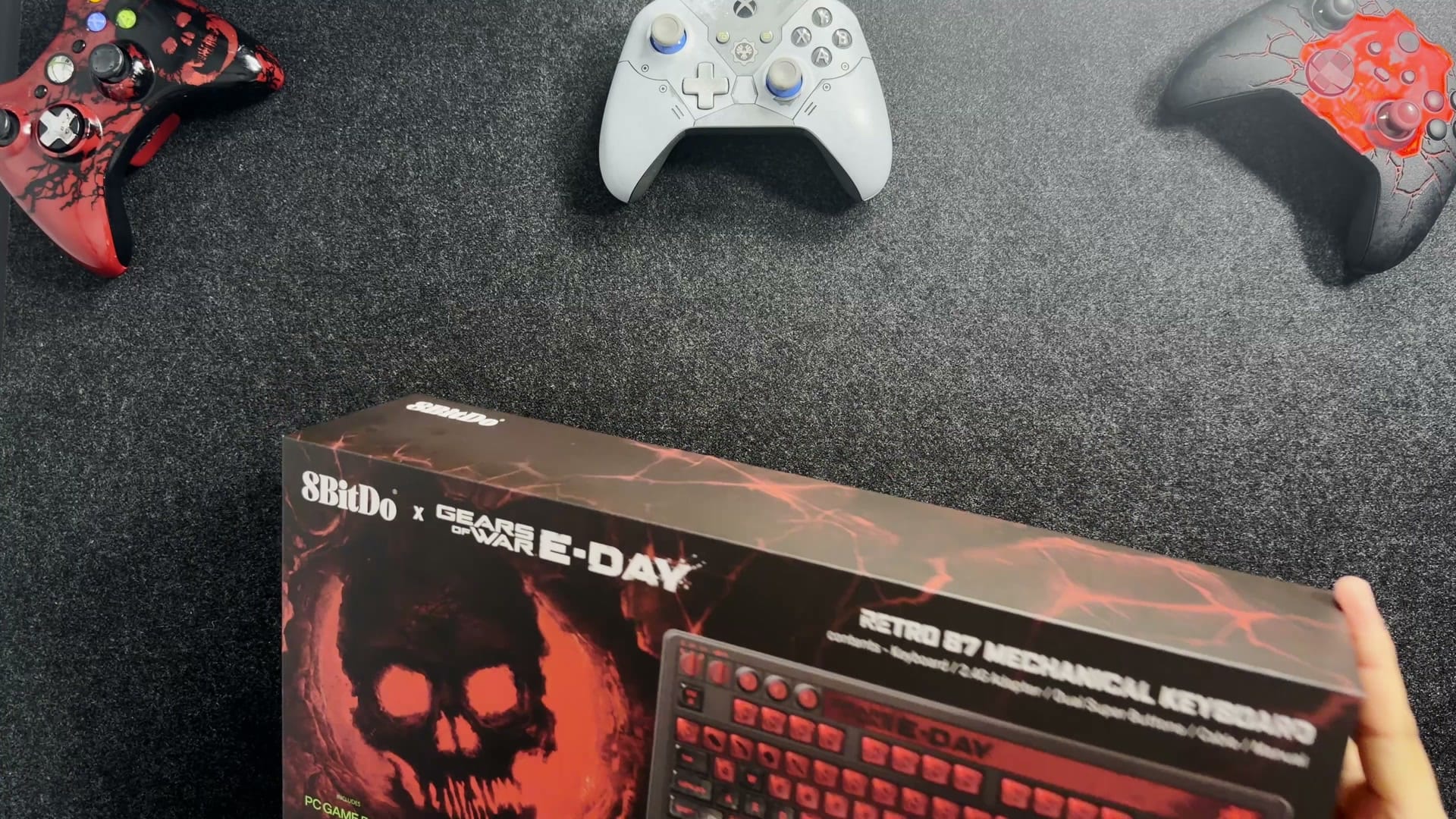
The keyboard came out first, still in its sleeve, and I had to tell myself to calm down and set it aside for a minute. Translucent red gets me every time.
The rest is simple: a quick start guide, the manual, a USB-C to USB-A cable and the Super Buttons, which I’ll get to properly in a bit. The translucent red dongle rides along on the keyboard itself. Plus a PC Game Pass card, which made me do a double take, because the GameSir X5 Lite I’d just reviewed came with a free month too. This one only works on a brand new account.
What’s missing is the little toolkit. My Nintendo edition came with a keycap puller and a switch puller, and this one has neither, which is a funny thing to leave out of a keyboard built for swapping switches. I pried a keycap off with my fingers, slowly and carefully. It works. I wouldn’t make a habit of it.
Is it clicky?
Not even a little. These are linear switches, and that’s the change you’ll actually feel coming from the green Xbox edition, which clicks on every press. 8BitDo calls them Cloud Gray and made them with the switch maker HUANO.
If switch types are new to you, here’s the short version. Every key on a mechanical keyboard has its own little switch underneath, a spring in a housing. A clicky one gives you a bump and a click. A tactile one gives you the bump without the noise. Blue and brown, if you know your Cherry colours. A linear one gives you neither. The key just goes down.
And these go down beautifully. Creamy is the word I landed on. There’s a bit of spring pushing back the whole way, a solid stop at the bottom, no scratchiness, and instead of a click you get a soft, low thock. They aren’t hard to press. They’re just firm enough that you know you’ve pressed one, which is exactly what you want when your eyes are on the screen and not on your fingers.
I’m a clicky guy, for the record. Always have been. I like these anyway.
Because the switches are hot-swappable, I could pull the clicky ones out of my green edition and move them over here, no soldering involved. I could. I’m not going to.
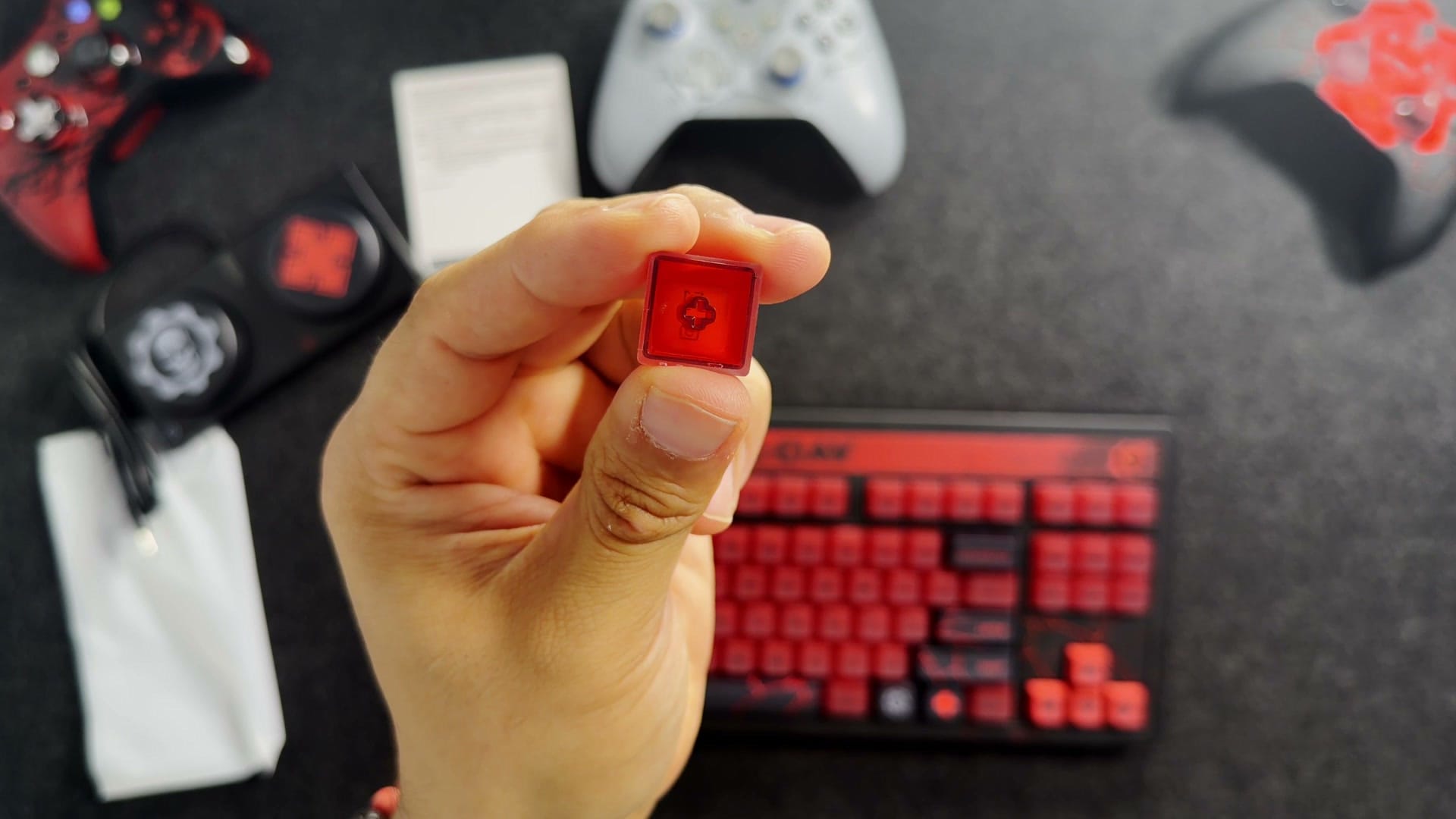
Then I pulled that keycap, because I was sure the red was coming from the switches glowing through clear caps. Wrong. The cap is red all the way through. 8BitDo’s Gears page doesn’t name the plastic, but 8BitDo lists double-shot ABS with a matte coating for the green edition, the coverage of this one says the same, and that frosted look on top is the coating. Double-shot means the letters are a second piece of plastic moulded right through the cap, so they won’t wear off. ABS can pick up a little shine from your fingers over the years, which is why some people hold out for PBT, the harder plastic.
How heavy is it?
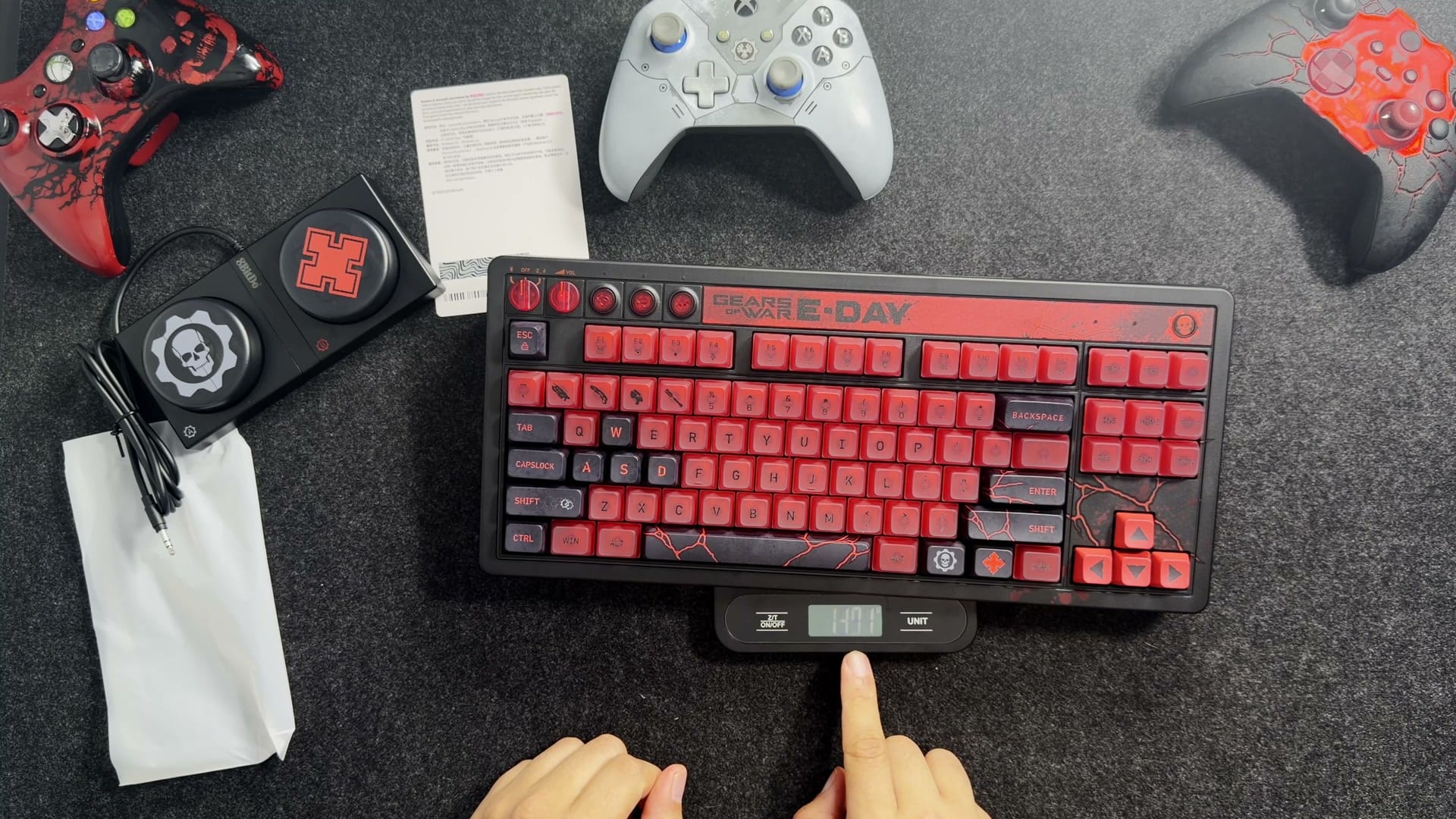
Heavy. It came in at 1,373 grams on my scale, close to the 1,390 g 8BitDo lists. I could tell it outweighed my Nintendo edition the moment I picked it up, and the scale agreed.
Here’s what’s odd. 8BitDo lists the green Xbox edition at 1,100 g, and the two are exactly the same size. Same body, 290 grams apart. I’d read there was a metal plate in this one, and there is, an aluminum one. The green edition has one too, though, so that can’t be the whole story, and 8BitDo doesn’t say what is.
What does that feel like in real life? It’s heavier than a 13-inch MacBook Air and lighter than my 14-inch MacBook Pro. A keyboard in small-laptop territory.
It’s the good kind of heavy. It sits there and doesn’t budge, and it doesn’t flex when you lean on it. The outside is plastic, and you can tell, but it feels like quality. If you want a full aluminum keyboard, they’re out there. My Keychron is one, it’s heavier still, and it’s about a $300 keyboard. At $120 you trade something away, and this one already comes in my colours.
What do the big round buttons and the knob do?
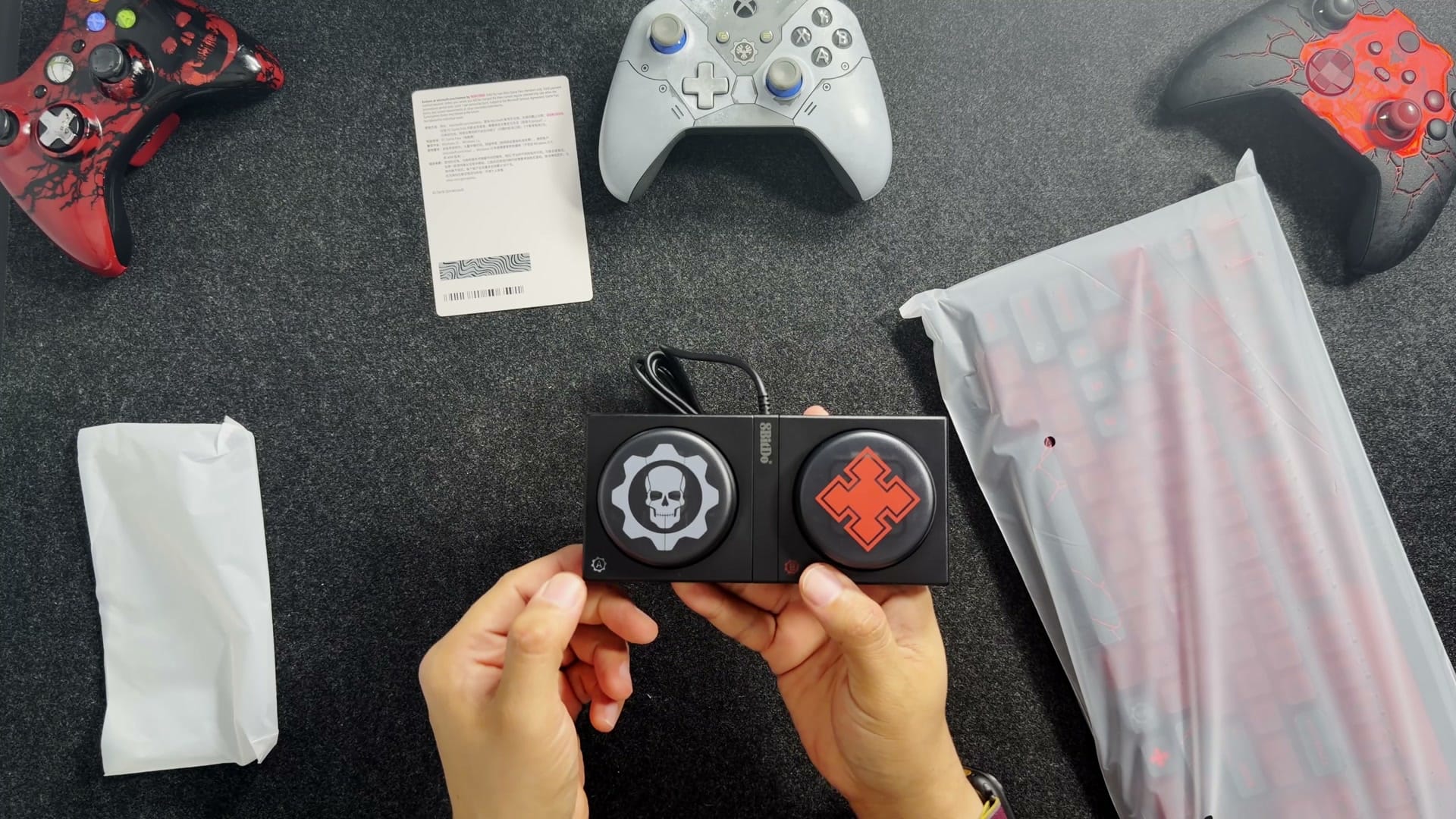
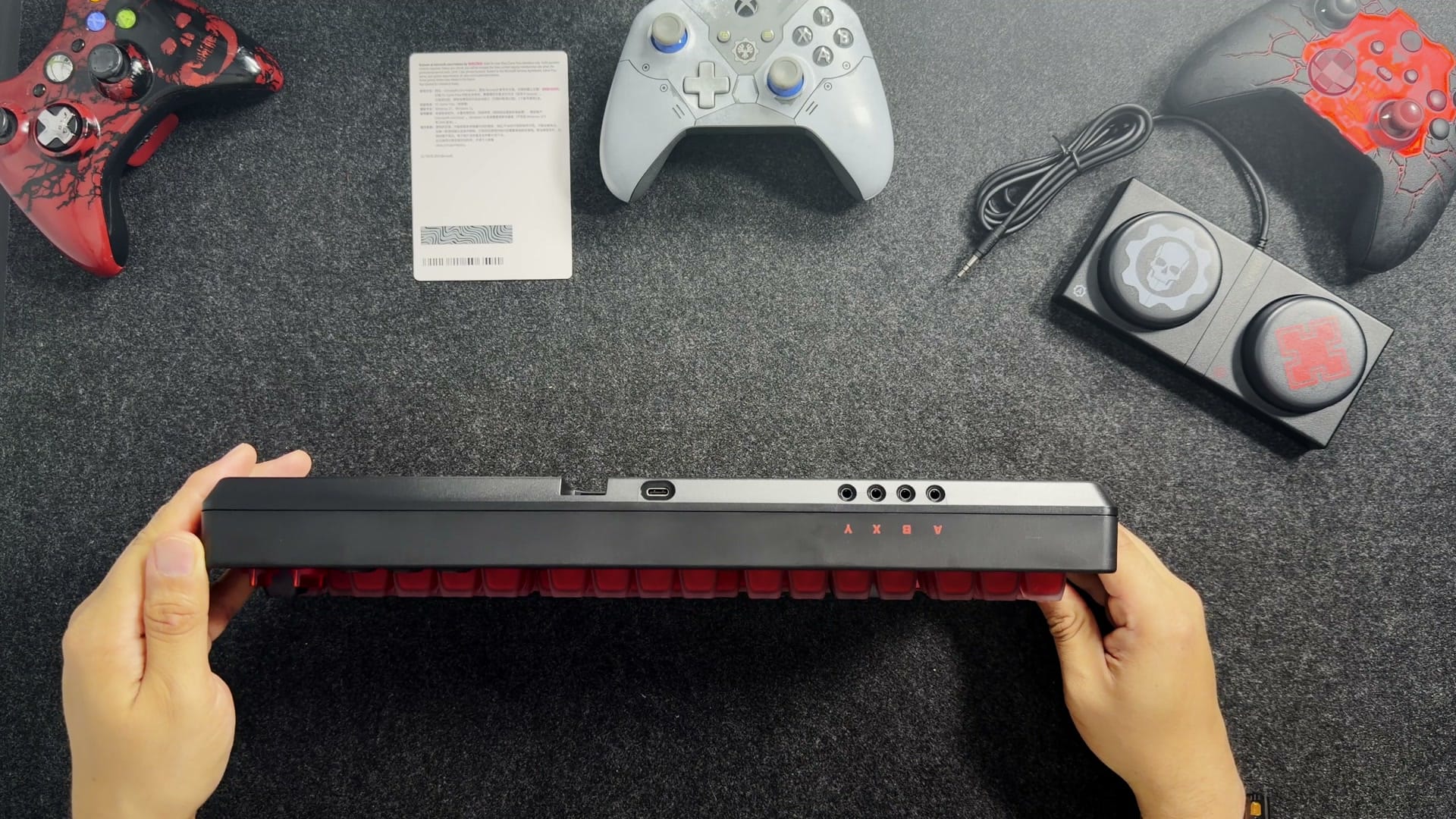
The big round buttons are the Dual Super Buttons, and every 8BitDo keyboard comes with a pair. They’re two giant buttons on a base that plugs into the back of the keyboard with a 3.5 mm cable. They’re loud and clicky on purpose, and the first few presses took me straight back to Donkey Konga and the DK Bongos on the GameCube. Each one can be a key, a shortcut or a macro of up to six keys, set right on the keyboard with no software. Mine on the Nintendo edition do copy and paste. If two isn’t enough, there are four ports on the back, so you can run up to eight. This pair wears the Gears cog with its skull, and a red emblem on the other.
Up in the top left there’s a little control panel, and I’ll admit it took a trip to the manual to remember what all of it does. A switch picks the dongle, off or Bluetooth. A knob spins forever and runs the volume. It’s notched, so it moves in clicks, one volume step at a time, never a smooth glide. It’s a volume knob, it changes the volume, and I’ve never had a reason to complain, but you should know. Then come three buttons: Pair for Bluetooth, the star for mapping the Super Buttons, and the 8BitDo logo for switching profiles.
And then there’s the button that stumped me on camera, the Crimson Omen in the top right corner. My Nintendo edition doesn’t have one. I looked it up after filming, and it opens the Windows Game Bar, same as pressing Windows and G.
How does it connect, and does it work on a Mac?
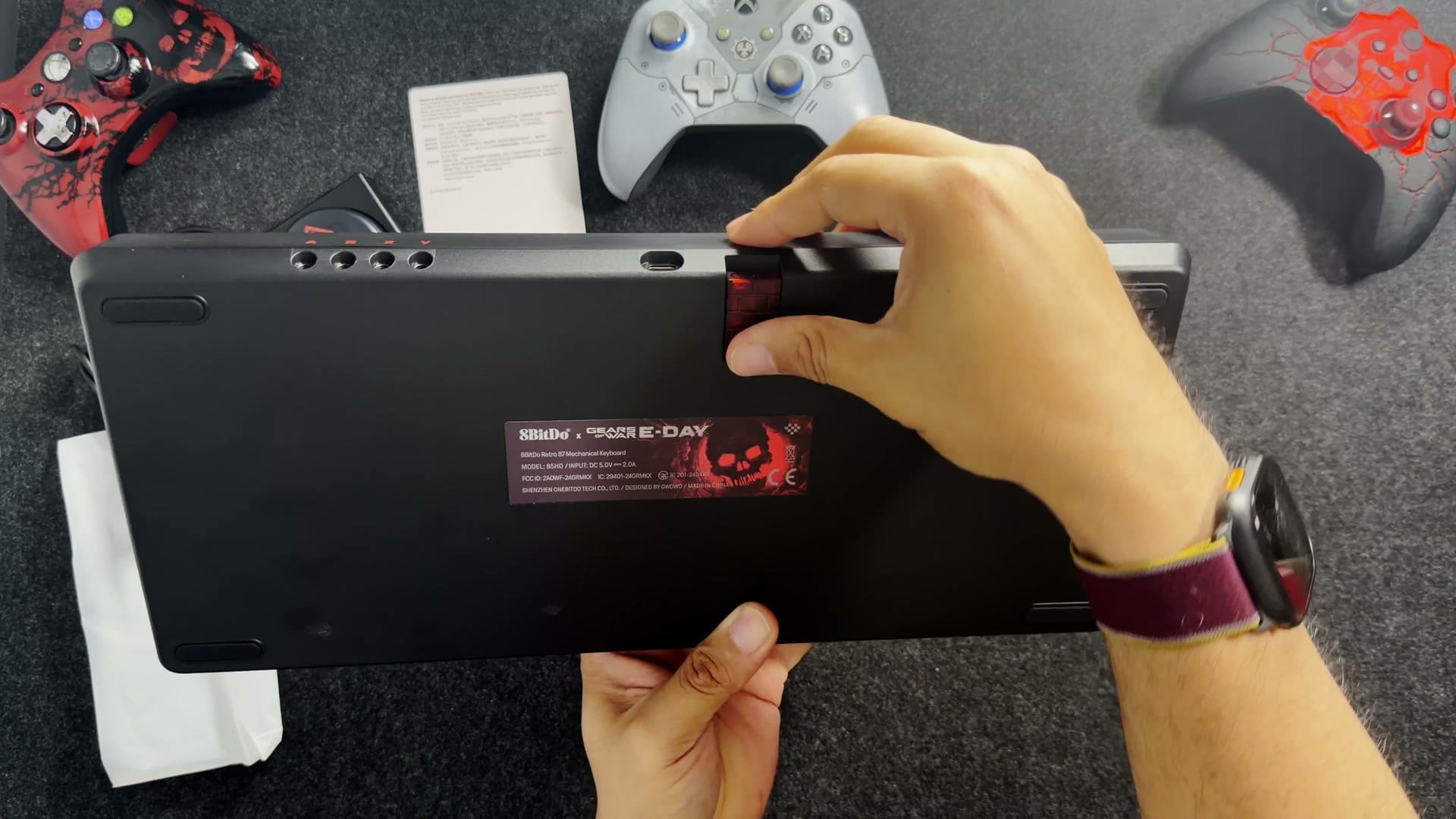
Three ways. The translucent red dongle is the one for gaming, the lowest-delay wireless option, and it snaps into a magnetic slot under the keyboard so it doesn’t wander off. Bluetooth 5.3 is for a tablet or a laptop, no dongle needed. Mine went into pairing mode on its own the first time. 8BitDo’s manual says to hold Pair for three seconds, so if yours doesn’t, that’s what the button is for. And for wired, you flip the switch to off and plug in the USB-C cable, which charges it too and is usually even quicker than the dongle.
I owe you one correction from the video. I said Bluetooth would let you connect two computers and flip between them. It won’t. 8BitDo’s FAQ says one Bluetooth device at a time, so switching means pairing again.
As for the Mac, it works. 8BitDo only promises Windows 10 and up and Android 9 and up, but I’ve used these keyboards on my Mac, and even the volume knob does its job there. The manual has a key swap that lines Windows and Alt up like Command and Option: hold Windows, Alt and the star button together. There’s no Command keycap in the box, so the key under your thumb still says Windows. A sticker solves that if it bugs you.
One more thing about the keys: they sit a little tall. 8BitDo calls the shape MDA-like, with rounded tops angled row by row, and it gives the whole board an old-school keyboard feel. The catch is my wrists. Without a rest, my hands curve up to reach the keys, and that isn’t how I want to type all day. This one needs a wrist rest.
Does it work on Xbox?
It works on mine. 8BitDo’s FAQ for this keyboard says no, it can’t be used on Xbox consoles. I said on camera I’d try it anyway, so after filming I plugged it into my Xbox. It worked wired. It worked on the dongle.
It isn’t a special trick of this keyboard, either. The Xbox takes USB keyboards in general, and my Nintendo edition, my green edition and my Keychron all work on it too. 8BitDo just doesn’t list consoles, so if something misbehaves there, don’t expect them to help. And Gears of War: E-Day lists keyboard and mouse support on console in Microsoft’s store, so there’s a real reason to try.
Which brings me to a confession. I’ve never played Gears on a keyboard. I didn’t even know you could until recently. Gears started for me on the Xbox 360 with a controller in my hands, and that’s how it’s stayed, even though I’m no stranger to keyboard and mouse games. With this thing on my desk, I’m going to give it a shot.
Do you need the software, and how long does the battery last?
You don’t need the software at all. The keyboard works the moment it connects, and the Super Buttons map on the keyboard itself. 8BitDo’s Ultimate Software V2 goes further, with remapping, macros, profiles and lighting, but it’s a Windows app, so Mac and Linux are left out. It’s also where firmware updates come from. I wasn’t sure on camera whether 8BitDo even bothers, and it does: the green edition got one that added support for Windows’ Dynamic Lighting. If the lighting won’t change on Windows 11, 8BitDo’s fix is to turn Dynamic Lighting off.
The battery is 4,000 mAh, and 8BitDo rates it at about 280 hours on the dongle and 300 on Bluetooth. The fine print in the manual says that’s with the lights off, and nobody has published a number with the RGB on. My Nintendo edition runs on the dongle with half the battery and no lights at all, and I charge it maybe once a month. This one has twice the battery to feed that red glow. How far it really goes, we’ll see.
Gears edition vs the green Xbox edition
| Gears of War: E-Day edition | Xbox edition (green) | |
|---|---|---|
| Price | $119.99 | $119.99 list |
| Switches | Cloud Gray linear, made with HUANO | Kailh Jellyfish X, clicky |
| Hot-swappable | Yes | Yes |
| Keycaps | Double-shot ABS (reported) | Double-shot ABS, matte coating |
| Weight (8BitDo) | 1,390 g | 1,100 g |
| Size | 376.6 x 169.6 x 46.8 mm | 376.6 x 169.6 x 46.8 mm |
| Plate | Aluminum, top mount | Aluminum, top mount |
| Bluetooth | 5.3 | 5.0 |
| Battery | 4,000 mAh, 280 h dongle, 300 h Bluetooth, lights off | Same |
| Lighting | RGB, 8 modes | RGB, 8 modes |
| Game Bar button | Crimson Omen | Xbox button |
| Super Buttons | Gears cog and red emblem | Green |
| Official support | Windows 10 and later, Android 9 and later | Same |
| Xbox consoles | Not listed; works on mine | FAQ says no; mine works |
Who is it for, and is it worth $120?
If you love Gears of War, and I very much do, it’s an easy yes. If red and black is your thing, same answer. 8BitDo makes good keyboards, especially for the money, and this is one of them in my favourite outfit yet.
At $120 it’s an excellent keyboard. It isn’t premium, and the plastic case is where that shows. But it’ll probably come down the way the green edition has, and if you see it at $100 or under, that’s your moment. I can’t tell you when that’ll be, or how long 8BitDo will keep this edition around, so weigh that too.
The mouse is a different story. The matching Retro R8 is $59.99, sold separately, and it ships October 30. I pre-ordered it with the keyboard, but it didn’t come in the same box, and I’d sat on the keyboard long enough. I’ve never owned an 8BitDo mouse, so I can’t tell you how it feels yet, and a mouse is the one thing I won’t compromise on. It may not get much desk time, but it’ll get a fair try. I covered its specs when 8BitDo announced the pair.
As for the keyboard, it’s staying. The Nintendo edition goes to the shelf with the green one, and this becomes my main board. Marcus Phoenix came by at the end of filming to see what all the fuss was about.
Nerd Alert
Your Turn
What are YOUR thoughts
What have your experiences been? Let us know.