News · News · PC Hardware
DirectX’s New Ray Tracing Trick Took an RTX 5080 From 1.4 to 310 FPS, but Not in a Game
An RTX 5080 went from 1.4 to 310 fps in Microsoft’s test app for DirectX’s new Clustered Geometry. Here’s what that number really measures.
https://averagetechnerds.com/directx-clustered-geometry-rtx-5080/
A frame rate going from 1.4 to 310 is the kind of number that makes you stop scrolling. That’s what a developer got on an RTX 5080 this week, running Microsoft’s test app for a new DirectX ray tracing feature called Clustered Geometry, and the headlines turned it into a 220x boost that leaves AMD’s RX 9070 XT far behind. The number is real. What it measures is a lot narrower than the headline suggests, so here’s what Clustered Geometry does, where 220x comes from, and when any of it reaches a game you can play.
What is DirectX Clustered Geometry?
A faster way to handle very detailed scenes in ray tracing. To trace rays, the GPU first sorts every triangle in a scene into a structure it can search quickly, called an acceleration structure. When objects move, change or stream in, parts of that structure have to be rebuilt, and with millions of triangles the rebuilding can cost more than the ray tracing itself.
Clustered Geometry groups triangles into small clusters the GPU can build once and reuse, so it doesn’t start from scratch every time. Microsoft announced it on October 28 along with two related features, partitioned top-level structures and builds the GPU can launch by itself, and called it the most significant update to DirectX Raytracing since it arrived in 2018. If that sounds familiar, it’s the same idea NVIDIA has been shipping as RTX Mega Geometry; this is the version every GPU maker can support.
Where does the 220x come from?
From one developer’s test of Microsoft’s sample app. Osvaldo Pinali Doederlein posted a screenshot on X of his RTX 5080 running the sample at 310 fps with Clustered Geometry on, and Wccftech’s write-up of his posts gives 1.4 fps for the same card in the sample’s traditional mode. 310 divided by 1.4 is about 221, and that’s the headline.
The catch is the 1.4. In the traditional mode, every animated copy of an object gets its own acceleration structure, rebuilt every frame, even though all the copies move the same way. The sample’s documentation says a real application can share one instead, and that the setup “intentionally stresses” building them. So the comparison is the new feature against a deliberately heavy baseline, built to show off the difference. According to Wccftech’s write-up of his posts, almost all of the gain came from rebuild time, which fell from 720 ms to about 1 ms per frame, while the time spent actually tracing rays went up slightly.
Microsoft is blunt about it. Its announcement shows its own run on an RX 9070 going from 1.2 to 79 fps, then says, in capitals: “DO NOT ASSUME GAMES WILL SEE THIS MAGNITUDE OF WINS.”
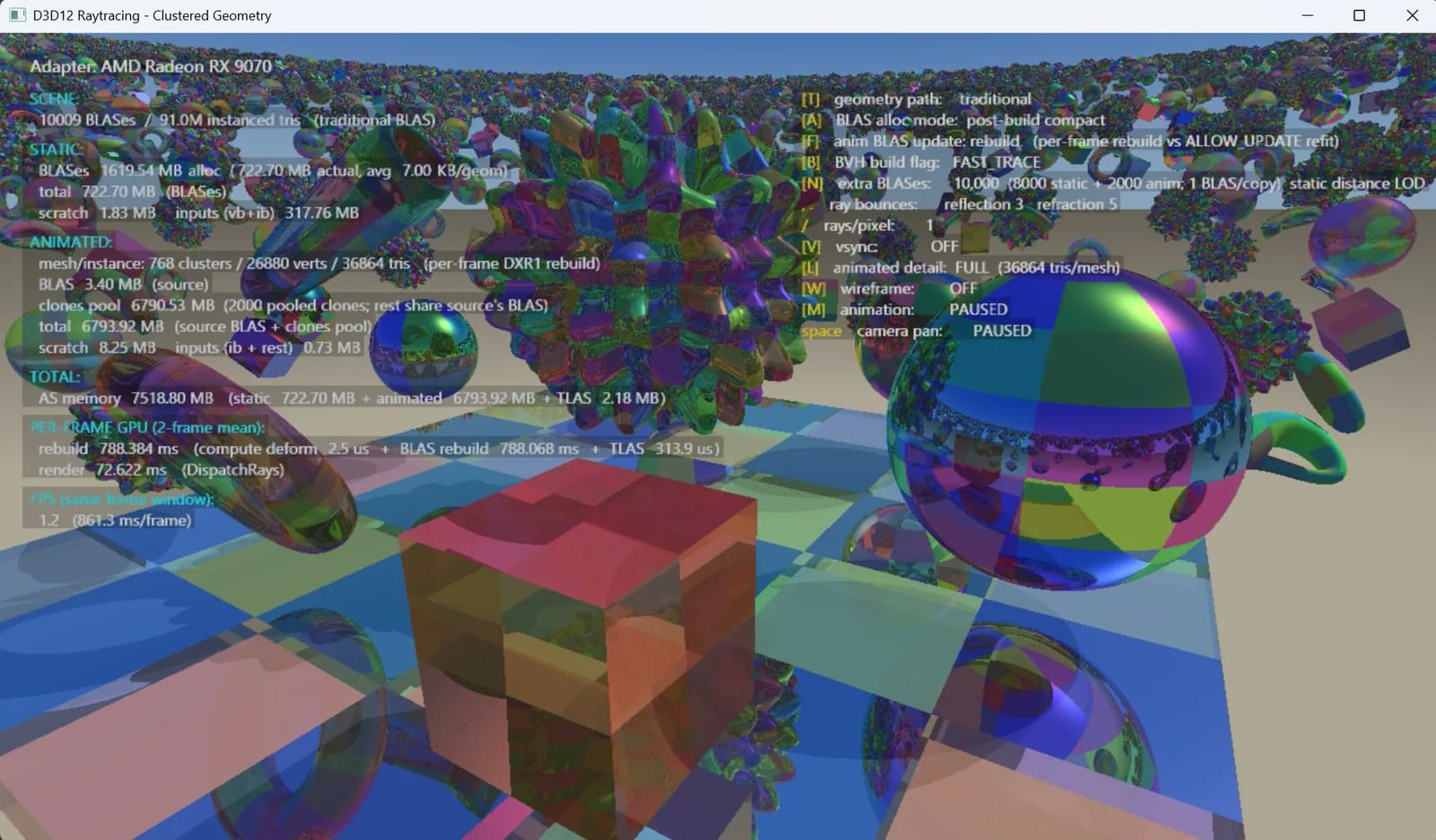
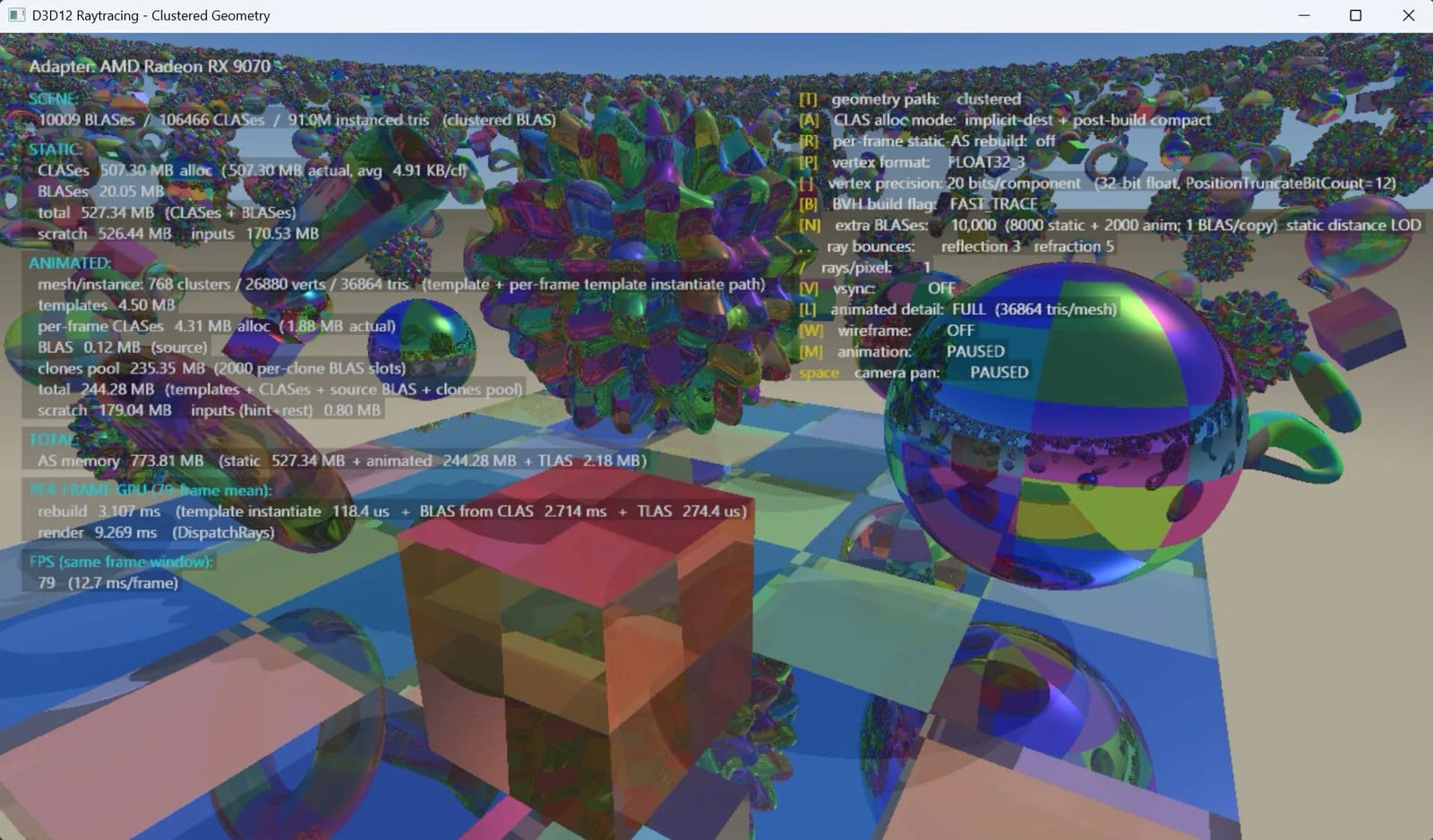
Is the RTX 5080 really 3.4 times faster than the RX 9070 XT?
In this one sample, on these settings, maybe, and that’s about as far as it goes. The same developer posted an RX 9070 XT run the day before, with the sample’s object count raised from 100 copies to 10,000, the same setting his RTX 5080 screenshot shows. Wccftech puts that run at 1.7 fps to 91, at 1600 x 920. 310 against 91 is where the 3.4x comes from.
Two things make that a shaky comparison. AMD’s support arrived on October 28, the day Microsoft announced the feature, as a separate developer preview driver, while NVIDIA has been doing the same job in its drivers for longer through RTX Mega Geometry. And with the feature switched off, the RX 9070 XT was actually a little faster, 1.7 fps against 1.4. For context, the RTX 5080 launched at $999 and the RX 9070 XT at $599.
Can you use it in games yet?
Not the DirectX version. It’s in Microsoft’s preview Agility SDK, version 1.722.0-preview, which needs Shader Model 6.10 in preview and Windows’ Developer Mode turned on. The retail SDK Microsoft released the same day, 1.620, doesn’t include it. Shader Model 6.10 is due to go retail in an SDK update in early December, but Microsoft hasn’t said whether Clustered Geometry comes out of preview with it.
The idea is already in a couple of games, through NVIDIA’s own API. Microsoft’s announcement names Gears of War: E-Day as a game using clustered geometry through RTX Mega Geometry, and NVIDIA lists Control Resonant too. That’s NVIDIA-only. The DirectX version is what would let a game do the same on AMD and Intel cards.
Which graphics cards support it?
Most recent ones, with the right driver. NVIDIA supports it on every RTX card with Game Ready driver 621.01, no preview driver needed. AMD supports the RX 9000 series and the Radeon AI PRO R9700 and R9600 with a separate Agility SDK developer preview driver it released on October 28. Intel covers Arc B-Series graphics and Core Ultra 200V and Series 3 chips with a beta preview driver, and Qualcomm plans support for the first half of 2027.
Microsoft says it needs no new hardware beyond existing ray tracing support. Older cards are up to each company’s drivers.
What happens next?
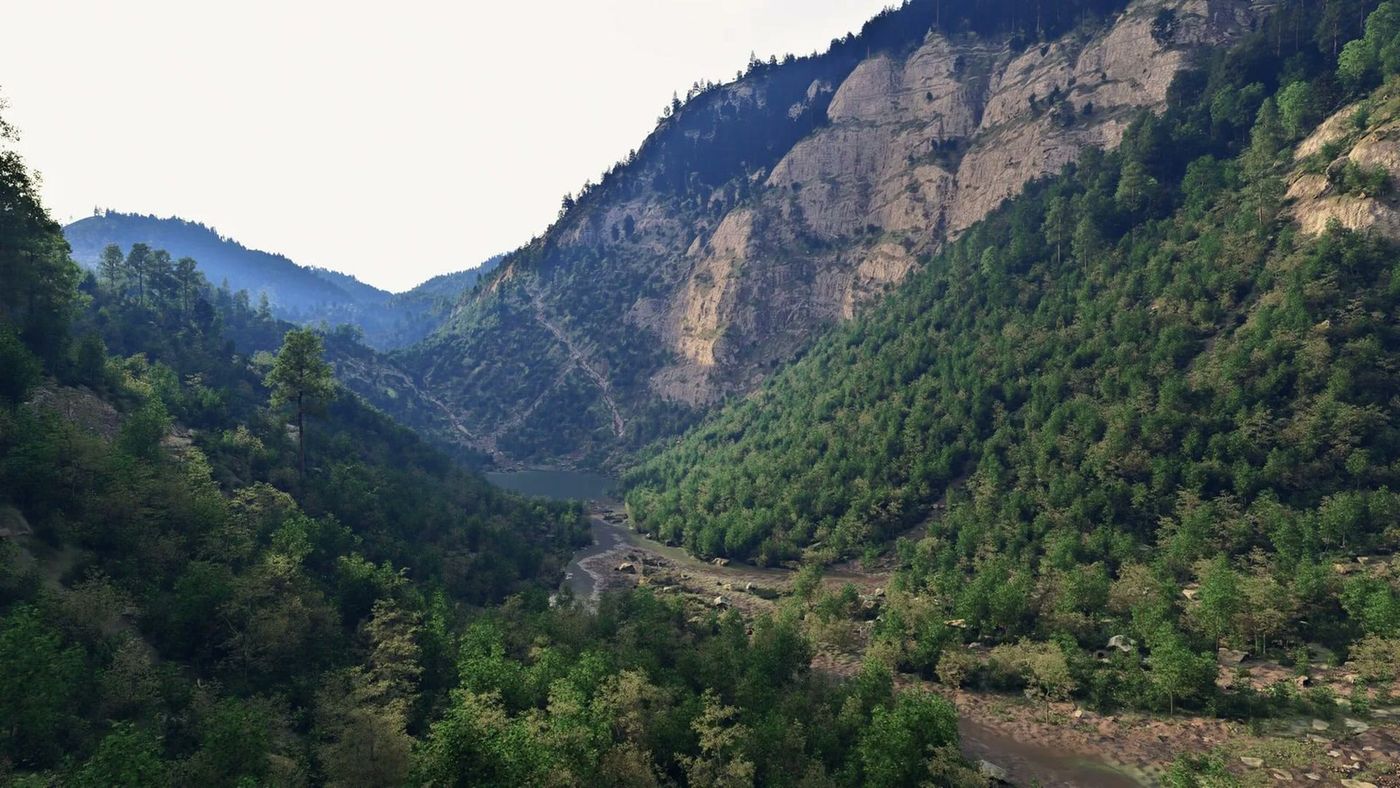
Developers get to play with it, and the first real results will come from games and engines rather than sample apps. NVIDIA has also announced a much bigger demo, a forest scene with 60 million plants that can move, which it hasn’t released yet. The things to watch are when Clustered Geometry leaves preview, when AMD folds its support into its regular driver, and which studio ships the first game on the DirectX version.
Who is it for?
Right now, developers. If you’re a player with an RTX or RX 9000 card, this is good news for future games with dense, detailed worlds and ray tracing switched on, especially on AMD and Intel cards that don’t get NVIDIA’s own version. It isn’t a reason to buy one card over the other today, and it won’t make your current games 220 times faster.
Nerd Alert
Your Turn
What are YOUR thoughts
What have your experiences been? Let us know.