News · News · Controllers & Accessories
Framework’s $99 Wireless Touchpad Keyboard Is Built for the Couch, the TV PC and the Docked Handheld
Framework’s first standalone keyboard is a $99 living-room board with a big touchpad, four-device switching, a replaceable battery and open ZMK firmware. It ships in early 2027.
https://averagetechnerds.com/framework-wireless-touchpad-keyboard/
If you’ve ever run a PC from the couch, you know the problem. A controller is great until a game launcher wants a password, a web page wants a search, or Windows throws up a pop-up. Then you’re hunting for a keyboard. Again. One cheap fix is Logitech’s K400, a keyboard with a touchpad stuck on the side. Framework, the company behind repairable laptops, just made its own, and pre-orders are open at $99.
What is the Framework Wireless Touchpad Keyboard?
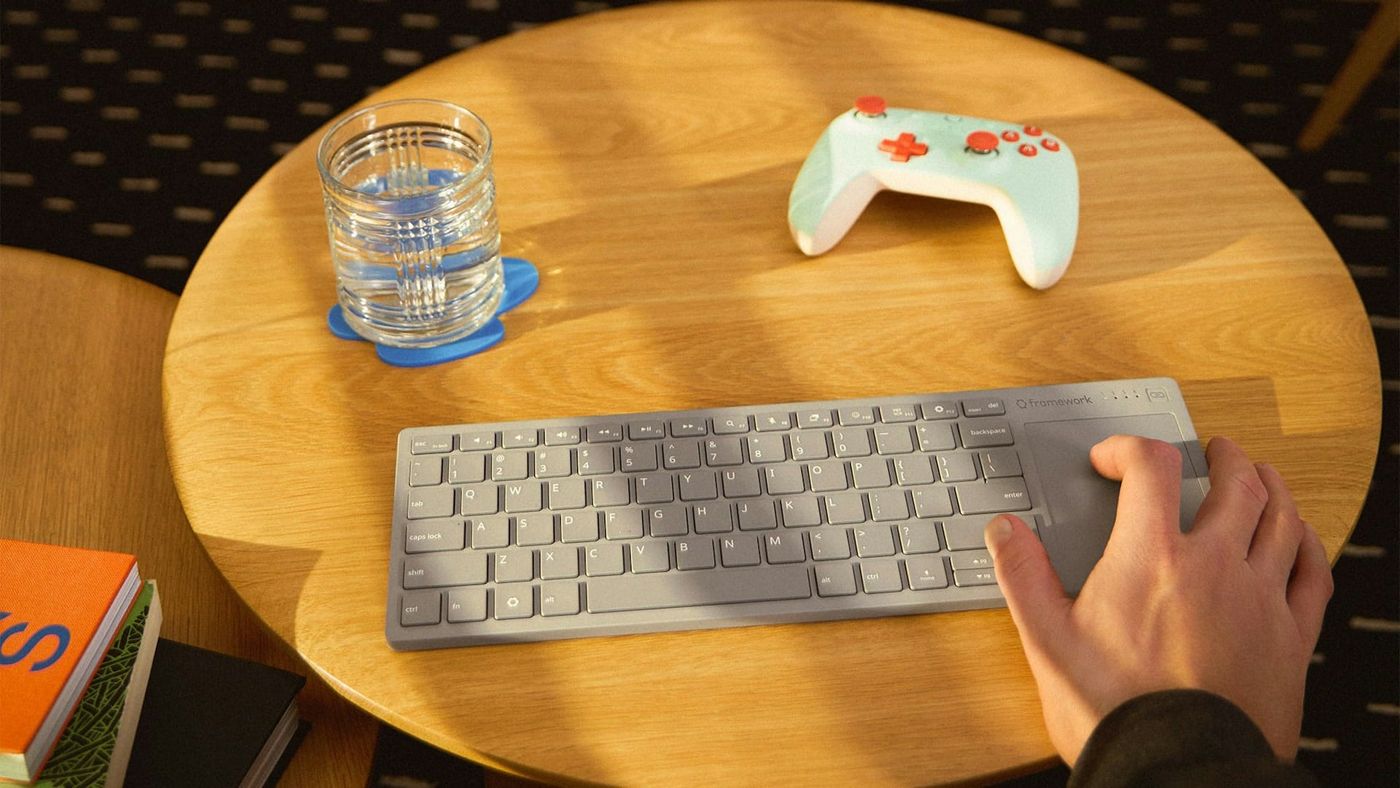
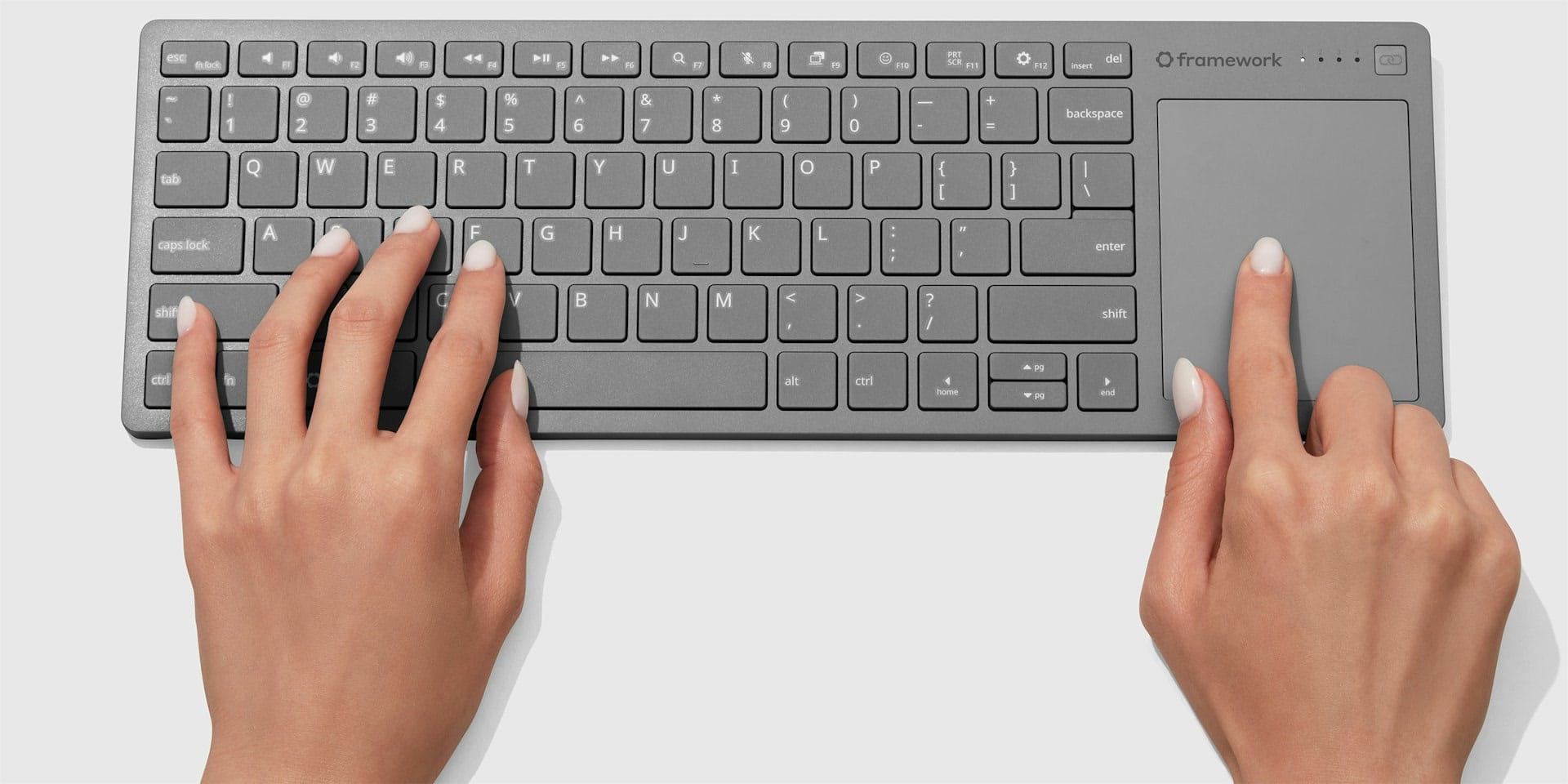
It’s Framework’s first keyboard made for any computer, instead of one that fits inside a Framework laptop. It’s built for computers you don’t sit in front of. Think of a PC under the TV, a mini PC or home server, a Raspberry Pi, or a gaming handheld plugged into a dock. The keys sit on the left and a large touchpad on the right, in one compact, flat body you can rest on your lap.
Framework says it took the keyboard from its own laptops and built it into this one. So it types like a laptop: scissor-switch keys with 1.5mm of travel, the same short, crisp press you get on a notebook. A 0.8mm steel plate runs under the keys, so it stays stiff on your lap instead of bending.
Why does it remind people of the Logitech K400?
Because that’s the keyboard it’s going after. Directly. Logitech’s K400 Plus is cheap and wireless, with a touchpad on the right, and it’s been around for years. Framework built the same idea, then changed nearly everything that ages badly about it.
| Framework Wireless Touchpad Keyboard | Logitech K400 Plus | |
|---|---|---|
| Price | $99 | $34.99 list |
| Power | Built-in 1,200mAh battery, USB-C charging, replaceable | Two AA batteries, up to 18 months by Logitech’s figure |
| Connection | Bluetooth 6.0, USB-A dongle or USB-C cable | Logitech’s Unifying USB receiver |
| Devices it switches between | Up to four, wireless | One |
| Touchpad | 68.8 x 85.6mm, Windows Precision | 76 x 47mm |
| Weight | 484.9g | 390g |
| Size | 357 x 118.7 x 16.4mm | 354 x 140 x 23.5mm |
| Repairable | Battery, control board and dongle sold as parts | No |
The touchpad is the big one. Framework’s has about 65% more surface than the K400’s, and it’s a Windows Precision touchpad, the standard Microsoft uses for proper multi-finger gestures, like two-finger scrolling.
How does it connect?
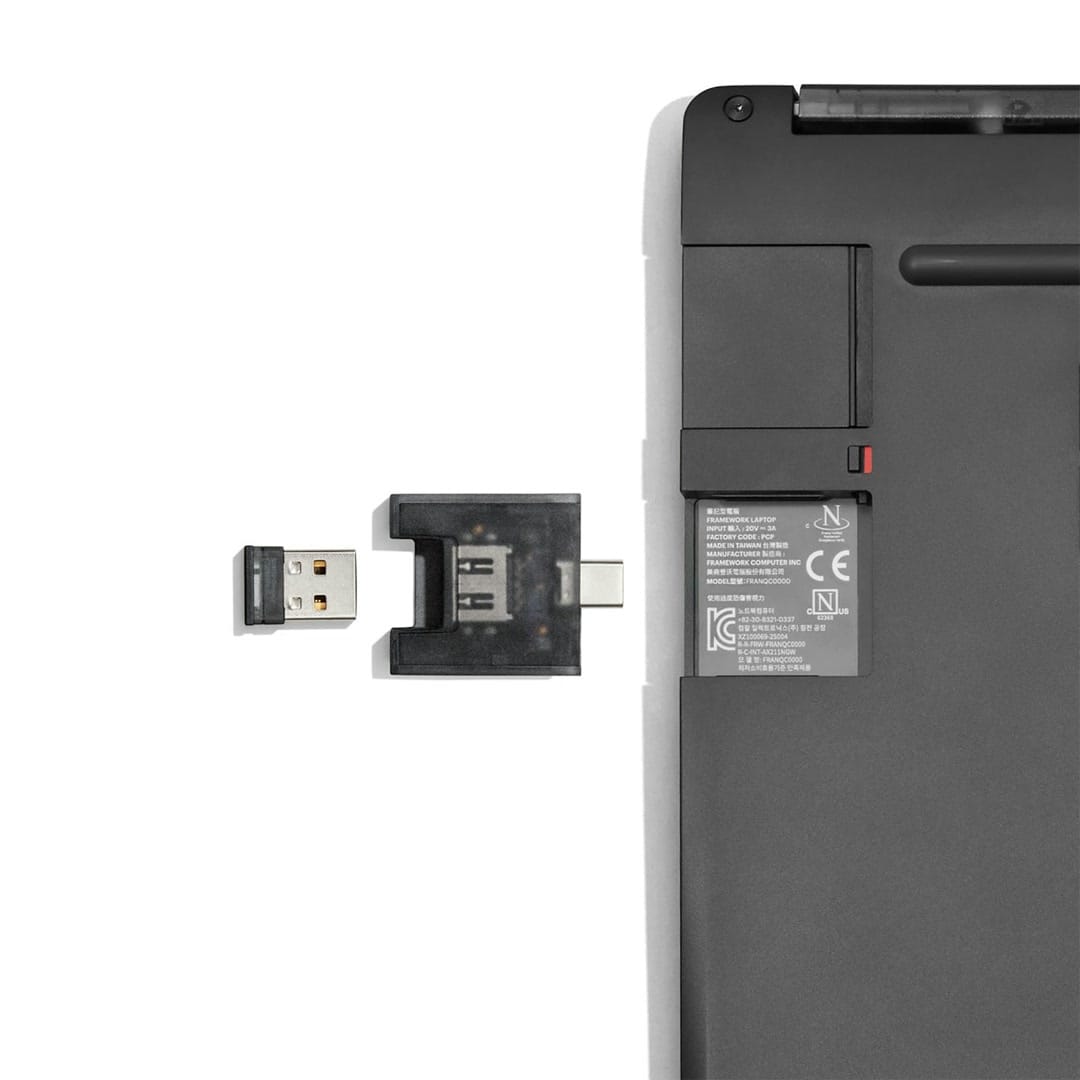
Three ways. Mix and match. Bluetooth 6.0 works with almost anything, including phones and tablets. The USB-A dongle is the plug-and-forget option, and it stores in a slot in the back of the keyboard so you don’t lose it. And a USB-C cable gives you a wired connection while it charges.
It remembers up to four wireless devices, and one press switches between them. So one keyboard can run the PC under the TV, your work laptop and a tablet. The range is over 10 metres, plenty to reach a TV across the room.
It also works before Windows does. The dongle and the cable both work from the moment you power on, so you can get into a PC’s BIOS setup with it. A lot of Bluetooth-only keyboards can’t, since on most PCs Bluetooth only starts once the operating system loads.
Will it work with a handheld or a console?
Yes. Docked handheld PCs, the PS5, Xbox and the Steam Machine are all on Framework’s list. For a Steam Deck, ROG Ally or Legion Go sitting in a dock under the TV, that’s the use case: a controller for playing, a keyboard and touchpad for everything else.
Consoles are the one place to keep expectations in check. They use keyboards for typing in menus and chats, and not every game or app does anything with a touchpad. Framework lists them as supported, but it doesn’t spell out what each one can do with it.
How long does the battery last?
Over a month of daily use, and over a year sitting idle, by Framework’s numbers. It charges over USB-C. The battery itself is 1,200mAh, and when it wears out, you can buy a new one from Framework’s parts store and swap it yourself instead of replacing the keyboard.
Can you repair or customise it?
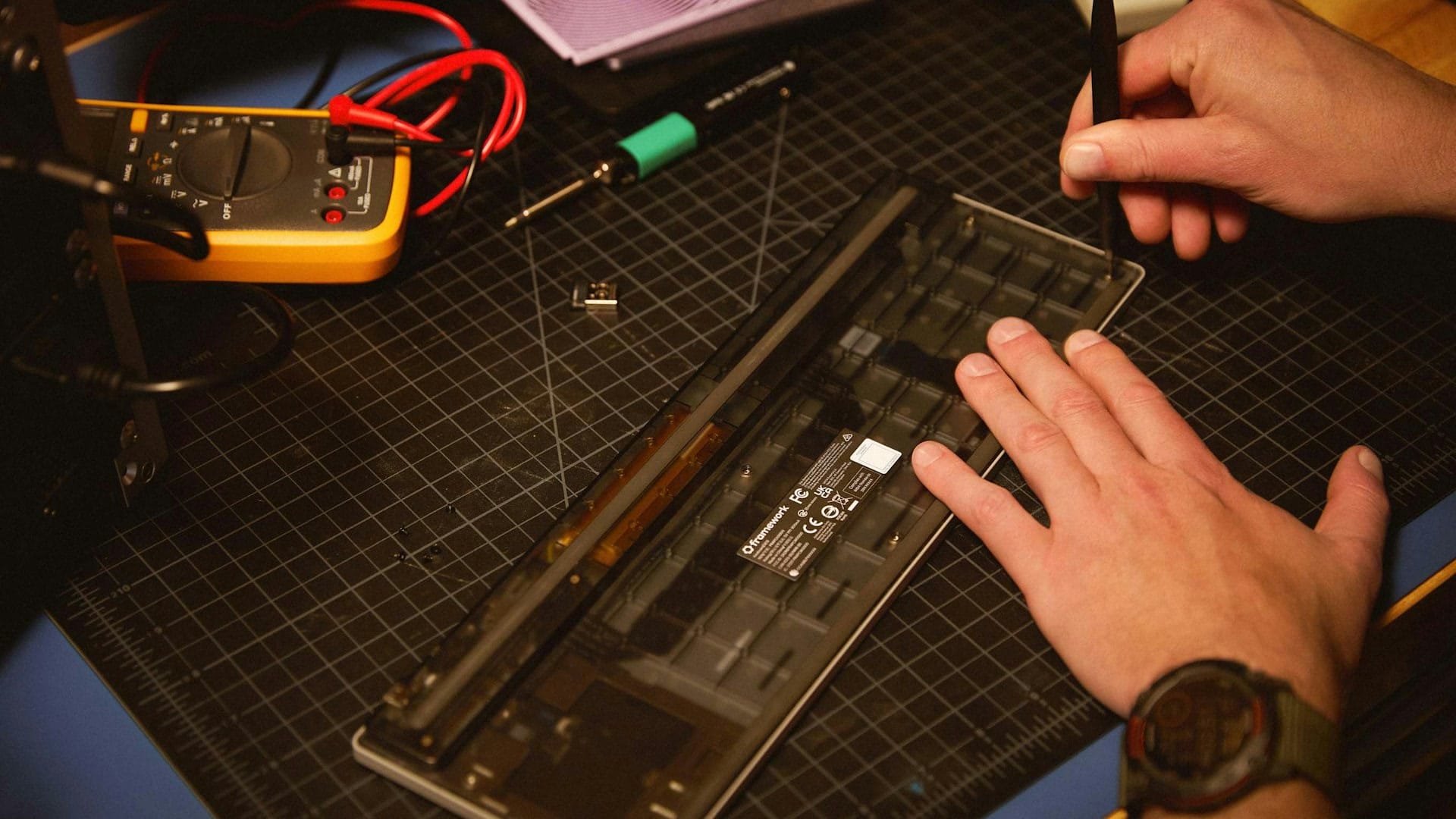
Yes. That’s the Framework part. The battery, the control board and the USB-A dongle will all be sold as spare parts. The bottom cover is see-through, so you can see the electronics inside. And the design files for its outer shape are open, under a Creative Commons licence, so you can 3D-print a mount for a sim racing rig or a desk.
The software inside is open too. Want a key to do something else? Open ZMK Studio in your web browser and change it. No tools, no installing new firmware. ZMK is the open-source keyboard software it runs, and Framework’s version is on GitHub if you want to dig deeper. Firmware updates install from a Framework web page in Chrome or Edge.
Framework even sells the keyboard’s brain on its own. The Control Board, built around a Nordic nRF54LM20A chip, is a separate product for people who want to build their own custom keyboard around it.
What’s in the box, and what isn’t?
You get the keyboard and the USB-A dongle. That’s it. No cable. You’ll need a USB-C cable of your own for charging and wired use. Framework is also making a USB-A Adapter Expansion Card for its laptops and the Framework Desktop, so the dongle can sit flush inside one, but that’s sold separately and isn’t out yet.
How do pre-orders work?
You pay a $50 deposit now on Framework’s product page, and Framework charges the rest, plus taxes and shipping, shortly before your order ships. You can cancel for a full refund of the deposit any time before that second charge. After delivery, there’s a 30-day return window and a one-year limited warranty.
It’s not a Christmas present this year. Framework says plainly it won’t arrive before the December holidays. Order today and you’re in batch 10, shipping between January and March. It’s US English only for now, and Framework has a sign-up for people who want other layouts.
Who should buy it?
If you run a PC under your TV, keep a handheld docked, or manage a mini PC or home server, this is the couch keyboard to look at. The bigger touchpad, the battery you charge instead of AAs, four devices on one keyboard and the BIOS-ready dongle all fix real annoyances with the usual cheap options.
If you only need to type a password into a console once a month, it’s a lot of money for that. And if you need it before next spring, the waitlist decides for you.
Nerd Alert
Your Turn
What are YOUR thoughts
What have your experiences been? Let us know.