Hands-on · Controllers & Accessories · Switch 2 controllers
Mobapad M12 Pro vs NYXI Hyperion 3 Ultra: Same Features, Different Feel
Both Switch 2 Joy-Con replacements have every feature. With medium hands, the slim M12 Pro fits better, the Ultra costs less on AliExpress, and the rumble disappoints on both.
https://averagetechnerds.com/mobapad-m12-pro-vs-nyxi-hyperion-3-ultra/
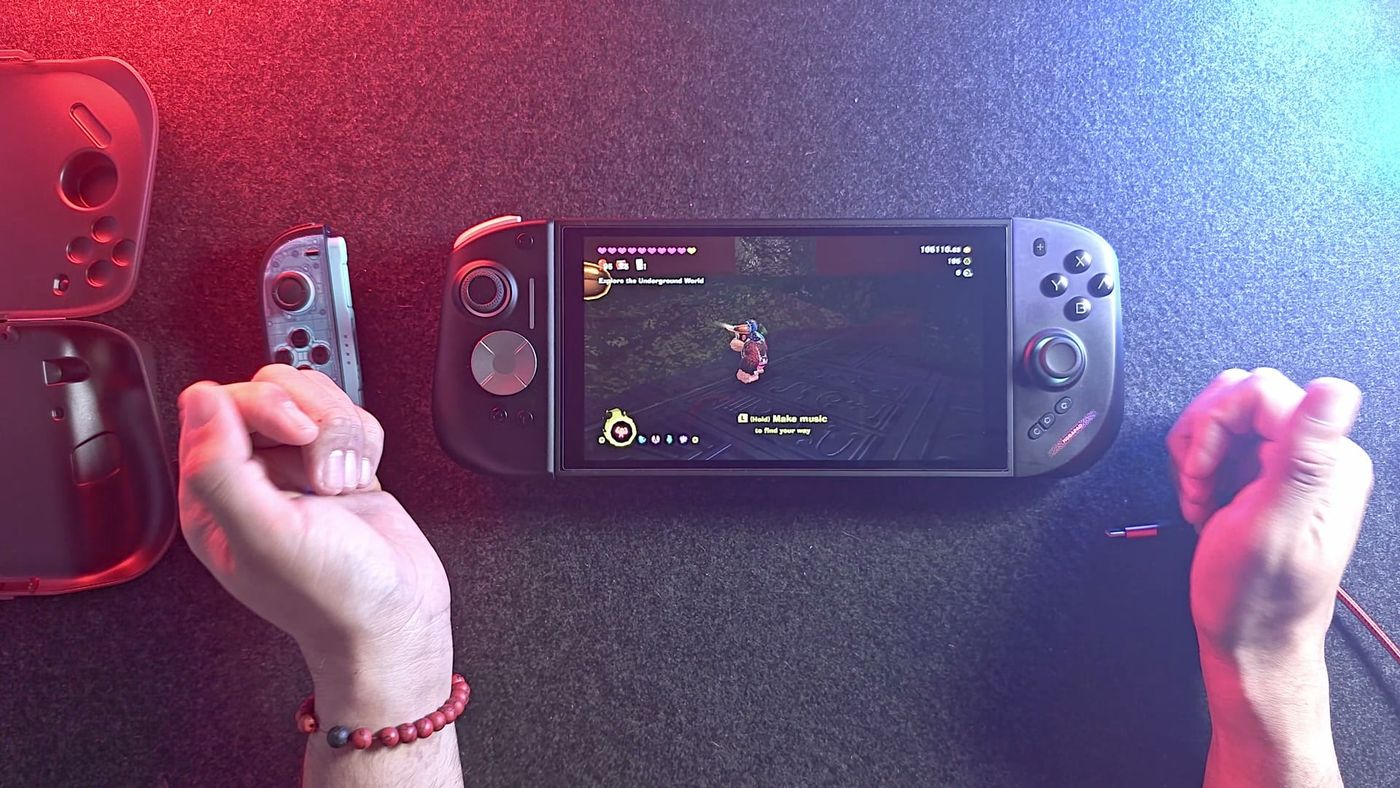
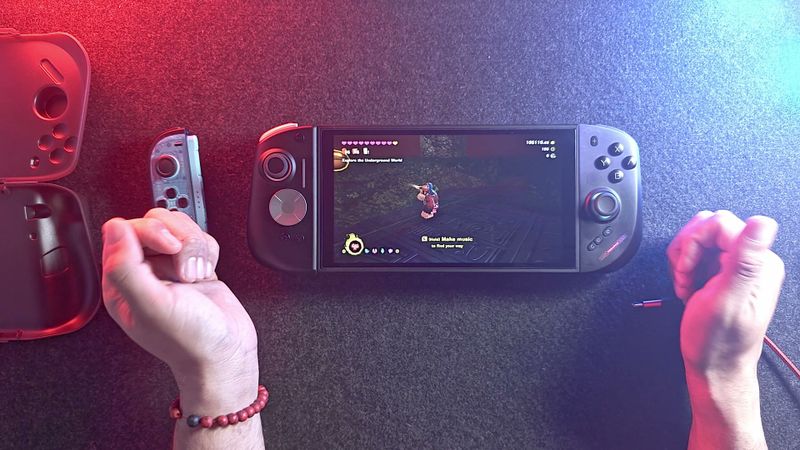
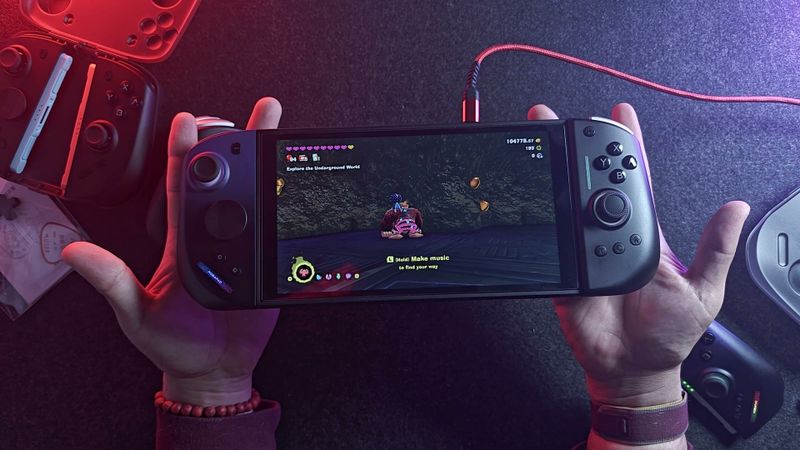
Two Switch 2 Joy-Con replacements promise everything Nintendo’s own pair can do, and I paid for both of them myself. The NYXI Hyperion 3 Ultra arrived first and has been with me for well over a month. The Mobapad M12 Pro showed up about two weeks ago. The Ultras sat unused for a stretch, so by the time I lined them up, each pair had about the same time in my hands. Read the two spec sheets and you’d swear they were twins. Pick them up, though, and they feel clearly different.
Which two Joy-Cons are these, and why compare them?
They’re the two pairs I’ve reviewed that tick every box Nintendo’s own Joy-Con 2 does, from waking the console to the C button. After my Hyperion 3 Ultra first impressions and my M12 Pro first impressions went up, the obvious next question was which one to actually buy. Think of this one as the rematch, with both pairs on the newest firmware, on the same console, in the same two medium-sized hands.
Where do they match?
Nearly everywhere, which is exactly why choosing is hard. Both talk to the Switch 2 the way Nintendo’s own Joy-Cons do, so the console can’t tell them from the real thing. That’s what lets them wake it from sleep and open GameChat with the C button. Both also use TMR sticks, the magnetic kind that hold up against drift. The rest of the list reads as a column of matching yeses.
So it comes down to your hands.
| Feature | Mobapad M12 Pro | NYXI Hyperion 3 Ultra |
|---|---|---|
| Switch 2 protocol, wake, C button | Yes | Yes |
| NFC, 9-axis motion, mouse mode | Yes | Yes |
| Sticks | TMR | TMR, taller |
| Face buttons | Omron microswitches | Kailh microswitches |
| Back buttons | 2, shallow click | 2, tactile |
| Triggers | Very short travel, close to hair triggers | Slight travel |
| D-pads included | Octagonal and cross, plastic, click in | Octagonal and cross, metal, magnetic |
| Charging | On the Switch 2 or the optional bridge | On the Switch 2, the bridge, or USB-C on each side |
| Charge from the console | Can be switched off (Power-Saving Mode) | Always on |
| In the box | Both sides and a protective case | Both sides and the bridge |
| Lights | Small rainbow LEDs in the bottom corners | Ring light and status light |
What do you actually get for the money?
The boxes are where these two stop matching. Mobapad’s base kit is the pair of controllers plus a protective case, and the middle bridge isn’t in it. Mobapad sells that piece, the MA20 Grip, for $16 more, so you’re looking at $119.99 without it or $135.99 with it. The bridge in my photos is one I already owned from my M12 HDs, so I never bought another.
NYXI does the opposite. The Ultra ships with the bridge, a USB-C cable and a spare D-pad, and with no case. NYXI’s own store charges $169.99. I paid $160 for mine on NYXI’s own site, and that turned out to be overpaying. On AliExpress the same pair sits at $80 to $100, and several of you have written in to say you paid less. Check a couple of stores before you pay anywhere near list. Consider me the cautionary tale.
I’d expect the M12 Pro to get discounted at some point too. Put both at around $100, which takes a little patience, and price stops being much of a factor.
Which one sits better in the hand?
For me, this is the comparison. Both are comfortable, and comfort varies from person to person, so read this as one set of medium-sized hands.
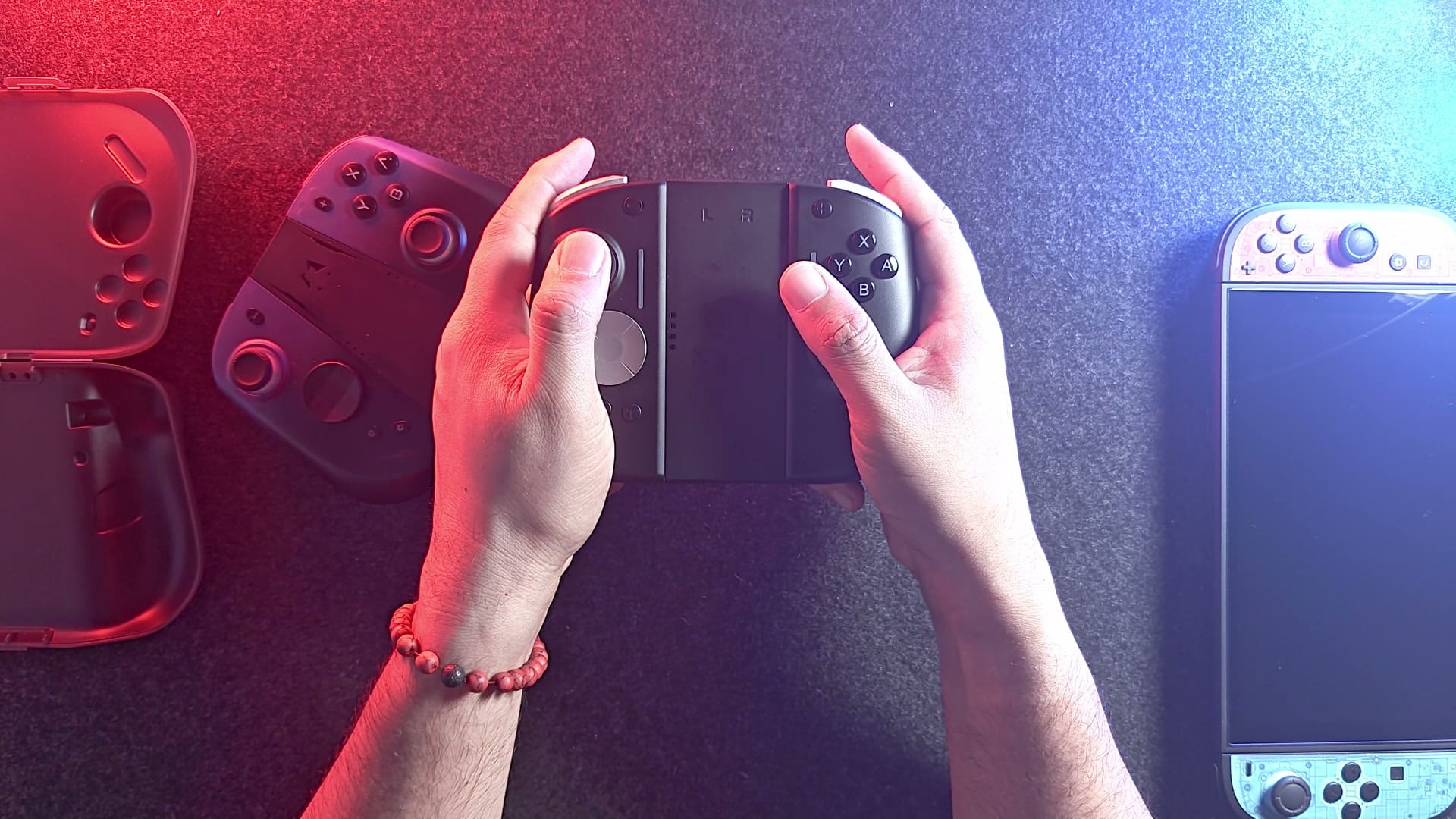
The slimmer M12 Pro settles in without any fuss. Its curved back gives my last three fingers somewhere to rest, my middle fingertip finds the back button on its own, and the grip settles flush into my hand with nothing to adjust. My right thumb lands on the stick with no stretch, and every button is right where I reach for it.
The thicker Ultra changes two things. My middle finger now presses the back button with its middle joint, and my right thumb has to curl over to find the stick, which pulls my palm away from the grip. Shifting my grip down helps the thumb, but then I’m only catching the lower edge of the back button. It still registers. The face buttons get slightly harder to reach in that lower grip as well.
Is that nitpicking? Probably. Give it time, and your hands adapt to the Ultra. Fit is still what you keep asking me about, though, and for one pair of medium hands, the slim one simply sits better.
Is the extra size just extra weight?
Mostly, yes. On my scale, without their bridges, the Ultras weigh 229 grams as a pair and the M12 Pros 206. That’s about 23 grams, roughly one AA battery, and most of it is the bigger shell. The parts inside are close to identical.
Under the buttons, the M12 Pro uses Omron switches and the Ultra uses Kailh. In the video I couldn’t even remember which was which, and that tells you how much of the difference reaches your thumb.
How noisy are they?
Very. Face buttons, shoulders, triggers and D-pad all snap when you press them, on both pairs, and the face buttons sit on microswitches on each. I love that feel. If clicks get on your nerves, though, there’s no quiet option between these two.
The back buttons are the exception. Neither maker puts a microswitch under them, so instead of a snap you get a tactile press that’s quieter without being silent, and on the M12 Pro it comes with a short, shallow click at the bottom.
Do the triggers feel different?
Yes, though not in the way analog fans would hope. Nintendo’s own Joy-Con 2 and Pro Controller both use digital triggers, and so do these two, so neither senses pressure. Travel only decides how long each press takes.
On the M12 Pro there’s almost none. Pull it and you’ve already clicked, which puts it right at the edge of hair-trigger territory. The Ultra’s triggers travel a little further before they bottom out with an audible tick. Rapid trigger taps favour Mobapad for that reason.
Does the lighter one feel cheap?
When I unboxed the Ultras, I complained about the weight, or the lack of it, on a pair sold as premium. I’ve changed my mind. They’re well built, just lighter. The problem was me. My hands seem to read a light controller as a cheap one, and the Ultra got judged unfairly for it.
I think I’ve worked out where the feeling comes from. The M12 Pro packs its parts into a smaller shell, so it feels dense in the hand. Give the Ultra a knock with a knuckle, though, and you hear a little echo, because roughly the same hardware is spread through a roomier body. My guess is both use the same plastic, which I can’t prove. And a hollow knock says nothing about durability.
What do the screws, seams and colours look like?
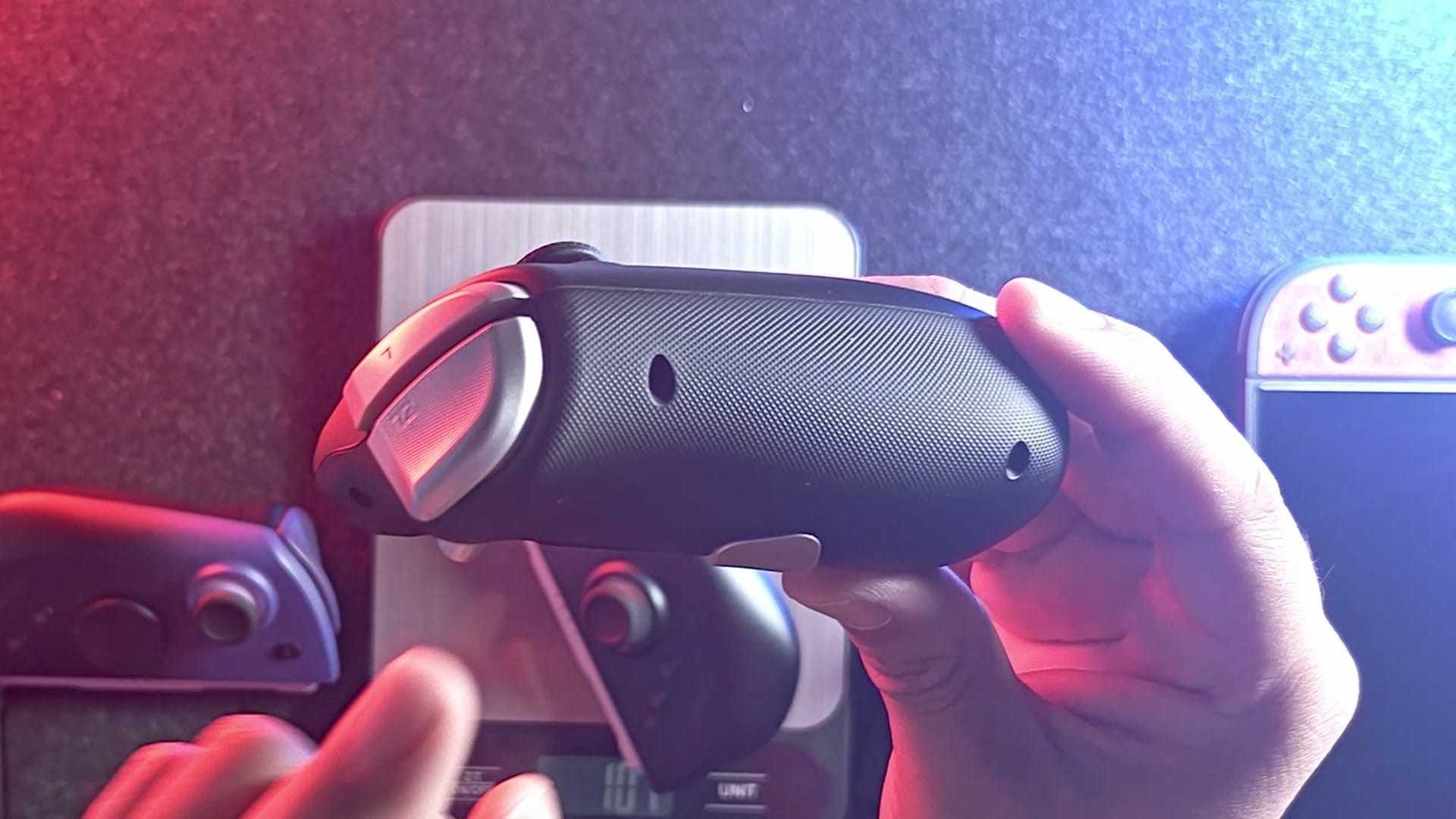
The M12 Pro looks tidier on the console, and the reason is screws. A few of you asked about them, and you were right to, because I missed them completely in my first impressions. Flip an Ultra over and four screw holes stare back at you from each grip, with seams that are a bit easier to spot. Mobapad hid its screws on the rail edge instead. Snap an M12 Pro onto the console or the bridge and you can’t see a single one, and its seams are gentler too.
The M12 Pro does have one small hole I can’t account for. Up close on camera, there’s metal at the bottom of it and no screw head. If you know what it does, I’d love to hear.
Colour is the M12 Pro’s weak spot. Purple fading into black is what you get, and as far as I know, nothing else is sold yet. It wouldn’t be my colour pick either.
Both light up, and both let you turn the lights off. The M12 Pro tucks a little rainbow into its bottom corners and switches it off in Mobapad’s app. The Ultra rings each stick, adds a status light, and goes dark with a button combination. Combinations like that also handle rumble, turbo, macros and the back buttons, so they’re worth learning, and the video has a card for each pair.
Which charges more conveniently?
The Ultra, because each half carries its own USB-C port, so either side can charge off any cable on your desk. Both pairs also refill on the console or in a bridge, but the M12 Pro has no port at all, which leaves the console or a bridge that doesn’t come in its box.
Mobapad’s answer is a switch that decides whether the controllers charge from the Switch while they’re attached, part of a feature it calls Power-Saving Mode. Switch the charging off, and they run on their own battery so the console’s charge stretches further. Flip it the other way and they borrow a little of the console’s power to keep themselves full.
Mobapad puts an 800 mAh cell in the M12 Pro and quotes 18 to 20 hours per charge, rumble off. NYXI doesn’t say, and I can’t vouch for the 6-to-10-hour figures floating around. Mine never get the chance to run flat, because they either live on the Switch or get charged as I go.
How strong is the rumble?
Not strong enough, on either pair. HD rumble is one of the features I look for, enough that I’ve sent Joy-Cons back for missing it, and when I first tried the Ultra, I made a lot of noise about how much better HD rumble felt than the plain kind. Both of these have it. Both are weak.
I started out thinking the M12 Pro buzzed a little harder. Then I set both to their top level and played through the elephant transformation in Donkey Kong Bananza, which keeps the rumble going the whole time. On that test, the Ultra came out very slightly ahead, so I’m taking back my early call. It may well change from game to game. Either way, at full power I could barely make out the fine detail, and both fall well short of Nintendo’s Pro Controller. Against Nintendo’s own Joy-Con 2, they’re about even, maybe a touch stronger.
I’d hoped for more from the Ultra, with all that room inside for a bigger motor. A bigger motor can push harder, but how strongly it’s driven counts just as much, so a roomy shell is no promise of a strong buzz.
Changing the strength works differently on each. On the Ultra, hold T and push that side’s stick right to raise it or left to lower it. On the M12 Pro, hold the settings button and push the stick up or down to step through Off, Low, Medium and High.
One caveat on that test: it all ran on my travel Switch, while the games that really work a rumble motor, Cyberpunk and Mario Wonder among them, sit on the one at home.
How do the sticks and D-pads compare?
Stick height keeps coming up in your comments, and the Ultra’s are the taller pair. A taller stick gives you a little more room for fine movements, which helps in shooters, though you can still aim precisely with shorter ones. Both use TMR sticks, and that matters next to Nintendo’s own Joy-Con 2, which aren’t TMR and can drift over time.
Both come with an octagonal D-pad and a cross, and for me the octagonal goes on and stays on. It’s my favourite shape anyway, and the rolling motions in fighting games come out cleaner on it. Swapping is where the Ultra pulls ahead. NYXI made its D-pads out of metal and holds them on with magnets, so changing one takes a second. The M12 Pro’s are plastic and click in snugly, so they take a slightly firmer pull. Metal and magnets are the premium way to do it, and I prefer them.
What can the back buttons be remapped to?
More than the app lets on. Both pairs let you change what the back buttons do, but Mobapad’s app limits each one to buttons from its own side. So the left paddle gets the D-pad and Screenshot to choose from, and the face buttons stay out of reach.
A viewer asked whether there was a way around that, and there is. Set the left back button to Screenshot in Mobapad’s app, then use the Switch 2’s own button remapping to move Screenshot anywhere you like, A, B, X, Y or a shoulder included. The console only knows the standard Joy-Con buttons, so Screenshot is the go-between. It works.
I didn’t get to try this on the Ultra. NYXI’s app has its own remap option, so it might work there too.
Can you run one of each, and use them as a mouse?
Yes to both. I put an Ultra on the left and an M12 Pro on the right, and the Switch 2 took them as a matched pair. Each half shows up on the console as a genuine Joy-Con 2, and the Switch 2 doesn’t care whose logo is on it, so any two halves that pull the same trick can pair up.
Mouse mode is the Switch 2 trick where you slide a Joy-Con across a desk and it moves a pointer on screen, and I had it working on both. Connect both at once and they’ll even take turns grabbing the cursor.
So which pair should you get?
Both are premium, every feature is there, and at around $100, I’d call either one an excellent buy. The soft rumble is where both let me down.
The M12 Pro suits my hands better. The slim body lets my thumb find the stick without any thought, and with its screws hidden, it’s the tidier of the two on the console. The trade is a single colour scheme, a bridge you buy separately, and every bit as much clicking as the Ultra.
NYXI’s pair answers with metal D-pads, a bridge already in the box, a sliver more rumble on my one test and a friendlier street price for anyone willing to shop. What you trade for that is bulk. With the Ultras on, your Switch 2 may not fit its usual case, so budget for a roomier one or plan on sliding them off before you pack.
Still stuck? Pick up whatever Joy-Cons you have now, hold them the way you actually play, and notice where your right thumb lands. That’s the question these two answer differently. Reliability counts too, so before you pay, see what owners say about how each brand has held up.
On the shelf
Switch 2 controllersSee the whole story →Nerd Alert
Your Turn
What are YOUR thoughts
What have your experiences been? Let us know.