News · News · Local AI · PC Hardware
Gigabyte WRX90 AI TOP: A Threadripper PRO Board Built for Stacking GPUs
Seven PCIe 5.0 slots, 2 TB of ECC memory and fans on the RAM: Gigabyte's new Threadripper PRO board is built for local AI. Here's what its nine-GPU claim really takes.
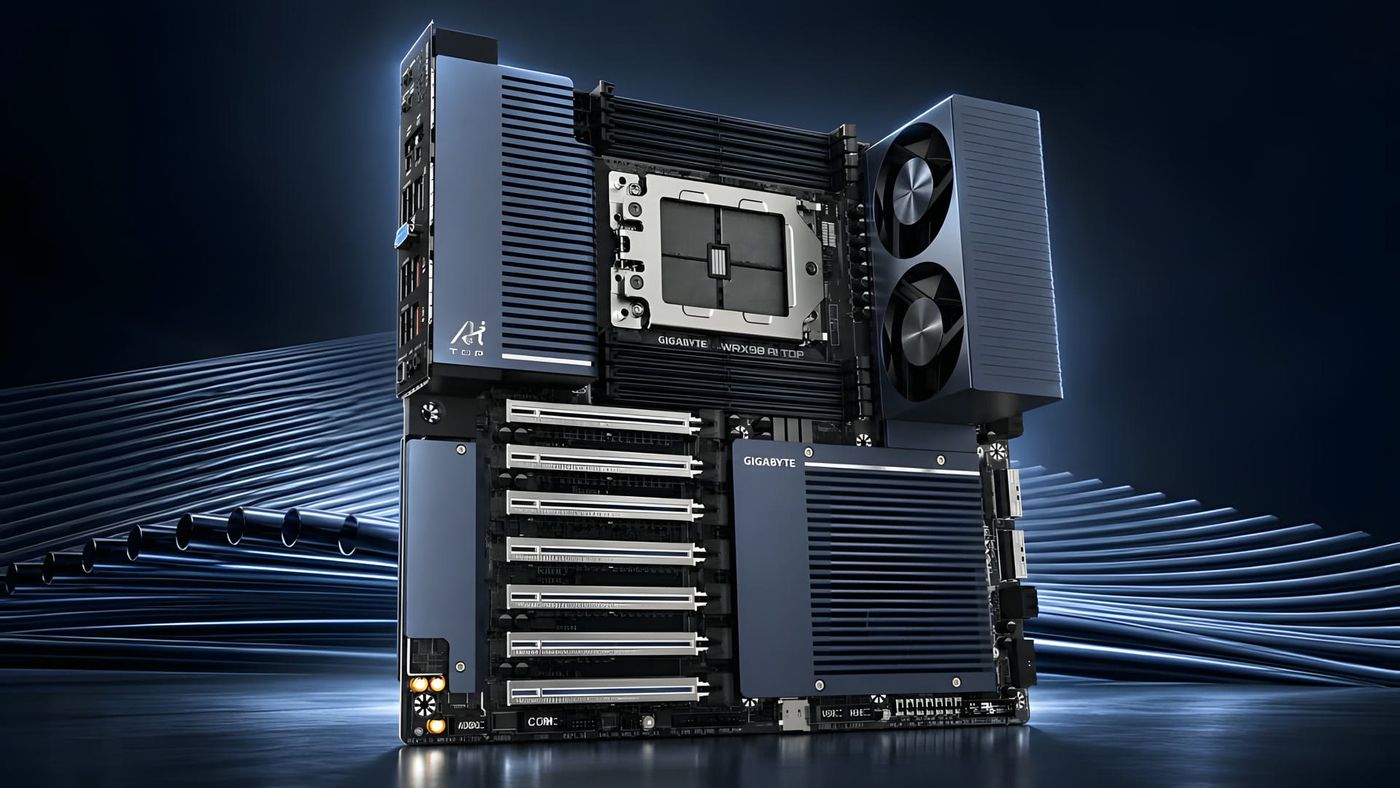
A pair of fans bolted on right beside the memory slots. That’s the first thing you notice on Gigabyte’s new WRX90 AI TOP, and it tells you what kind of board this is. It’s a workstation motherboard for AMD’s Threadripper PRO chips, made for people who run AI models on their own hardware and want as many graphics cards in one box as they can fit. Gigabyte first showed it at Computex in June and made it official on October 30, and the headline number is nine GPUs. That number deserves a closer look. Here’s what the board is, what nine GPUs really takes, what makes it an “AI” board, and what we still don’t know.
What is the Gigabyte WRX90 AI TOP?
It’s a motherboard for AMD’s biggest workstation platform. Threadripper PRO sits above the regular Ryzen chips, and the WRX90 platform behind it gives the processor eight memory channels and up to 128 lanes of PCIe 5.0. Those lanes are the important part. Every graphics card wants its own fast connection, and a regular desktop board simply doesn’t have enough lanes to feed several of them at full speed.
Gigabyte’s announcement pitches it squarely at local AI. When a model is too big for one graphics card, you split it across several, so the people who run big models at home or in a small office end up stacking cards. This board is built for that kind of build, with a 14-layer circuit board, a 32+3+3+3-phase power design and a metal backplate to carry the load.
It isn’t Gigabyte’s first try at this idea. The AI TOP name started at Computex 2024 as a whole family of parts, including a board for AMD’s smaller Threadripper platform with four graphics slots. This one has seven.
Can it really run nine GPUs?
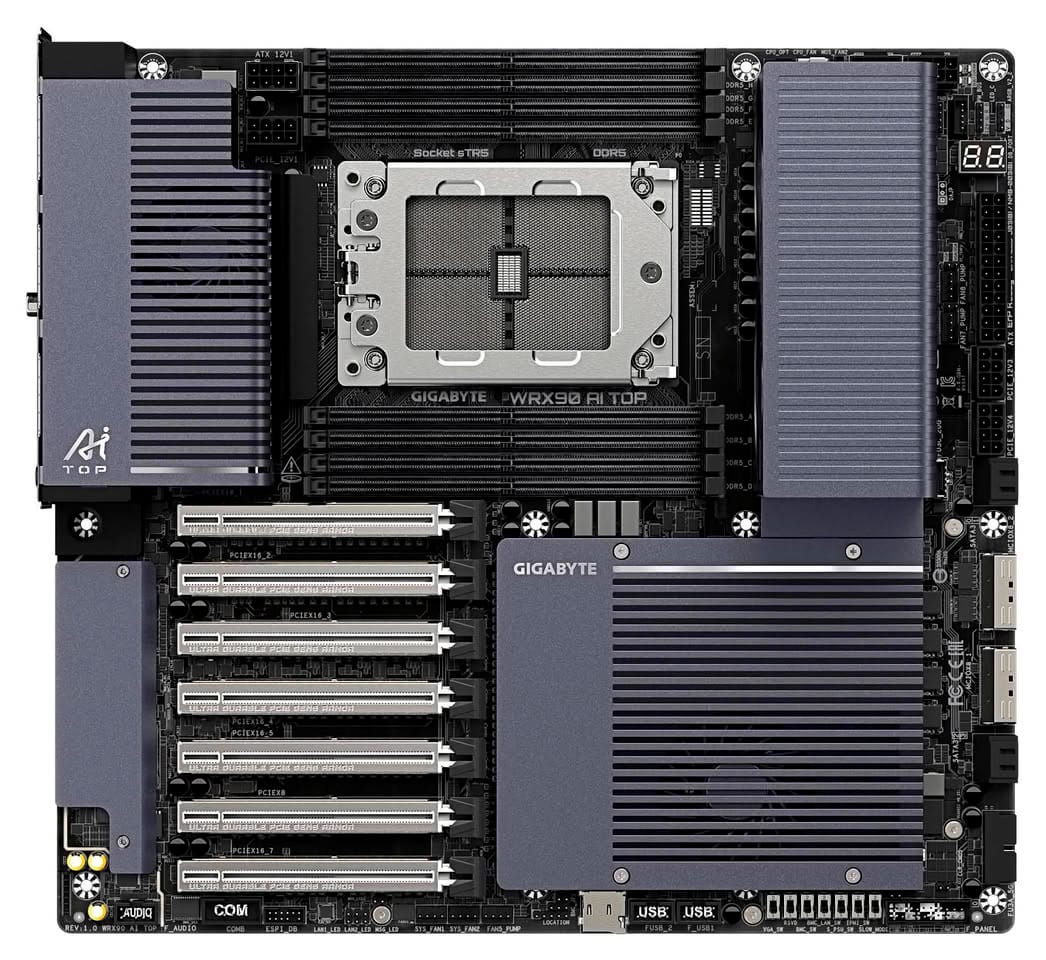
Yes, but read the fine print. The board has seven full-length slots, and Gigabyte gets to nine by adding two cards through its two MCIO connectors, small cable ports that each carry eight PCIe lanes and need extra hardware to hold a card. Gigabyte’s press release calls all seven slots “PCIe 5.0 x16,” and that’s about their size. On the spec sheet, six run at full x16 speed and one runs at x8.
The bigger catch is spacing. The slots sit right next to each other, one slot-width apart, and most graphics cards worth stacking are at least two slots thick. With two-slot cards, you get four of them, in every other slot, each at full speed, and the bottom one hangs past the edge of the board, so the case needs room for it. Anything thicker than two slots and you’re down to three. Filling all seven means slim single-slot cards, the kind usually sold for workstations.
And the last two come at a cost. Gigabyte’s spec sheet says that using either of the board’s PCIe 5.0 M.2 slots disables one of the MCIO connectors. Nine GPUs means giving up both of your fastest SSD slots. That’s the honest version of the headline: nine is possible, with the right cards, extra parts and a storage trade-off.
How much memory does it take?
Up to 2 TB, in eight sticks of DDR5 ECC registered memory. That’s server memory, which corrects small errors on the fly, and it’s the only kind the board accepts, so desktop RAM won’t work here.
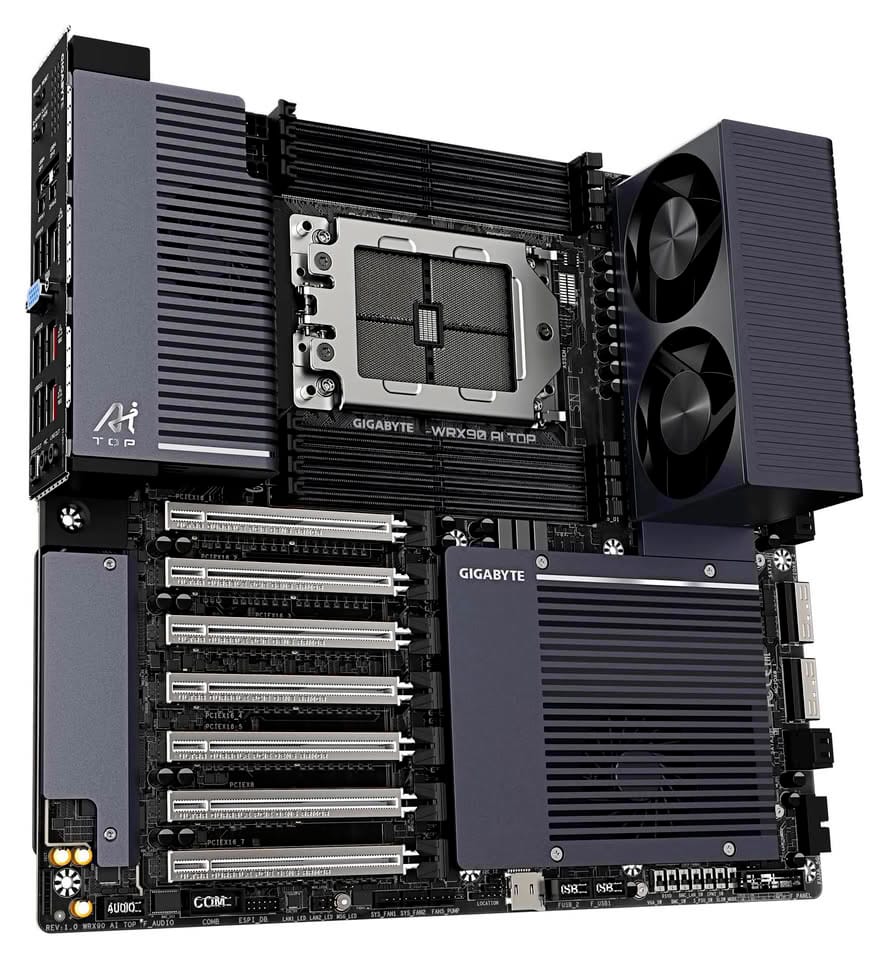
Eight sticks of server memory get hot, which is where those two fans come in. Gigabyte says they cut average memory temperatures by up to 43°C compared with setups that don’t have them. A few sites reported that as keeping memory “under 43°C,” which isn’t what Gigabyte said. It’s Gigabyte’s own test, without published conditions, so treat it as a claim until someone measures it. The fan module also comes off, and one of Gigabyte’s renders shows the board with a plain cover in its place.
What makes it an “AI” board?
Mostly the software and the cooling. The board itself has a lot in common with ASUS’s Pro WS WRX90E-SAGE SE, which also has six full-speed slots plus one at x8, dual 10GbE and the same remote management chip. ASUS gives you more PCIe 5.0 M.2 slots and a pair of slower cable ports, and Gigabyte gives you PCIe 5.0 MCIO connectors and the memory fans.
The AI-specific piece is Gigabyte’s AI TOP Utility, a free app for fine-tuning AI models on your own machine. Its trick is spilling training data out of the graphics cards’ memory into system RAM and SSDs, so bigger models can be trained on fewer GPUs. On this board, the spec sheet lists it for Ubuntu only.
The rest is server-grade convenience. There are two 10GbE ports, so fast networking doesn’t need an add-in card. There’s also a management chip with its own network port, which lets you power the machine on, watch its temperatures and fix it remotely, even when the operating system is down. You’ll also find two USB4 ports on the back, and both Windows 11 and Ubuntu are supported.
How much does it cost, and when can you buy it?
Gigabyte hasn’t said, and I haven’t found a store listing yet. Its BIOS and drivers are already up on Gigabyte’s support site, though.
What’s easier to pin down is the cost of the platform around it. AMD’s Threadripper PRO 9000 WX chips launched at $1,649 for the 16-core model and went up to $11,699 for the 96-core one, and the older 7000 WX line the board also takes started at $1,399. Then add eight sticks of ECC memory and the graphics cards themselves. If you’ve followed my Arc Pro B70 coverage, this is exactly the kind of board that piece meant when it said a four-card setup needs a workstation board.
Who is it for?
People building a serious AI workstation with several graphics cards, the kind who’d rather own the hardware than rent time in the cloud. For one card, or even two, it’s far more board than you need, and a regular desktop platform will do. For four two-slot cards in one machine, with room for a huge pile of memory and remote access, this is the class of board you end up shopping in, and Gigabyte now has a proper entry in it.
Nerd Alert
Your Turn
What are YOUR thoughts
What have your experiences been? Let us know.