News · News · Controllers & Accessories
SteelSeries Rival Pro: A Wireless Mouse With "Infinite" Battery, Next to Logitech’s POWERPLAY
SteelSeries says the Rival Pro has unlimited battery life. It does it with two batteries you swap by hand. Here’s how that works, how long each lasts, and how it compares with Logitech’s POWERPLAY mat.
https://averagetechnerds.com/steelseries-rival-pro-infinite-battery-vs-logitech-powerplay/
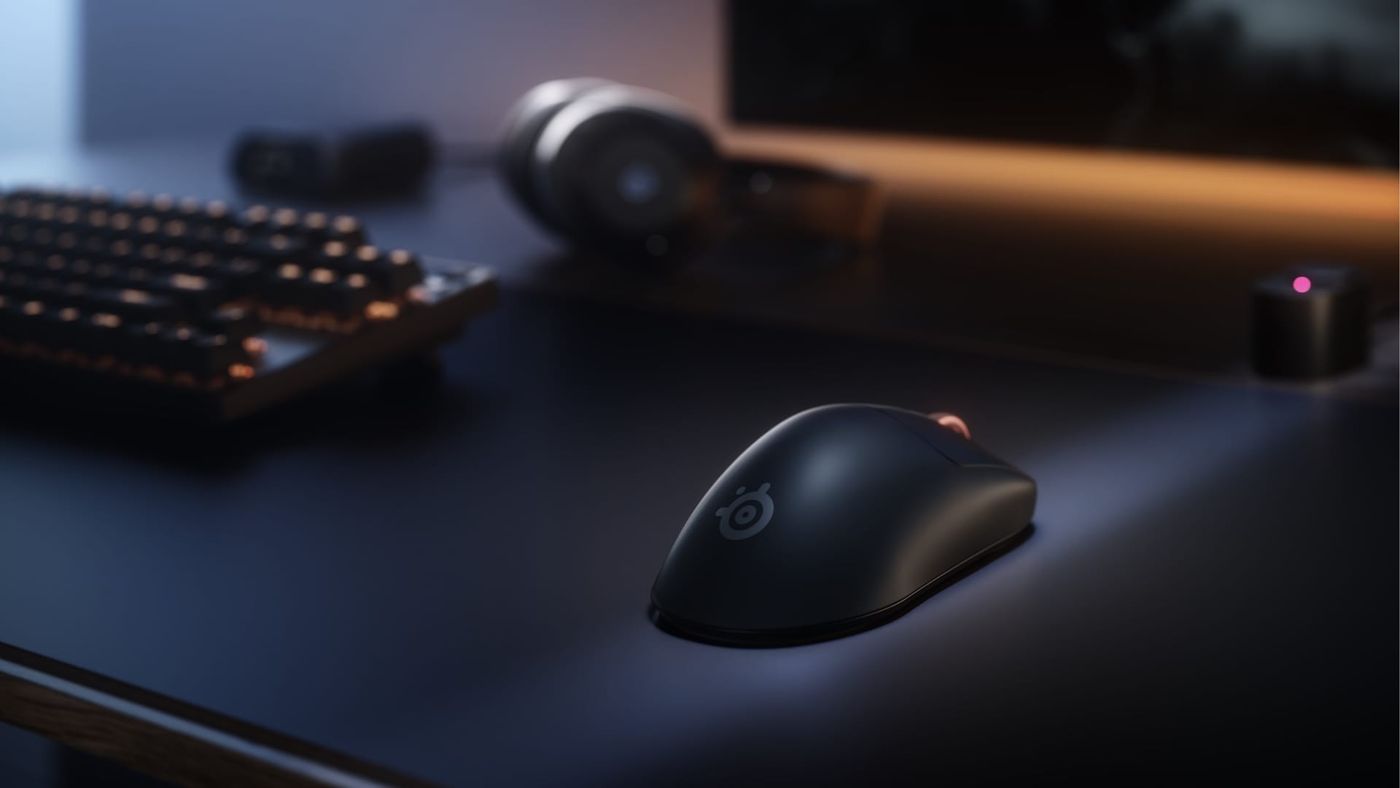
The new SteelSeries Rival Pro promises unlimited battery life. I’ve had a wireless mouse that never needs charging for years now, on Logitech’s POWERPLAY mat, so I wanted to see how the two compare. I like the POWERPLAY very much because it does what it says: it charges the mouse wirelessly while I use it, and I never worry about the battery. The Rival Pro goes after the same problem. It just solves it a different way, with two batteries you swap by hand.

What is the SteelSeries Rival Pro?
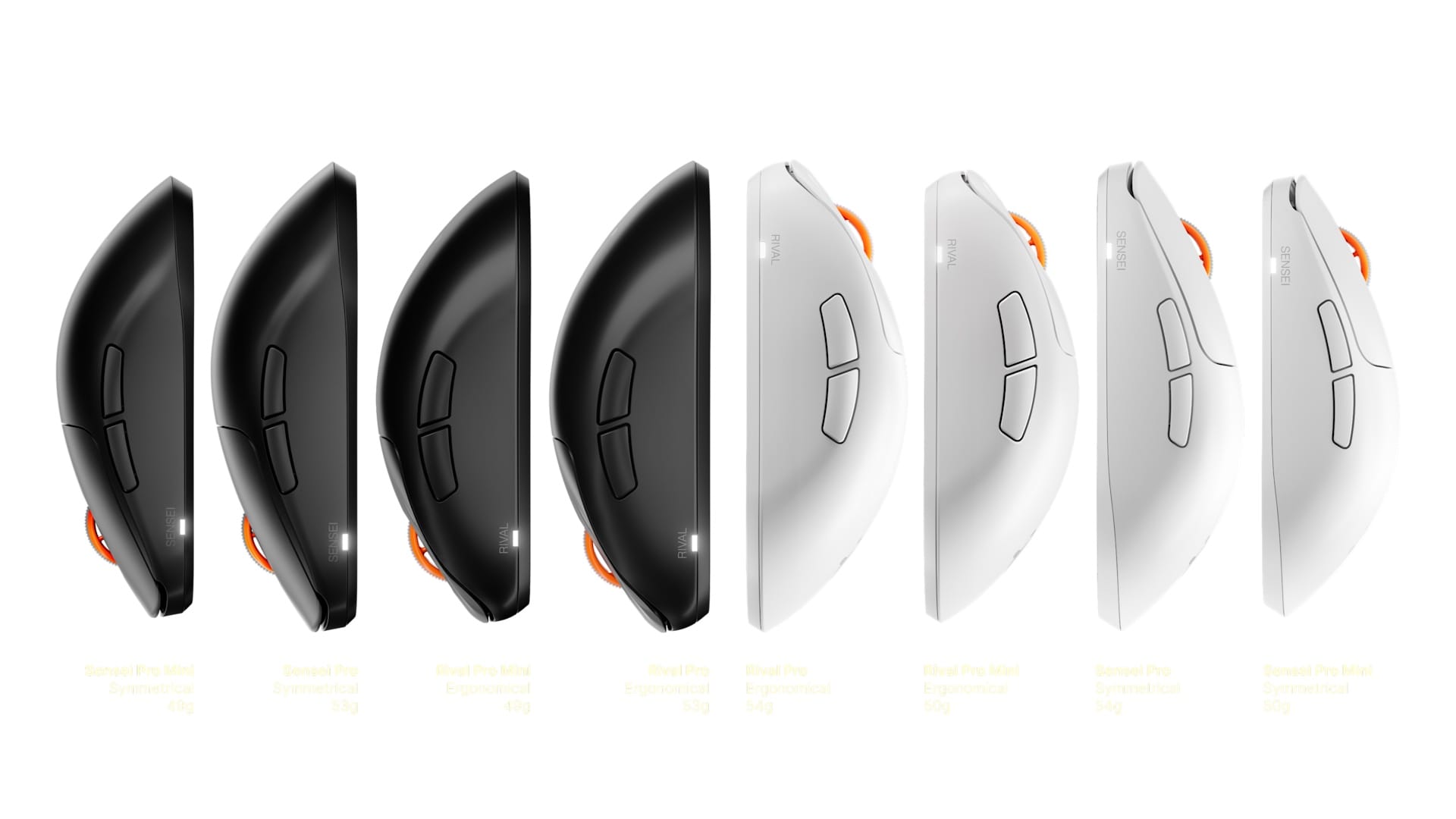
It’s a lightweight wireless gaming mouse for right-handed players, and one of four new “Pro” mice SteelSeries launched on September 29. The Rival Pro has an ergonomic shape that leans toward your palm. The Sensei Pro is the symmetrical version. Each comes in a Mini size for smaller hands, in black or white, and all four cost the same $179.99.
Under the shell, the four are the same mouse, so picking one comes down to the shape and size that fit your hand.
| Spec | SteelSeries Rival Pro | |
|---|---|---|
| Price | $179.99 / €199.99 / £169.99 | |
| Shape | Ergonomic, right-handed (Sensei Pro: symmetrical) | |
| Size | 125.7 x 68.2 x 42.2 mm (Mini: 120.7 x 65.4 x 40.5 mm) | |
| Weight | 53 g black, 54 g white (Mini: 49 to 50 g) | |
| Sensor | TrueMove 42K Pro (custom PixArt PAW3955), 100 to 42,000 DPI | |
| Speed | 800 IPS, 70G | |
| Polling | 8,000 Hz, with optional 9,000 Hz over-polling | |
| Switches | Optical, rated for 100 million clicks | |
| Buttons | 6 programmable | |
| Wireless | Ultra-wideband (UWB), 6.4 to 9.056 GHz | |
| Battery | 2 swappable; 120 hours total at 1,000 Hz, 32 hours total at 8,000 Hz | |
| In the box | Mouse, two batteries, UWB base station, grip tape, spare PTFE skates, 2 m USB-C to USB-A cable | |
| Works with | Windows 10 and up, PlayStation, Xbox Series X | S |
| Warranty | 12 months (US) |
How does the “infinite” battery work?
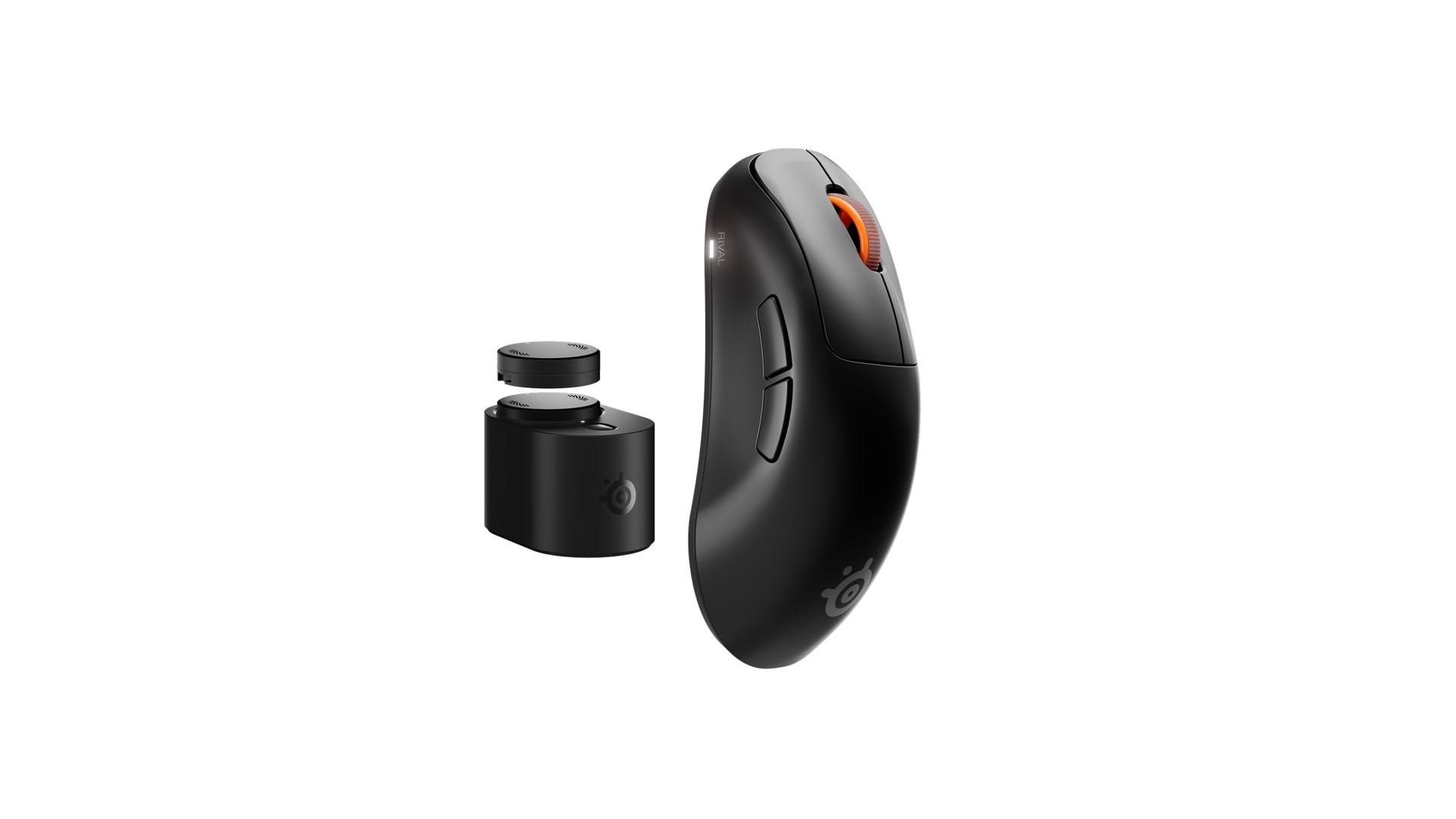
You swap batteries. Its name is the Infinite Power System. The battery sits in the bottom of the mouse. To change it, you press down, twist it counter-clockwise, pull it out, put in the charged one from the base station and twist it back. The cell you took out goes into the base to charge.
A swap takes roughly five seconds mid-game in GamesRadar+’s review, and under 10 in SlashGear’s once you know the twist. That’s quicker than finding a cable. It’s also the part GamesRadar+ liked best: “the best part of the mouse”.
So “infinite” means you never wait on a cable. It doesn’t mean you never touch the battery. That’s the difference from POWERPLAY.
How long does each battery last?
Between 16 and 60 hours, depending on how fast the mouse talks to your PC. At the usual 1,000 Hz, one battery lasts about 60 hours by SteelSeries’ numbers. Push it to the full 8,000 Hz and that drops to 16.
Polling is how many times a second the mouse reports its position. Most gaming mice do 1,000. Going to 8,000 cuts the delay a little more, and it costs battery fast. Pick the speed, and you pick the battery life.
How do you know when it needs a swap?
You might not, at first. There’s no charge readout by default, and GamesRadar+’s mouse cut out at bad moments a few times because of it. So set it up on day one: in the SteelSeries GG app, the base station’s light can show the mouse’s battery. SlashGear did see the light on the mouse or the base pulse red when a swap was due.
There’s a second sign. On SlashGear’s mouse, at around 17% battery, the scroll wheel started responding slowly or not at all. A fresh battery fixed it.
What is Ultra-wideband, and why does a mouse need it?
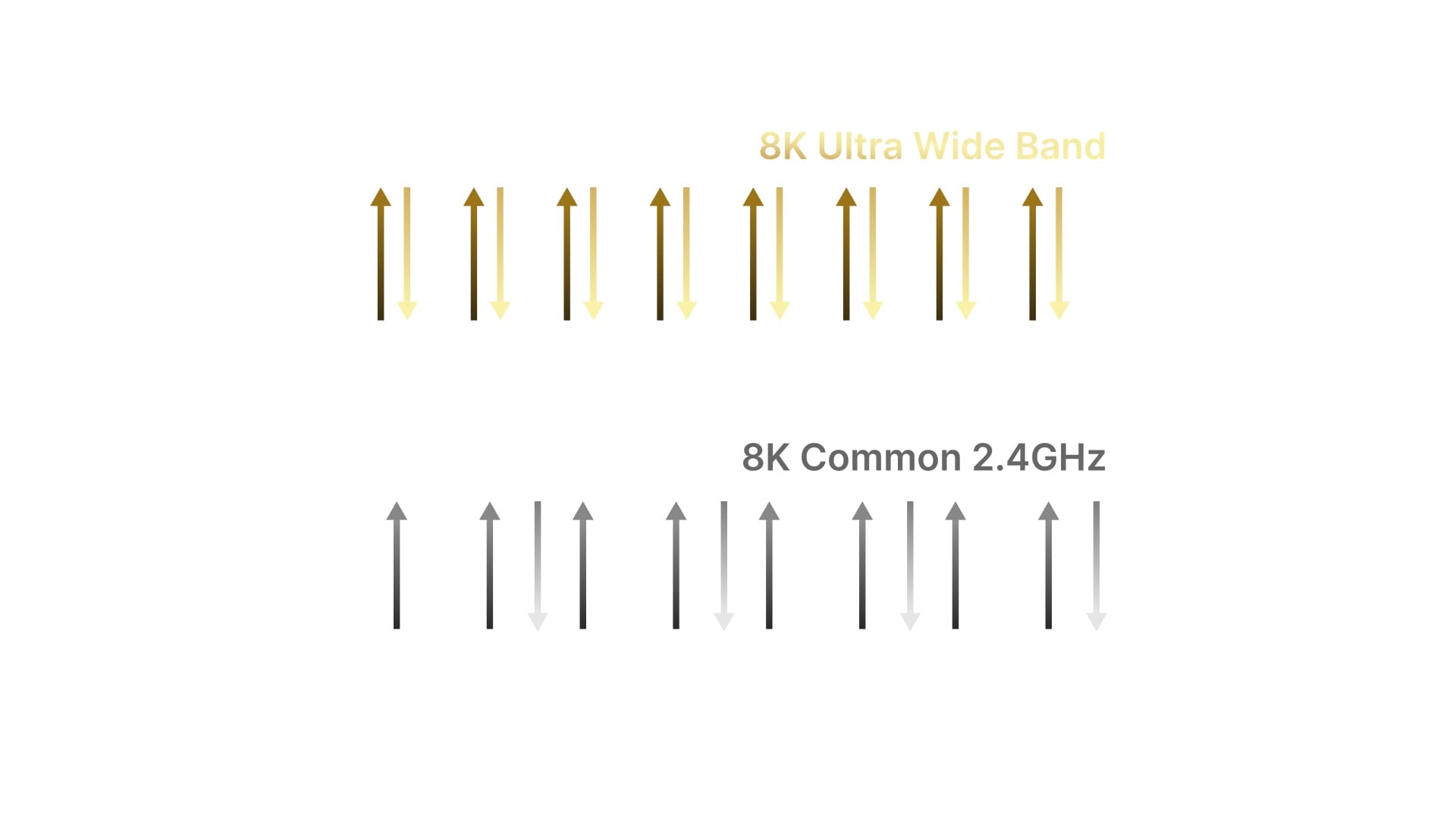
Think about everything wireless on your desk. Your mouse, keyboard and headset, and a lot of home Wi-Fi, all share the 2.4 GHz band. Ultra-wideband is a short-range radio that works well above it, so the Rival Pro gets a much quieter lane, with about 20 times the bandwidth by SteelSeries’ count.
The point is less traffic. A desk full of 2.4 GHz gadgets can step on each other, and in SteelSeries’ pitch, that’s when a mouse drops reports and the cursor skips. In GamesRadar+’s testing, it held up well. It didn’t make the reviewer any better at games, though. If your desk has only a few wireless things on it, you may not notice a difference.
UWB doesn’t reach far, so the base station has to sit near your mouse mat. It plugs into your PC with the included two-metre cable.
Can you plug it in with a cable?
No. There’s no USB port on the mouse at all, per PC Gamer’s hands-on, so there’s no wired mode to fall back on. Power comes from the batteries, and the connection goes through the base station or a separate travel dongle.
If you take your mouse to a second PC, the dongle saves you carrying the base station and its cable. It costs $24.99, and only SteelSeries’ own store sells it. Pair it once, and the mouse switches to it by itself whenever the base isn’t around. With no cable to fall back on, everything goes over the wireless, firmware updates included. PC Gamer hadn’t had a single connection problem in weeks of use. Still, the tech is new.
How does it compare with Logitech’s POWERPLAY?
They solve the same problem from opposite ends. POWERPLAY puts the charger under your mouse. In Logitech’s description, the pad creates an energy field above its surface, and a module in the mouse takes power from it at rest and in motion. You never take anything out. The mouse just stays charged.
The Rival Pro moves the battery to you instead. You swap a battery every 16 to 60 hours of use, and in exchange you can use any mouse mat or surface you like, as long as the base station is close.
| SteelSeries Rival Pro | Logitech POWERPLAY 2 | |
|---|---|---|
| How it stays charged | Swap the mouse battery with a spare charging in the base | The pad charges the mouse while you use it |
| What you do | Swap by hand every 16 to 60 hours of use | Nothing |
| Price | $179.99, mouse included | $119.99 for the pad (launched at $99); the mouse is extra |
| Which mice | The Rival Pro, Sensei Pro and their Minis | Ten Logitech G mice at launch, including the PRO X SUPERLIGHT 2 and G502 X PLUS |
| Mouse surface | Any | The POWERPLAY pad only |
| Receiver | UWB base station | The mouse’s own LIGHTSPEED receiver (POWERPLAY 2 has none built in) |
| Out since | October 2026 | March 2025 |
If you’re shopping for the mat today, POWERPLAY 2 is the one to look at, since Logitech’s site shows the original as not available. The new one is thinner and charges through a Charging Coin, a small disc you put in the mouse and can move to another compatible one. Same job as before, though: the pad keeps the mouse charged while you play.
POWERPLAY does tie you to Logitech. It only charges Logitech mice that take the module, and you have to game on Logitech’s pad. If you already use one of those mice, it’s the more hands-off answer. If you want a different shape or a different mat, the Rival Pro gets you most of the way there with a five-second habit.
Is the Rival Pro well made?
Ask three reviewers, get three answers. To PC Gamer, it had no wiggle or flex at all, up there with the best-built mice it had handled. To GamesRadar+, the plastic felt a little cheap and flimsy, enough to worry about how it’ll last. To SlashGear, it felt like a high-quality plastic with satisfying clicks, though the light shell picks up finger oils. If build quality matters most to you, try one in your hand before you spend $179.99.
At 53 grams, it’s light either way.
Does it work on PlayStation, Xbox or a Mac?
If you play on a console, yes, with limits. The base station plugs into a PlayStation or an Xbox Series X|S just like a PC, though not every feature works there. Mac isn’t on SteelSeries’ list at all, so check before you buy one for a Mac.
Settings live in the SteelSeries GG app. There’s also a web app that does some of it from a browser, though it may not have every feature.
Who should buy the Rival Pro?
Someone who hates charging a mouse and doesn’t want to be tied to one brand’s mat. It’s also for anyone whose desk is crowded with 2.4 GHz wireless gear. At $179.99 it’s priced against the top gaming mice, so the battery system and the UWB wireless are what you’re paying for.
If you already own a Logitech mouse that works with POWERPLAY, the mat already does this job, with nothing to swap. If you want SteelSeries’ shapes, or you’d rather keep your own mat, the Rival Pro pretty much attempts the same thing, with a battery swap in place of the pad.
Nerd Alert
Your Turn
What are YOUR thoughts
What have your experiences been? Let us know.