Device profile · Device Profiles · Handheld Gaming · Retro Gaming · Retro handhelds
Anbernic RG 477M: What It Emulates, How to Set It Up, and RG 477M vs Pocket Nova
What Anbernic’s metal 4:3 handheld runs, why its Mali graphics hold back Switch and PC games, how to set it up, and how it stacks up against the Nova.
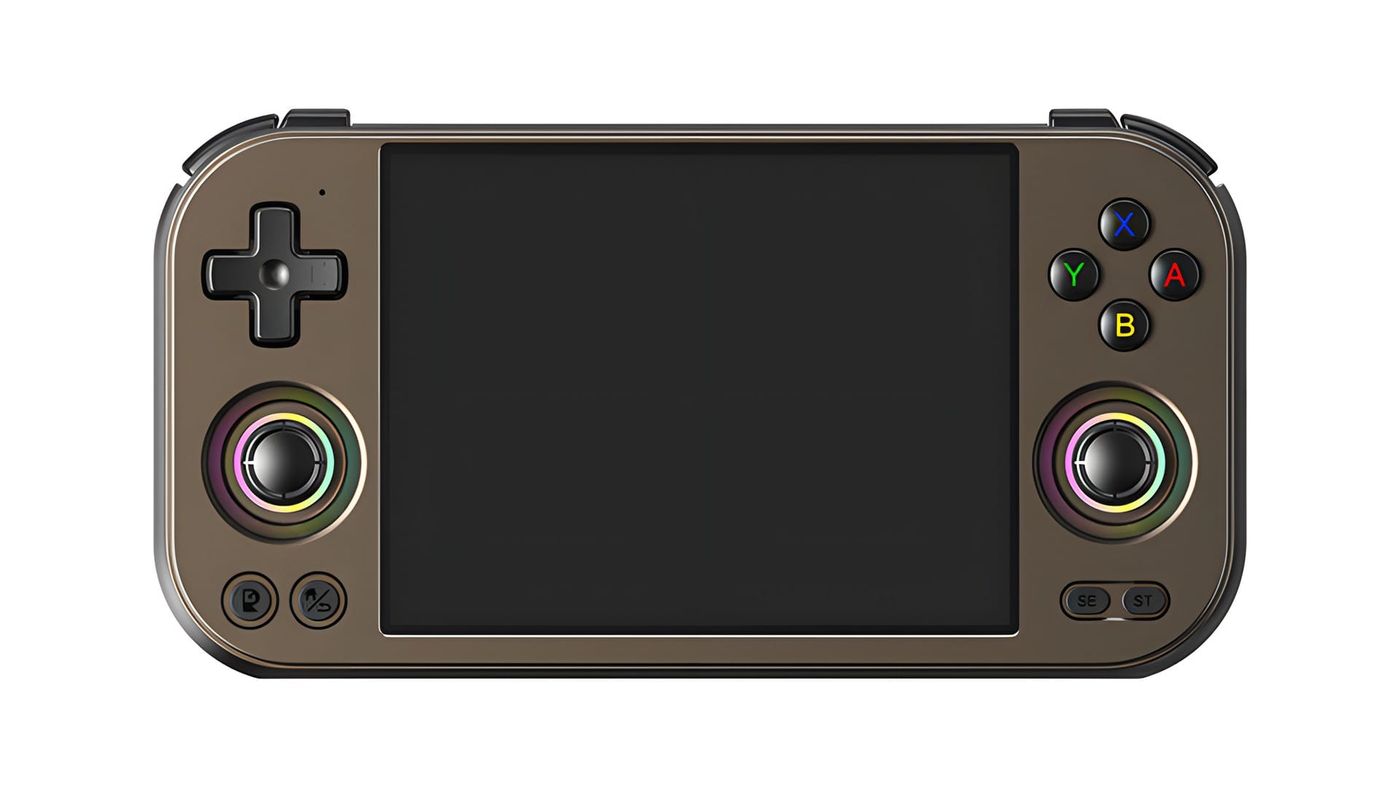
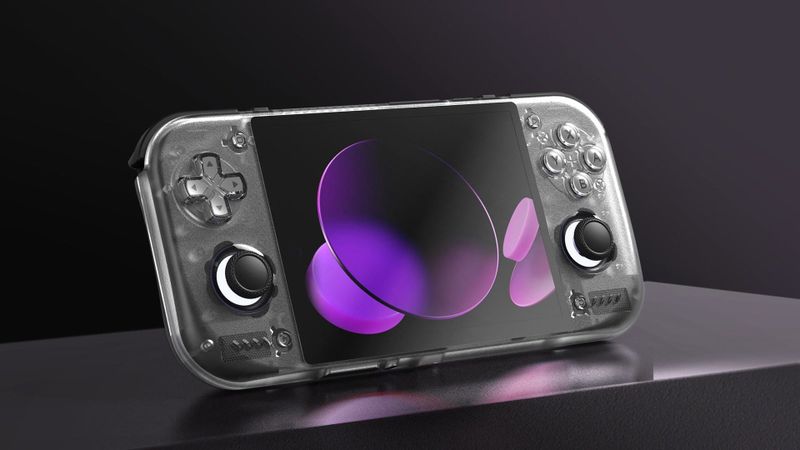
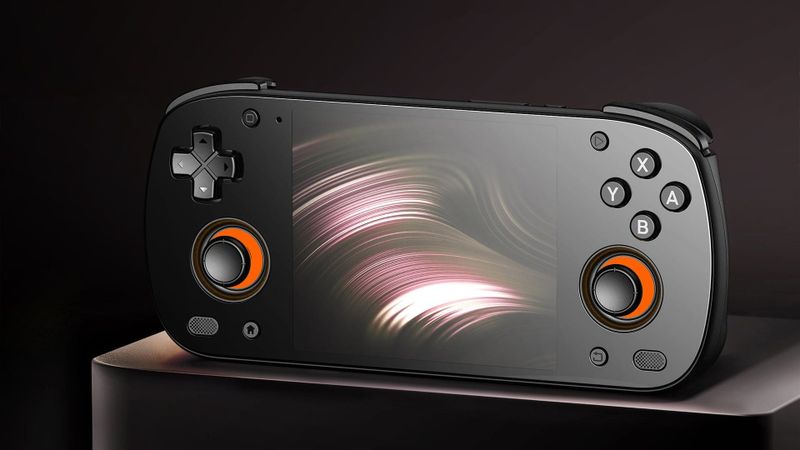
Plenty of handhelds this size are plastic and widescreen. The Anbernic RG 477M is neither. It has an aluminium body and a 4.7-inch screen in the 4:3 shape of an old TV, which is exactly what PS1, N64 and PS2 games were made for. Where it stumbles is newer games, Switch and PC, because its graphics chip doesn’t get the help Snapdragon handhelds do.
What is the Anbernic RG 477M?
The M stands for metal. It was Anbernic’s most expensive Android handheld when it launched, and you’re paying for a machined aluminium body instead of plastic.
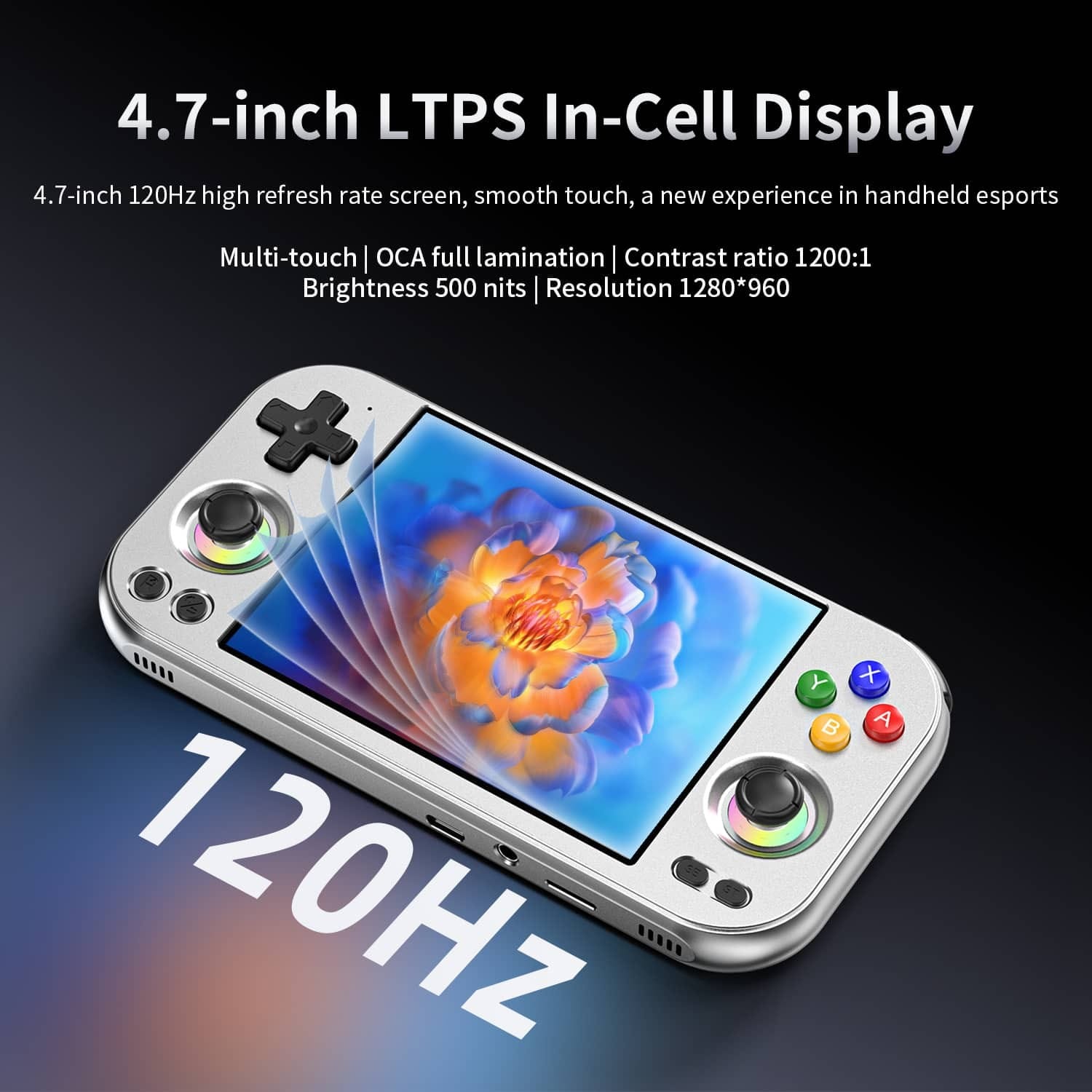
The screen runs at 120Hz, and that unlocks a trick retro fans like. Black frame insertion slots a black frame between every game frame, which cuts the smear you get when a picture moves, closer to how an old CRT looked. Android Authority calls the result spectacular.
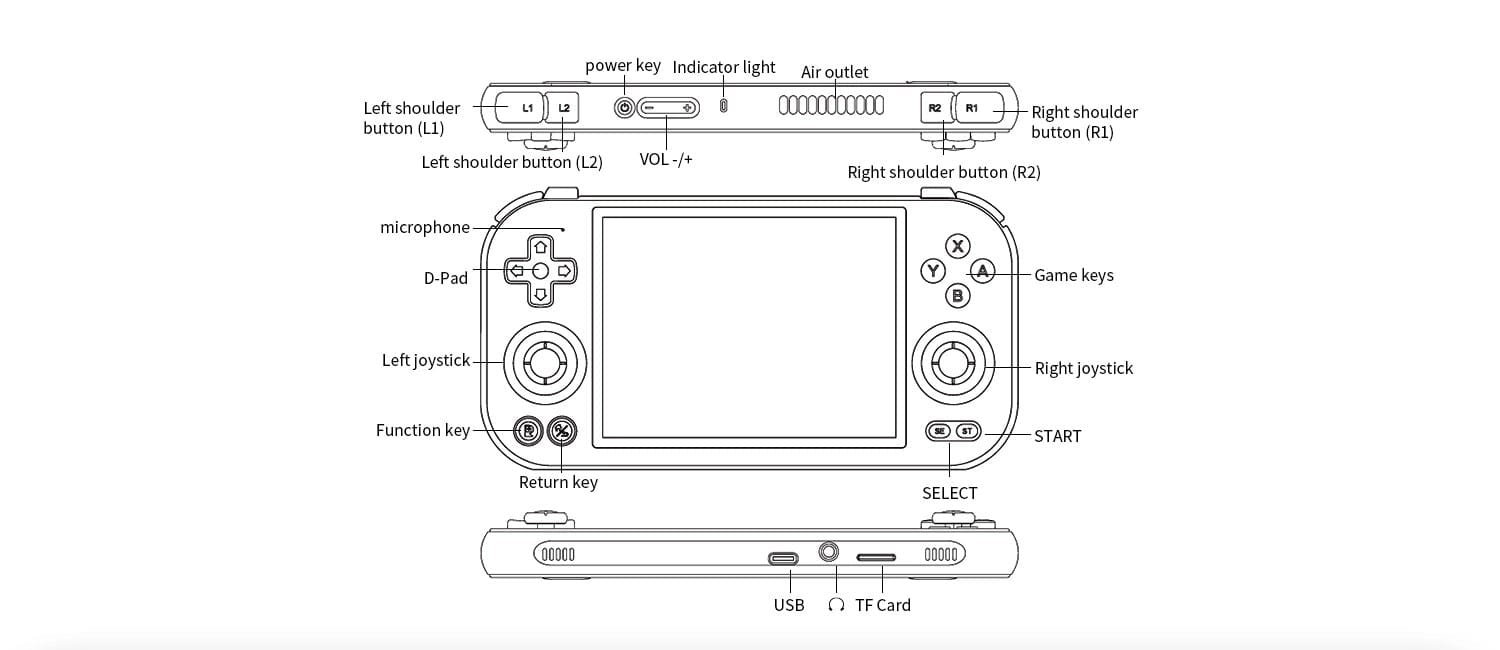
If you’re a D-pad player, the layout suits you, with the D-pad on top and both sticks below. If you play racing games, know that the shoulder buttons are digital, so there’s no analog pressure on the triggers. They sit in one row along the top edge too, rather than stacked.
What can the Anbernic RG 477M emulate?
Nearly everything up to the PS2 era runs well, and on a 4:3 screen it looks the way it should. Where it gets patchy, at Switch, blame the graphics drivers.
| System | How it runs | What reviewers found |
|---|---|---|
| Up to SNES, Genesis, GBA | Runs well | NES and Genesis pixel-perfect at 4x |
| PS1 | Runs well | Pixel-perfect at 4x, filling the screen with no black bars |
| N64 | Runs well | Pixel-perfect at 4x, filling the screen |
| DS | Should run well, both screens on one display | |
| PSP | Runs well, letterboxed | Large black bars on the 4:3 screen |
| Dreamcast | Runs well | On HandheldModz’s list of systems it handles easily |
| Saturn | Not covered in reviews | |
| GameCube | Runs well, some games need a renderer switch | Works well upscaled; a few games need OpenGL instead of Vulkan |
| Wii | Runs well | On HandheldModz’s list of systems it handles easily |
| PS2 | Runs well | Need for Speed: Most Wanted and God of War ran effortlessly at 2.5x |
| 3DS | Runs well | On HandheldModz’s list of systems it handles easily |
| Switch | Depends on the game | A mess at launch; much better on the same chip by early 2026 |
| Wii U | Not covered in reviews | |
| PS3 | Runs, but hot | On HandheldModz’s list; warmest temperatures and about 2 hours of battery |
PS2 is where the 477M pulls ahead of cheaper 4:3 handhelds with slower chips. In Retro Dodo’s review, God of War and Need for Speed: Most Wanted ran at 2.5 times native resolution, which is sharp on a screen this size. GameCube works too.
Switch is where the chip’s graphics catch up with it. At launch it was a mess. It’s getting better, mostly thanks to the Eden emulator, and Android Authority later found a healthy number of Switch games playable on the RG 477V, which has the same chip. Still, treat Switch as a bonus here, and check your must-play games before you count on them.
3DS runs, with a catch that has nothing to do with the hardware. In October, the team behind Azahar, the 3DS emulator, said it won’t look into bugs on Anbernic devices, after Anbernic promoted unofficial forks of it. It still works here, so this only bites if something breaks.
Can the RG 477M run PC games?
Not well. Apps like GameHub, GameNative and Winlator run Windows games on Android, and they lean on a free graphics driver called Turnip that only works with Snapdragon’s Adreno graphics. The RG 477M has a Mali GPU from Arm, so it gets none of that help.
Winlator and DroidDeck have started adding experimental support for this kind of graphics chip, but nobody has shown it working well on the 477M yet. When the RG 477V, which shares this chip, was tested, only a few PC games would even launch. Don’t buy it hoping that changes. If PC games matter to you, my guide to PC games on Android explains why Snapdragon is the better pick for that.
How do you set up the Anbernic RG 477M?
Install every update before anything else, because these ones fixed real problems: a quieter fan setting, and the stalls and black-screen reboots early owners hit. Open the FOTA app, tap Check version, then download and restart. The latest one also adds Anbernic’s RG Home game menu, plus touchscreen button mapping for touch-only games.
Then clear out the emulators. At launch, several came out of date, including AetherSX2, a PS2 emulator that’s no longer developed. Install current ones like ARMSX2 or NetherSX2 for PS2, and use Obtainium, an app that installs emulators from their developers and keeps them updated.
If the fan noise gets to you, and Android Authority called it fairly annoying and high-pitched, switch high-performance mode to Cool. It resets every time you restart, so you’ll have to set it again.
Black frame insertion takes a minute. Set the screen to 120Hz, turn it on in RetroArch and raise the brightness, since it darkens the picture. It’s worth trying on fast 2D games, but it does cost battery.
A front end is the menu you browse your games from. Anbernic’s own was basic in early reviews, and RG Home came out after them. ES-DE, Daijisho and Beacon are the ones to try instead. Set one as your home app in Android’s settings and the RG 477M boots straight into it. My front ends and firmware guide explains the differences.
One last chore: BIOS files, the start-up code from the original consoles. You’ll want your own PS1 and PS2 copies for those emulators. Dreamcast and Saturn emulators run plenty of games without one, and Switch emulation needs keys and firmware from your own Switch.
Can you put another OS on the RG 477M?
One. It’s for a specific kind of owner. GammaOS Next is a community version of Android that replaces Anbernic’s software. If you want black frame insertion and shaders across the whole system, or a docked mode for TV play, it’s worth a look. If you just want to play, stay on stock. Installing it needs a Windows PC and wipes the device, though the project keeps an unbricker to get you back, and its release page lists what still doesn’t work.
That’s the only one. If you were hoping for a Linux setup that boots straight into your games like a console, ROCKNIX doesn’t support the 477M, and Armada only runs on Snapdragon handhelds.
What should you know before you buy?
Before you pay extra for metal, know what the metal brings with it. It’s heavy for its size, and the aluminium warms up in long sessions, so if you play for hours at a time, try one in your hands first.
Keep an eye on the chip’s own heat, too. At launch, it throttled hard in a long graphics stress test, which means it slowed itself down to cool off. That was on day-one software, so later updates may have changed it.
And if you play Android games too, look up your favourites before you buy. Some don’t support this chip, and Balatro was one of them at launch.
RG 477M vs Retroid Pocket Nova, RG 477V and Retroid Pocket 5
If emulation is what you care about most, compare it with the Retroid Pocket Nova. It has the same 4:3 shape and resolution on an OLED panel, plus a Snapdragon chip that gets the Turnip driver, the kind of driver help Switch emulation leans on. The RG 477M’s case is its metal body and slightly bigger screen.
If you’d rather hold it like a Game Boy, the RG 477V is the same chip and screen in a vertical plastic body. It’s lighter and cheaper, with a bigger battery. Android Authority also found its 477V much steadier under load than its launch-firmware 477M.
If you play more PSP and Android games, the Retroid Pocket 5’s 16:9 OLED suits them better, and it’s older and cheaper, with analog triggers and ROCKNIX support. For PS2 and GameCube, though, the 477M has the faster CPU. It comes down to which shelf of your library you reach for most.
| RG 477M | Pocket Nova | RG 477V | Pocket 5 | |
|---|---|---|---|---|
| Body | Horizontal, aluminium | Horizontal, plastic | Vertical, plastic | Horizontal, plastic |
| Chip | Dimensity 8300 | Snapdragon 8 Gen 2 class | Dimensity 8300 | Snapdragon 865 |
| Screen | 4.7-inch LCD, 4:3, 120Hz | 4.5-inch OLED, 4:3, 120Hz | 4.7-inch LCD, 4:3, 120Hz | 5.5-inch OLED, 16:9, 60Hz |
| Weight | 354g | 255g | 334g | 280g |
Anbernic RG 477M specs
| Spec | Anbernic RG 477M |
|---|---|
| Chip | MediaTek Dimensity 8300: one 3.35GHz, three 3.2GHz and four 2.2GHz cores; Mali-G615 MC6 graphics |
| Memory and storage | 8GB LPDDR5 and 128GB, or 12GB and 256GB; microSD up to 2TB |
| Screen | 4.7-inch LTPS LCD touch, 1280x960, 4:3, 120Hz, 500 nits |
| Battery | 5,300mAh, 27W charging |
| Cooling | Fan and heat pipe |
| Controls | D-pad, ABXY, two Hall sticks with RGB rings, L1, L2, R1, R2 in a row, Function and Return keys |
| Extras | Gyro, vibration |
| Ports | USB-C with DisplayPort 1080p, 3.5mm headphone jack, microSD |
| Wireless | Wi-Fi 6E, Bluetooth 5.3 |
| Size and weight | 176 x 89.4 x 16mm, 354g |
| Software | Android 14 |
| Colours | Chocolate Bronze, Silver Blade |
On the shelf
Retro handheldsSee the whole story →Nerd Alert
Your Turn
What are YOUR thoughts
What have your experiences been? Let us know.