Guide · Handheld Gaming · Retro Gaming · Retro handhelds · Guides
Retro Handheld Front Ends and Firmware: ES-DE, Daijishō, ROCKNIX, Knulli and More, Kept Up to Date
Every front end and firmware for Android and Linux retro handhelds: what each one costs, which devices it runs on, and what changed last.
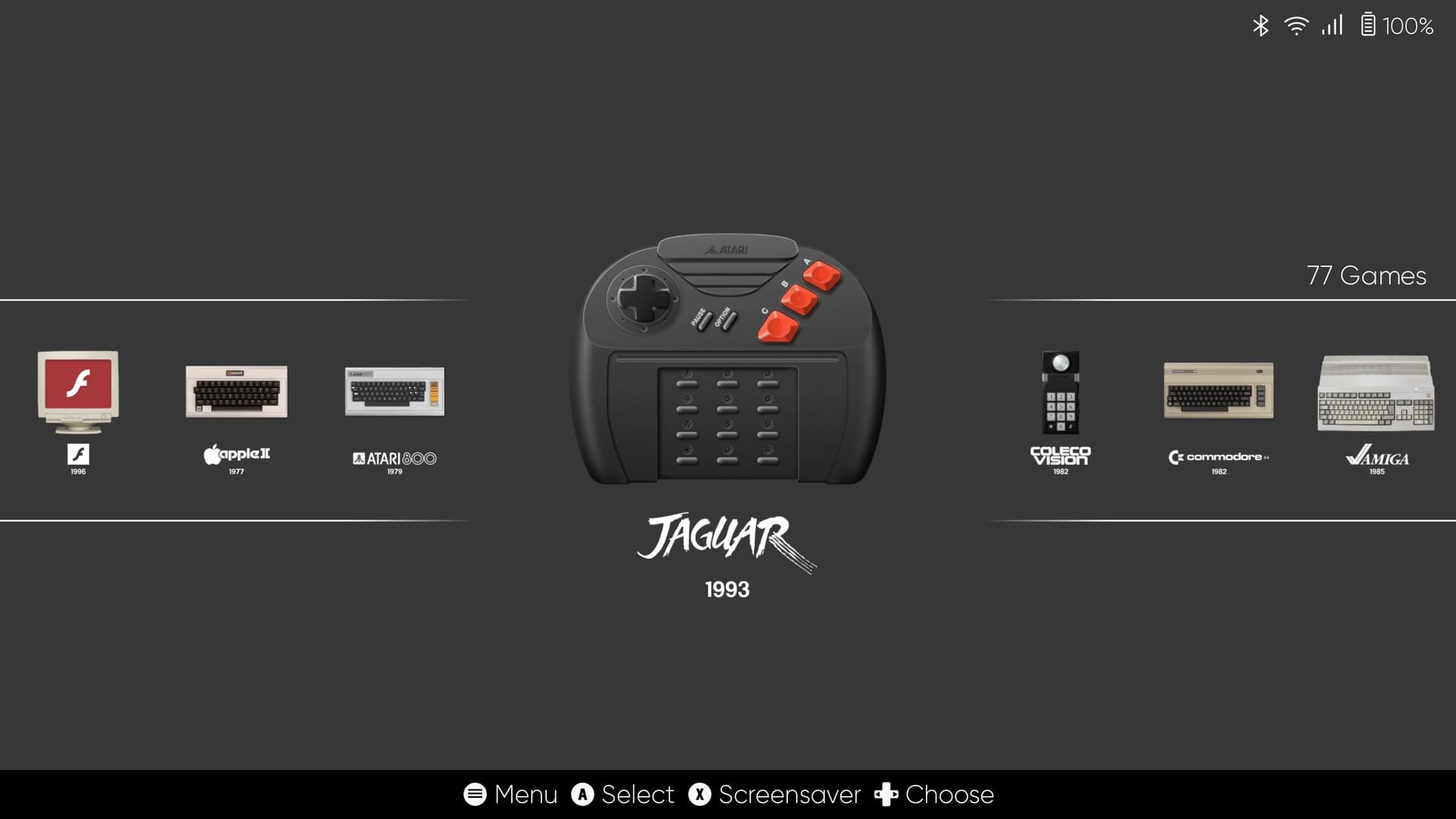
There’s a folder on my KONKR Pocket Advance called Front-Ends, and it holds four different ways to start the same games. ES-DE, Daijishō, iiSU and Socket. Same emulators underneath. Four completely different front doors.
That’s all a front end is, the menu you see before the game starts. On an Android handheld you pick one like an app. On a Linux handheld you usually pick a whole new operating system, and the menu comes with it.
Both worlds move fast, and older guides age badly. ArkOS is gone. MinUI is frozen. muOS goes by MustardOS now. So this page keeps track of all of it, and it changes whenever they do.
What’s new?
ZNeko just changed where your artwork comes from. ZNeko 0.6.23 asks iiDB first. That’s iiSU’s own artwork database, and iiSU’s app just started pulling from it too. SteamGridDB and ScreenScraper are the backups.
The better part is that you can now pick the art yourself, inside the app. You can browse the artwork and screenshots with previews, and hand-pick the icon, logo and hero image for a whole system. ZNeko remembers your picks for future iiDB scrapes, so a game it matched to the wrong thing stays fixed. There’s a switch to turn the sound clips off, too.
Your folders can look the part, as well. There are new icon sets for them, including a light and a dark one from iiDB, so they can match a light or dark theme.
Two-screen handhelds get a lot of fixes in this one. Quit a game on one, and iiSU could come back on the wrong screen. Or it would pop up on top of a game that was still running. iiSU Alpha 0.0.7.5 fixes both. Docking and undocking shouldn’t leave you staring at a blank screen anymore, either.
The fun part is the artwork. Scraping, if the word is new to you, is how a front end looks up each game online and fills your library with box art. iiSU can now pull that art from a source called iiDB. You get a gallery of icons, logos, backgrounds and screenshots to browse. It’ll even fetch short sound clips for your games, and you can listen before you pick.
And if iiSU ever closed on you right as a game started, the memory problem behind that is fixed. A new setting can pause animated art during launches, too.
Touch screens get some love. spruceOS 4.6 lets you tap to launch a game, swipe through your library and type on an on-screen keyboard. There’s a new Kid Mode too, a locked-down setup built around picking a game and nothing else. The Powkiddy V90S joins the device list, and the GameMT E5 Plus gets early support.
Recalbox 11 now runs on the Retroid Pocket Nova, the Anbernic RG35 and the RG35XX Pro. The catch is that it’s for Patreon backers only until Recalbox 11 is finished, and there’s no date for that. So far the team’s happy with games up to GameCube on the Nova and up to PlayStation 1 on the two Anbernics.
Older updates (3)
The current MustardOS adds Bluetooth. Don’t read the 2606 as a date, by the way. It came out in October.
If you’ve got one of Anbernic’s RG35XX-style handhelds, here’s a new option. NextUI used to be a TrimUI thing, and version 6.15 brings it over to that whole family.
If you’ve got two screens, ES-DE 3.5 lets you choose which one a game launches on, per system or per game. It can also pull game videos from TheGamesDB now.
What’s the difference between a front end and firmware?
A front end is a menu, and firmware is the whole operating system. A front end doesn’t play anything by itself. It shows your games with their box art, and when you pick one, it hands the game to an emulator, the program that actually pretends to be the old console.
Firmware goes deeper. It replaces what your handheld boots into, usually from an SD card, and brings its own menu along. Think of the difference between changing your phone’s home screen and installing a different operating system on your PC.
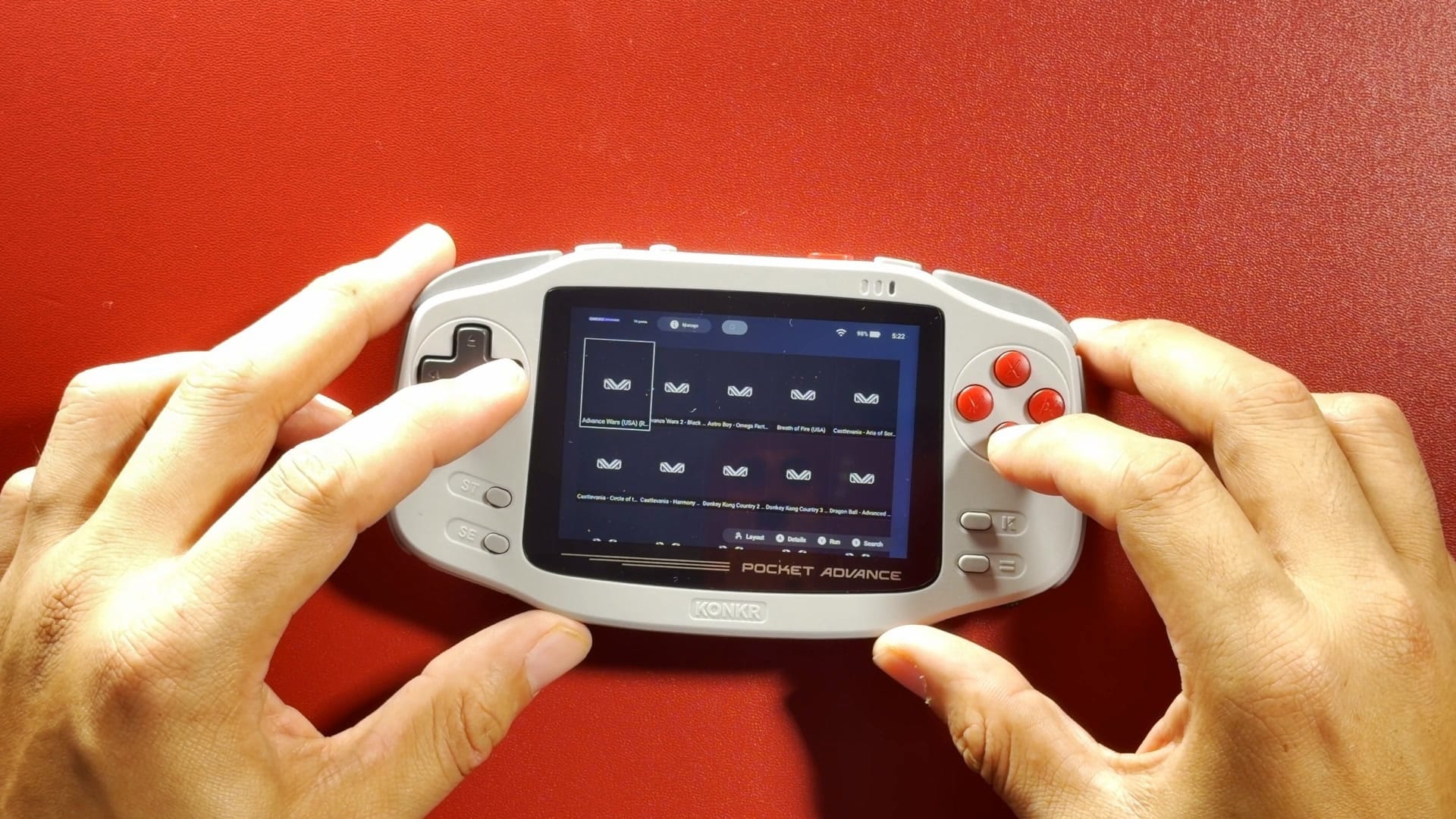
Stock menus are why people bother. Here’s my KONKR’s own library with nothing done to it. Those tiles are supposed to be box art.
Which Android front end should you get?
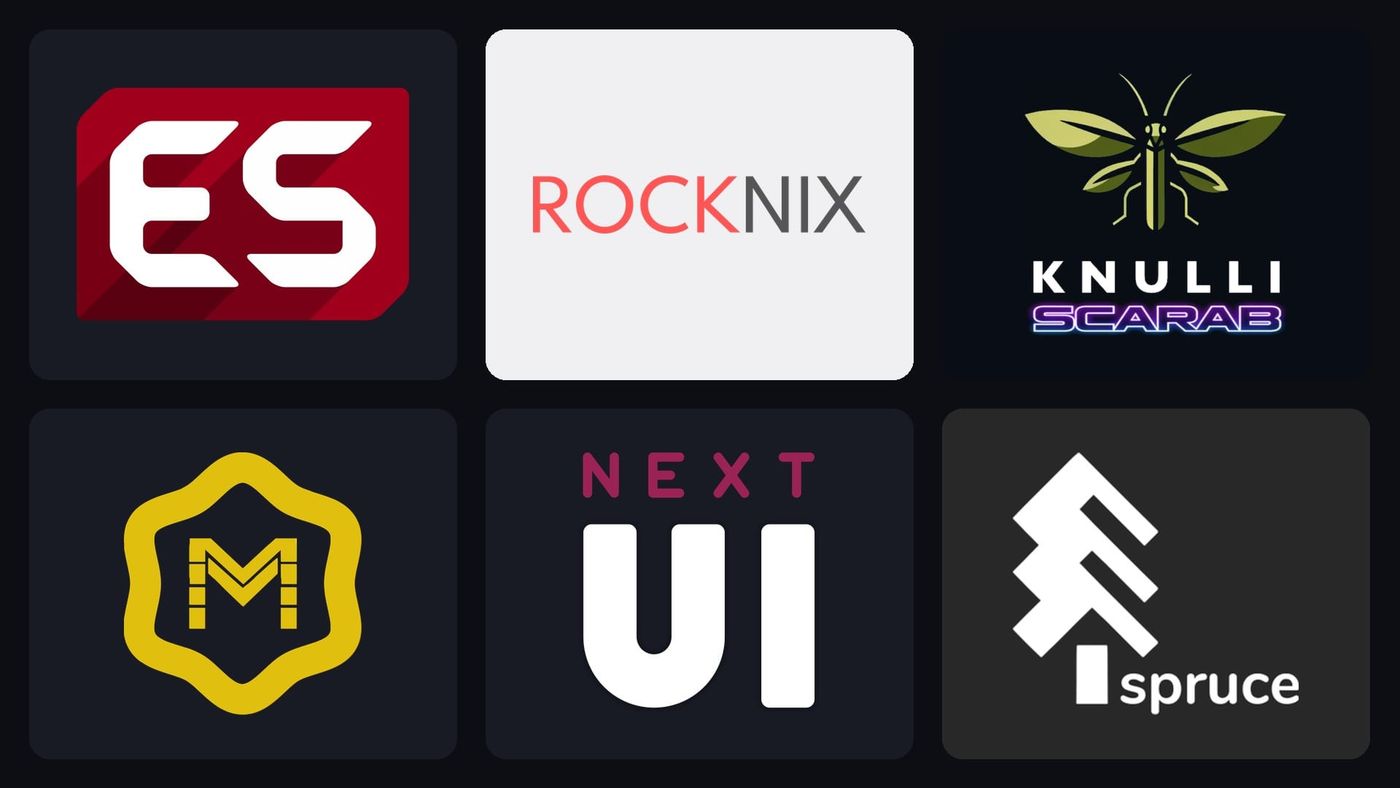
The one that matches how many games you’ve got and how many screens you’ve got. All of these launch the emulators you install yourself, so trying a second one doesn’t undo the first. Tap a logo for the details.
Two newer ones aren’t on the cards yet. Boxshelf turns your collection into a 3D shelf of boxes you can flip open, and it’s brand new. Argosy is built around RomM, a game library you host at home, so it’s really for people who already run one.
Which firmware works on your handheld?
Start with your device, because that settles most of it. Here’s who lists what.
| Your handheld | Firmware that officially lists it |
|---|---|
| Anbernic RG35XX Plus, H, SP, 2024, Pro; RG40XX; RG CubeXX; RG34XX; RG28XX | ROCKNIX, Knulli, MustardOS, NextUI, spruceOS (needs a second card), Batocera (RG40XX V; its wiki names the rest) |
| Anbernic RG353 and RG503 | ROCKNIX, Batocera, dArkOS, Recalbox (RG353 only), AmberELEC test builds |
| R36S and similar | ROCKNIX, Knulli; AmberELEC test builds; many clones are experimental |
| Miyoo Mini and Mini Plus | Onion, spruceOS, Allium |
| Miyoo Flip | Knulli, spruceOS |
| TrimUI Brick | NextUI, Knulli, MustardOS, spruceOS |
| TrimUI Smart Pro | NextUI, Knulli, MustardOS, spruceOS, CrossMix |
| Retroid Pocket 5, Flip 2, Mini | ROCKNIX, Knulli (early builds), Batocera, Armada |
| AYN Odin 2 family and Thor | ROCKNIX, Batocera, Armada |
| Powkiddy RGB30 | ROCKNIX, Knulli, Batocera, dArkOS, spruceOS |
| Steam Deck | RetroDECK, EmuDeck, ES-DE, Batocera, Recalbox |
Two gaps stand out. ROCKNIX doesn’t list a single Miyoo or TrimUI handheld, and MustardOS has no Miyoo in its current list either.
Found yours? Tap its firmware below.
If you want PC game ports on a retro handheld, PortMaster lists ROCKNIX, Knulli, MustardOS and dArkOS as fully supported.
Knulli or MustardOS?
It comes down to sleep and Bluetooth. Knulli wants you to shut down rather than sleep, because suspend drains the battery fast on most of its devices, and it spells out what Bluetooth does: controllers and audio both work, as long as the controller has a PC mode. MustardOS lets the power button sleep, but Bluetooth only arrived with its current release, and it prefers a freshly flashed card for updates.
Pick the one whose trade-off you can live with. Both lists cover the RG35XX family, and an SD card is cheap enough to try each.
ROCKNIX or Knulli?
ROCKNIX if you’ve got something newer or something Snapdragon, Knulli if you’ve got one of the devices it was made for. Their cards have the details, including what’s different under the hood.
RetroDECK or EmuDeck on a Steam Deck?
RetroDECK is one self-contained app, and EmuDeck is an installer that sets up each emulator separately. Both projects describe themselves that way, so pick the one that sounds like you.
How should you set up your SD card?
Let the firmware have the whole card, and don’t panic when it takes it. If your card suddenly looks like it’s lost all its free space, or Windows can’t read half of it, that’s normally on purpose. Each firmware’s card above says what it does to yours.
How do you make one your home screen, and undo it?
Through Android’s own settings. Search for Default Home App, pick your front end, and your handheld boots straight into it. Changing your mind is the same trip in reverse.
Can you go back to the stock system?
Usually, and rule one is to keep your original SD card. On Anbernic’s H700 handhelds the stock system lives on a card, and NextUI even installs onto it. Delete one file, dmenu.bin, and you’re back to stock.
Onion leaves the Miyoo firmware alone by design. The one to think twice about is ROCKNIX installed to internal storage on a Snapdragon handheld. It’s optional, it shrinks Android, and it wipes your Android data like a factory reset. There’s an uninstall option, but your data won’t come back with it.
Knulli and MustardOS don’t spell out the way home for most devices, which is one more reason to hang on to that first card.
Which projects have stopped?
ArkOS, JELOS and MinUI, so be careful with old guides. If one tells you to install ArkOS, you want dArkOS instead. Same developer, and the old one was retired at the end of 2025. JELOS shut down in 2024, and ROCKNIX carried on from there. AmberELEC is a stranger case. Its stable release hasn’t moved since February 2023, yet test builds were still coming out in October.
Don’t trust GitHub’s “latest” label on these, either. Knulli’s old repository is archived and still shows August 2025, while the real release sits in a new one. Onion’s release tagged “latest” is actually a beta. Batocera’s GitHub releases stop in 2021, and it’s on 43.1. Go by each project’s own page, or by the cards up above, which keep up.
Which one should you try first?
Whichever costs you the least to be wrong about. On Android, a front end is an app, so you can install another and lose nothing. That’s how a handheld ends up with four of them in one folder. On Linux, a spare SD card is the entire experiment.

ES-DE
Big libraries, lots of systems
- Cost
- $6 once on Patreon for Android, free everywhere else
- Android needed
- 10, 64-bit
- Two screens
- One at a time; a companion app fills the other
- Latest version
- 3.5.0, September 30, 2026
ES-DE is built for big libraries. You get more than 150 systems set up out of the box, a scraper that fetches box art and videos, and a choice of emulator per system or per game.
Paying for it takes a little explaining. The Android version is a one-time purchase through Patreon, the Galaxy Store or Huawei’s AppGallery, and you won’t find it on Google Play. On Patreon it’s $6, and one month’s membership is all it takes: the Android version is yours for good after that, on all your devices, with updates arriving by email. That’s how I bought mine. On a Steam Deck, Windows or a Mac, it’s free.
Good to know
- Like tapping your screen? You get an overlay of on-screen buttons and no gestures. Everything else is built around the controller.
- It sits on one screen at a time. For the other one there’s ES-DE Companion, a separate app that fills it with art, video and widgets.
- Set it as your home app and the Quit option disappears. If you ever feel locked in, pull down the notification shade, and Settings is still there.
- Games can sit on internal storage and the SD card at once, but its developers would rather you kept one games folder. Splitting systems up means editing paths by hand.
Works with
- RetroArch (official)Multi-systemBuilt inLaunched on my KONKR and my Galaxy Tab S9 Ultra. Get it from retroarch.com. The old Play Store build has no cores.
- RetroArch (EmuDeck build)Multi-systemAdd it yourselfLaunched on my Odin 2 Portal and my Galaxy Tab S9 Ultra. ES-DE only looks for the retroarch.com and Play package names: add a custom find rule pointing RETROARCH at emudeck.retroarch, or every RetroArch system says ’emulator not found’.
- EdenSwitchBuilt inLaunched on my Odin 2 Portal and my Galaxy Tab S9 Ultra. On Samsung’s stock graphics driver it crashed until I installed a Turnip driver inside Eden. On my RG 55G1, Eden ran one game and crashed or went to a black screen on most others, so that handheld uses Citron instead.
- CitronSwitchAdd it yourselfLaunched on my RG 55G1. Not in ES-DE 3.5.0, so it takes a custom command and find rule. Open Citron once after every boot, or launches from a front end quit before its keys load.
- NetherSX2PS2Built inSame entry also launches AetherSX2, which uses the same package name.
- ARMSX2PS2Built inLaunched on my Odin 2 Portal and my Galaxy Tab S9 Ultra. The ARMSX2 Refresh package (com.armsx2) was added in 3.5.0. Older ES-DE builds need a custom find rule for it.
- aPS3ePS3Built inLaunched on my Galaxy Tab S9 Ultra. Each game is one small .ps3 file holding its title ID. The first boot spends several minutes compiling.
- hakuXXboxBuilt inLaunched on my Galaxy Tab S9 Ultra and my RG 55G1. An alternative to X1 BOX: pick ’hakuX (Standalone)’ for the system. It needed a custom GPU driver on both of mine.
- XenDroidXbox 360Built inLaunched on my Galaxy Tab S9 Ultra (custom command). ES-DE’s own entry passes the game in a way XenDroid ignored when I tested it, so I used a custom command and one small .x360 file per game pointing at its default.xex.
- aX360eXbox 360Built inES-DE’s default Xbox 360 emulator.
- DolphinGameCube / WiiBuilt inLaunched on my Odin 2 Portal and my Galaxy Tab S9 Ultra. Grant the games folder inside Dolphin first (Android folder picker).
- CemuWii UBuilt inLaunched on my Odin 2 Portal and my Galaxy Tab S9 Ultra. Tested with EmuDeck’s Cemu build, which needed a custom find rule (emudeck.cemu.cemu). Grant the games folder inside Cemu.
- Azahar3DSBuilt inLaunched on my Odin 2 Portal and my Galaxy Tab S9 Ultra. Add .ncch to the 3DS extensions in a custom es_systems.xml if your dumps use it, and grant the system folder inside Azahar.
- Vita3KPS VitaBuilt inLaunched on my Odin 2 Portal. Use the official Vita3K build: the ikhoeyZX fork crashed every game on Snapdragon 8 Gen 2. Games are <Game>.psvita files holding the title ID.
- PPSSPPPSPBuilt inLaunched on my Odin 2 Portal and my Galaxy Tab S9 Ultra. Grant the games folder inside PPSSPP first.
- Flycast (standalone)DreamcastBuilt inLaunched on my Odin 2 Portal. On my Galaxy Tab S9 Ultra the standalone rejected ES-DE’s content-provider launch, so I used the RetroArch Flycast core there.
- melonDS (standalone)DSDidn't work for meThere’s a preset, but on my Odin 2 Portal the standalone hit a storage-access error, so I used the RetroArch melonDS core instead.
Latest news
If you’ve got two screens, ES-DE 3.5 lets you choose which one a game launches on, per system or per game. It can also pull game videos from TheGamesDB now.
Link straight to this card: averagetechnerds.com/retro-handheld-front-ends-firmware-es-de-daijisho-rocknix-knulli/#open=es-de

Daijishō
Free, and promised to stay free
- Cost
- Free
- Android needed
- 8
- Two screens
- Doesn’t say
- Latest version
- 1.8.1, January 30, 2026
Daijishō costs nothing, and its developers promise it’ll stay that way. You download the platforms you want from inside the app and point each one at an emulator. It also shows your RetroAchievements, the free service that adds achievements to old games.
Good to know
- Google Play is the place to get it. Its GitHub page names no website, so treat daijisho.app and daijisho.com as strangers.
- Coming from Pegasus, another front end? Daijishō can bring over some of its emulator settings and platform files.
Works with
- RetroArch (official)Multi-systemBuilt inLaunched on my KONKR and my Galaxy Tab S9 Ultra. A platform uses its first player whose app is installed. If that core isn’t downloaded in RetroArch you get a black screen, so delete the players ahead of the core you have.
- RetroArch (EmuDeck build)Multi-systemAdd it yourselfLaunched on my Galaxy Tab S9 Ultra (Game Boy via Gambatte). No built-in players: add your own under Settings > Library > Add a player, pointing at emudeck.retroarch and its core files.
- EdenSwitchBuilt inOn my RG 55G1 I deleted this player, because Eden crashed or went to a black screen on most games there and Citron runs instead.
- CitronSwitchBuilt inSet up as my RG 55G1’s Switch player (DETECT offered it once the Eden player was deleted). Open Citron once after every boot or launches quit.
- NetherSX2PS2Built in
- ARMSX2PS2Built inOn my RG 55G1 I deleted the AetherSX2 player so DETECT would offer ARMSX2.
- aPS3ePS3Built inFor installed PSN games, use the ’aPS3e (Folder Style)’ player with one .ps3folder file per game, which is how my RG 55G1 is set up. The plain player only reads .iso files.
- hakuXXboxBuilt inLaunched on my RG 55G1.
- XenDroidXbox 360Built inThe stock player expects an .iso. For extracted games I edited it and made one small .dpt file per game on my RG 55G1.
- aX360eXbox 360Built in
- DolphinGameCube / WiiBuilt in
- CemuWii UBuilt inLaunched on my Galaxy Tab S9 Ultra (custom player for EmuDeck’s Cemu). Wii U is an optional platform: tick it under Settings > Library > Download platforms.
- Azahar3DSBuilt inLaunched on my Galaxy Tab S9 Ultra (custom -d {file.uri} player). The 3DS file pattern has no .ncch: add it to the platform regex if your dumps use it.
- Vita3KPS VitaBuilt inNeeds one .dpt file per game holding the Vita title ID.
- PPSSPPPSPBuilt inUse the built-in player (content URI). My own file:// player did not boot PPSSPP.
- Flycast (standalone)DreamcastBuilt inRedream is listed first: on my RG 55G1 I deleted it so DETECT would offer Flycast.
- melonDS (standalone)DSBuilt in
Link straight to this card: averagetechnerds.com/retro-handheld-front-ends-firmware-es-de-daijisho-rocknix-knulli/#open=daijisho
Beacon
Simple, with cover art done for you
- Cost
- $2.99
- Android needed
- 7
- Two screens
- Doesn’t say
- Latest version
- 1.9.0.2, October 14, 2026
Beacon is $2.99 on Google Play, and it grabs cover art for you. Its listing doesn’t tell you much beyond that, and there’s no project website to fill in the gaps.
Good to know
- beaconlauncher.com has nothing to do with it. That’s a server browser for DayZ.
Works with
Beacon launches the emulators you add yourself, and it only calls out two by name: ARMSX2, a PS2 emulator, and SeedlessDS, a DS emulator, both added in its latest update.
- ARMSX2PS2Built inIts October update added ARMSX2 by name.
Not on its list and not tested: RetroArch (official), RetroArch (EmuDeck build), Eden, Citron, NetherSX2, aPS3e, hakuX, XenDroid, aX360e, Dolphin, Cemu, Azahar, Vita3K, PPSSPP, Flycast (standalone), melonDS (standalone).
Link straight to this card: averagetechnerds.com/retro-handheld-front-ends-firmware-es-de-daijisho-rocknix-knulli/#open=beacon

iiSU
Two-screen handhelds
- Cost
- Free, alpha
- Android needed
- 10 tested
- Two screens
- Yes, its main focus
- Latest version
- Alpha 0.0.7.5, November 9, 2026
iiSU is the one to watch if your handheld has two screens, because most of its development goes into exactly those devices. It treats the second screen as part of the design, with its own media and its own launches. It’s free and it’s still in alpha, so expect bugs.
Good to know
- Builds are free on GitHub. Ko-fi supporters get new alpha builds a little earlier.
- To boot straight into it, search Android’s settings for Default Home App and pick iiSU.
Works with
- RetroArch (official)Multi-systemBuilt inEvery console starts on the 32-bit com.retroarch package: open each console’s emulator settings and run Detect so it switches to the 64-bit build.
- RetroArch (EmuDeck build)Multi-systemAdd it yourselfNot in its catalog: I added emudeck.retroarch to the RetroArch packages in emuladores.json on my Galaxy Tab S9 Ultra, and Detect then picked it. Only do it for consoles meant to use RetroArch.
- EdenSwitchBuilt inDetect picked Eden for Switch on my Galaxy Tab S9 Ultra.
- CitronSwitchBuilt inOn my RG 55G1 I moved the Citron entry first in the Switch list and re-ran Detect. Open Citron once after every boot or launches quit.
- NetherSX2PS2Built in
- ARMSX2PS2Built inOn my RG 55G1 I moved the ARMSX2 Refresh entry first so Detect picked com.armsx2.
- aPS3ePS3Built in
- hakuXXboxBuilt inLaunched on my RG 55G1. Move the hakuX entry first in the Xbox console’s list, or Detect picks X1 BOX.
- XenDroidXbox 360Built inAdded in 0.0.7.5 on November 9. Before that I wired it into my RG 55G1 with my own catalog entry. Run Detect again after any catalog edit.
- aX360eXbox 360Built in
- DolphinGameCube / WiiBuilt inEmuDeck’s Dolphin build is not in the list: I added emudeck.dolphinemu.dolphinemu to its packages on my Galaxy Tab S9 Ultra.
- CemuWii UBuilt inEmuDeck’s Cemu build is not in the list: I added emudeck.cemu.cemu to its packages on my Galaxy Tab S9 Ultra.
- Azahar3DSBuilt inIts 3DS entry has no .ncch extension: add it to emuladores.json and rescan. An iiSU update can undo the edit.
- Vita3KPS VitaBuilt in
- PPSSPPPSPBuilt in
- Flycast (standalone)DreamcastBuilt in
- melonDS (standalone)DSBuilt in
Latest news
Two-screen handhelds get a lot of fixes in this one. Quit a game on one, and iiSU could come back on the wrong screen. Or it would pop up on top of a game that was still running. iiSU Alpha 0.0.7.5 fixes both. Docking and undocking shouldn’t leave you staring at a blank screen anymore, either.
The fun part is the artwork. Scraping, if the word is new to you, is how a front end looks up each game online and fills your library with box art. iiSU can now pull that art from a source called iiDB. You get a gallery of icons, logos, backgrounds and screenshots to browse. It’ll even fetch short sound clips for your games, and you can listen before you pick.
And if iiSU ever closed on you right as a game started, the memory problem behind that is fixed. A new setting can pause animated art during launches, too.
Link straight to this card: averagetechnerds.com/retro-handheld-front-ends-firmware-es-de-daijisho-rocknix-knulli/#open=iisu
Socket
Your games as 3D cartridges on a shelf
- Cost
- $6 a month on Patreon; the free 0.3.2 no longer updates
- Android needed
- Doesn’t say
- Two screens
- Yes, in alpha since 0.8.0
- Latest version
- 0.9.0
Socket turns each platform into a shelf of 3D cartridges and discs, and it fetches the art for you. It’s made for a smaller, hand-picked library more than a giant one. One developer builds it, and it’s one of the four front ends in that folder on my KONKR.
I pay $6 a month on Patreon for it, because that’s how you get every version from 0.5.0 on. The free 0.3.2 still works, it just isn’t getting updates, and you keep any version you’ve already downloaded.
Good to know
- Use the official RetroArch build. On my tablet, Socket didn’t recognise EmuDeck’s RetroArch, so every cartridge system showed “None installed”.
- The version I set up handles 20 platform types. Arcade, Saturn, PC Engine and Vita weren’t among them.
- For 3DS it wants .cci, .cxi or .3ds files, and for PS3 only .iso.
- After you edit or delete a platform, open it and scan again, or it can keep showing the old game list.
Works with
- RetroArch (official)Multi-systemBuilt inLaunched on my KONKR. Default cores are often ones you haven’t downloaded (vba_next, nestopia, beetle psx hw): edit each platform and pick an installed core.
- RetroArch (EmuDeck build)Multi-systemDidn't work for meSocket doesn’t know the emudeck.retroarch package: on my Galaxy Tab S9 Ultra every cartridge system showed ’None installed’.
- CitronSwitchBuilt inOffered in Socket’s Switch emulator list on my RG 55G1. Open Citron once after every boot or launches quit.
- ARMSX2PS2Built inOffered as ’ARMSX2 (Refresh/GitHub)’ on my RG 55G1. Pick it over the AetherSX2 default.
- hakuXXboxBuilt inLaunched on my RG 55G1. Offered for Xbox under Edit > Emulator.
- XenDroidXbox 360Built inSocket picked XenDroid for Xbox 360 on my Galaxy Tab S9 Ultra, but it doesn’t see games stored as extracted folders.
- Flycast (standalone)DreamcastBuilt inPicked for Dreamcast on my Galaxy Tab S9 Ultra. On my RG 55G1 the default was Redream, so choose Flycast.
Not on its list and not tested: Eden, NetherSX2, aPS3e, aX360e, Dolphin, Cemu, Azahar, Vita3K, PPSSPP, melonDS (standalone).
Link straight to this card: averagetechnerds.com/retro-handheld-front-ends-firmware-es-de-daijisho-rocknix-knulli/#open=socket
LaunchBox
People who already use it on Windows
- Cost
- Free up to 100 games; $15 with a year of updates; $40 with lifetime updates; Windows and Android bundle $35, or $100 with lifetime updates
- Android needed
- 8
- Two screens
- Yes
- Latest version
- 1.23, October 9, 2026
LaunchBox will feel familiar if you already use it on Windows. I’ve got a licence for both. It’s free up to 100 games, with every premium feature, and it picked up dual-screen support in October. Past 100 games, $15 gets you a year of updates and $40 gets you updates for life.
There’s an odd line on its download page, though. It doesn’t recommend Chinese-branded devices, and it’s tested on Samsung phones and the Nvidia Shield. That rules out Anbernic, Retroid and AYN on paper, so read it before you pay.
Good to know
- It isn’t on Google Play. You ask for a download link and it arrives by email.
- It can be your home screen, and you switch that on or off from its own Options menu.
Works with
- RetroArch (official)Multi-systemBuilt in
- EdenSwitchBuilt in
- CitronSwitchBuilt in
- NetherSX2PS2Built in
- ARMSX2PS2Built in
- aPS3ePS3Built in
- hakuXXboxBuilt in
- XenDroidXbox 360Built in
- aX360eXbox 360Built in
- DolphinGameCube / WiiBuilt in
- CemuWii UBuilt in
- Azahar3DSBuilt in
- Vita3KPS VitaBuilt in
- PPSSPPPSPBuilt inIts own note: open PPSSPP first and let it scan your PSP folder.
- Flycast (standalone)DreamcastBuilt in
- melonDS (standalone)DSBuilt inSince 1.23 melonDS can use both screens on dual-screen devices.
Not on its list and not tested: RetroArch (EmuDeck build).
Link straight to this card: averagetechnerds.com/retro-handheld-front-ends-firmware-es-de-daijisho-rocknix-knulli/#open=launchbox

Console Launcher
A whole home screen built around your games
- Cost
- Free, Pro $4.99
- Android needed
- 8
- Two screens
- Doesn’t say for the Play build
- Latest version
- Oganesson, April 10, 2026
Console Launcher has been around longer than most of these, free with a $4.99 Pro upgrade. It’s an Android home screen by design, so it replaces your whole launcher.
Good to know
- Version 2 is in beta on its GitHub page, and that’s where theme packs and a RetroAchievements viewer are showing up.
Works with
Its emulator list is copied from Daijishō’s, last synced on October 9, so the Google Play version may not match it exactly.
- RetroArch (official)Multi-systemBuilt in
- EdenSwitchBuilt in
- CitronSwitchBuilt in
- NetherSX2PS2Built in
- ARMSX2PS2Built in
- aPS3ePS3Built in
- hakuXXboxBuilt in
- XenDroidXbox 360Built in
- aX360eXbox 360Built in
- DolphinGameCube / WiiBuilt in
- CemuWii UBuilt in
- Azahar3DSBuilt in
- Vita3KPS VitaBuilt in
- PPSSPPPSPBuilt in
- Flycast (standalone)DreamcastBuilt in
- melonDS (standalone)DSBuilt in
Not on its list and not tested: RetroArch (EmuDeck build).
Link straight to this card: averagetechnerds.com/retro-handheld-front-ends-firmware-es-de-daijisho-rocknix-knulli/#open=console-launcher
ZNeko
Free, young, one screen or two
- Cost
- Free
- Android needed
- 7
- Two screens
- Yes
- Latest version
- 0.6.23, November 10, 2026
ZNeko is free with no ads, and donating doesn’t unlock anything extra. It finds most systems on its own, works on one screen or two, and pulls art from iiDB first, then SteamGridDB and ScreenScraper, or lets you pick it by hand.
Good to know
- It can add shortcuts for GameNative and GameHub, two of the apps that run PC games on Android.
Works with
Its page promises most major emulators but only names Vita3K. You can add a missing one yourself in its custom-emulators.json file.
- Vita3KPS VitaBuilt inPoint it at Vita3K’s storage folder and games are found without .psvita or .dpt files.
Not on its list and not tested: RetroArch (official), RetroArch (EmuDeck build), Eden, Citron, NetherSX2, ARMSX2, aPS3e, hakuX, XenDroid, aX360e, Dolphin, Cemu, Azahar, PPSSPP, Flycast (standalone), melonDS (standalone).
Latest news
ZNeko just changed where your artwork comes from. ZNeko 0.6.23 asks iiDB first. That’s iiSU’s own artwork database, and iiSU’s app just started pulling from it too. SteamGridDB and ScreenScraper are the backups.
The better part is that you can now pick the art yourself, inside the app. You can browse the artwork and screenshots with previews, and hand-pick the icon, logo and hero image for a whole system. ZNeko remembers your picks for future iiDB scrapes, so a game it matched to the wrong thing stays fixed. There’s a switch to turn the sound clips off, too.
Your folders can look the part, as well. There are new icon sets for them, including a light and a dark one from iiDB, so they can match a light or dark theme.
Link straight to this card: averagetechnerds.com/retro-handheld-front-ends-firmware-es-de-daijisho-rocknix-knulli/#open=zneko
RetroHrai
No accounts, everything on the device
- Cost
- Free, beta
- Android needed
- 8
- Two screens
- Yes
- Latest version
- 0.6.0, October 6, 2026
RetroHrai is free and in public beta. It searches four art sources, IGDB, TheGamesDB, ScreenScraper and SteamGridDB, and its listing says there are no accounts and everything stays on your device.
Good to know
- Its global hotkeys run through an Android Accessibility Service, so expect it to ask for that permission.
Works with
Its listing doesn’t name a single emulator, so there’s nothing solid to put here yet.
Link straight to this card: averagetechnerds.com/retro-handheld-front-ends-firmware-es-de-daijisho-rocknix-knulli/#open=retrohrai

NeoStation
Open source, with cloud saves
- Cost
- Free; paid cloud-save plans
- Android needed
- 7, 64-bit
- Two screens
- Doesn’t say
- Latest version
- 0.16.1, November 8, 2026
NeoStation is free, open source and in beta. Point it at a ROMs folder and it works out the systems by itself, with RetroArch or standalone emulators.
Good to know
- Cloud saves come through NeoSync, free up to 4 MB, with paid plans for bigger collections.
- It also connects to RomM, if you already host your own game library at home.
Works with
- RetroArch (official)Multi-systemBuilt in
- EdenSwitchBuilt in
- CitronSwitchBuilt in
- NetherSX2PS2Built in
- ARMSX2PS2Built in
- aPS3ePS3Built in
- hakuXXboxBuilt inX1 Box is the default for Xbox. Pick hakuX.
- XenDroidXbox 360Built in
- aX360eXbox 360Built in
- DolphinGameCube / WiiBuilt in
- CemuWii UBuilt in
- Azahar3DSBuilt in
- Vita3KPS VitaBuilt in
- PPSSPPPSPBuilt in
- Flycast (standalone)DreamcastBuilt in
- melonDS (standalone)DSBuilt in
Not on its list and not tested: RetroArch (EmuDeck build).
Link straight to this card: averagetechnerds.com/retro-handheld-front-ends-firmware-es-de-daijisho-rocknix-knulli/#open=neostation

ROCKNIX
Newer and Snapdragon handhelds
- Cost
- Free
- Menu
- EmulationStation
- Runs on
- Anbernic RG35XX family, RG353, RG503, R36S; Retroid Pocket 5, Flip 2, Mini; AYN Odin 2 family and Thor; Powkiddy RGB30
- Latest version
- 20261101, November 1, 2026
ROCKNIX ships monthly, and it reaches up to the Retroid Pocket 5, the Odin 2 family and the Thor. It also calls itself “a tinkerer’s distribution” with no formal support, so set your expectations there.
Put it next to Knulli on the same RG35XX Plus and you can see the difference under the hood. ROCKNIX runs a current version of Linux, and Knulli runs the much older one that came from the chip’s maker.
Good to know
- Its main partition is Ext4, which Windows can’t read at all, so a second card in FAT32 or exFAT is the easy way to load games from a PC.
- Installing it to internal storage on a Snapdragon handheld is optional. It shrinks Android and wipes your Android data like a factory reset, and uninstalling won’t bring that data back.
- On the RG353P, RG353M and RG353V, its own guide has you wipe the Android on internal storage first.
- No Miyoo or TrimUI handheld is on its list.
Emulators included
- RetroArchMulti-systemIncludedDefault player for most systems.
- PortMasterPC game portsIncludedBundled on all ARM builds. The wiki’s Ports page still tells you to install it yourself.
- DraSticDSIncludedDefault DS emulator on H700, RK3326, RK3399, RK3566/RK3576, RK3588, S922X and SM6115 builds. On 8 Gen 2 (SM8550) builds it is an option and melonDS is the default. Not packaged for SD865/845, 8 Gen 3 or 8 Elite builds, which use melonDS. The launcher fetches DraStic on first run.
- PPSSPP (standalone)PSPIncludedOn every device. Default PSP emulator.
- Mupen64Plus (standalone)N64IncludedOn every device. The default N64 option is the Mupen64Plus-Next RetroArch core.
- Flycast (standalone)DreamcastIncludedOn every device. Default for Dreamcast on S922X and Snapdragon builds. Weaker chips default to the Flycast 2021 core.
- DuckStationPS1IncludedOn every device but not the default. PS1 defaults to the PCSX ReARMed core.
- Yaba SanshiroSaturnIncludedOn every device. Default Saturn emulator.
- DolphinGameCube / WiiIncludedNot on H700 or RK3326. On RK3399, RK3566/RK3576, RK3588, S922X, SM6115 and all Snapdragon builds.
- PCSX2 / AetherSX2PS2IncludedARMSX2, a PCSX2-based emulator, on RK3399, RK3566/RK3576, RK3588, S922X and Snapdragon builds. Not on H700 or RK3326. The wiki’s PS2 page still names AetherSX2.
- Azahar / Lime3DS / Citra3DSIncludedAzahar on RK3566/RK3576, RK3588, S922X, SM6115 and Snapdragon builds. Not on H700, RK3326 or RK3399.
- Vita3KPS VitaIncludedOn RK3566/RK3576, RK3588, S922X, SM6115 and Snapdragon builds. Not on H700, RK3326 or RK3399.
- CemuWii UIncludedOnly on Snapdragon builds (SD865/845, 8 Gen 2, 8 Gen 3, 8 Elite and SM4450).
- RPCS3PS3IncludedOnly on SD865/845, 8 Gen 2, 8 Gen 3 and 8 Elite builds.
- xemuXboxIncludedOnly on Snapdragon builds (SD865/845, 8 Gen 2, 8 Gen 3, 8 Elite and SM4450).
- ScummVMpoint-and-clickIncludedStandalone on every device. A RetroArch core is also included.
- PICO-8 (native)PICO-8Add-onLauncher built in. You add your own purchased PICO-8 copy. The free Fake-08 core is included.
Not included: Switch emulator (Eden, Ryubing, Citron...).
Link straight to this card: averagetechnerds.com/retro-handheld-front-ends-firmware-es-de-daijisho-rocknix-knulli/#open=rocknix

Armada
Steam and PC games on a Snapdragon handheld
- Cost
- Free; donations through Open Collective
- Menu
- Steam’s Game Mode, with a KDE desktop alongside
- Runs on
- AYN Odin 2 family, Odin 3, Odin 3 Portal, Thor, Thor Lite; Retroid Pocket 5, Flip 2, Mini, 6, Nova, Duo; KONKR Pocket FIT; AYANEO Pocket EVO, S2, ACE, DS, DMG, MICRO 2, S; MANGMI AIR Y Pro (8 GB), Pocket Max
- Latest version
- 20261109, November 9, 2026
Armada is the odd one out on this page. It’s built for Steam first, so it boots straight into Steam’s Game Mode, the way a Steam Deck does, and Windows games run through FEX and Proton, which come set up for you. If your Snapdragon handheld is on that list and you want PC games on it, this is the one to try. I’ve written up the whole install on AYN handhelds, from the card to the boot menu.
Emulators work the other way round from ROCKNIX and Knulli. None come in the image. They’re one click away in the Armada Store, and you set each one up yourself.
Good to know
- Android apps run inside it too, through Valve’s Lepton, and the Aurora Store finds them on Google Play for you.
- On the card, Android’s apps and data stay put, though you do swap in a new bootloader first, and a boot menu picks Linux or Android each time. Installing to internal storage is optional, and it wipes Android’s apps and data like a factory reset.
- Sleep got much better in 20261109, but Armada’s own wiki still calls it a work in progress.
- The wiki lags the releases. It still describes the old bootloader and leaves out the Odin 3 Portal and the Retroid Pocket Duo, so follow the README on the card for the bootloader steps.
Emulators included
- RetroArchMulti-systemAdd-onOne click in the Armada Store. Cores come from RetroArch’s own updater.
- PortMasterPC game portsNot includedNot offered yet. Adding it is an open request.
- DraSticDSNot includedNot offered. DS runs on melonDS, a one-click add-on that can use both screens on two-screen handhelds.
- PPSSPP (standalone)PSPAdd-on
- Mupen64Plus (standalone)N64Not includedNo standalone N64 emulator in the Store.
- Flycast (standalone)DreamcastAdd-on
- DuckStationPS1Add-onInstalls the latest preview build.
- Yaba SanshiroSaturnNot includedNot offered. Saturn runs on Ymir, another one-click add-on.
- DolphinGameCube / WiiAdd-onPrimeHack, the Metroid Prime fork, is in the Store too.
- PCSX2 / AetherSX2PS2Add-onARMSX2, a PCSX2-based emulator built for ARM, in nightly builds.
- Azahar / Lime3DS / Citra3DSAdd-onCan use both screens on two-screen handhelds.
- Vita3KPS VitaAdd-on
- Switch emulator (Eden, Ryubing, Citron...)SwitchNot includedNo Switch emulator in the Store or the docs.
- CemuWii UAdd-on
- RPCS3PS3Add-on
- xemuXboxAdd-onInstalls the latest nightly build.
- ScummVMpoint-and-clickAdd-on
Not included: PICO-8 (native).
Link straight to this card: averagetechnerds.com/retro-handheld-front-ends-firmware-es-de-daijisho-rocknix-knulli/#open=armada

Knulli
Devices that are hard to support any other way
- Cost
- Free
- Menu
- EmulationStation
- Runs on
- Anbernic RG35XX family, RG40XX, RG CubeXX, R36S; Miyoo Flip; TrimUI Brick, Smart Pro; Retroid Pocket 5, Flip 2, Mini (early builds); Powkiddy RGB30
- Latest version
- Scarab 20260511, May 11, 2026
Knulli exists for handhelds that are hard to support any other way. It’s upfront that suspend drains the battery fast on most of its devices, so it wants you to shut down properly and use its Quick Resume feature instead. In return, it spells out Bluetooth clearly: controllers and audio both work, as long as the controller has a PC mode.
Good to know
- On first boot it stretches its games partition across the rest of the card and reformats it as exFAT.
- With two cards, the second replaces the games partition on the first, so you can’t keep games on both at once.
- It usually updates in place, but its latest release, Scarab, needed a reflash.
- Its old GitHub repository is archived and still shows August 2025. The real releases live in knulli-linux.
Emulators included
- RetroArchMulti-systemIncludedRetroArch 1.22.2 in Scarab.
- PortMasterPC game portsAdd-onNot preinstalled. Install it from Device Settings > Install PortMaster.
- DraSticDSIncludedAdvanced DraStic on H700 (Anbernic), A133 (TrimUI), RK3326 and RK3566 builds. The Retroid (SD865) build rule has a typo in its device name, so DraStic may not be included there. Check before you rely on it.
- PPSSPP (standalone)PSPIncludedOn every Knulli device.
- Mupen64Plus (standalone)N64IncludedOn every Knulli device.
- Flycast (standalone)DreamcastIncludedNot on RK3326 builds. N64 and Dreamcast cores are also included.
- DuckStationPS1Not includedStandalone DuckStation is switched off in Scarab’s build list. PS1 runs on PCSX ReARMed, SwanStation or Beetle PSX cores.
- Yaba SanshiroSaturnNot includedStandalone is switched off in the build list. Saturn uses the Yaba Sanshiro RetroArch core, plus Beetle Saturn on Retroid SD865 builds.
- DolphinGameCube / WiiIncludedOn Retroid SD865 builds (RP5, Mini, Flip 2), RK3566 builds (RGB30, X55, RG Arc S), RK3576 and A527. Not on H700 or A133 devices.
- PCSX2 / AetherSX2PS2IncludedAetherSX2 on Retroid SD865, RK3576 and A527 builds only.
- Azahar / Lime3DS / Citra3DSIncludedAzahar on Retroid SD865, RK3566, RK3576 and A527 builds. Not on H700 or A133.
- Vita3KPS VitaIncludedOnly on Retroid SD865 and RK3576 builds.
- CemuWii UIncludedOnly on Retroid SD865 builds.
- RPCS3PS3IncludedOnly on Retroid SD865 builds.
- xemuXboxIncludedOnly on Retroid SD865 builds.
- ScummVMpoint-and-clickIncludedStandalone and RetroArch versions are both included.
- PICO-8 (native)PICO-8Add-onBuilt-in installer: copy your purchased PICO-8 zip to the card and run Install Pico-8 from Device Settings. The free Fake-08 core is the default.
Not included: Switch emulator (Eden, Ryubing, Citron...).
Link straight to this card: averagetechnerds.com/retro-handheld-front-ends-firmware-es-de-daijisho-rocknix-knulli/#open=knulli

MustardOS
A themeable menu on Anbernic and TrimUI
- Cost
- Free
- Menu
- Its own
- Runs on
- Anbernic RG35XX family, RG40XX, RG CubeXX, RG34XX, RG28XX; TrimUI Brick, Smart Pro
- Latest version
- 2606.0 Andromeda, October 24, 2026
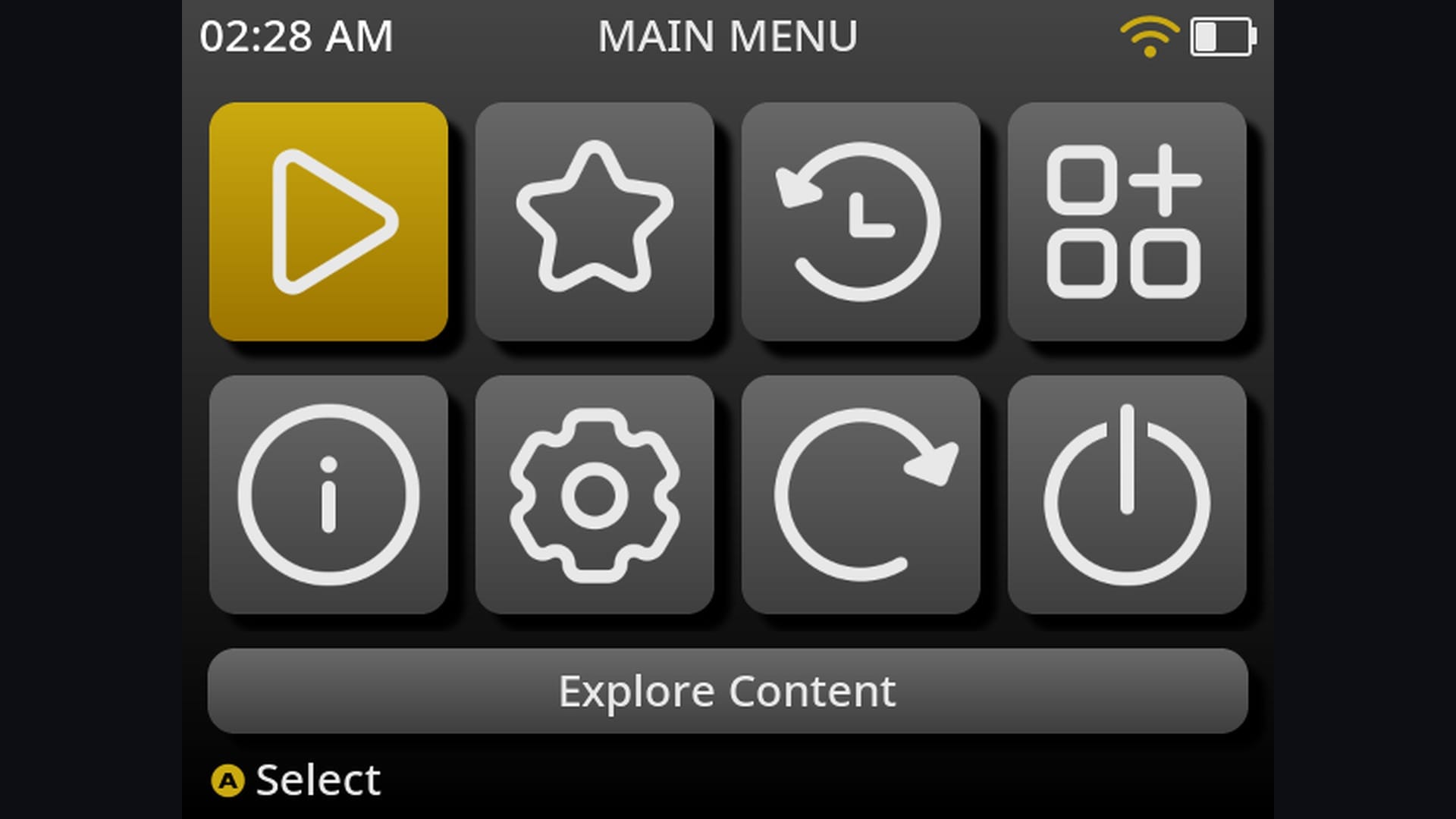
You might know it as muOS. MustardOS has its own themeable menu and a power button you can set to sleep, then shut down. Bluetooth only arrived with the current release, and don’t read the 2606 in its version number as a date.
Good to know
- Its advice for updates is a freshly flashed card, so keep your games on a second card if your handheld has the slot.
- At first boot it asks how to format the games card and recommends exFAT, since FAT32 tops out at 4 GB per file.
- No Miyoo handheld is on its current list.
Emulators included
- RetroArchMulti-systemIncludedRuns alongside Pickles, MustardOS’s own libretro player.
- PortMasterPC game portsIncludedShipped as an application and archive. TrimUI devices cannot run 32-bit (armhf) ports.
- DraSticDSIncludedShips with both DraStic and trngaje’s Advanced DraStic, which is preferred.
- PPSSPP (standalone)PSPIncludedStandalone and RetroArch versions.
- Mupen64Plus (standalone)N64IncludedStandalone with several video plugins. The default N64 choice is the Mupen64Plus-Next core.
- Flycast (standalone)DreamcastIncludedStandalone, alongside several Flycast cores.
- DuckStationPS1Not includedOnly the DuckStation RetroArch core is listed, with PCSX ReARMed and SwanStation cores. No standalone.
- Yaba SanshiroSaturnIncludedStandalone Yaba Sanshiro is included. The default Saturn core is Yabadabadoo.
- Azahar / Lime3DS / Citra3DSIncludedOnly on the RG Vita Pro. 3DS is hidden on other devices.
- ScummVMpoint-and-clickIncludedStandalone has been the default since Banana. The RetroArch core is also included.
- PICO-8 (native)PICO-8Add-onStandalone launchers built in. You add your own purchased PICO-8 copy. Defaults to Picante8, MustardOS’s free PICO-8 core.
Not included: Dolphin, PCSX2 / AetherSX2, Vita3K, Switch emulator (Eden, Ryubing, Citron...), Cemu, RPCS3, xemu.
Latest news
The current MustardOS adds Bluetooth. Don’t read the 2606 as a date, by the way. It came out in October.
Link straight to this card: averagetechnerds.com/retro-handheld-front-ends-firmware-es-de-daijisho-rocknix-knulli/#open=mustardos
dArkOS
The ArkOS replacement
- Cost
- Free
- Menu
- EmulationStation
- Runs on
- Anbernic RG351MP, RG353M and V, RG503; Powkiddy RGB10, RGB20 Pro, RGB30, RK2023; a few others
- Latest version
- v08272026, August 30, 2026
If an old guide tells you to install ArkOS, this is what you want instead. Same developer, and ArkOS itself was retired at the end of 2025. dArkOS runs EmulationStation with RetroArch, and PortMaster lists it as fully supported for PC game ports.
Good to know
- It updates itself online, unless a bigger change needs a fresh flash.
- On first boot it stretches its games partition across the card, much like Knulli.
Emulators included
- RetroArchMulti-systemIncludedBoth 64-bit and 32-bit RetroArch.
- PortMasterPC game portsAdd-onThe image puts PortMaster’s installer in the Tools menu. Run it once over Wi-Fi.
- DraSticDSIncludedDefault DS emulator on RK3326 and RK3566 builds. DSperate is the alternative.
- PPSSPP (standalone)PSPIncludedDefault PSP emulator. A RetroArch core is also included.
- Mupen64Plus (standalone)N64IncludedDefault N64 emulator, with Rice, Glide64mk2 and GlideN64 plugins.
- Flycast (standalone)DreamcastIncludedOffered as an option in the Dreamcast emulator menu on both builds. The default is the Flycast core, and the wiki’s Dreamcast entry does not list the standalone yet.
- DuckStationPS1IncludedStandalone on every device except the RG351V. PS1 defaults to the PCSX ReARMed core.
- Yaba SanshiroSaturnIncludedStandalone is included. The default Saturn core is Yaba Sanshiro for RetroArch.
- DolphinGameCube / WiiIncludedGameCube only, on RK3566 devices such as the RG353M. No Wii system.
- Azahar / Lime3DS / Citra3DSNot included3DS uses the Azahar RetroArch core, RK3566 devices only. No standalone.
- ScummVMpoint-and-clickIncludedStandalone is the default. The RetroArch core is also included.
- PICO-8 (native)PICO-8Add-onLauncher built in. You add your own purchased PICO-8 copy. Fake-08 is included.
Not included: PCSX2 / AetherSX2, Vita3K, Switch emulator (Eden, Ryubing, Citron...), Cemu, RPCS3, xemu.
Link straight to this card: averagetechnerds.com/retro-handheld-front-ends-firmware-es-de-daijisho-rocknix-knulli/#open=darkos

NextUI
A quiet, minimal menu
- Cost
- Free
- Menu
- Its own, minimal
- Runs on
- TrimUI Brick, Brick Pro, Smart Pro; Anbernic RG35XX family, RG40XX, RG CubeXX, RG34XX, RG28XX
- Latest version
- 6.15.0, October 13, 2026
MinUI stopped, and NextUI picked up where it left off. MinUI was archived in November 2025, and by design it never had settings, box art or themes. That was the appeal. NextUI started as a fork and added box art, RetroAchievements and Wi-Fi while keeping things quiet on screen.
It used to be a TrimUI thing. Version 6.15 brought it over to Anbernic’s whole RG35XX-style family.
Good to know
- On Anbernic’s H700 handhelds it installs onto the stock card. Delete one file, dmenu.bin, and you’re back to stock.
- Copy the release to a FAT32 or exFAT card, and leave the MinUI.zip inside it zipped.
Emulators included
- RetroArchMulti-systemNot includedNextUI plays games through its own player built on libretro cores, so there’s no RetroArch app. A RetroArch Pak is listed in the Pak Store but marked disabled.
- PortMasterPC game portsAdd-onCommunity PortMaster Pak in the Pak Store, flagged as a large download. It runs on the TrimUI Brick and Smart Pro only.
- DraSticDSAdd-onAdvanced DraStic Pak from the Pak Store for TrimUI Brick, Smart Pro, Smart Pro S and Anbernic H700 devices.
- PPSSPP (standalone)PSPAdd-onPPSSPP Pak from the Pak Store, tested on TrimUI Brick, Smart Pro and Smart Pro S only.
- Mupen64Plus (standalone)N64Add-onMupen64Plus Pak from the Pak Store for TrimUI devices and Anbernic H700 devices (rc11 or newer).
- Flycast (standalone)DreamcastAdd-onFlycast Pak from the Pak Store for TrimUI Brick and Anbernic H700 devices.
- DuckStationPS1Not includedPS1 is built in through the PCSX ReARMed core. The Pak Store has no DuckStation; its SwanStation Pak is disabled.
- Yaba SanshiroSaturnAdd-onYaba Sanshiro Pak in the Pak Store, made for the TrimUI Brick.
- DolphinGameCube / WiiNot includedNo GameCube or Wii in the base install, the extras or the Pak Store.
- PCSX2 / AetherSX2PS2Not includedNo PS2 in the base install, the extras or the Pak Store.
- Azahar / Lime3DS / Citra3DSNot includedNo 3DS in the base install, the extras or the Pak Store.
- Vita3KPS VitaNot includedNo PS Vita in the base install, the extras or the Pak Store.
- Switch emulator (Eden, Ryubing, Citron...)SwitchNot includedNo Switch in the base install, the extras or the Pak Store.
- CemuWii UNot includedNo Wii U in the base install, the extras or the Pak Store.
- RPCS3PS3Not includedNo PS3 in the base install, the extras or the Pak Store.
- xemuXboxNot includedNo Xbox in the base install, the extras or the Pak Store.
- ScummVMpoint-and-clickAdd-onScummVM Standalone Pak and a ScummVM core Pak in the Pak Store.
- PICO-8 (native)PICO-8Add-onPICO-8 Pak in the Pak Store. You add your own purchased PICO-8 copy. The free Fake-08 core comes in the extras bundle.
Latest news
If you’ve got one of Anbernic’s RG35XX-style handhelds, here’s a new option. NextUI used to be a TrimUI thing, and version 6.15 brings it over to that whole family.
Link straight to this card: averagetechnerds.com/retro-handheld-front-ends-firmware-es-de-daijisho-rocknix-knulli/#open=nextui

spruceOS
Miyoo and TrimUI, keeping the stock system
- Cost
- Free
- Menu
- Its own
- Runs on
- Miyoo Mini, Mini Plus, Flip, A30; TrimUI Brick, Smart Pro; Anbernic RG35XX family and Powkiddy RGB30 with a second card
- Latest version
- 4.6.0, November 7, 2026
spruceOS started out on Miyoo, and it’s spreading fast. Got a Miyoo or a TrimUI? Then it’s one FAT32 card sitting on top of the stock system, so you’re barely replacing anything. Its own wiki says it’s “not truly an operating system”, and I like that honesty.
On an Anbernic RG35XX or a Powkiddy, you’ll need a second card holding a small base system.
Good to know
- There’s an all-in-one installer, or you can extract it to a FAT32 card yourself.
Emulators included
- RetroArchMulti-systemIncluded64-bit and 32-bit RetroArch.
- PortMasterPC game portsIncludedBundled app on Miyoo Flip, TrimUI Brick/Smart Pro/Smart Pro S, GKD Pixel 2, Anbernic H700 and RGB30-class devices. Not on the Miyoo A30 or Miyoo Mini family.
- DraSticDSIncludedDraStic Steward on the Miyoo A30. Both DraStic and Advanced DraStic on the Miyoo Flip, TrimUI and MagicX devices. The GKD Pixel 2 gets Advanced DraStic only, and Anbernic H700 and Powkiddy RGB30-class devices get the original DraStic only. Several devices default to DSperate, and the Miyoo Mini family has no DS at all.
- PPSSPP (standalone)PSPIncludedDefault PSP emulator on every device except the Miyoo Mini family.
- Mupen64Plus (standalone)N64IncludedAn option on every device except the Miyoo Mini family. Default only on RGB30-class devices; others default to a Ludicrous N64 core.
- Flycast (standalone)DreamcastIncludedAn option on Flip, TrimUI, Pixel 2, Anbernic H700 and RGB30-class devices (default there). Not on the A30, which uses Flycast cores.
- DuckStationPS1Not includedNo standalone. PS1 uses PCSX ReARMed or SwanStation cores, plus a DuckStation-based core on the A30.
- Yaba SanshiroSaturnIncludedStandalone is an option on Flip, TrimUI, Pixel 2, Anbernic H700 and RGB30-class devices. The Yaba Sanshiro core is the default.
- ScummVMpoint-and-clickIncludedStandalone on every supported device, including the Miyoo Mini family.
- PICO-8 (native)PICO-8Add-onLauncher built in, with Splore. You add your own purchased PICO-8 copy. The free Fake-08 core runs through RetroArch.
Not included: Dolphin, PCSX2 / AetherSX2, Azahar / Lime3DS / Citra, Vita3K, Switch emulator (Eden, Ryubing, Citron...), Cemu, RPCS3, xemu.
Latest news
Touch screens get some love. spruceOS 4.6 lets you tap to launch a game, swipe through your library and type on an on-screen keyboard. There’s a new Kid Mode too, a locked-down setup built around picking a game and nothing else. The Powkiddy V90S joins the device list, and the GameMT E5 Plus gets early support.
Link straight to this card: averagetechnerds.com/retro-handheld-front-ends-firmware-es-de-daijisho-rocknix-knulli/#open=spruceos

Onion
The Miyoo Mini
- Cost
- Free
- Menu
- Its own
- Runs on
- Miyoo Mini, Mini Plus
- Latest version
- 4.3.1-1, June 24, 2024
Got a Miyoo Mini? Onion was built for it, and it leaves the Miyoo firmware alone by design. Just know it’s been quiet lately. The last stable release was June 2024, and the newest build is a beta from January.
Good to know
- GitHub’s release tagged “latest” is actually that beta.
- Onion Desktop Tools, a Windows helper, sets up the card for you.
Emulators included
- RetroArchMulti-systemIncludedMain player for nearly every system.
- DraSticDSIncludedSteward-fu’s DraStic ships in Onion and works with Onion’s Game Switcher. Turn on the DS system in Package Manager.
- DuckStationPS1Not includedNo standalone. PS1 uses PCSX ReARMed (core or standalone) or a DuckStation-based core.
- ScummVMpoint-and-clickIncludedStandalone ships in the Expert section of Package Manager. The RetroArch core is the default.
- PICO-8 (native)PICO-8Add-onNative wrapper is in Package Manager’s Expert section. You add your own purchased PICO-8 copy. The free Fake-08 core is the default.
Not included: PPSSPP (standalone), Mupen64Plus (standalone), Flycast (standalone), Yaba Sanshiro, Dolphin, PCSX2 / AetherSX2, Azahar / Lime3DS / Citra, Vita3K, Switch emulator (Eden, Ryubing, Citron...), Cemu, RPCS3, xemu.
Its documentation doesn’t say either way: PortMaster.
Link straight to this card: averagetechnerds.com/retro-handheld-front-ends-firmware-es-de-daijisho-rocknix-knulli/#open=onion

Batocera
The longest device list
- Cost
- Free
- Menu
- EmulationStation
- Runs on
- Anbernic RG353, RG503, RG40XX V; Retroid Pocket 5, Flip 2, Mini; AYN Odin 2 family and Thor; Powkiddy RGB30; Steam Deck, ROG Ally, Legion Go and more
- Latest version
- 43.1, May 30, 2026
Batocera runs on almost anything, from Anbernics and Retroids to the Steam Deck and the ROG Ally, straight from an SD card or a USB stick. Its GitHub releases stop in 2021, so go by its own site for the version.
Good to know
- Read your device’s notes in its wiki before you flash. Several Snapdragon handhelds need bootloader steps first, and on the RG353P, RG353M and RG353V it won’t boot until the Android on internal storage is wiped completely.
- Its wiki lists the whole RG35XX family, but the download page only shows the RG40XX V from it.
Emulators included
- RetroArchMulti-systemIncludedMain player for most systems.
- PortMasterPC game portsAdd-onNot preinstalled. PortMaster supports Batocera, and you install it yourself.
- DraSticDSNot includedRemoved in Batocera 43 because it is closed source. The wiki’s DS page still lists it. DS runs on melonDS or DeSmuME.
- PPSSPP (standalone)PSPIncludedOn every build except Raspberry Pi 1/Zero and Snapdragon 865 devices, where it is left out over an audio bug.
- Mupen64Plus (standalone)N64IncludedOn every build except Raspberry Pi 1/Zero.
- Flycast (standalone)DreamcastIncludedNot on RK3326 handhelds, Raspberry Pi 1-3 or 32-bit PCs.
- DuckStationPS1IncludedOn PCs and most newer ARM boards. Not on RK3326 handhelds.
- Yaba SanshiroSaturnNot includedNo standalone. Saturn uses the Yaba Sanshiro core plus others.
- DolphinGameCube / WiiIncludedOn x86_64 PCs and handhelds, Snapdragon 865 and 8 Gen 2 devices, RK3588 and Raspberry Pi 5.
- PCSX2 / AetherSX2PS2IncludedPCSX2 on x86_64 PCs and handhelds only.
- Azahar / Lime3DS / Citra3DSIncludedOn x86 PCs and handhelds, Snapdragon 865 and 8 Gen 2 devices.
- Vita3KPS VitaIncludedOn x86_64 PCs and handhelds only.
- CemuWii UIncludedOn x86_64 PCs and handhelds, and on Snapdragon 8 Gen 2 (SM8550) devices since Batocera 43.
- RPCS3PS3IncludedOn x86_64 PCs and handhelds only.
- xemuXboxIncludedOn x86_64 PCs and handhelds, and Snapdragon 8 Gen 2 devices.
- ScummVMpoint-and-clickIncludedOn every build.
- PICO-8 (native)PICO-8Add-onBatocera includes support but not the program. You add your own purchased PICO-8 copy. Retro8 or Fake-08 cores play most carts free.
Not included: Switch emulator (Eden, Ryubing, Citron...).
Link straight to this card: averagetechnerds.com/retro-handheld-front-ends-firmware-es-de-daijisho-rocknix-knulli/#open=batocera
Recalbox
Beginners who want it all set up
- Cost
- Free; early builds for Patreon backers
- Menu
- EmulationStation
- Runs on
- Anbernic RG353; Odroid Go Advance, Go Super; Steam Deck; Retroid Pocket Nova, RG35 and RG35XX Pro in the backers’ build
- Latest version
- 10.1.1, September 2026
Recalbox is built for beginners, with everything set up from a controller. The version everyone can download is 10.1.1. Recalbox 11 is for Patreon backers until it’s finished, and there’s no date for that.
Good to know
- Write it to a card with Raspberry Pi Imager.
Emulators included
- RetroArchMulti-systemIncludedMain player for most systems.
- DraSticDSNot includedNo DraStic package in 10.1.1. DS runs on DeSmuME and melonDS cores.
- PPSSPP (standalone)PSPIncludedOn every handheld build in 10.1.1 (Odroid Go, RG353, Steam Deck/PC) and Raspberry Pi 5.
- Mupen64Plus (standalone)N64IncludedOn every handheld build and Raspberry Pi 5.
- Flycast (standalone)DreamcastNot includedOnly Flycast RetroArch cores, no standalone.
- DuckStationPS1IncludedOn every handheld build and Raspberry Pi 5.
- Yaba SanshiroSaturnNot includedOnly the Yaba Sanshiro core, no standalone.
- DolphinGameCube / WiiIncludedOnly on the Steam Deck/PC build and Raspberry Pi 5.
- PCSX2 / AetherSX2PS2IncludedPCSX2 on the Steam Deck/PC build only.
- xemuXboxIncludedOn the Steam Deck/PC build only.
- ScummVMpoint-and-clickIncludedStandalone and core on every handheld build.
- PICO-8 (native)PICO-8Add-onRecalbox makes a folder for it but does not ship the program. You add your own purchased PICO-8 copy. Fake-08 and Retro8 cores are included.
Not included: PortMaster, Azahar / Lime3DS / Citra, Vita3K, Switch emulator (Eden, Ryubing, Citron...), Cemu, RPCS3.
Latest news
Recalbox 11 now runs on the Retroid Pocket Nova, the Anbernic RG35 and the RG35XX Pro. The catch is that it’s for Patreon backers only until Recalbox 11 is finished, and there’s no date for that. So far the team’s happy with games up to GameCube on the Nova and up to PlayStation 1 on the two Anbernics.
Link straight to this card: averagetechnerds.com/retro-handheld-front-ends-firmware-es-de-daijisho-rocknix-knulli/#open=recalbox
Allium
The Miyoo Mini family, fast and clean
- Cost
- Free
- Menu
- Its own
- Runs on
- Miyoo Mini, Mini Plus, Mini Flip
- Latest version
- 1.0.2, September 8, 2026
Allium swaps out the stock menu on the Miyoo Mini family and aims to be fast and clean. You extract it to a FAT32 card, and the same card works on the Mini, the Mini Plus and the Mini Flip.
Good to know
- It reads the stock, Onion or DotUI folder layout, so your games don’t need moving.
- It can update itself over the air.
Emulators included
- RetroArchMulti-systemIncludedAllium launches RetroArch for nearly every system.
- DraSticDSIncludedSteward-fu’s DraStic is bundled for the Miyoo Mini family.
- DuckStationPS1Not includedPS1 uses the PCSX ReARMed core only.
- ScummVMpoint-and-clickNot includedScummVM runs through its RetroArch core only. No standalone.
- PICO-8 (native)PICO-8Add-onBundled wrapper app. You add your own purchased PICO-8 copy. Fake-08 and Retro8 cores are the default.
Not included: PPSSPP (standalone), Mupen64Plus (standalone), Flycast (standalone), Yaba Sanshiro, Dolphin, PCSX2 / AetherSX2, Azahar / Lime3DS / Citra, Vita3K, Switch emulator (Eden, Ryubing, Citron...), Cemu, RPCS3, xemu.
Its documentation doesn’t say either way: PortMaster.
Link straight to this card: averagetechnerds.com/retro-handheld-front-ends-firmware-es-de-daijisho-rocknix-knulli/#open=allium

RetroDECK
One app with everything inside
- Cost
- Free
- Menu
- ES-DE
- Runs on
- Steam Deck and other x86 Linux machines
- Latest version
- 0.10.10b, October 3, 2026
RetroDECK is one self-contained app. It installs from the Discover store and uses ES-DE as its menu. Everything stays in one place, and uninstalling leaves your retrodeck folder behind until you delete it yourself.
Good to know
- Update it through the Discover store. The project doesn’t count a version as out until it’s on Flathub.
Emulators included
- RetroArchMulti-systemIncludedIncludes all stable cores.
- PortMasterPC game portsIncludedBuilt in. Not every port is available for x86_64.
- DraSticDSNot includedNot included. DS uses melonDS, which is included.
- PPSSPP (standalone)PSPIncluded
- Mupen64Plus (standalone)N64Not includedNo standalone N64 emulator listed. N64 runs on RetroArch cores.
- Flycast (standalone)DreamcastNot includedNo standalone Dreamcast emulator listed. Dreamcast runs on RetroArch cores.
- DuckStationPS1IncludedKept as a legacy component after DuckStation’s licence change. It no longer gets updates.
- Yaba SanshiroSaturnNot includedNo standalone Saturn emulator listed. Saturn runs on RetroArch cores.
- DolphinGameCube / WiiIncludedAlso includes PrimeHack, a Dolphin fork for the Metroid Prime games.
- PCSX2 / AetherSX2PS2IncludedPCSX2.
- Azahar / Lime3DS / Citra3DSIncludedAzahar.
- Vita3KPS VitaIncluded
- Switch emulator (Eden, Ryubing, Citron...)SwitchNot includedRetroDECK has no Switch emulator anymore. It dropped Switch support in version 0.10.5b.
- CemuWii UIncluded
- RPCS3PS3Included
- xemuXboxIncluded
- ScummVMpoint-and-clickNot includedNo standalone ScummVM in the included list. ScummVM runs as a RetroArch core.
- PICO-8 (native)PICO-8Add-onThe PICO-8 engine component is included, but you add your own purchased PICO-8 copy.
Link straight to this card: averagetechnerds.com/retro-handheld-front-ends-firmware-es-de-daijisho-rocknix-knulli/#open=retrodeck

EmuDeck
More pieces to fiddle with, games in Steam
- Cost
- Free; early access for Patreon backers
- Menu
- EmulationStation or Pegasus
- Runs on
- Steam Deck and SteamOS; Windows still in development; Android in early access
- Latest version
- 2.7.1, September 29, 2026
EmuDeck is an installer that sets up each emulator separately. That gives you more separate pieces to fiddle with, and it can put your games right into your Steam library.
Good to know
- Its updates overwrite general emulator settings by default, so make your changes per game.
Emulators included
- RetroArchMulti-systemIncludedInstalled and configured by EmuDeck.
- DraSticDSNot includedNot offered. DS uses standalone melonDS.
- PPSSPP (standalone)PSPIncluded
- Mupen64Plus (standalone)N64IncludedThrough Rosalie’s Mupen GUI (RMG), a standalone Mupen64Plus front end.
- Flycast (standalone)DreamcastIncludedStandalone Flycast.
- DuckStationPS1Included
- DolphinGameCube / WiiIncludedAlso offers PrimeHack.
- PCSX2 / AetherSX2PS2IncludedPCSX2.
- Azahar / Lime3DS / Citra3DSIncludedThe install script fetches Azahar. The wiki still lists Citra.
- Vita3KPS VitaIncluded
- Switch emulator (Eden, Ryubing, Citron...)SwitchIncludedRyujinx from the Ryubing project. The Eden and Citron install scripts are empty, so they are not installed.
- CemuWii UIncluded
- RPCS3PS3Included
- xemuXboxIncluded
- ScummVMpoint-and-clickIncludedStandalone ScummVM.
- PICO-8 (native)PICO-8Add-onCommunity guide on EmuDeck’s wiki covers setting it up in ES-DE. You add your own purchased PICO-8 copy.
Not included: Yaba Sanshiro.
Its documentation doesn’t say either way: PortMaster.
Link straight to this card: averagetechnerds.com/retro-handheld-front-ends-firmware-es-de-daijisho-rocknix-knulli/#open=emudeck
On the shelf
Retro handheldsSee the whole story →Nerd Alert
Your Turn
What are YOUR thoughts
What have your experiences been? Let us know.