Device profile · Device Profiles · Handheld Gaming · Retro Gaming · Retro handhelds
Anbernic RG DS: What It Emulates, How to Set It Up, and Which OS to Run
Everything the Anbernic RG DS can and can’t emulate, how to set it up in the first hour, and which of its four operating systems to pick.
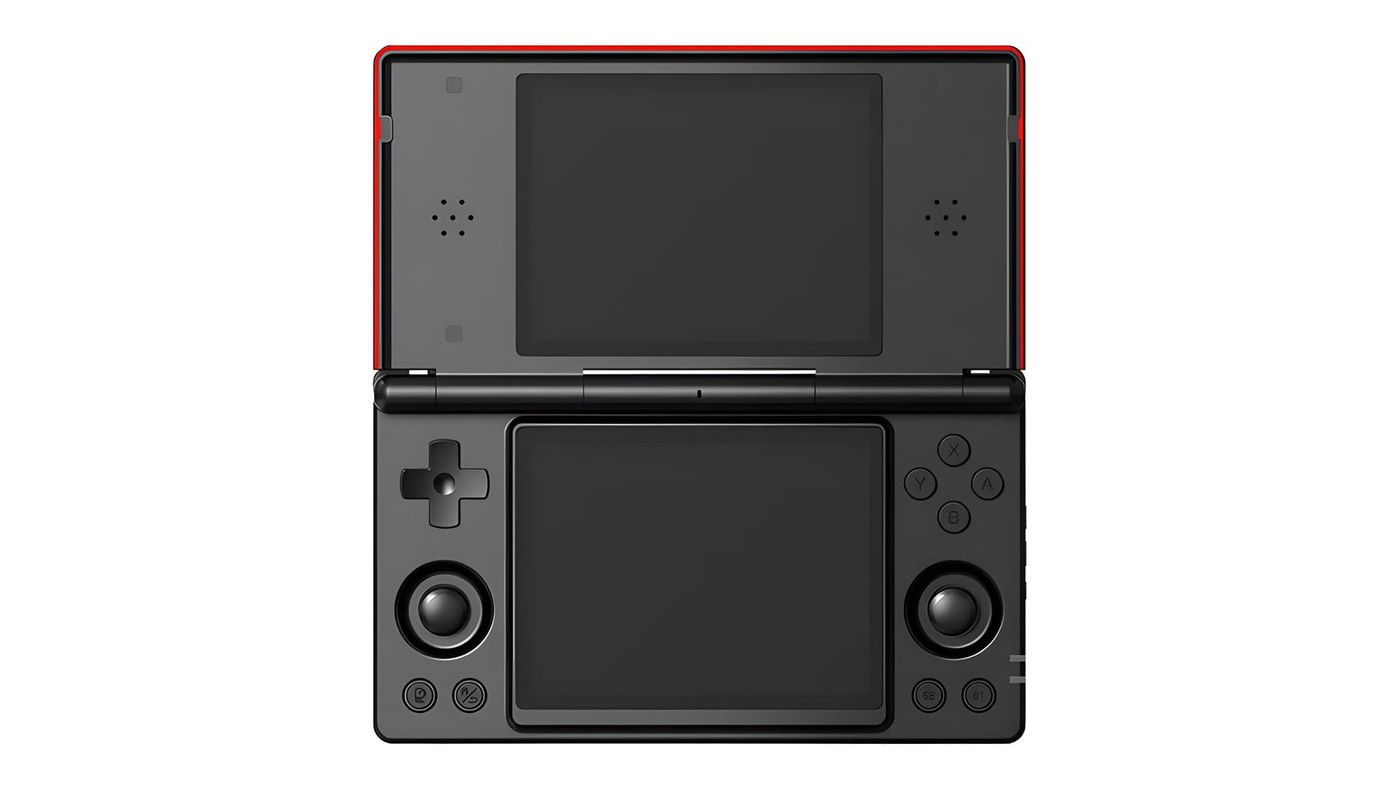
The Anbernic RG DS looks like a DS Lite that grew a pair of analog sticks. Two 4-inch touch screens, a clamshell hinge, $99.99 at launch. It’s built to play Nintendo DS games the way they were meant to be played, top screen and bottom screen. Everything else it does is a bonus, and the bonus has limits.
What is the Anbernic RG DS?
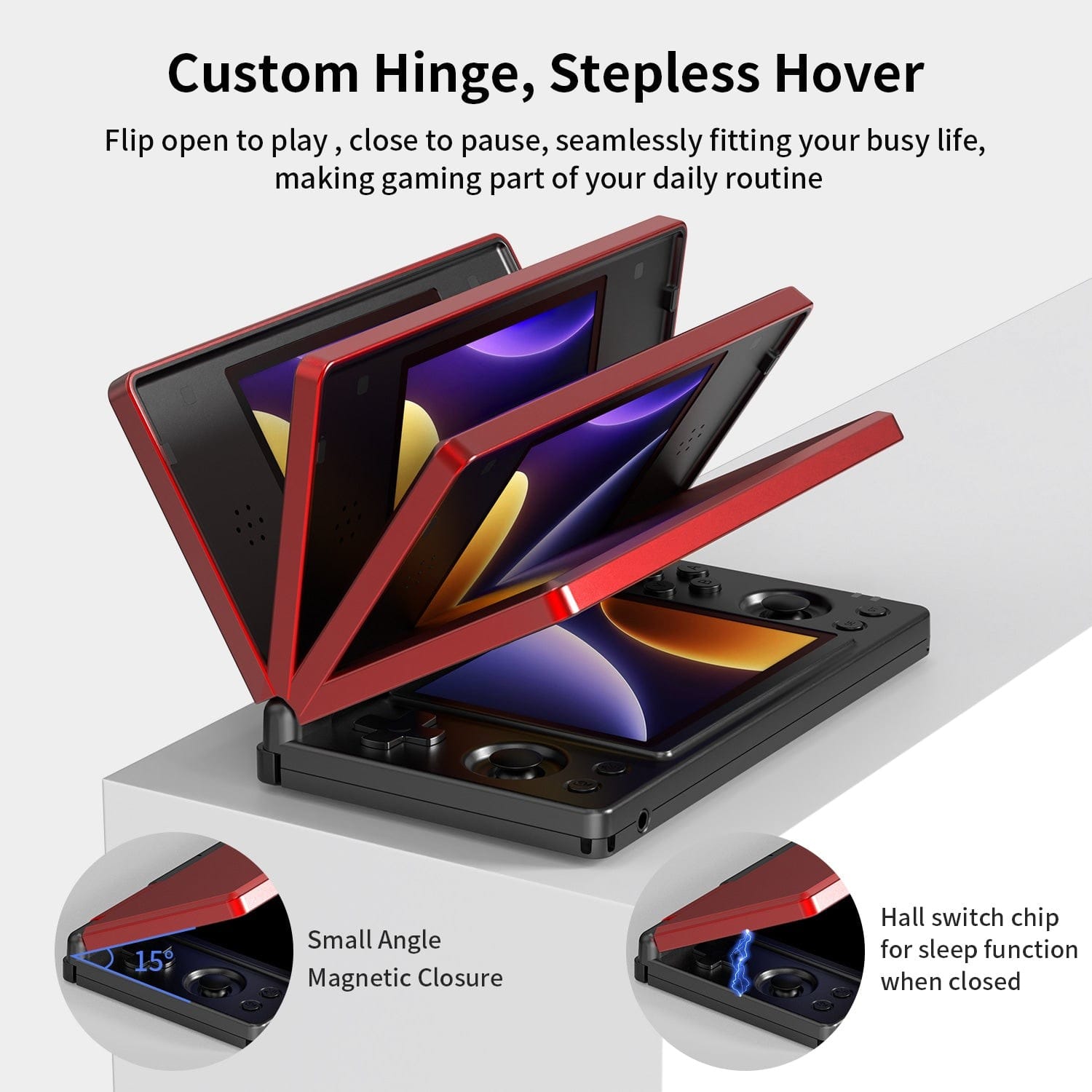
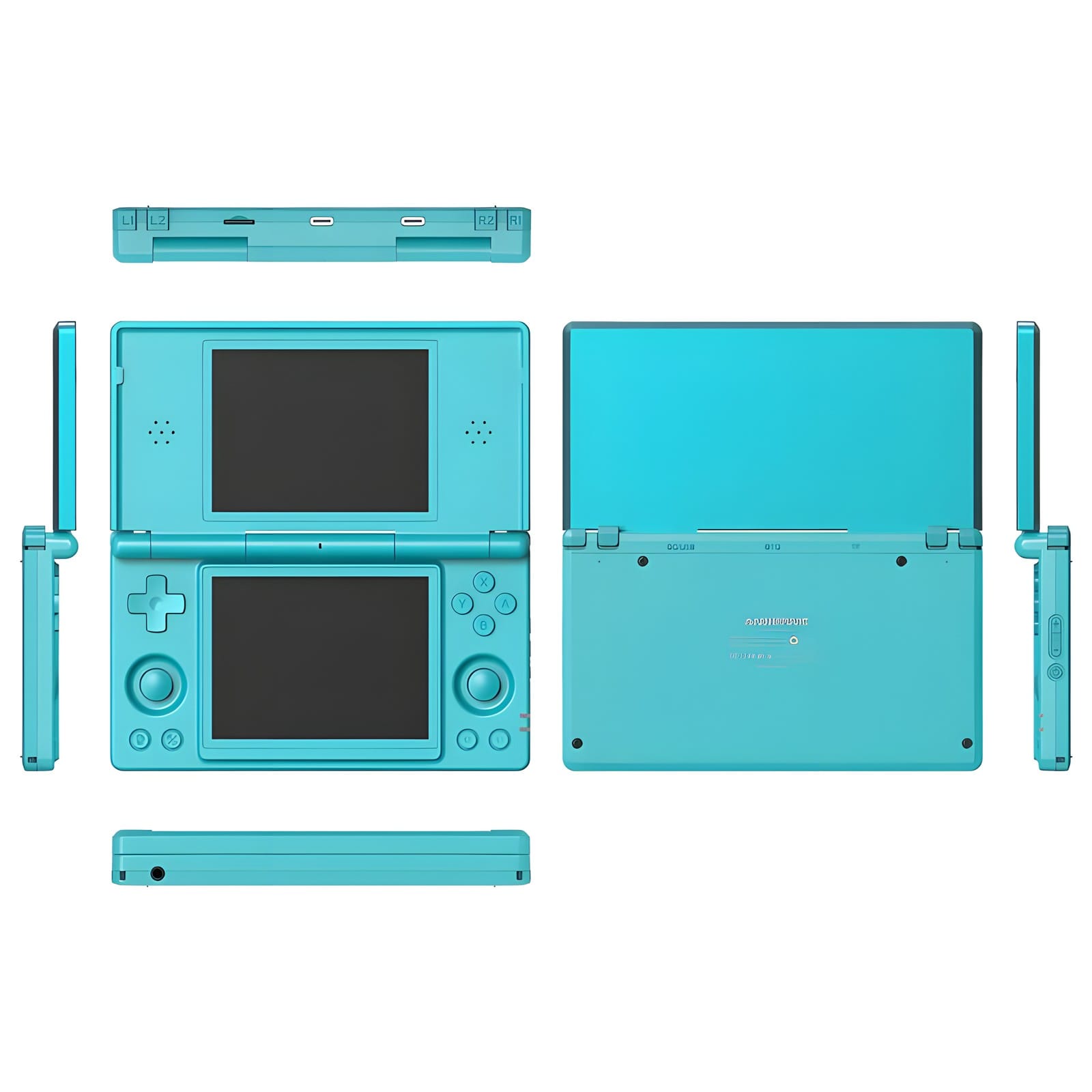
It’s Anbernic’s first dual-screen clamshell. Open it and you get two identical 4:3 touch screens, stacked like a DSi, with a hinge that holds any angle up to flat. Close it and a magnet sensor puts it to sleep. The D-pad and face buttons sit either side of the bottom screen, with two small analog sticks beneath them that a real DS never had.
Inside is a Rockchip RK3568 with 3GB of RAM and 32GB of storage. That’s a low-end chip, and it’s the reason for nearly everything on this page. It’s plenty for DS and older systems, and it’s why the RG DS costs $99.99 instead of $300.
What can the RG DS emulate?
DS games are the headline. They deliver. In Android Authority’s review, every DS game ran great, and most could upscale to 2x. That’s all DraStic, which comes pre-installed and patched by Anbernic for the two screens. The one gap is DSi games. Only melonDS, the other DS emulator, can run them, and it’s too slow on this chip.
The rest falls off the way the chip suggests. PS1 and older are easy, though reviews haven’t covered Saturn. N64 and PSP are mostly fine, many Dreamcast games run, and anything newer is a struggle.
| System | How it runs | What reviewers found |
|---|---|---|
| Up to SNES, Game Boy, GBA | Runs well | The Minish Cap ran perfectly in GBA.emu |
| PS1 | Runs well | Metal Gear Solid ran without hiccups at 2x in DuckStation |
| Nintendo DS | Runs well in DraStic | Every game tested at full speed; melonDS too slow |
| N64 | Most games playable | Mupen64Plus FZ Pro runs well |
| Dreamcast | Many games playable | Many games run; heavier ones need tuning |
| PSP | Most games playable | GTA Liberty City Stories and Vice City Stories ran fine in standalone PPSSPP |
| Saturn | Untested | |
| 3DS | A few light games | Rune Factory 4 ran at full speed; most games don’t |
| GameCube | Not practical | Beyond the chip |
| PS2 | Not practical | Beyond the chip |
For PSP, use the standalone PPSSPP app. In omgmog’s review, the RetroArch version stuttered where the app didn’t. And on a chip this low-end, don’t expect much from PC games.
Can the RG DS play 3DS games?
Barely. Azahar, the 3DS emulator, comes pre-installed, but the RK3568 can only carry the lightest games. Android Authority got Rune Factory 4 running at full speed and not much else. Held Games puts it plainly: the RG DS “does not have the power for reliable 3DS emulation.”
There’s a second problem now too. The Azahar team won’t support Anbernic devices, because Anbernic promoted its RG DDS with unofficial forks, modified copies of the emulator made outside the team. Azahar still installs and runs on the RG DS. But if something breaks, the team won’t look into it.
If 3DS is the reason you’re shopping, the RG DS isn’t the answer. The AYN Thor, with a far stronger Snapdragon chip, is the dual-screen handheld Android Authority rates best. Anbernic’s own RG DDS is built for it too, though it’s still on pre-order and it’s the device behind Azahar’s decision.
How do you set up the RG DS?
Start with the firmware. Anbernic posts the RG DS files on its system update page. Get Android V1.18, the one with the Play Store. Installing it erases your data, so do it before you set anything else up.
Then learn the RG button, because two screens means two places your controls can point, and it’s easy to get lost. A short press switches which screen the buttons work on. A long press opens Anbernic’s own game launcher. Touching a screen moves the focus there too, which is the quickest fix when nothing seems to respond.
DraStic needs one change first. Do it now. L2 and R2 load and save states by default, and on a clamshell your fingers rest right on them. Remap those two before you lose an hour of progress. DS games scale up 2.5 times on these screens, which isn’t a whole number, so the pixels can look uneven. The Scale2X and HQ2X filters in DraStic smooth that out.
Front ends work. Mostly. Daijisho and ES-DE install fine, but they don’t see Anbernic’s patched DraStic, the version with the two-screen fix. Launch DS games from DraStic itself or from Anbernic’s launcher. For everything else, my front ends and firmware guide covers the options, including iiSU, which is built around two-screen handhelds.
A few smaller things help. You can set each screen’s brightness separately, and switch the top screen off for single-screen systems to save battery. The vibration motor is strong enough to be annoying, so turn it down in Android’s sound settings. And if the screens time out while the lid is open, only the power button wakes them.
BIOS files barely matter here. A BIOS is the start-up code from the original console, and DraStic plays DS games without one. The PS1 emulator is the one that wants a copy, from your own PlayStation. Most other systems on this device run fine without anything extra.
Should you run Android, Anbernic Linux, ROCKNIX or GammaOS?
Most people can stay on Android. Anbernic’s DraStic patch, the Play Store and Azahar all live there. The other three are worth knowing about, because two of them fix things Android still gets wrong.
| OS | Where it lives | Status | Good for |
|---|---|---|---|
| Android 14 (Anbernic) | Built in | V1.18, May 2026 | Android apps, Anbernic’s DraStic patch, Azahar |
| Anbernic Linux | microSD card | V1.1, October 2026 | A console-style menu laid out across both screens |
| ROCKNIX | microSD card | In every monthly release since June 2026 | Linux fans, PortMaster ports |
| GammaOS | Replaces Anbernic’s Android | v1.4.4, October 2026 | Fixing sleep, DraStic lag and D-pad diagonals |
The microSD systems are the easy ones to try. Put the card in and the RG DS boots from it. Take it out and Android comes back. Anbernic’s own Linux is the gentle way in if you want a simpler, console-like menu, and it uses both screens for its menus. You write it to a microSD card of your own, so there’s nothing to lose by trying it.
If you like tinkering, ROCKNIX is the fun one. It gives the RG DS a console-style menu and PortMaster’s PC game ports, and the RG DS is in its monthly releases. If you just want Android to behave better, GammaOS is the one to try. It’s a fan-made build of Android that fixes the sleep, input lag and D-pad problems early units had, and omgmog says it’s the one most owners land on for daily use. Back up first, because installing it wipes the device, and new versions reach its Patreon supporters first.
KNULLI, another Linux system for handhelds, is the one to leave alone for now. Its RG DS version is still an early test.
What should you know before you buy?
The worst launch bug is gone. In some DS games, the top screen used to drop its refresh rate and fall out of sync with the bottom one, and updates since December 2025 fixed it. What’s left is mostly hardware, plus a few software quirks GammaOS fixes.
Touch is the bigger catch. The screens are capacitive, like a phone’s, so your old DS stylus won’t work, and touch lags noticeably more than on a real DS. Rhythm and precision games like Elite Beat Agents and Rhythm Heaven suffer for it. If those are the games you want, this isn’t the handheld for them.
Battery is the other. Reviews got 3 to 5 hours with both screens on, short of Anbernic’s 6-hour claim, and charging is slow. That’s fine for an evening on the couch, but it isn’t a long-flight handheld unless you switch the top screen off for single-screen games.
RG DS or RG DS Plus?
The Plus has a third of the memory, 1GB to the RG DS’s 3GB, and it shows. GTA Vice City Stories ran in slow motion on the Plus for Android Authority, while omgmog ran it fine on the RG DS. What the RG DS Plus fixes is the scaling. Its 4.3-inch screens multiply a DS picture by exactly four, so you lose the uneven pixels the RG DS’s 2.5x scaling leaves.
The RG DS keeps Android, two sticks and a smaller body. Android Authority calls the Plus a downgrade in several ways, while still the best way to play DS games on a budget. If you want Android apps or two sticks, get the RG DS. If you want the sharpest DS picture and a place for the stylus, get the Plus.
How does the RG DS compare with the AYN Thor?
The Thor is a different class. It costs about three times as much, with a far stronger Snapdragon chip. Its top screen is a wide 6-inch AMOLED, though, while the RG DS has two equal 4:3 screens, which is closer to a real DS. If DS is all you’re after, the RG DS gets you most of the way for a fraction of the price.
If the Thor costs too much but you want more power, Retroid’s Pocket Duo Lite sits in between at $149 and up, with a stronger chip and a wide top screen. And if you still have a DS Lite in a drawer, the RG DS won’t fully replace it. You gain save states, fast-forward and sharper screens, but you lose the DS’s own Wi-Fi play and the resistive touch screen that worked with any stylus.
RG DS specs
| Spec | Anbernic RG DS |
|---|---|
| Chip | Rockchip RK3568, four Cortex-A55 cores up to 2.0GHz, Mali-G52 graphics |
| Memory and storage | 3GB RAM, 32GB storage, microSD up to 2TB |
| Screens | Two 4.0-inch IPS touch screens, 640x480, 4:3, laminated |
| Battery | 4,000mAh |
| Controls | D-pad, ABXY, two analog sticks, L1, L2, R1, R2 on the back edge, Select, Start, RG button |
| Extras | Gyro, vibration, microphone, stereo speakers, lid sleep sensor |
| Ports | Two USB-C, microSD, 3.5mm headphone jack |
| Wireless | Wi-Fi 5 dual band, Bluetooth 4.2 |
| Size and weight | 160 x 91 x 21.5mm, 321g |
| Software | Android 14; Anbernic Linux on microSD |
| In the box | Capacitive stylus, USB-C cable, screen protector, lanyard |
| Colours | Black and Crimson Red, Turquoise Blue, Polar White |
On the shelf
Retro handheldsSee the whole story →Nerd Alert
Your Turn
What are YOUR thoughts
What have your experiences been? Let us know.