Device profile · Device Profiles · Handheld Gaming · Retro Gaming · Retro handhelds
Retroid Pocket 6: What It Emulates, How to Set It Up, and Pocket 6 vs Odin 3
What Retroid’s Snapdragon 8 Gen 2 flagship runs, how to set it up, which Linux systems support it, and how it stacks up against the Odin 3, Nova and G2.
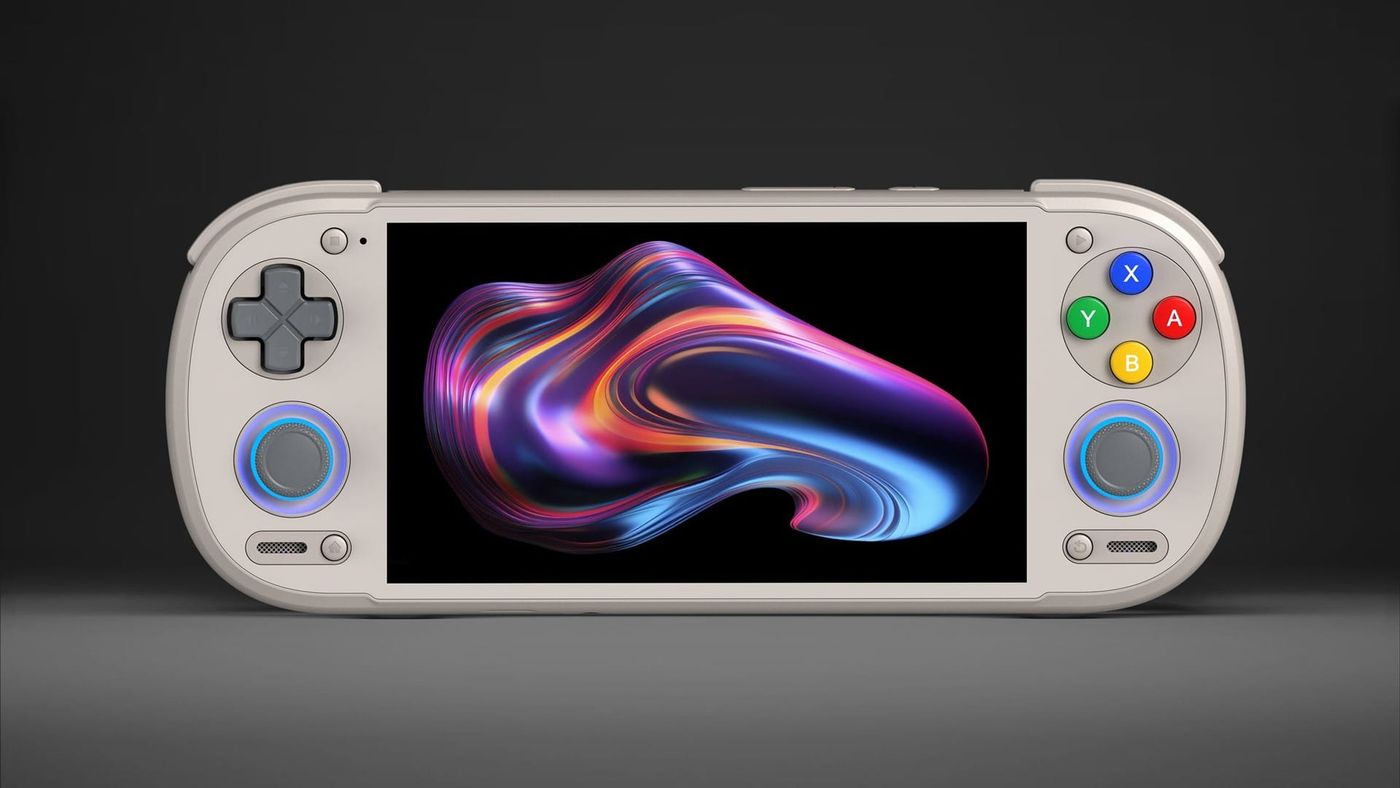
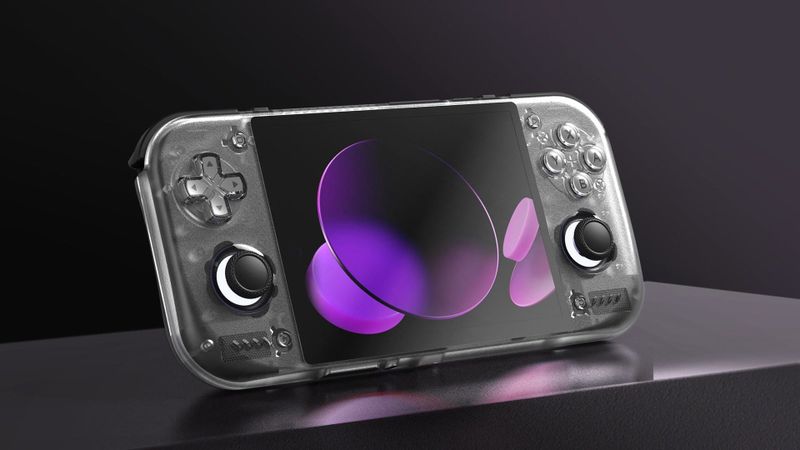
Retroid’s first design for the Pocket 6 had fans up in arms, so Retroid pulled the pre-orders and came back a week later with a new one. That redesign is the reason to look at it. It’s the first Retroid that lets you pick where the D-pad goes, and behind it sits a chip with real headroom. GameCube is comfortable, and PS2 is too, with performance mode for the heaviest games. Switch and PC games are where it gets interesting, and how far you get depends on the game.
What is the Retroid Pocket 6?
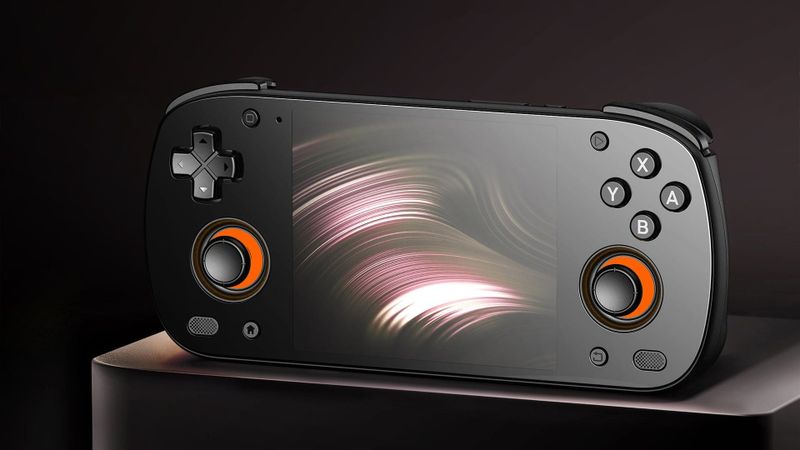
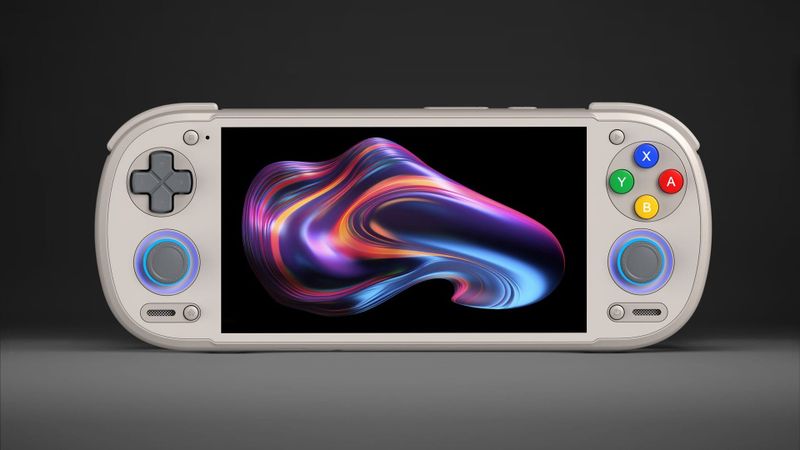
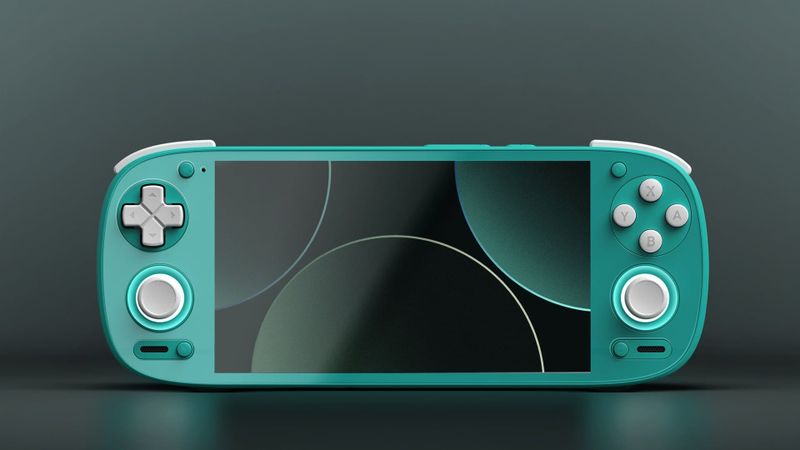
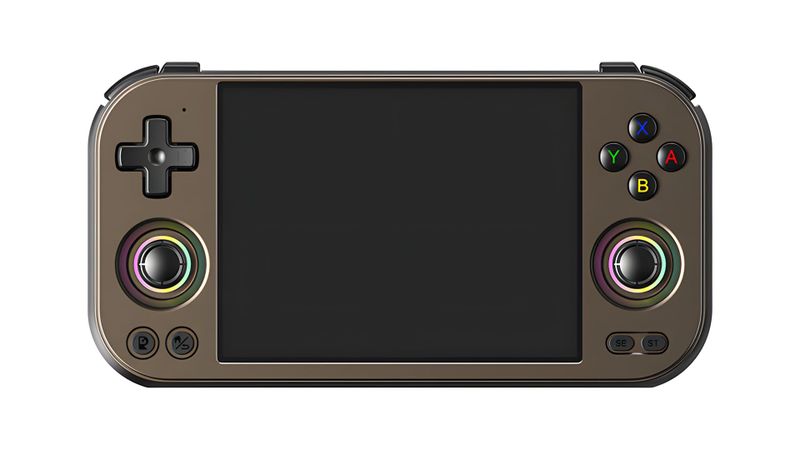
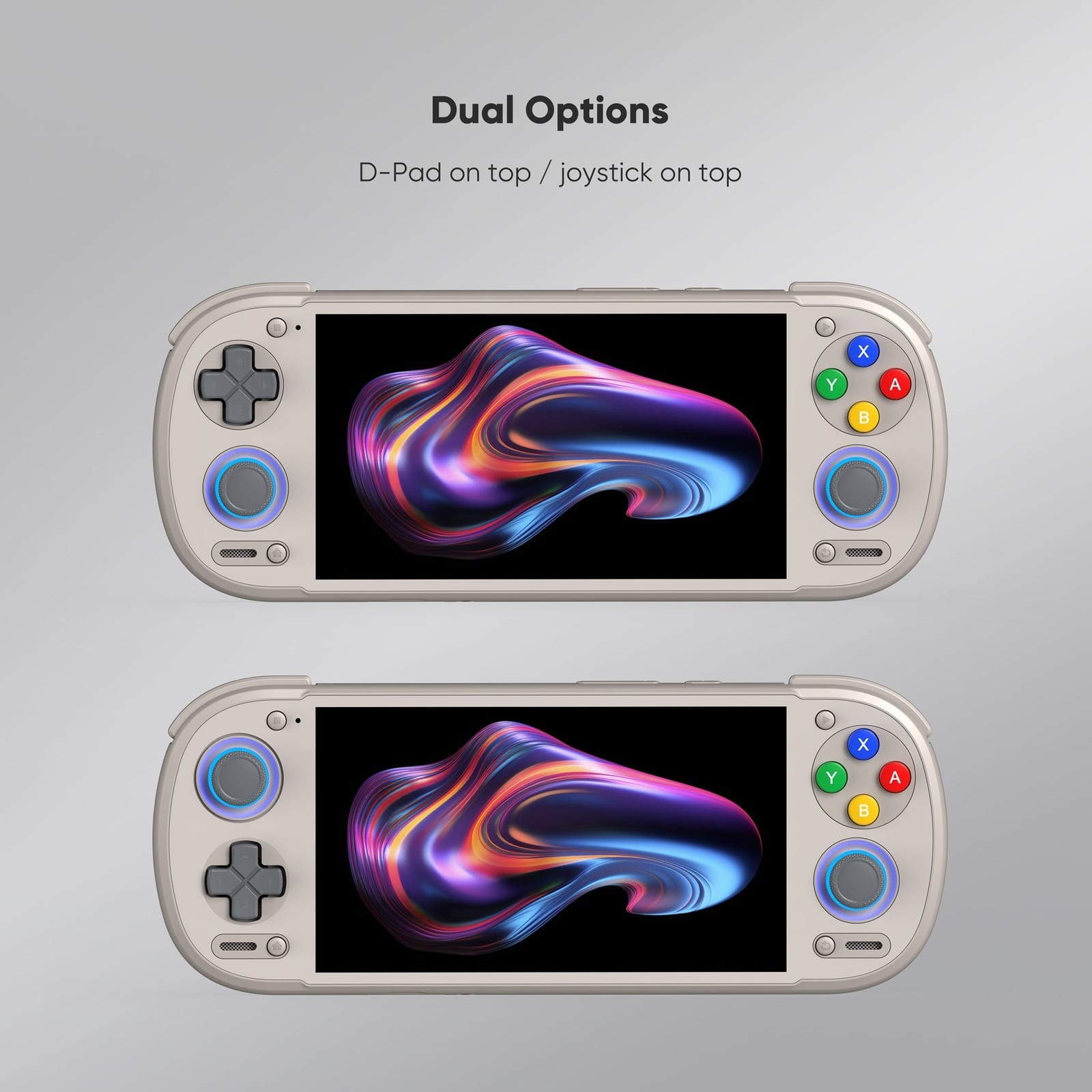
The redesign is why your hands rest where they do. Retroid moved two extra buttons to the back, put the speakers under the sticks, and let you choose whether the D-pad or the left stick sits on top. Stick on top matches an Xbox controller’s layout, which suits modern games. If you mostly play older games, keep the D-pad up there.
Inside is a Snapdragon 8 Gen 2, the chip from a lot of 2023 flagship phones, minus the phone parts. That’s plenty for GameCube and most PS2, with room left over to run them sharper than the original consoles did.
The 12GB model got worse after March. When memory prices went up, it dropped to 128GB of storage, half what it launched with, and it only comes with the stick on top. The 8GB model just went up a little, to $244. Unless you need the extra RAM for PC games, get the 8GB.
What can the Retroid Pocket 6 emulate?
PS3 is the wall. Below that, most of what you’d want to play runs comfortably, a lot of it sharper than the original hardware, and the closer you get to Switch, the more it’s game by game.
| System | How it runs | What reviews and guides found |
|---|---|---|
| Up to SNES, GBA, Genesis | Should run well | On the same chip, everything through GameCube and PS2 runs practically flawlessly |
| PS1 | Runs well | Played at 4x resolution |
| N64 | Should run well | On the same chip, everything through GameCube and PS2 runs practically flawlessly |
| DS | Should run well | Retro Handhelds expects the 8 Gen 2 to handle DS quite well |
| PSP | Runs well | At 4x, it fills the whole screen |
| Dreamcast | Runs well | Played at 4x |
| Saturn | Not covered in reviews | |
| GameCube | Runs well | Played at 3x |
| Wii | Not covered in reviews | |
| PS2 | Runs well; heavy games need performance mode | Need for Speed: Most Wanted at 1.5x to 2x, with the fan audible |
| 3DS | Should run well | Retro Handhelds expects the 8 Gen 2 to handle 3DS quite well |
| Wii U | Some games run | Retro Game Corps: Cemu on Android is still a work in progress |
| Switch | Game by game | On the same chip, Switch runs well through Eden |
| PS Vita | Some games run | Retro Game Corps: Vita3K plays many games inaccurately |
| PS3 | Experimental | Retro Game Corps: PS3 emulation on Android is in early pre-alpha |
For PS2, install ARMSX2 or NetherSX2. For Switch and PS Vita there’s one more step, and it’s the one people miss: Turnip, a free graphics driver that replaces the one Qualcomm ships. Both run worse without it, and the Switch emulator Eden can download the right version for you. GameCube and 3DS rarely need it, so leave those alone.
PC games are the stretch here. GameNative, GameHub and Winlator run Windows games on Android, and the Pocket 6’s graphics chip meets the minimum for DroidDeck, another app for running PC games on Android. Stick to lighter and older games. That’s the sweet spot. A Retroid staff member showed Batman: Arkham Asylum running at mostly 60 FPS at 720p, but that’s Retroid’s own demo, so treat it as a best case. I’ve compared the apps in my guide to PC games on Android.
Battery depends on what you play. Retro Dodo got about 4.5 hours of mixed play. Older systems stretch that to 6 to 8, and flat out in performance mode it drops to 2.5 to 3, so a Switch session wants a charger nearby.
How do you set up the Retroid Pocket 6?
Before anything else, run Retroid’s built-in updater. Retroid announces its updates on Discord, so don’t go looking for release notes on a website.
Then replace the emulators. The ones that come installed go stale. Obtainium is an app that pulls emulators straight from their developers and keeps them current, and it’s what Retro Game Corps and Retro Handhelds both use.
Before a heavy game, swipe down for Retroid’s quick settings and switch to performance mode. Use it for PS2, Switch and PC games, and expect to hear the fan when you do. Everything older runs fine in the normal mode, which is quieter and easier on the battery.
Retroid’s own launcher splits people. If it isn’t for you, ES-DE, Daijisho, Beacon, iiSU and Cocoon install like any other app, and making one Android’s home app means the Pocket 6 boots straight into your library. I’ve written a front ends and firmware guide if you want help choosing.
BIOS files are a short job here. A BIOS is the start-up code from the original console, and most of what this handheld plays doesn’t need one. Get the PS1 and PS2 ones from your own consoles, and keys and firmware from your own Switch for Switch games. Vita3K asks for Sony’s own system update the first time you run it.
Can the Retroid Pocket 6 run Linux or SteamOS?
Yes, and you’ve got real choices. None of it is required. The three Linux systems start by replacing the bootloader, the small program that decides what the handheld boots, while LineageOS installs its own way.
| OS | What it is | Status on the Pocket 6 |
|---|---|---|
| Armada OS | Linux that boots into Steam’s Game Mode, with Windows games through FEX and Proton | Tested; gyro, HDR and rumble fixes in recent releases |
| ROCKNIX | Emulation-focused Linux | Has its own Pocket 6 page |
| Batocera | Emulation-focused Linux | Initial support since Batocera 43 |
| LineageOS | A cleaner, newer Android | Official, now on version 24.0 (Android 17) |
Which one depends on what you want. Steam? That’s Armada, which boots into Game Mode like a Steam Deck. I wrote an Armada install guide for AYN handhelds that explains how it works. A console-style box that only does emulation? ROCKNIX or Batocera. A newer, cleaner Android? LineageOS.
Whatever you try, try it from a microSD card first. Installing Linux to internal storage on a Snapdragon handheld wipes Android’s apps and data.
What should you know before you buy?
Mostly, whether the fan bothers you. It’s what lets the Pocket 6 run PS2 and Switch the way it does, and in performance mode you’ll hear it. If you play somewhere quiet, keep that in mind.
The rest is small, but worth knowing. The D-pad sits loose enough that crumbs can get under it, so it’s not one to snack over. And the triggers have no stops, so nothing shortens their travel for quick presses.
Planning on Retroid’s Dual Screen add-on? Retroid says the Pocket 6 is compatible and shows it working. Retro Dodo had read that the off-centre USB-C port makes for an awkward fit, though, so wait for owners to confirm before buying both.
Retroid Pocket 6 vs AYN Odin 3, Pocket Nova and Pocket G2
The Odin 3 is the step up, and it costs you. Its newer chip is much faster, and it has a bigger screen and battery, but it’s heavier and starts at $369. If PC games are your priority, it’s the better tool. If PS2, GameCube and older are most of what you play, the Pocket 6 does it for a lot less, and that’s the one to buy.
The Pocket Nova has the same chip, so this choice is mostly about the screen, though the Pocket 6 also has the bigger battery and the stick-on-top option. The Nova’s 4.5-inch 4:3 screen fits older games, which were made for squarer TVs. The Pocket 6’s widescreen suits Switch, PSP, PC games and streaming. Mostly games up to PS2 and GameCube? The Nova. Switch, PSP and PC games? The Pocket 6.
Already own a G2? There’s little reason to upgrade. Its chip is only about 10% behind on graphics, and the changes you’d notice are the Pocket 6’s 120Hz screen and its Linux support. Retro Dodo came to the same conclusion, for the Pocket 5 as well. If you’re buying new, though, Retroid has discontinued the G2 for now, so the Pocket 6 is the one you can actually get.
| Pocket 6 | Pocket Nova | Pocket G2 | Odin 3 | |
|---|---|---|---|---|
| Chip | Snapdragon 8 Gen 2 | Same chip | Snapdragon G2 Gen 2 | Snapdragon 8 Elite (sold as Dragonwing Q8) |
| Screen | 5.5-inch 16:9 AMOLED, 120Hz | 4.5-inch 4:3 AMOLED, 120Hz | 5.5-inch 16:9 AMOLED, 60Hz | 6.0-inch 16:9 AMOLED, 120Hz |
| Battery | 6,000mAh | 5,000mAh | 5,000mAh | 8,000mAh |
Retroid Pocket 6 specs
| Spec | Retroid Pocket 6 |
|---|---|
| Chip | Snapdragon 8 Gen 2 (QCS8550): one 3.2GHz, four 2.8GHz and three 2.0GHz cores; Adreno 740 graphics |
| Memory and storage | 8GB or 12GB LPDDR5X, 128GB UFS 3.1, microSD |
| Screen | 5.5-inch AMOLED touch, 1920x1080, 16:9, 120Hz, 550 nits |
| Battery | 6,000mAh, 27W charging |
| Cooling | Fan |
| Controls | D-pad, ABXY, two Hall sticks with RGB rings, Hall analog L2 and R2, L1, R1, two rear buttons; D-pad or stick on top |
| Ports | USB-C 3.1 with DisplayPort 4K 60Hz, 3.5mm headphone jack, microSD |
| Wireless | Wi-Fi 7, Bluetooth 5.3 |
| Size | 205.5 x 80.5 x 17.2mm |
| Software | Android 13 |
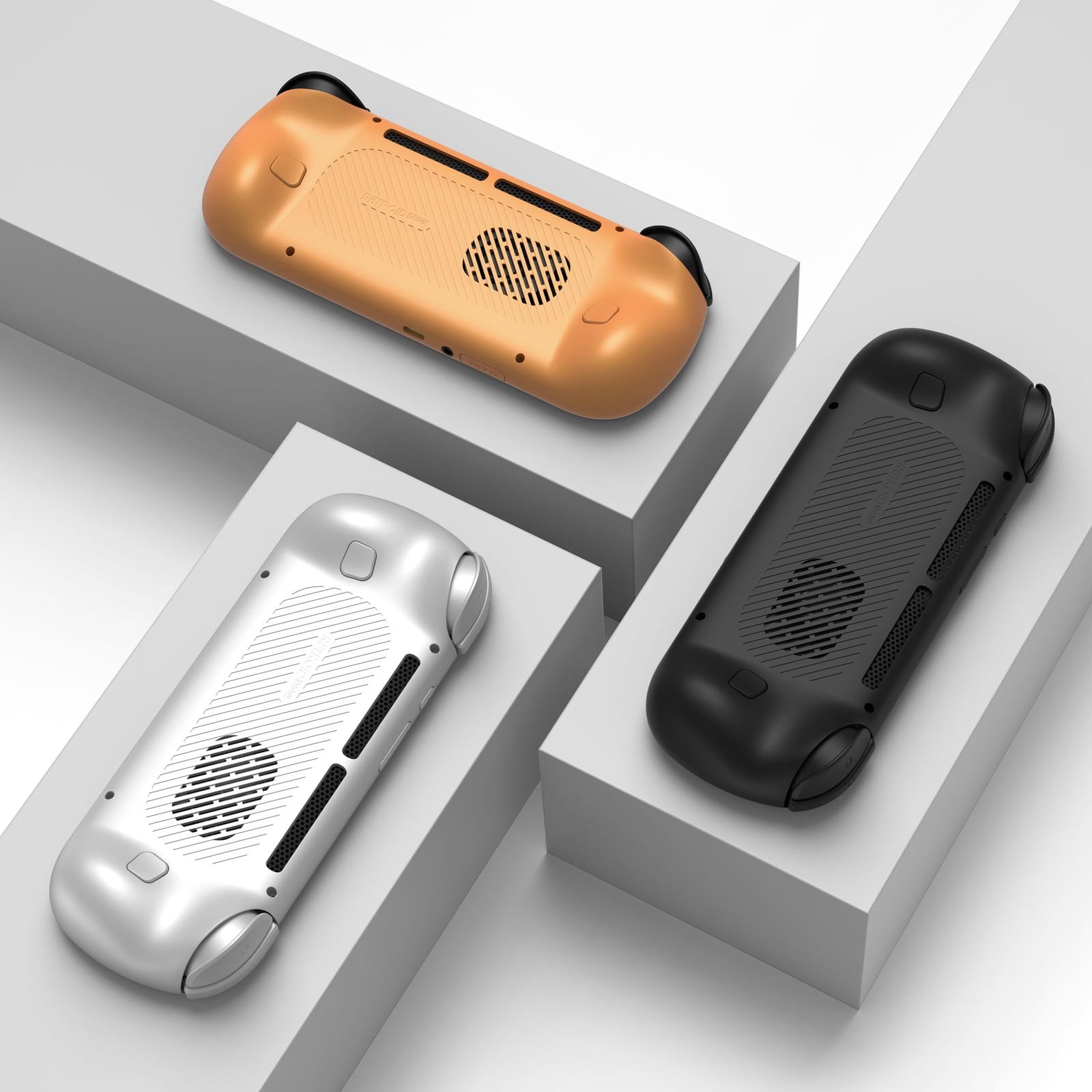
| Colours | Silver, 16Bit, Black, Orange, Light Purple |
On the shelf
Retro handheldsSee the whole story →Nerd Alert
Your Turn
What are YOUR thoughts
What have your experiences been? Let us know.