Hands-on · Retro Gaming · Handheld Gaming · Emulation
Emulator BIOS Files on Android: Which Systems Need One, File Names and Where They Go
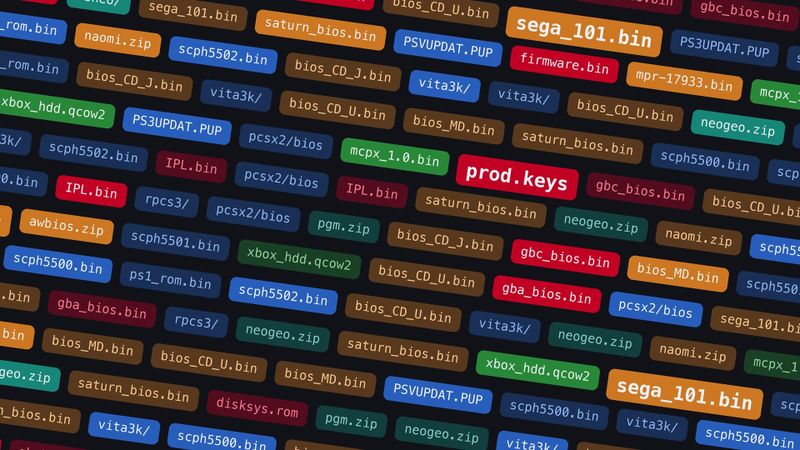
Most Android emulators need no BIOS. Here are the ones that do, the exact file names and folders they expect, the checksums to check them against, and the two you can get free from Sony.
https://averagetechnerds.com/android-emulator-bios-files/
 EmulationAndroid emulators, by systemWhere to get each one, what it costs, and the ones I runSee the emulators →Every emulation article →
You load a Saturn game. Instead of the Sega logo, you get an error about a missing file. Or a PS2 emulator opens straight to a screen asking for a BIOS. Most of the emulators on our Android emulator hub run with nothing extra. A handful don’t. They want a file copied from the real console first, under an exact name, in an exact folder.
What is a BIOS, and why do some emulators want one?
A BIOS is the small program built into a console’s chips. It runs the moment you press the power button. It draws the PlayStation logo, checks the disc and hands control to the game. Some games keep leaning on it while they run, for fonts, memory cards or the CD drive.
An emulator that copies the console closely has to run that same program. The console maker owns it, so the emulator can’t ship with it. That’s why you get a “BIOS missing” message instead. Newer consoles call the same idea firmware or system software. Switch emulators also ask for keys, the codes the console uses to unlock its own games.
Why do some emulators skip it?
Some developers wrote their own stand-in. PPSSPP never asks for a PSP BIOS. It handles everything the PSP’s system software would do with its own code. Play!, a PS2 emulator, does the same. You can’t even load a real PS2 BIOS into it.
PS1 emulators sit in the middle. Without a real BIOS, SwanStation and Beetle PSX fall back to OpenBIOS, a free replacement written from scratch. PCSX ReARMed has a stand-in of its own, though fewer games work that way. DuckStation and the PCSX2 family went the other way. No BIOS, no game, and PCSX2’s docs say no open-source replacement exists for them.
Which systems need a file?
Here’s the hub’s list, system by system. “Optional” means games run without it. Some run better with it, or you get the console’s startup screen.
| System | Needs a file? | What the emulator wants |
|---|---|---|
| PS1 | Optional in SwanStation, Beetle PSX and PCSX ReARMed, required in DuckStation | A PS1 BIOS such as scph5501.bin |
| PS2 | Required, except in Play! | A PS2 BIOS dumped from your console |
| PSP | No | Nothing |
| PS3 | Required | PS3UPDAT.PUP from Sony |
| Vita | Required | Vita system software and font package from Sony |
| NES | No, except Famicom Disk System | disksys.rom for Disk System games |
| SNES and N64 | No, except add-on games | BS-X.bin and STBIOS.bin for Satellaview and Sufami Turbo, IPL.n64 for 64DD |
| Game Boy, Game Boy Color and GBA | Optional | Boot ROMs, for the startup screen |
| DS | Optional, required for DSi mode | bios7.bin, bios9.bin, firmware.bin |
| 3DS | No for most games | System files for a few features |
| GameCube | Optional | IPL.bin, for fonts in a few games |
| Wii U | Only for .wud and .wux images | keys.txt |
| Switch | Required | prod.keys, plus firmware for many games |
| Genesis, Master System and Game Gear | Optional | Boot ROMs |
| Sega CD | Required | bios_CD_U.bin, bios_CD_E.bin or bios_CD_J.bin |
| Saturn | Required in Beetle Saturn, optional in YabaSanshiro | sega_101.bin or mpr-17933.bin |
| Dreamcast | Optional | dc_boot.bin |
| Neo Geo and other arcade boards | Required for some boards | BIOS sets in .zip files |
| Original Xbox | No in hakuX, required in xemu cores | Boot ROM, BIOS and hard disk image |
| Xbox 360 | No in RetroArch’s Xenia Edge core | Nothing |
Where do the files go in RetroArch?
RetroArch keeps all of them in one place, its system folder. Find yours under Settings, Directory, System/BIOS. Most cores look right inside it, and a few want a folder of their own:
| Core or app | Where the file goes |
|---|---|
| SwanStation, Beetle PSX, PCSX ReARMed, Genesis Plus GX, Beetle Saturn, mGBA, Gambatte, melonDS, MesenCE | The system folder itself |
| ARMSX2 core (PS2) | pcsx2/bios, with a copy of the emulator’s resources folder in pcsx2/resources |
| RPCS3 core (PS3) | rpcs3 |
| Vita3K core | vita3k |
| Flycast core (Dreamcast, NAOMI, Atomiswave) | dc |
| FinalBurn Neo core (arcade) | fbneo |
| Cemu core (Wii U keys) | Cemu |
| Mupen64Plus-Next core (64DD) | Mupen64plus |
| Dolphin core (GameCube IPL.bin) | RetroArch’s saves folder, under dolphin-emu/User/GC and then USA, EUR or JAP |
| ARMSX2 app | A BIOS folder you pick the first time you open it |
| Eden app (Switch) | Its Install prod.keys and Install firmware options |
| Vita3K and PS3 apps | Their firmware install option |
Dolphin is the one that catches people out, because its file goes in the saves folder instead.
How do you know you have the right file?
For most cores, three things have to match: the folder, the exact file name and the file’s checksum. A checksum, here an MD5, is a short string worked out from every byte of the file. Rename a holiday photo to scph5501.bin and the name matches. The checksum won’t. Neither will a dump that’s off by a couple of bytes.
The common MD5s are in the tables below. A hash app on your phone, or the md5sum command on a computer, gives you a file’s MD5 to compare.
RetroArch can also tell you what it sees. Load a core, then open Information, Core Information. It lists the firmware that core looks for and marks each file present or missing. Don’t trust it blindly for FinalBurn Neo, though. RetroArch calls a BIOS sitting directly in the system folder missing, even though the core finds it and uses it.
PlayStation
You can skip the PS1 BIOS and maybe never notice. SwanStation, the core I use, boots games without one, and takes a BIOS from any region if you add it, though a game can trip over a BIOS from the wrong region. Beetle PSX is pickier. It wants the file for each game’s region, or one of the region-free files in the table with its Override BIOS option on.
| File | What it is | MD5 |
|---|---|---|
| scph5500.bin | PS1 BIOS, Japan | 8dd7d5296a650fac7319bce665a6a53c |
| scph5501.bin | PS1 BIOS, USA | 490f666e1afb15b7362b406ed1cea246 |
| scph5502.bin | PS1 BIOS, Europe | 32736f17079d0b2b7024407c39bd3050 |
| PSXONPSP660.bin | PS1 BIOS from a PSP, any region (Beetle PSX: Override BIOS) | c53ca5908936d412331790f4426c6c33 |
| ps1_rom.bin | PS1 BIOS from a PS3, any region (Beetle PSX: Override BIOS) | 81bbe60ba7a3d1cea1d48c14cbcc647b |
Then PS2 flips it around. ARMSX2, the NetherSX2 builds and EmuCoreX all come from the PCSX2 family, and none of them start without a BIOS. PS2s shipped with lots of BIOS versions, and any working dump from your own console will do, so there’s no single checksum to match.
PSP needs nothing at all. PS3 and Vita need Sony’s system software, and that’s the good news: Sony still hands both out free on its support site.
Nintendo
Most of Nintendo is easy. Regular NES, SNES and N64 games run without a file. On Game Boy and GBA, a boot ROM only adds the startup screen, and mGBA and Gambatte pick one up as soon as you drop it in.
DS is just as painless. melonDS has had a free replacement BIOS for years, and WatermelonDS and RetroArch’s melonDS cores are built on it. 3DS games in Azahar need no BIOS either. On Wii U, stick to the newer .wua format, which is smaller and needs no keys. The older .wud and .wux disc images are the ones that want a keys.txt.
The one you’re likeliest to run into is GameCube. Most games run fine without its BIOS in Dolphin, but some, like Star Fox Assault, use the console’s built-in fonts and can be unplayable without IPL.bin. If a game’s text comes out missing or broken, that’s the first thing to try.
The rest only matter if you play them. Famicom Disk System games, from Japan’s floppy add-on, need disksys.rom, and a few other Japan-only add-ons have files of their own in the table. DSi mode wants the DSi’s own BIOS, firmware and a copy of its internal storage, called the NAND. And a few 3DS features, like Mii data, use system files that Azahar can copy from a real 3DS running custom firmware.
| File | What it is | MD5 |
|---|---|---|
| disksys.rom | Famicom Disk System BIOS, required for Disk System games | ca30b50f880eb660a320674ed365ef7a |
| gb_bios.bin | Game Boy boot ROM, optional | 32fbbd84168d3482956eb3c5051637f5 |
| gbc_bios.bin | Game Boy Color boot ROM, optional | dbfce9db9deaa2567f6a84fde55f9680 |
| gba_bios.bin | Game Boy Advance BIOS, optional | a860e8c0b6d573d191e4ec7db1b1e4f6 |
| bios7.bin | DS ARM7 BIOS, optional | df692a80a5b1bc90728bc3dfc76cd948 |
| bios9.bin | DS ARM9 BIOS, optional | a392174eb3e572fed6447e956bde4b25 |
| firmware.bin | DS firmware, optional | Varies by console |
| BS-X.bin | Satellaview BIOS (Snes9x) | fed4d8242cfbed61343d53d48432aced |
| STBIOS.bin | Sufami Turbo BIOS (Snes9x) | d3a44ba7d42a74d3ac58cb9c14c6a5ca |
| Mupen64plus/IPL.n64 | 64DD BIOS (Mupen64Plus-Next) | 8d3d9f294b6e174bc7b1d2fd1c727530 |
Then there’s Switch, where no retail game runs without files from your own console. Eden needs prod.keys to decrypt any retail game, and the console’s firmware for many of them to run properly.
Sega
Remember that Saturn error from the top? That’s Beetle Saturn, the core I use, asking for a real BIOS: sega_101.bin for Japanese games, mpr-17933.bin for American and European ones. Two games also shipped with a ROM cartridge you need a dump of, The King of Fighters ’95 and Ultraman: Hikari no Kyojin Densetsu. If you’d rather not deal with any of it, YabaSanshiro runs without a BIOS. Add one later and name it saturn_bios.bin.
Sega CD is the one you can’t skip. Its games need the CD BIOS for their region, and the table has all three. Genesis, Master System and Game Gear games run without anything, since their boot ROMs only add the Sega logo. Dreamcast is close to that: Flycast boots nearly every game with its own stand-in and warns you about the few discs that need dc_boot.bin. If you play NAOMI or Atomiswave arcade games in Flycast, their BIOS sets go in the same dc folder.
| File | What it is | MD5 |
|---|---|---|
| bios_CD_U.bin | Sega CD BIOS, USA (Genesis Plus GX) | 854b9150240a198070150e4566ae1290 |
| bios_CD_U.bin | Sega CD BIOS, USA (PicoDrive’s docs list this one) | 2efd74e3232ff260e371b99f84024f7f |
| bios_CD_E.bin | Mega-CD BIOS, Europe | e66fa1dc5820d254611fdcdba0662372 |
| bios_CD_J.bin | Mega-CD BIOS, Japan | 278a9397d192149e84e820ac621a8edd |
| sega_101.bin | Saturn BIOS, Japan (Beetle Saturn) | 85ec9ca47d8f6807718151cbcca8b964 |
| mpr-17933.bin | Saturn BIOS, USA and Europe (Beetle Saturn) | 3240872c70984b6cbfda1586cab68dbe |
| dc_boot.bin | Dreamcast BIOS, optional (Flycast, in the dc folder) | e10c53c2f8b90bab96ead2d368858623 |
| naomi.zip, naomi2.zip, awbios.zip | NAOMI, NAOMI 2 and Atomiswave BIOS sets (Flycast, in the dc folder) | Varies |
Arcade
Some arcade boards ran dozens of games that all boot the same BIOS, like SNK’s Neo Geo. Emulators keep that shared BIOS as its own .zip, neogeo.zip, and it goes next to the games or in RetroArch’s system folder. FinalBurn Neo checks the game’s folder first, then the fbneo folder inside the system folder. MAME 2003-Plus is easier still if your game sets are the “full non-merged” kind. That packing puts everything a game needs, BIOS included, inside each game’s own .zip.
Xbox
On original Xbox, hakuX needs nothing, and it’s the app I’d start with. You only need files if you go the xemu route, in X1 Box or Xenra’s Compatibility mode. Then it’s three: a tiny boot ROM from inside one of the Xbox’s chips, called the MCPX, a BIOS, and a hard drive image. A plain retail BIOS won’t boot games in xemu yet, so it has to be a debug or modified one.
The hard drive image is the one piece you don’t dump. xemu publishes a free, empty one. Xbox 360 is simpler still: RetroArch’s Xenia Edge core needs no BIOS or firmware at all.
| File | What it is | MD5 |
|---|---|---|
| mcpx_1.0.bin | MCPX boot ROM, 512 bytes (xemu) | d49c52a4102f6df7bcf8d0617ac475ed |
| mcpx_1.0.bin, bad dump | Off by a couple of bytes, dump it again | 196a5f59a13382c185636e691d6c323d |
| BIOS image | Debug or modified retail BIOS; xemu says “Complex 4627” has worked best for people | Varies |
| xemu HDD image | Free and empty, with a basic dashboard and none of Microsoft’s software | Not needed |
Which files can you download legally?
Three. Two are console software, and Sony still gives them away on its PS3 system software page and its PS Vita system software page. ARMSX3, aPS3e and RetroArch’s RPCS3 core all install the PS3 file, PS3UPDAT.PUP, and once it’s installed you can delete it. The one snag is the Vita’s separate font package, which Vita3K couldn’t find a public link for. It points you to a -firmware command on its Discord instead.
The third is a different kind of file: xemu’s empty hard drive image, which the xemu project makes itself. Everything else on this page is code the console makers still own.
Can’t you just download a pack?
You’ll find BIOS packs all over the internet. We won’t link to any. Apart from Sony’s two downloads, the projects that need a console’s own code all say the same thing: dump it from a console you own. xemu puts it most bluntly, calling that “the only legal way” to get the Xbox files.
There’s a practical side, too. A pack is somebody else’s dump, and you can’t tell how it was made. That’s what the checksums are for. A file that doesn’t match the MD5 in the docs can make an emulator fail in odd ways later, long after it started fine.
How do you dump your own?
PS2 has the best-documented route. PCSX2’s guide recommends a free tool called biosdrain. You run it on the console from a USB stick. To launch it, the PS2 needs a soft mod, and the guide’s favorites don’t change the console permanently. FreeMcBoot lives on a memory card that costs about $15. FreeDVDBoot only needs a blank DVD. Got a modchip? Turn it off first. PCSX2 warns an active one can corrupt the dump. When biosdrain says “Finished Everything”, you’re done.
The rest get harder, and you can skip most of them. DS, 3DS and PS1 games all run without a dump, so you’d only need one for DSi mode, a few 3DS features, or a real PS1 BIOS instead of SwanStation’s stand-in. Switch is the exception, because Eden won’t run a retail game without your keys. Every route below starts with a modded console or an extra cartridge, so follow the emulator’s own setup docs closely.
| System | Where the docs point you |
|---|---|
| PS2 | biosdrain from a USB stick, after FreeMcBoot or FreeDVDBoot |
| DS | A dumping program run from a flashcart |
| DSi | The DSi dumper the melonDS FAQ links to, run on the DSi itself |
| 3DS | Azahar’s Artic Setup Tool, on a 3DS running Luma3DS custom firmware |
| PS1 | Caetla on an old PS1 cheat cartridge, “or other means”, per DuckStation’s README |
| Switch, Wii U and Xbox | A modded console first; start with each emulator’s docs |
Does region matter?
Sometimes. Beetle PSX, Beetle Saturn and Sega CD each want the file for the game’s region. The rest mostly don’t care.
Own a console from one region? Dump that one. Only chase another region’s file if a game you own needs it.
What should you set up next?
Here’s how mine works. My games live on the SD card so the card can move between my Android handhelds, and the BIOS folders sit on that same card. Every emulator points at the same place, so moving to a new handheld means pointing its apps at the card.
Starting from scratch? Pick your emulators first, then come back for the files. Our Android emulator hub lists my pick for every system. Our Obtainium guide keeps those apps updated straight from their official pages.
On the shelf
EmulationSee the whole story →Nerd Alert
Your Turn
What are YOUR thoughts
What have your experiences been? Let us know.