Hands-on / First look · First Impressions · Controllers & Accessories · Xbox controllers
Xbox X25 Controller and 8BitDo Dock First Impressions: No More AA Batteries
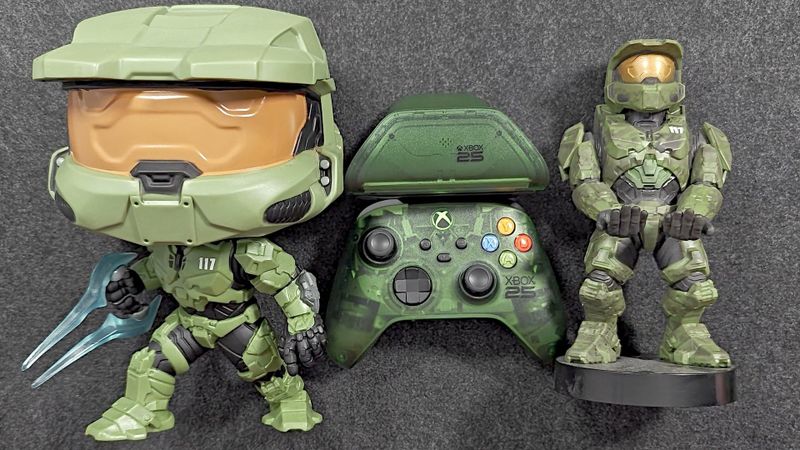
The X25 Special Edition is a regular Xbox controller in a translucent green anniversary shell. 8BitDo's matching dock is what retires the AA batteries.
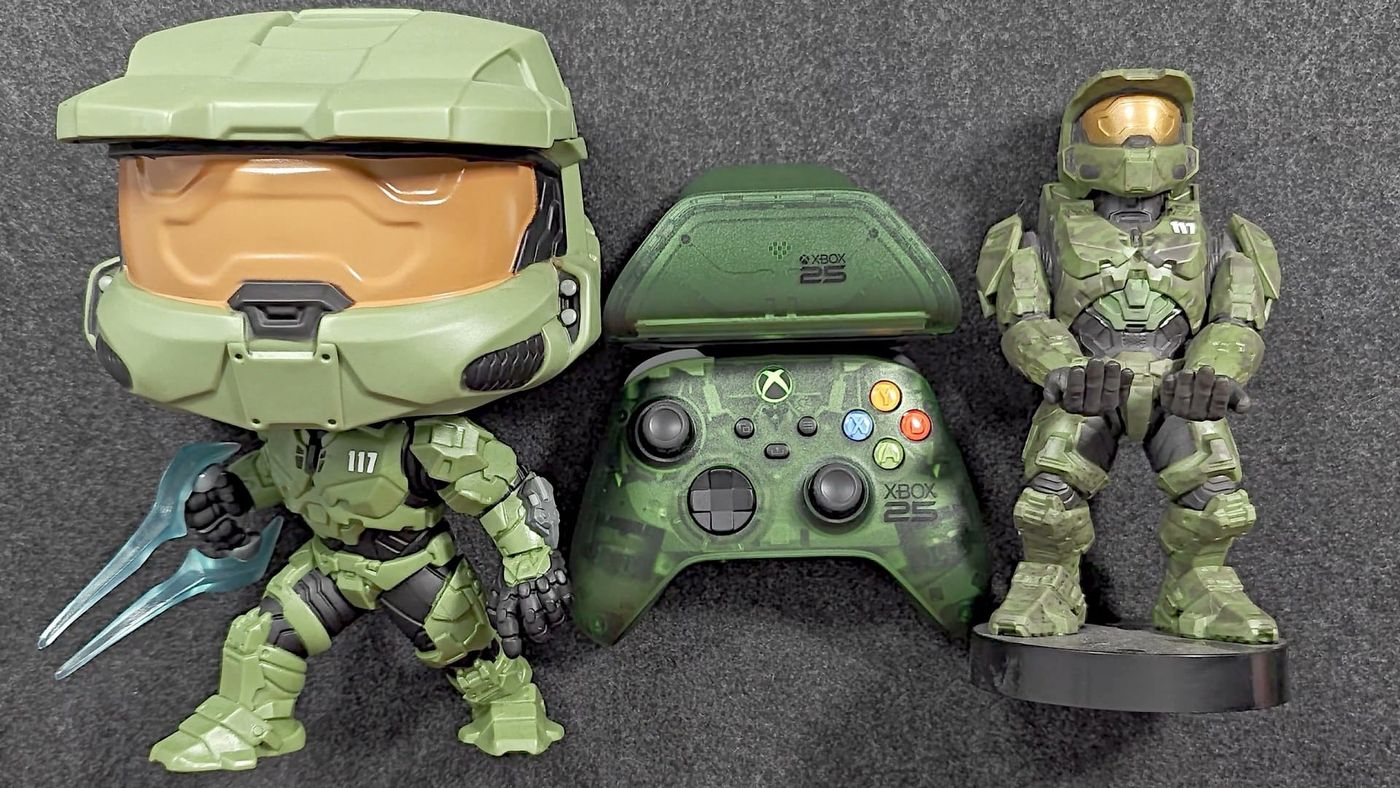
I have a weakness for anything translucent. Black and red are my favourite colours, but put a see-through shell on something, especially something tied to being a kid or a teenager, and I’m probably going to want it. So when Xbox made a translucent green controller for its 25th anniversary, I pre-ordered it. Then I pre-ordered the 8BitDo dock that matches it.
Under that green shell, though, the XBOX Wireless Controller X25 Special Edition is a regular Xbox controller, AA batteries and all. The anniversary lives on the outside, and there are some lovely touches out there. The part that changes how you use it is the dock, because 8BitDo’s battery pack goes in where the AAs go and charges straight through the shell. And since a regular controller doesn’t need a long unboxing, I used it for something new: the first run of my own polling tester, which taught me that Bluetooth speed has more to do with what you connect to than with what you’re holding.
UPDATE What’s new since publishing
I had mine in time for the video. Now 8BitDo has shipped the dock, so if you pre-ordered one for that November 5 date, yours should be on its way.
What are the X25 controller and dock, and how much are they?
Microsoft makes the controller, 8BitDo makes the dock, and together they came to $120 for me. The controller came out on October 20 at $79.99, and that’s still what it costs, if you can find one. I had to pre-order mine to get it at all.
The dock was easier to get, at least for me. It’s a third-party accessory, made by 8BitDo under an official Xbox licence, and its name is somehow even longer than the controller’s. I pre-ordered it once the controller was reserved, half expecting to miss out, and paid $40. On 8BitDo’s own store it’s listed as a pre-order, shipping November 5.
One thing worth knowing before you order. 8BitDo sells the same wireless dock in plain black or white for $29.99, with the same battery pack and the same box. So the X25 edition is $10 for the anniversary green.
I didn’t film an unboxing this time. The dock box holds the dock, the battery pack and a USB cable, and that’s the whole show.
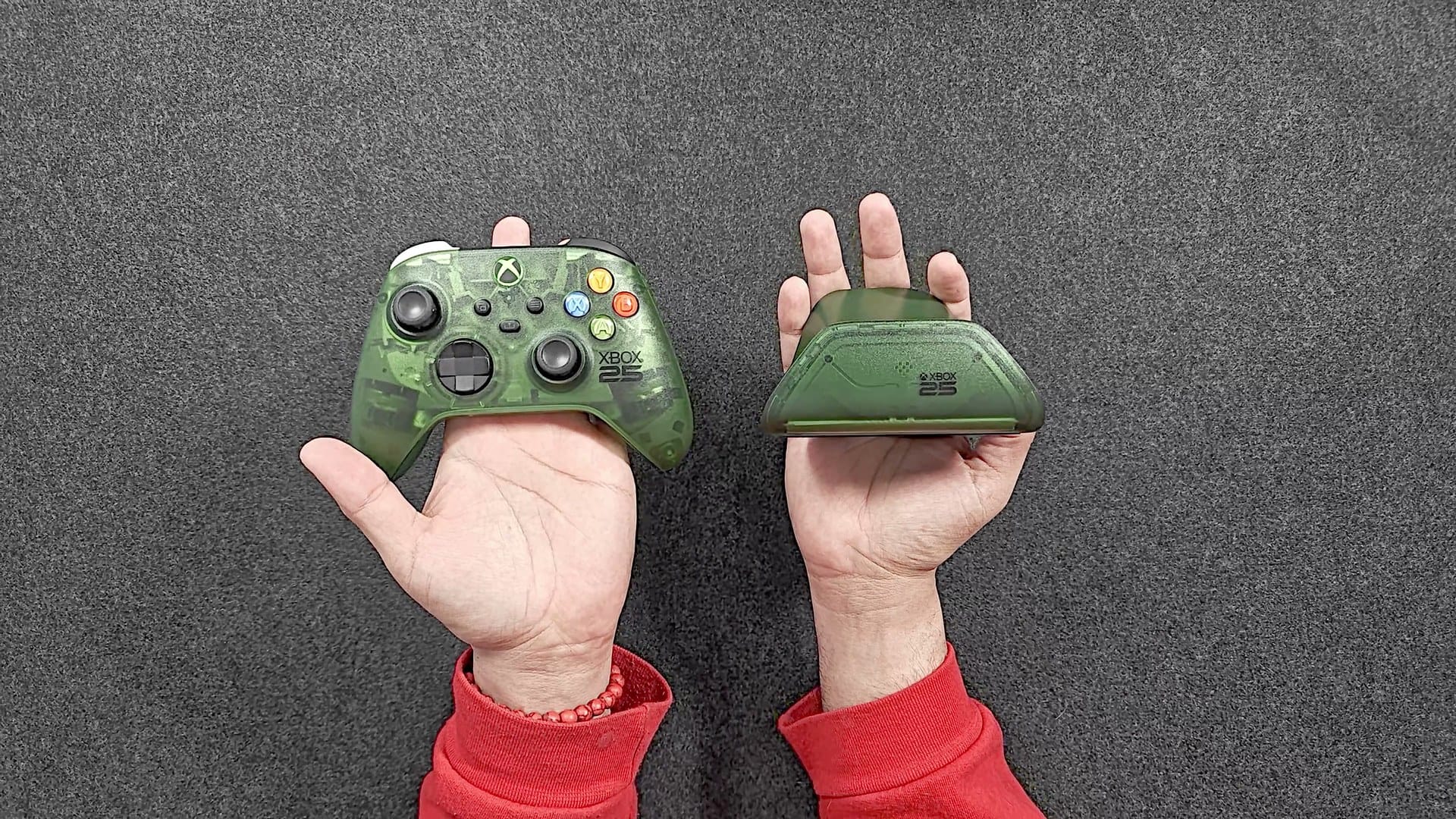
Is the X25 any different from a regular Xbox controller?
Not where it counts. Just like the Gears of War: E-Day controller I unboxed at the start of October, it’s a standard Xbox Wireless Controller in a special shell. The face buttons, the analog triggers, the bumpers and the sticks are all the regular parts. In my test it reported at the same rate Gamepadla’s lab measured for a standard Series controller, so your latency and polling numbers don’t change because the plastic is green.
It also still runs on AA batteries. Keep that in mind for the dock.
What makes it an anniversary controller?
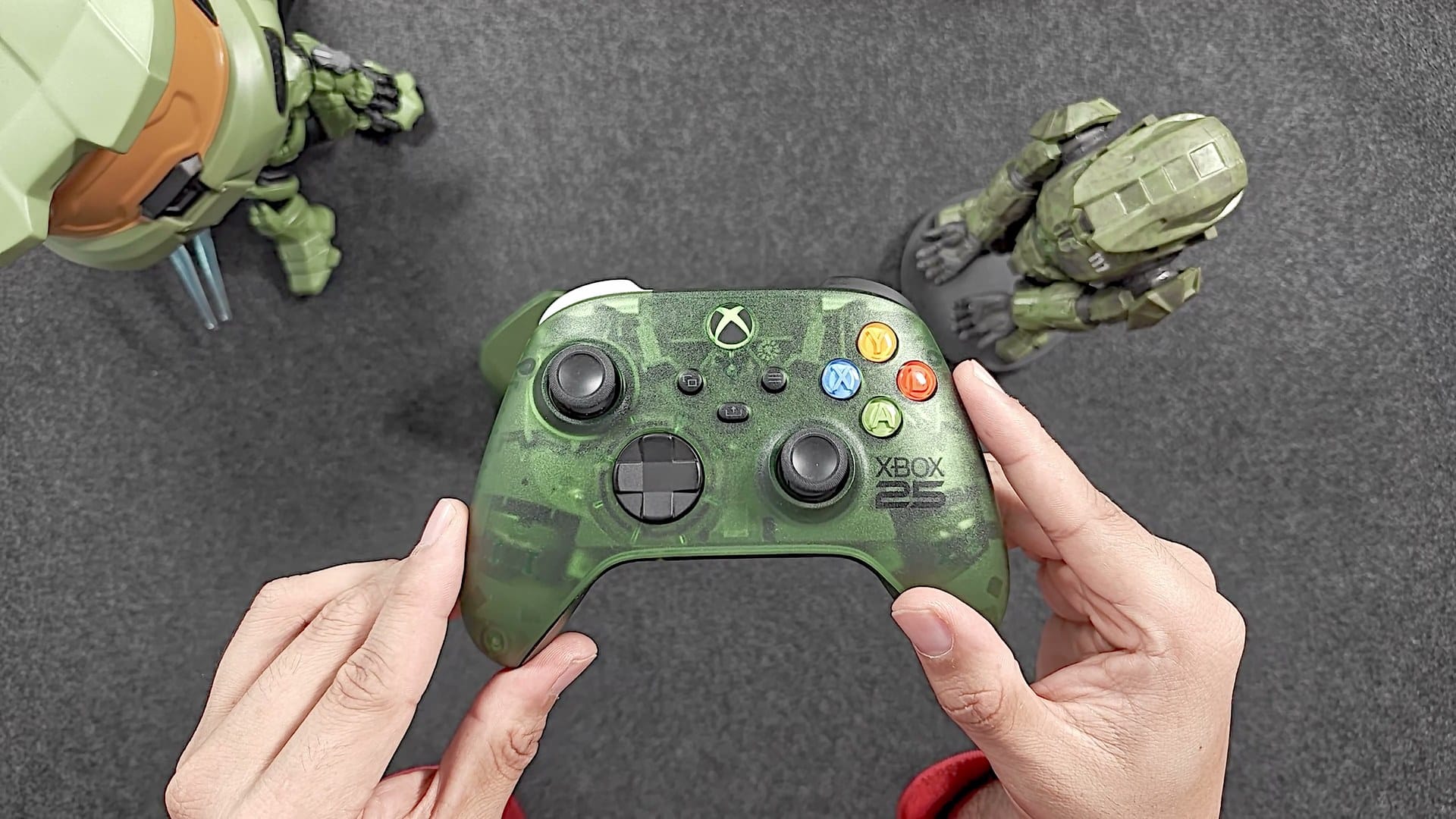
The details. There’s an XBOX 25 logo on the front, and the Xbox button is green on black, a nod to the original green X.
Then the bumpers. One is black and one is white, and that’s on purpose. The original Xbox controller had two little unlabeled buttons, one black and one white, sitting next to the four face buttons. Xbox calls the X25’s pair its legacy bumpers, and if you held a Duke back in the day, you’ll get it straight away.
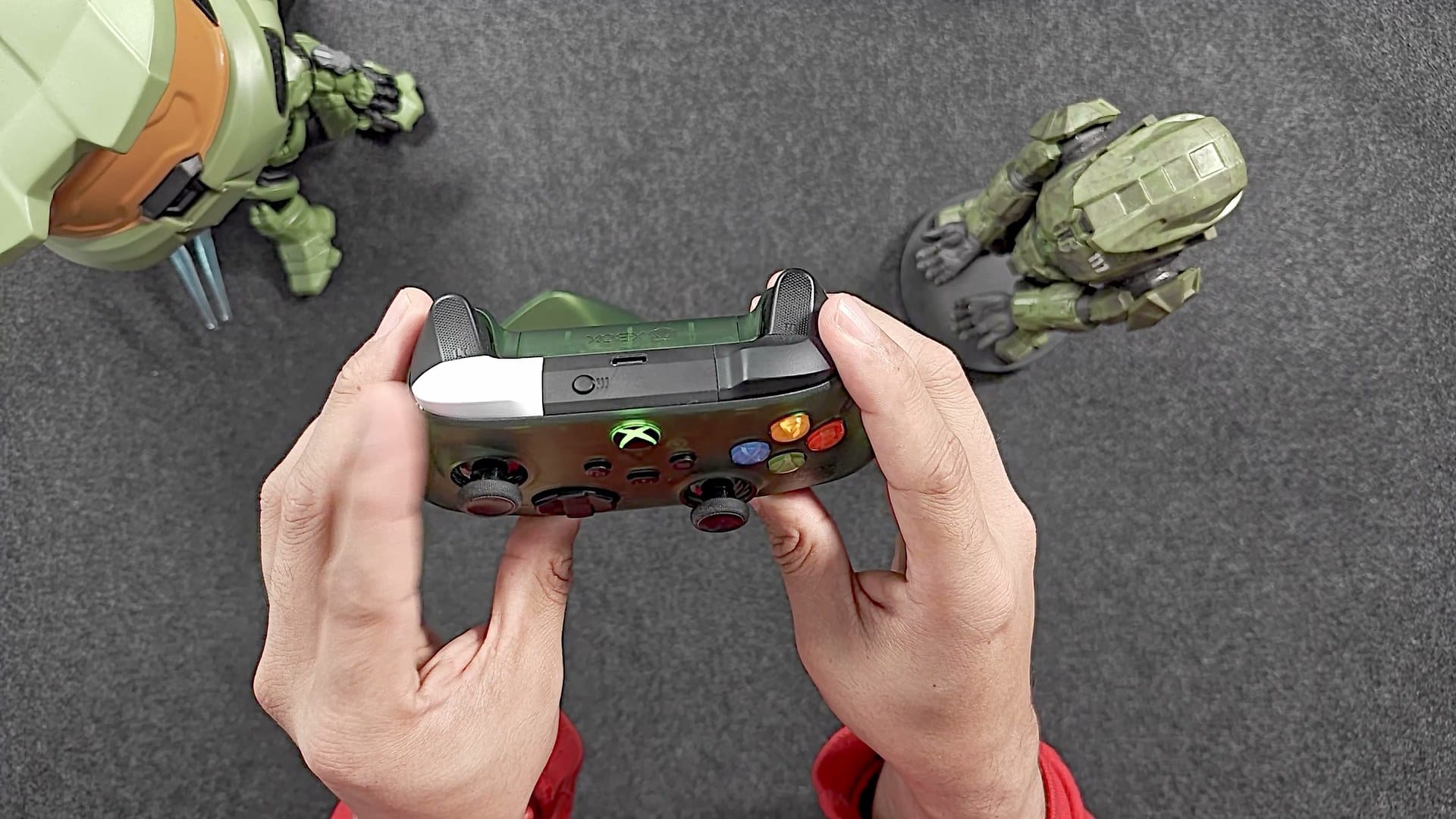
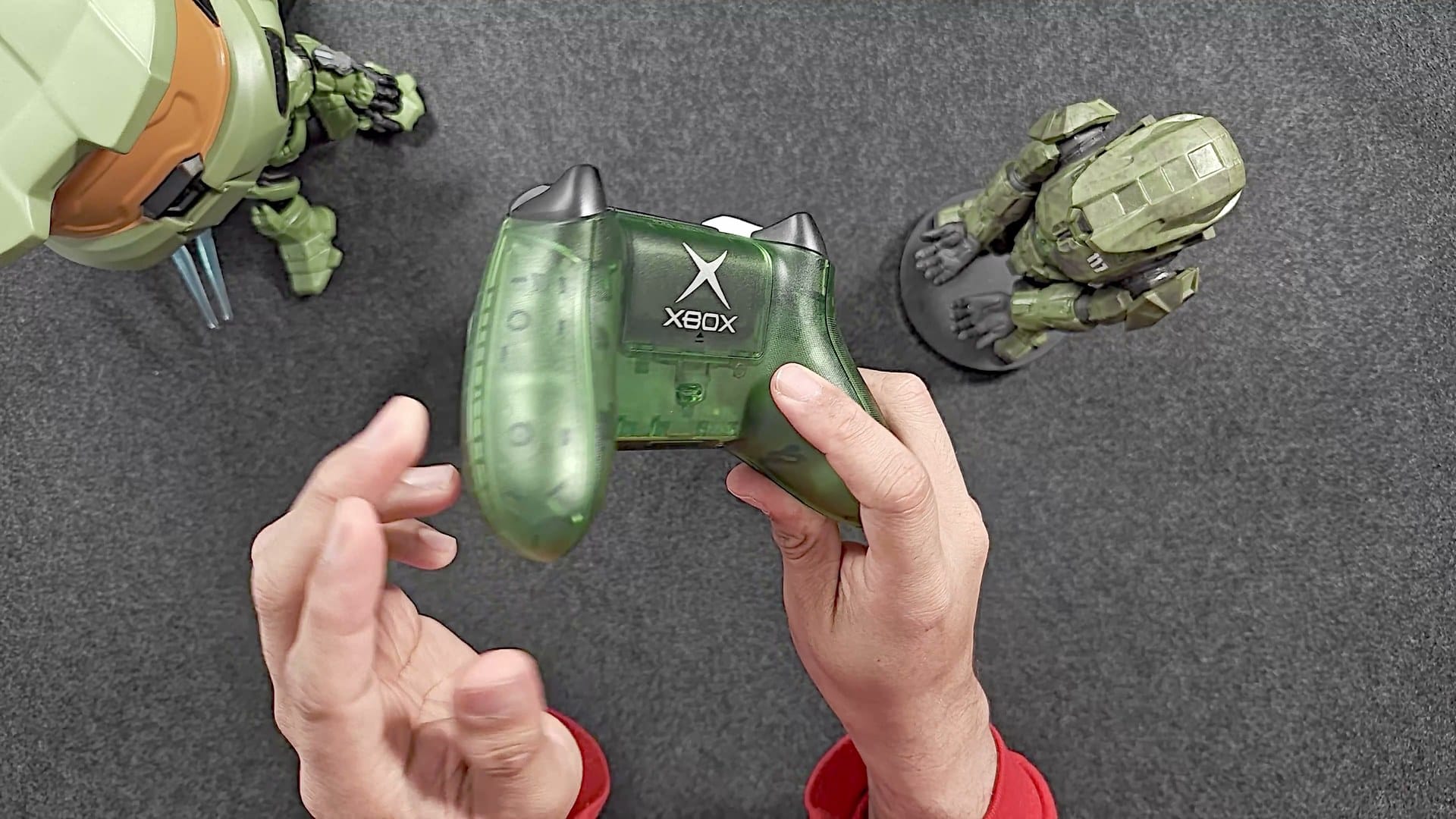
Turn it over and the classic Xbox logo shows through the clear back. Even the battery door is see-through, which Xbox says is a first for its controllers.
And then something I can’t explain. The green Xbox logo on the home button is tilted. I lined the controller up as straight as I could on camera, and the logo still sits at a slight angle. Another owner spotted the same thing in the comments of Pure Xbox’s launch story, and Microsoft hasn’t said whether it’s deliberate. Xbox does say there are a few hidden surprises in the collection as a thank you to the community, without saying what they are. One extra I only found after filming: when I finally connected it to my Xbox, it unlocked an exclusive dynamic background on Xbox Series X|S.
How does the 8BitDo dock charge the controller?
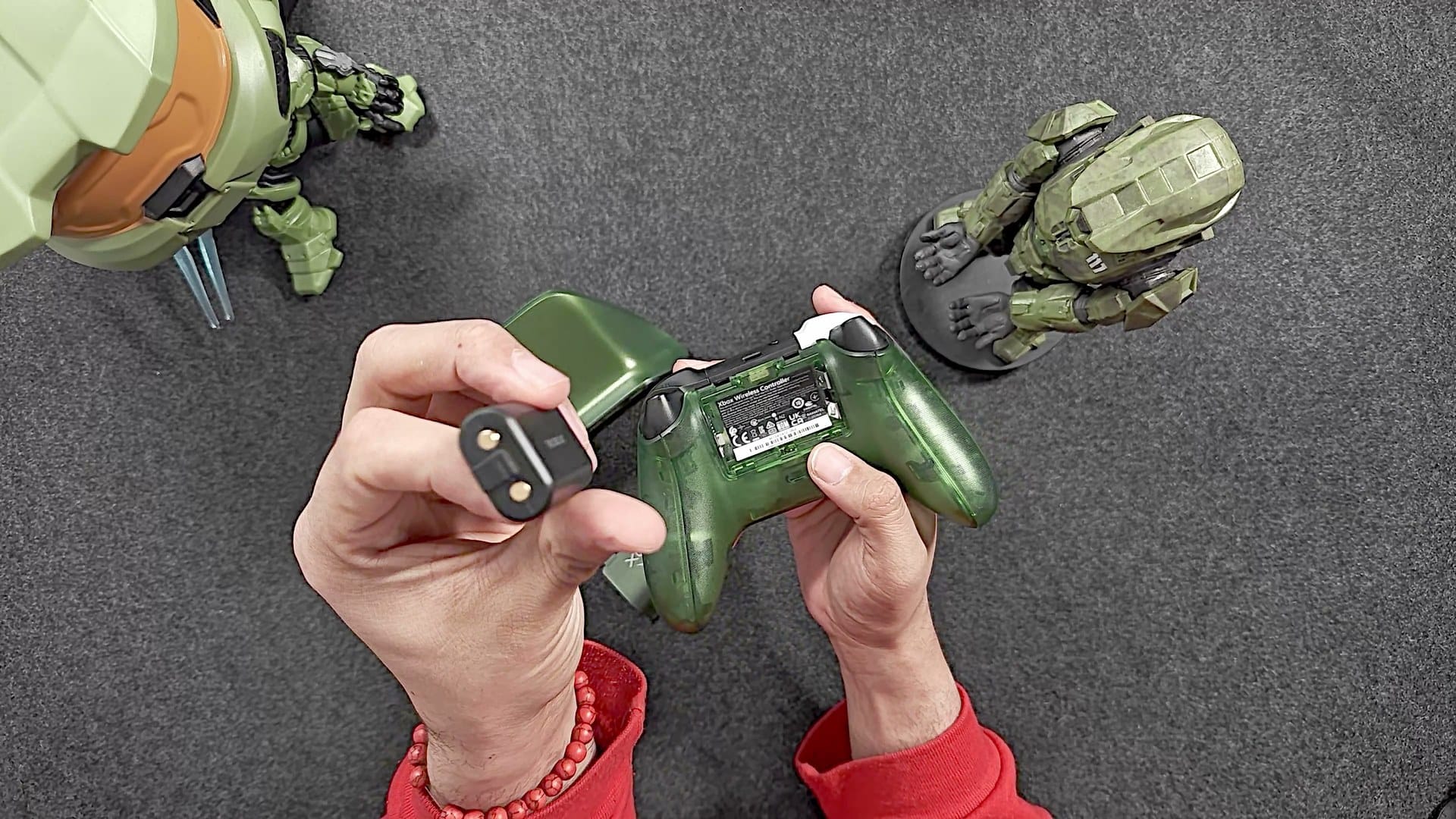
Wirelessly, through a battery pack that takes the place of the AAs. The pack ships with the dock and goes in behind the controller’s own battery door, with the side marked with the wireless charging symbol facing out. After that, the controller just sits on the dock, and the dock charges the pack through the shell. There are no pins to line up and nothing to plug into the controller.
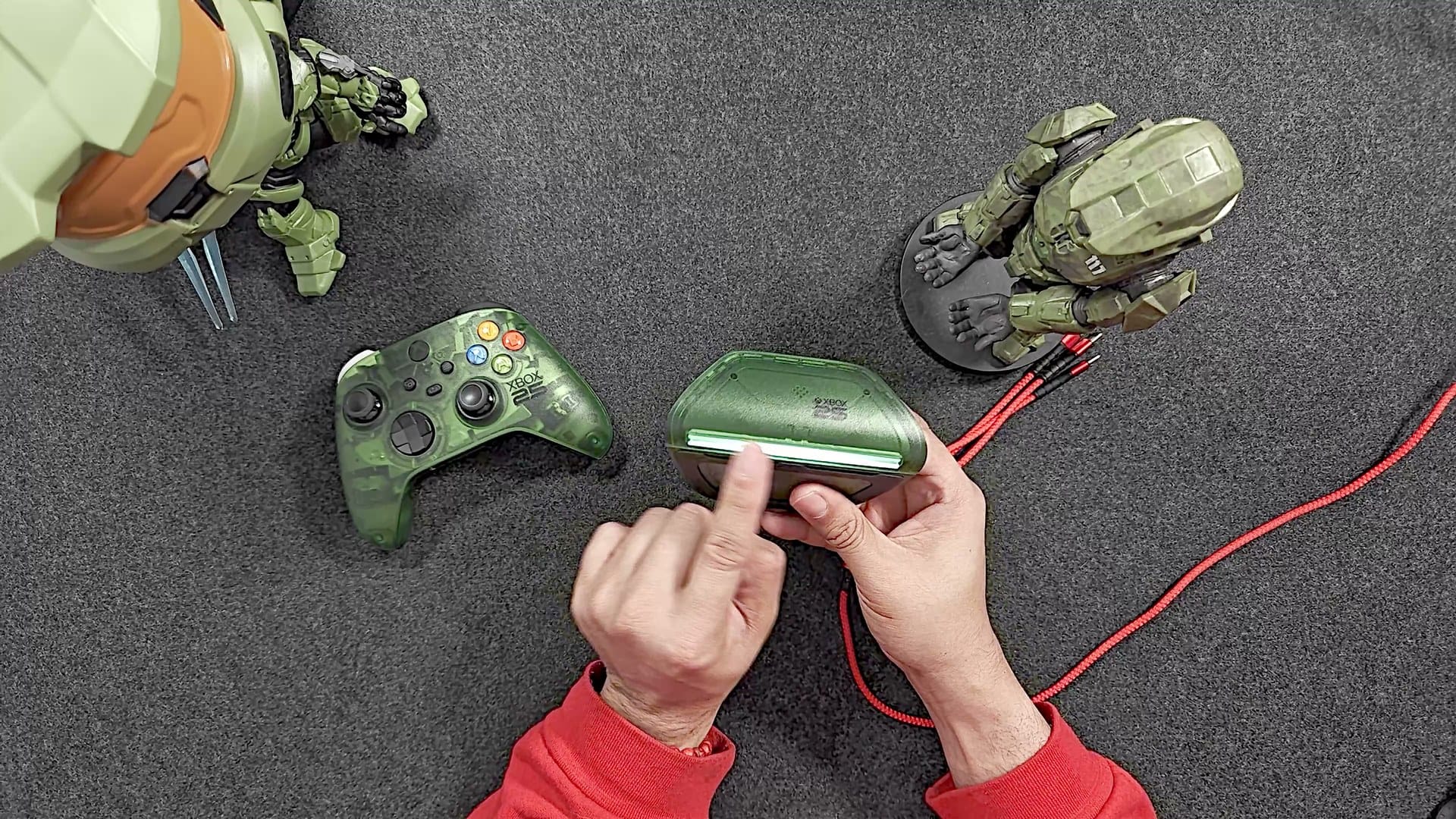
Plug the dock in and a little white LED bar shines through the front. Set the controller on top and the light turns amber, which means it’s charging. Lift the controller off and the amber fades away. The light reacts instantly. The charging itself takes its time: about 3.5 hours to fill the 1000 mAh pack, per 8BitDo.
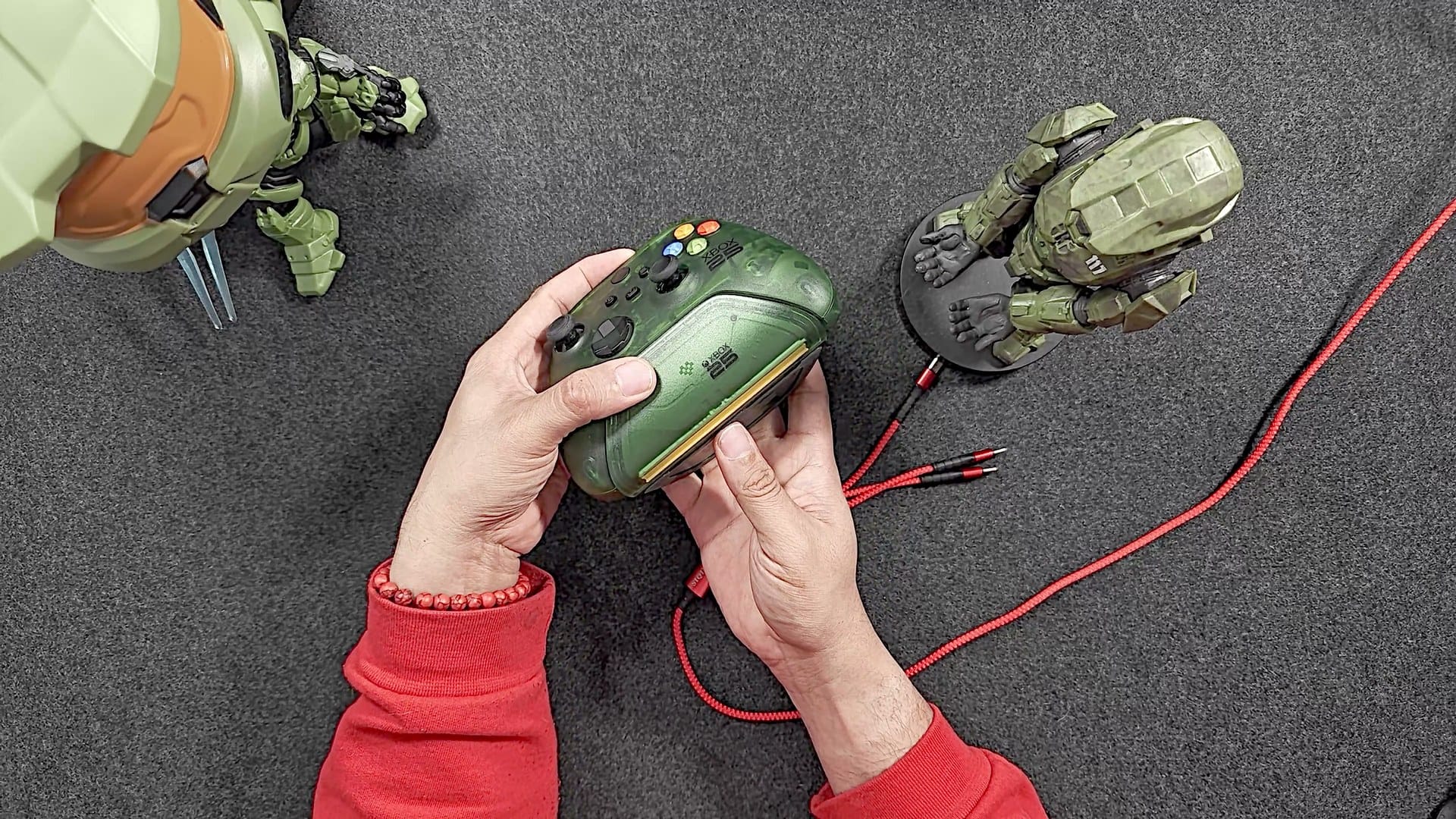
If the light is too bright on your desk, it has two brightness levels. There’s no wall adapter in the box, so bring your own USB charger. The dock works with Xbox Series X|S and Xbox One wireless controllers, so the pack isn’t tied to this one. 8BitDo doesn’t say how long a full pack keeps the controller going.
How fast does the X25 poll over Bluetooth and wired?
On my Samsung tablet, about 32 Hz over Bluetooth and 124 Hz wired. That gap surprised me, and chasing it is what this test ended up being about.
Some background first. I buy a lot of controllers, whether I review them or not. It’s just a thing I do. So I’ve started testing and tracking the numbers people ask me about, like polling rate, jitter and stick accuracy, and keeping them in my own database. The tester is my own project, and I started it after playing around with Gamepadla’s browser tester. This controller was its first real run.
A controller doesn’t send a constant stream. It sends quick snapshots of the sticks and buttons, one after another. Polling rate is how many of those snapshots arrive every second, and the interval is the gap between them. At 32 a second, that’s one roughly every 31 milliseconds.
Two more words show up in the results. Jitter is how far those gaps stray from their average, and lower is better, because a steady rhythm feels smoother than a fast one that stutters. The typical gap is the median: line every gap up from shortest to longest and take the one in the middle. My tester leads with the average rate, and Gamepadla’s pages lead with the median rate. Hold that difference.
How my tester measures it
On a phone or tablet, Gamepadla’s browser tester leaves the polling rate out and asks for a desktop browser. So my tester asks the tablet itself. Through Android’s developer connection, the tablet hands over every report with the time its own system logged it, down to the microsecond. That timestamp is taken when the report reaches the core of the tablet’s system, before the page ever sees it, so the Wi-Fi link to the page doesn’t bend the numbers. Over Bluetooth, it does include whatever time the tablet’s own Bluetooth software takes to pass the report along.
A full run is 2,000 reports. The controller only sends one when something changes, so a long gap just means my hands paused. Any gap longer than three times the typical one counts as a pause and gets thrown out before the math.
Bluetooth: about 32 Hz, and not very steady
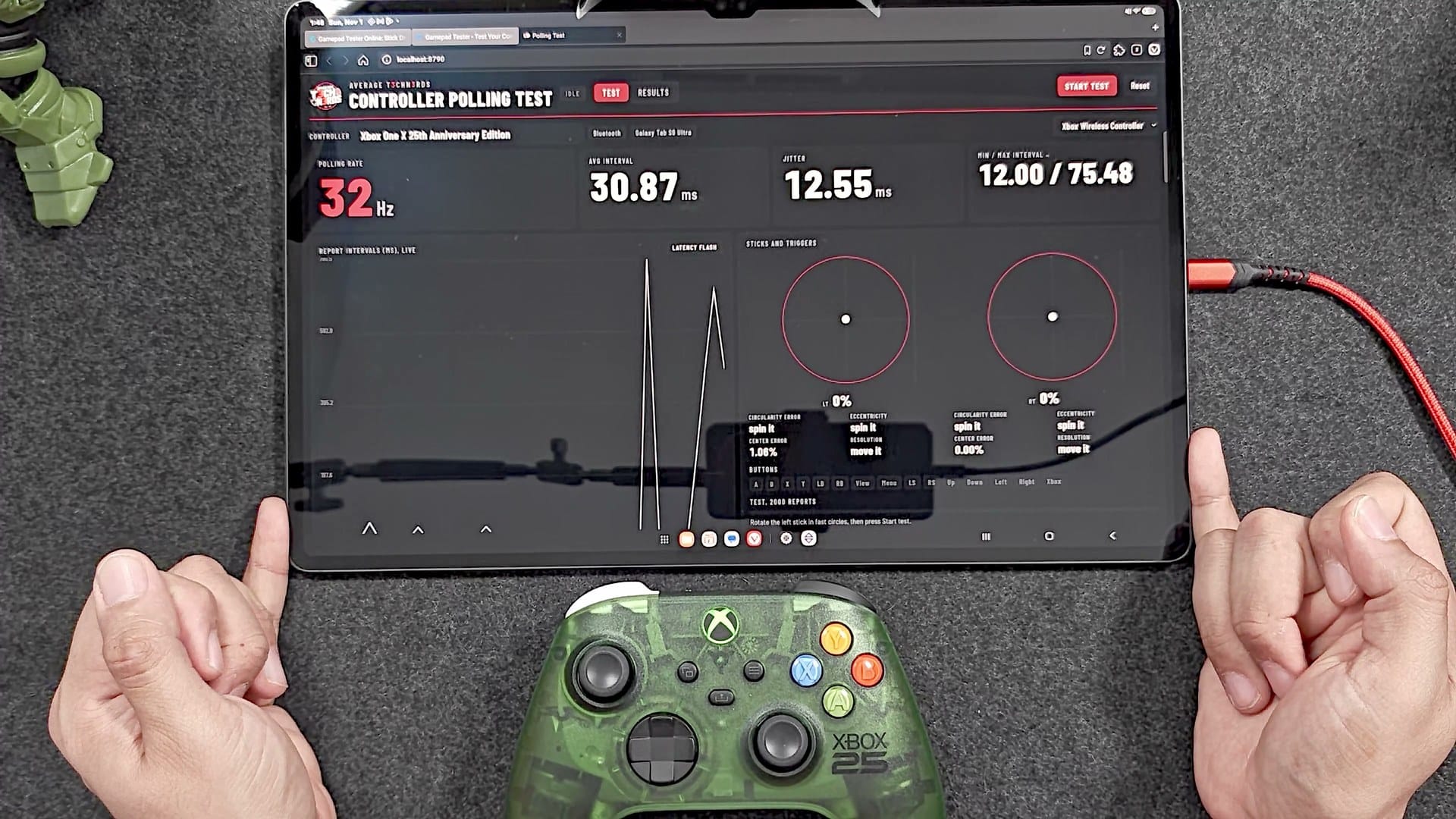
Over Bluetooth, the tablet averaged about 32 Hz across the full test. The typical gap was 30 milliseconds, the shortest was 11, and the jitter came out at about 7.6 milliseconds, so the reports arrived roughly on a beat but drifted around it. 113 of the 2,000 gaps were pauses. The photo caught a live reading, which moves around while a test runs, so its jitter reads higher than the finished run.
The number also dipped whenever I tapped buttons, which threw me for a second. That first version of the tester timed every report, buttons included, so the stretches between my taps read as long intervals. The controller didn’t slow down. My thumbs did. The tester has since been updated to time reports only while a stick is pushed past a quarter of its travel, so taps and a resting stick no longer count.
Wired: 124 Hz, like clockwork
Then I plugged it in, and the rate jumped to 124 Hz. The typical gap was 8 milliseconds flat, and the jitter dropped to about 0.85. Only 6 of the 2,000 gaps were pauses.
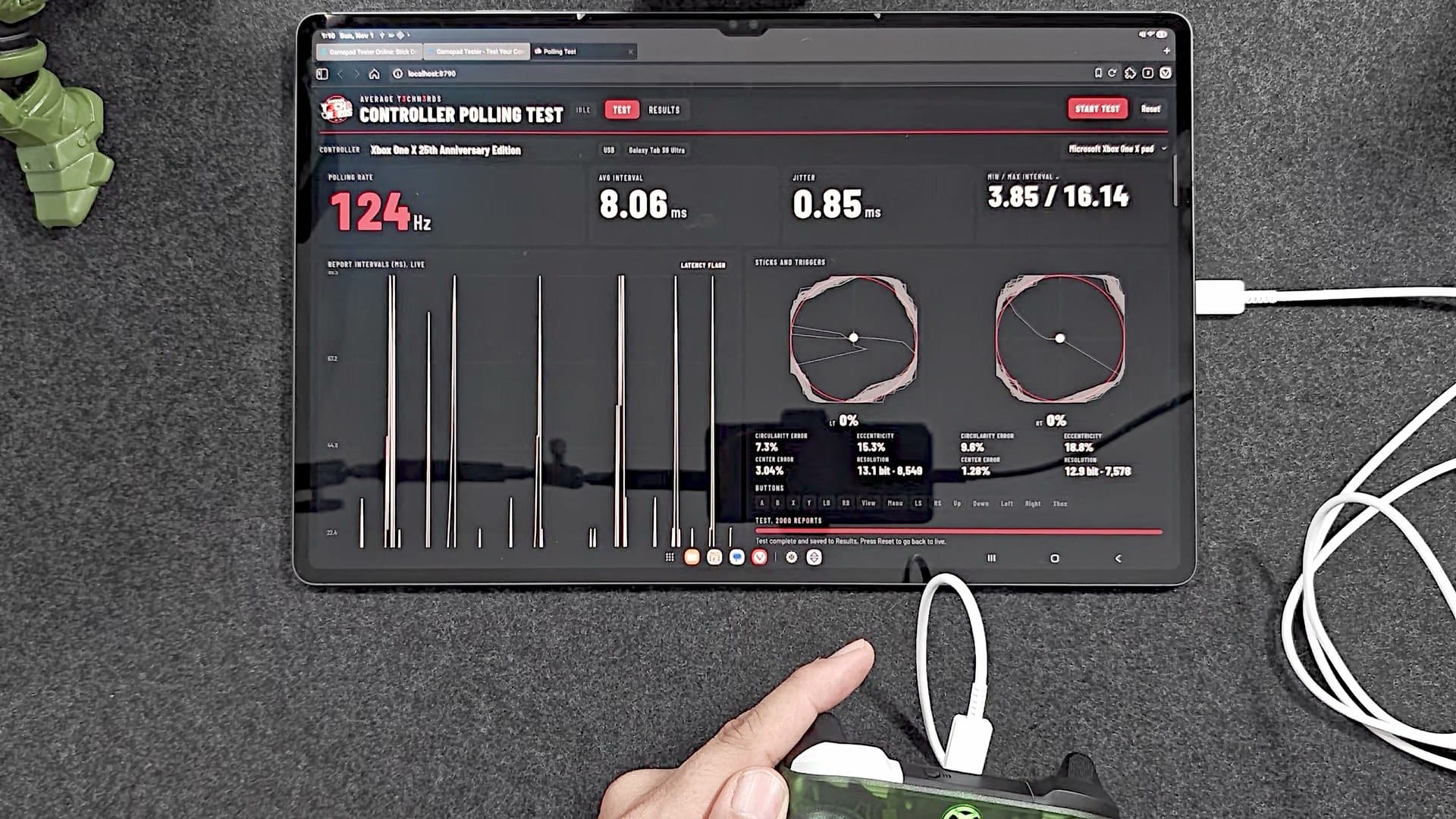
That lines up almost exactly with Gamepadla’s own cable test of a standard Series controller on Windows 11: 125 Hz, an 8 millisecond gap and jitter of 0.91. Over USB, the tablet keeps up.
So is Bluetooth just slow?
It isn’t. When I tried the same controller over Bluetooth on a computer, it kept pace with the cable. Gamepadla measured a standard Series controller over Bluetooth on Windows 11 at a median of 133 Hz, the number its page leads with. Its average was about 111 Hz, with a 9 millisecond average gap and jitter of about 3. That’s the fair match for my 32, and on a median basis my tablet comes out at about 33. Count it either way and the tablet is the slow part.
Bluetooth works on an agreed schedule. When the controller connects, it and the device settle on how often they’ll talk, and the device has the bigger say. In the full run, my tablet settled on about 30 milliseconds, the fast end of Android’s default range of 30 to 50.
My OnePlus 13 landed right with it at about 33 Hz and a 30 millisecond gap, but steadier, with jitter between about 3 and 6 milliseconds. My iPhone was limited too. And in an earlier session the same night, the same tablet only managed about 15 Hz, with a typical gap of 60 milliseconds, some gaps as long as 150, and jitter near 15. Same controller, same tablet, half the rate. The OnePlus and 15 Hz numbers come from the tester’s live readout rather than a full 2,000-report run, so treat them as snapshots.
| Average rate | Typical gap | Jitter | |
|---|---|---|---|
| Bluetooth to my Galaxy Tab S9 Ultra (full run) | About 32 Hz | 30 ms | About 7.6 ms |
| Bluetooth to my Galaxy Tab S9 Ultra (earlier, live readout) | About 15 Hz | 60 ms | About 15 ms |
| Bluetooth to my OnePlus 13 (live readout) | About 33 Hz | 30 ms | About 3 to 6 ms |
| Wired to my Galaxy Tab S9 Ultra (full run) | 124 Hz | 8 ms | About 0.85 ms |
| Bluetooth on Windows 11 (Gamepadla, standard Series controller) | About 111 Hz (133 median) | About 7.5 ms | About 3 ms |
| Cable on Windows 11 (Gamepadla, standard Series controller) | 125 Hz | 8 ms | About 0.9 ms |
There’s no setting for it on Android. Rooting might open it up, but even that isn’t certain, because the device’s Bluetooth software and the controller still have to agree on the pace. A Linux computer can ask for Bluetooth’s fastest schedule, a check-in every 7.5 milliseconds, and my tester now has a Linux mode built for exactly that.
Does it matter?
Polling feeds into latency. I filmed the screen side-on at 240 frames per second and timed each press from my finger on A to the flash on screen. Wired averaged about 46 ms across 19 presses, anywhere from 38 to 58. Bluetooth averaged about 56 across 17, anywhere from 46 to 92, so it was slower and it jumped around more from press to press.
Those times include the tablet’s screen and browser, so they describe my whole setup rather than the controller alone. For scale, Gamepadla’s hardware rig times the controller by itself at about 6.5 ms on the cable and about 12 over Bluetooth on Windows. So most of my 46 milliseconds happens on the tablet’s side: taking in the press, the browser and the screen. What my numbers do show is that the same controller can feel different depending on what it’s talking to.
For perspective, this is a regular controller. Pricier ones advertise polling rates of 1000 Hz and up. The Nacon Revolution X Unlimited is rated at 1000 Hz wired, and Gamepadla measured about 250. Advertised hertz and measured hertz aren’t always the same thing, which is exactly why I want to test them myself.
Does it have Hall effect or TMR sticks?
No. The X25 uses the same potentiometer sticks as any standard Xbox controller, where two parts physically rub against each other inside the stick. That rubbing, plus dirt and wear, is the classic cause of stick drift. Hall effect and TMR sticks read the position with magnets instead, so there’s nothing to wear down.
My tester also checks how round each stick’s path is. Spinning the sticks, the left one strayed about 7% from a perfect circle and the right one about 8%, which is right in line with what Gamepadla measured for a standard Series controller. Normal for an Xbox pad.
Center error, how far the stick lands from dead center when you let go, bounced between about 0.6% and 3.6% in my session. That’s mostly the spring not landing in exactly the same spot every time, and magnet sticks have springs too, so Hall effect and TMR don’t make it go away on their own.
One number I’m taking back. On camera, I read my tester’s stick resolution as about 10 bits and called it smooth, and once the controller was wired, it kept climbing past 13. It turns out my tool counts every distinct value it sees, so the number keeps growing the longer I spin, and faster wired reports make it grow quicker. Gamepadla’s lab puts a standard Series controller at about 9.5 bits. The tester has since been patched: the number is now called values seen, it only counts while the stick is pushed past a quarter of its travel, and it shows whether it’s still climbing, so nobody mistakes it for a bit depth.
Who is the X25 for?
If the original Xbox means something to you, or you’re a sucker for translucent plastic like I am, it’s a beautiful thing to own. Just go in knowing what you’re paying for. It’s a regular Xbox controller, I keep saying that, and the anniversary is in the shell, the bumpers and a dynamic background.
The dock is the half that makes a difference day to day. It turns an AA controller into one that charges by sitting on a stand, and it matches.
As for the polling test, this was its first run, and I’m learning as I go. I want to run every controller I buy through it and build up a database, and I’d like to know if it’s useful to you.
On the shelf
Xbox controllersSee the whole story →Nerd Alert
Your Turn
What are YOUR thoughts
What have your experiences been? Let us know.