Hands-on / First look · First Impressions · Controllers & Accessories · Console Gaming · Xbox controllers
Xbox Nano Controller First Impressions: A Third the Weight of a Regular Xbox Pad
Microsoft’s smallest Xbox controller weighs 101 grams on my scale, a third of a regular one. Here’s how it feels, what it leaves out and who it’s for.
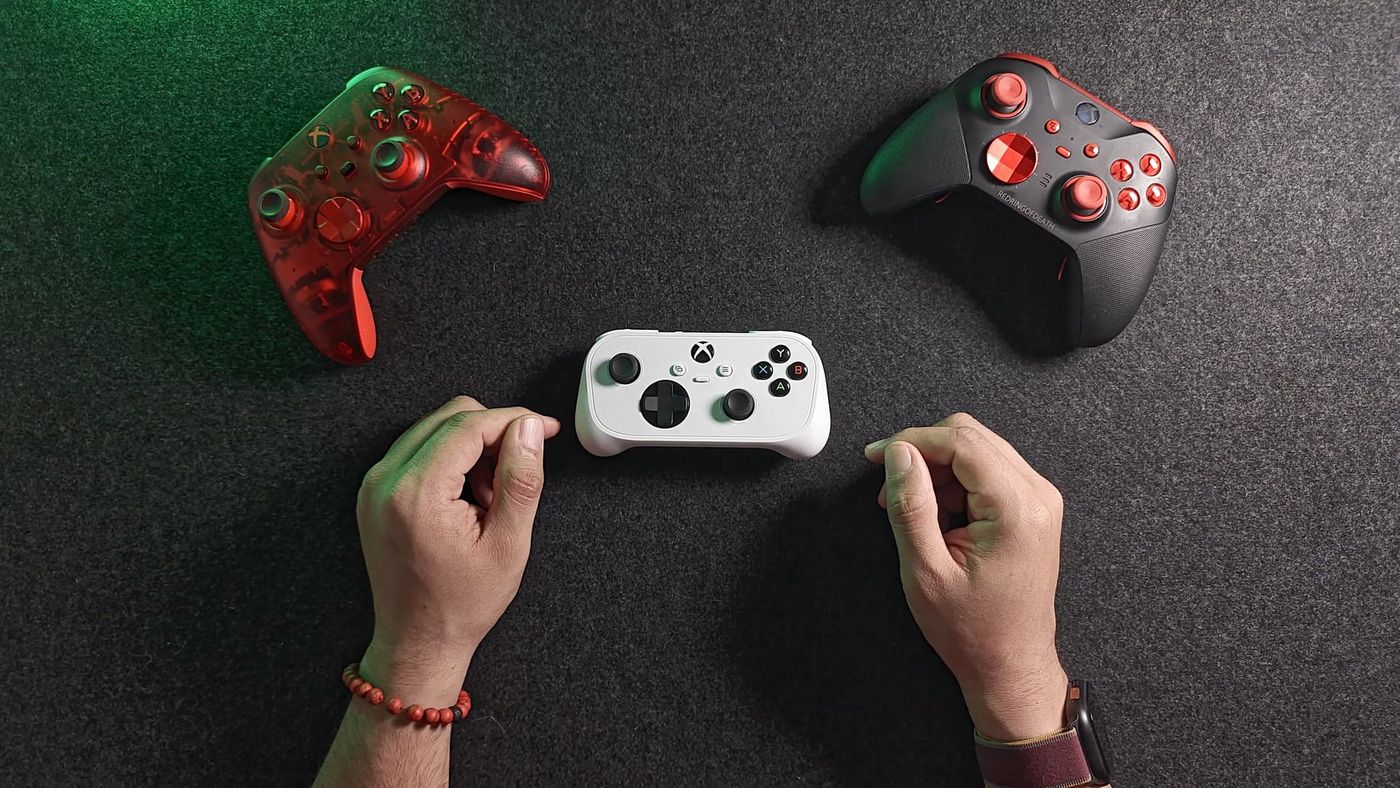
I put the Xbox Nano Controller on my scale next to my Elite Series 2 and my regular Xbox controller, and it came in at 101 grams. That’s about a third of the regular one. Microsoft’s smallest Xbox controller came out on November 4 for $49.99, I bought one for myself, and this is what I found unboxing it on launch day, what it leaves out, and who I think it’s really for.
What is the Xbox Nano Controller?
A full Xbox controller shrunk down, with what Microsoft calls “all 18 standard gameplay inputs”. It’s a little over 5 inches long where a regular Xbox controller is about 6, and Microsoft puts the weight at about 3.5 ounces. You get both sticks, the D-pad, A, B, X and Y, both bumpers and triggers, View, Menu and the Xbox button, plus one new thing: an Action Button in the middle, where a regular controller has its Share button, that you can program for screenshots, clips and shortcuts.
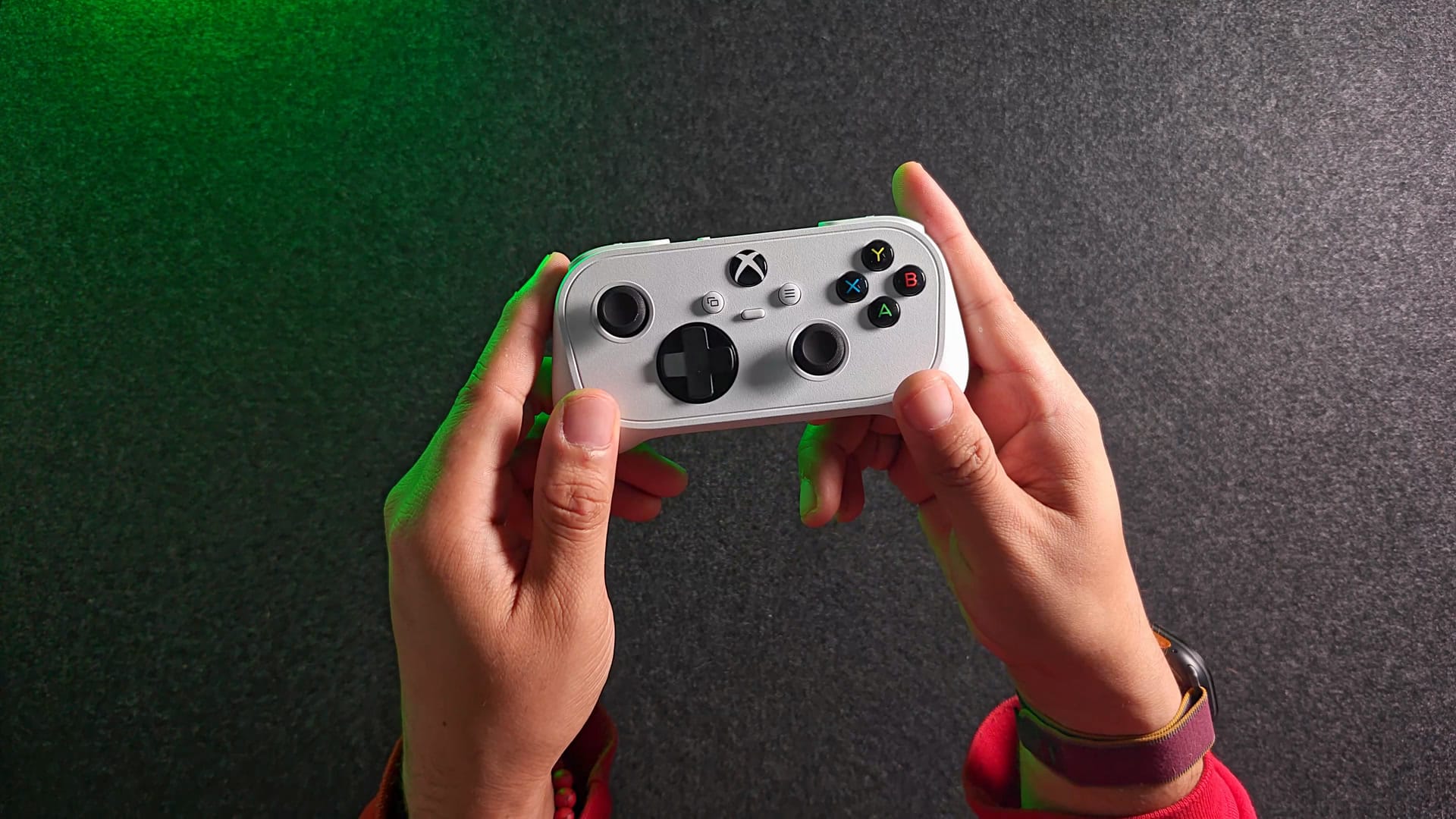
There’s a built-in battery, so no AA batteries, and it charges over USB-C. Microsoft doesn’t say how long the battery lasts, and I filmed this on launch day, so I can’t either yet. That’s on my list. Early reviews don’t agree: The Verge said it seemed to drop about 10% every 30 to 40 minutes, while Windows Central still had 20% left after about a week of heavy use.
To fit all that into something this small, two things went. There’s no rumble, which Xbox’s German-language account on X confirmed and hands-on reviews back up, and no 3.5 mm headphone jack. If you play with a headset plugged into your controller, this one won’t do that.
What’s in the box?
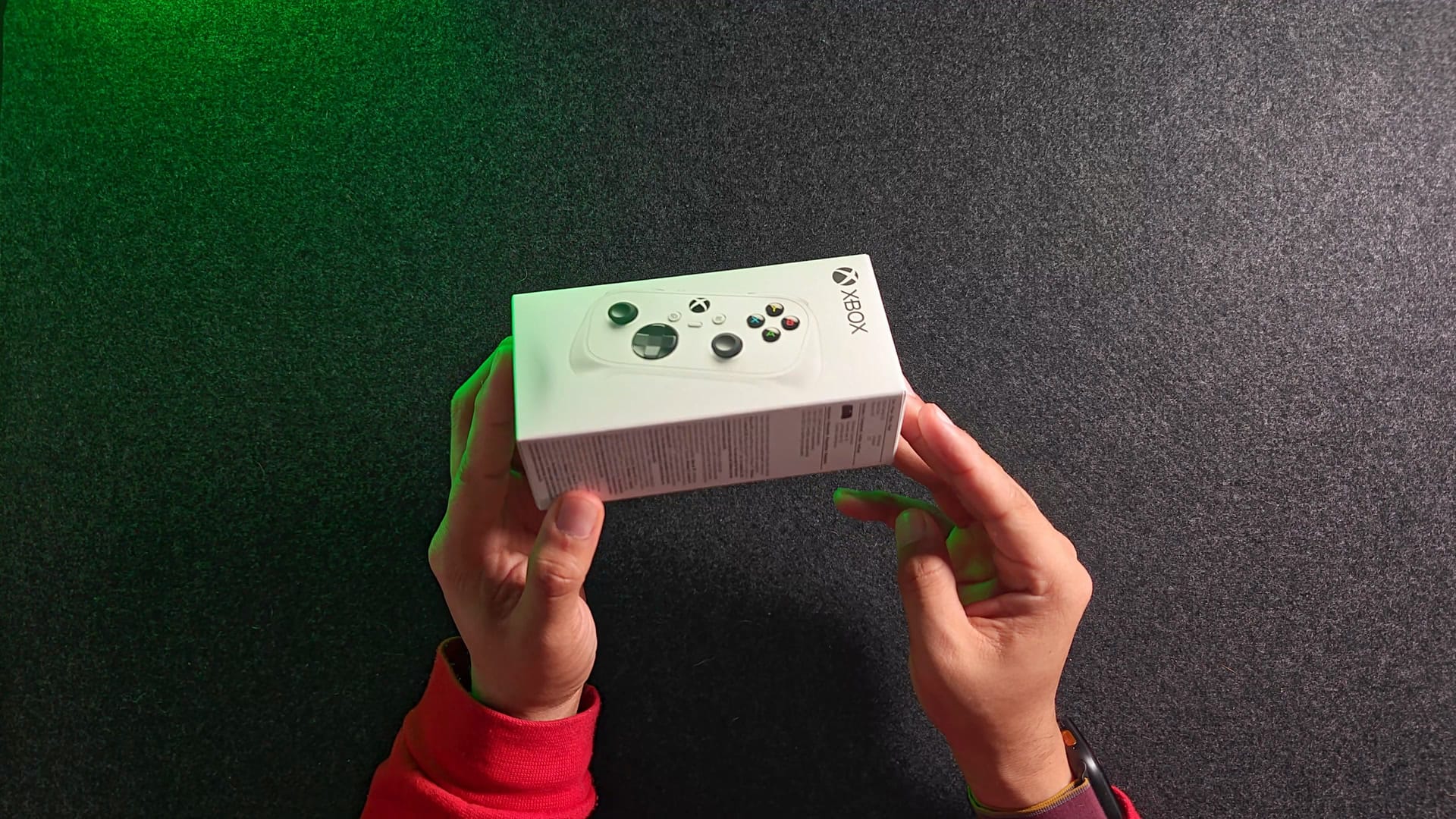
The controller and a little paperwork, and that’s genuinely it. No USB-C cable, no stand, no phone clip. It’s the fastest unboxing I’ve ever done. You’ll need your own USB-C cable to charge it.
The first thing I noticed out of the box was the sticks. Rolling them around the edge, they don’t feel like a smooth circle to me. They feel more like an octagon. I hadn’t read that anywhere, and Microsoft doesn’t say what kind of sticks it uses, so I’ll measure the stick shape properly when I run it through my polling test.
The second thing was the A, B, X and Y letters. On a regular Xbox controller they’re moulded into the buttons. On the Nano they look printed on. There’s probably a coating on top, but I want to see how they hold up after a few months of thumbs.
How small is it next to a regular Xbox controller?
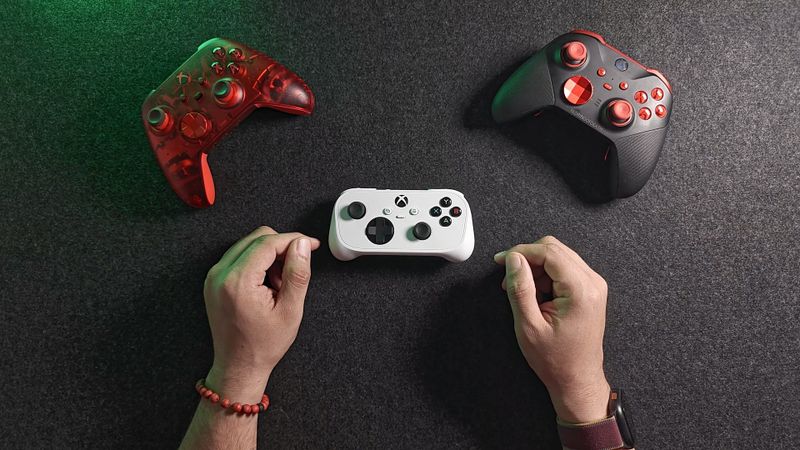
About an inch shorter, going by the numbers, and you can see it when I hold it up against my Elite Series 2 from the front, on top and from the side.
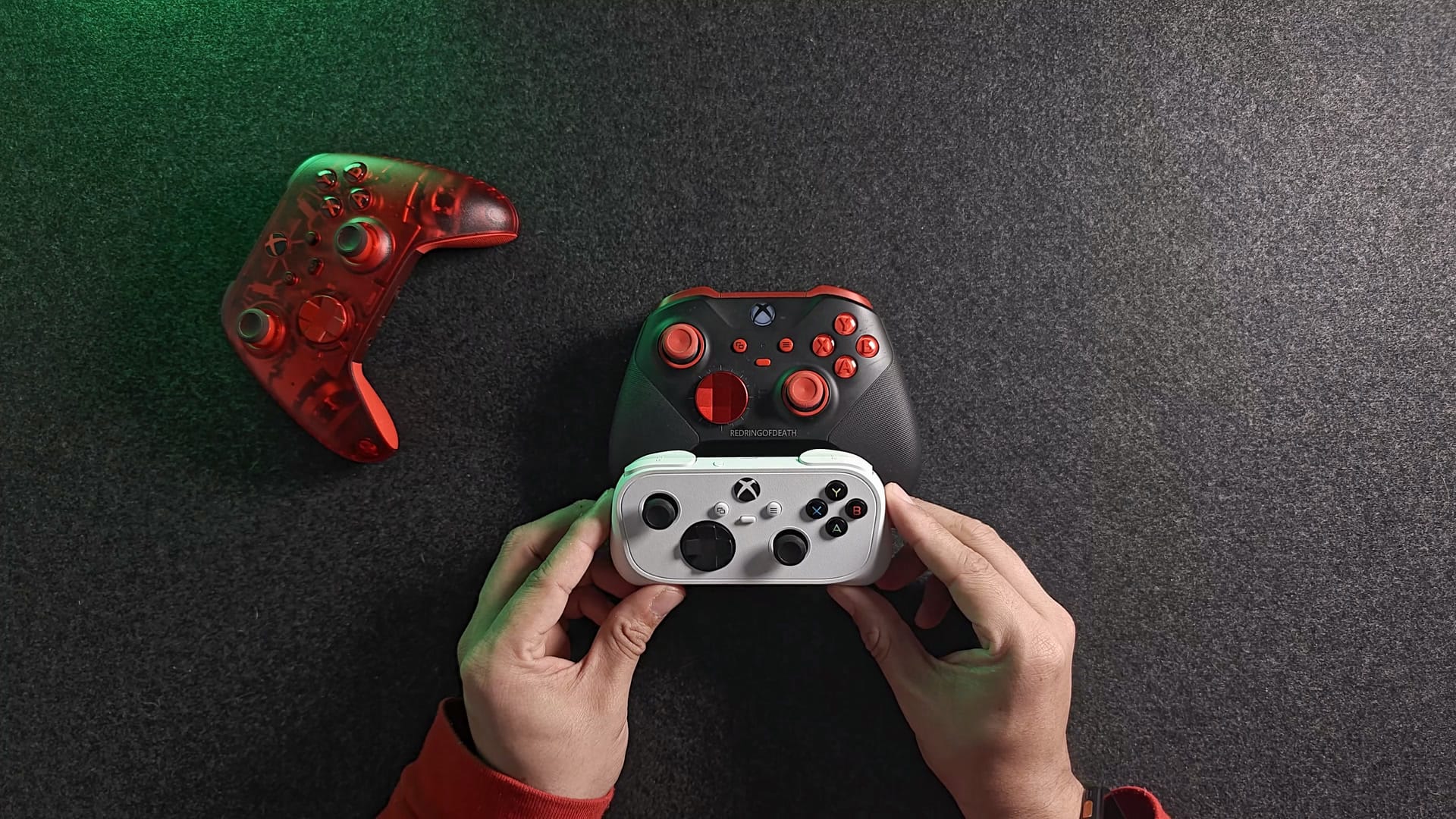
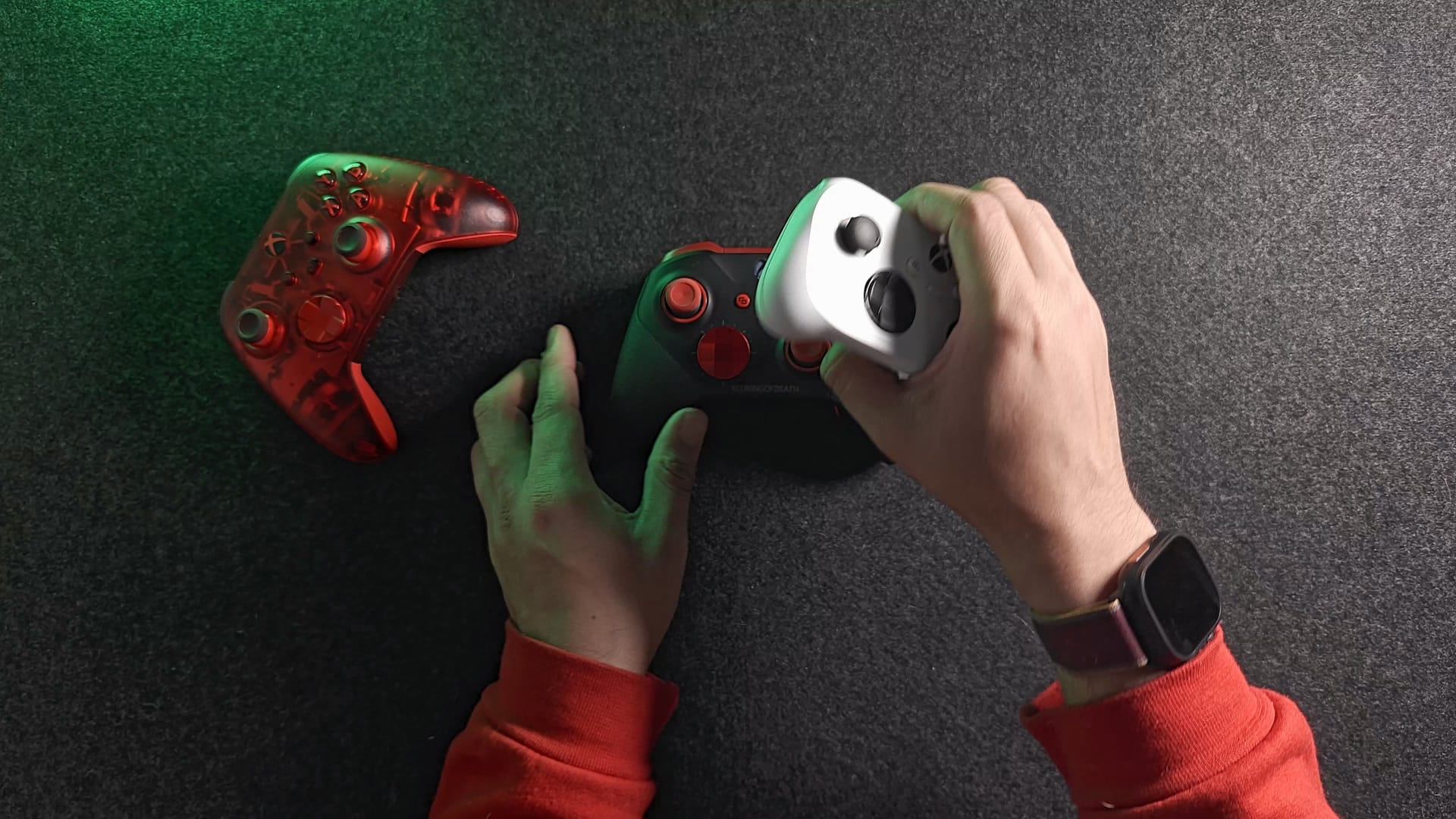
The scale is where it really shows. My Elite Series 2, with its paddles on, came in at 344 grams. My Pulse Cipher Special Edition, a regular Xbox controller I customised through Xbox Design Lab, with a rechargeable battery in it, was 300 grams. The Nano was 101 grams, about a third of the regular one and well under a third of the Elite.
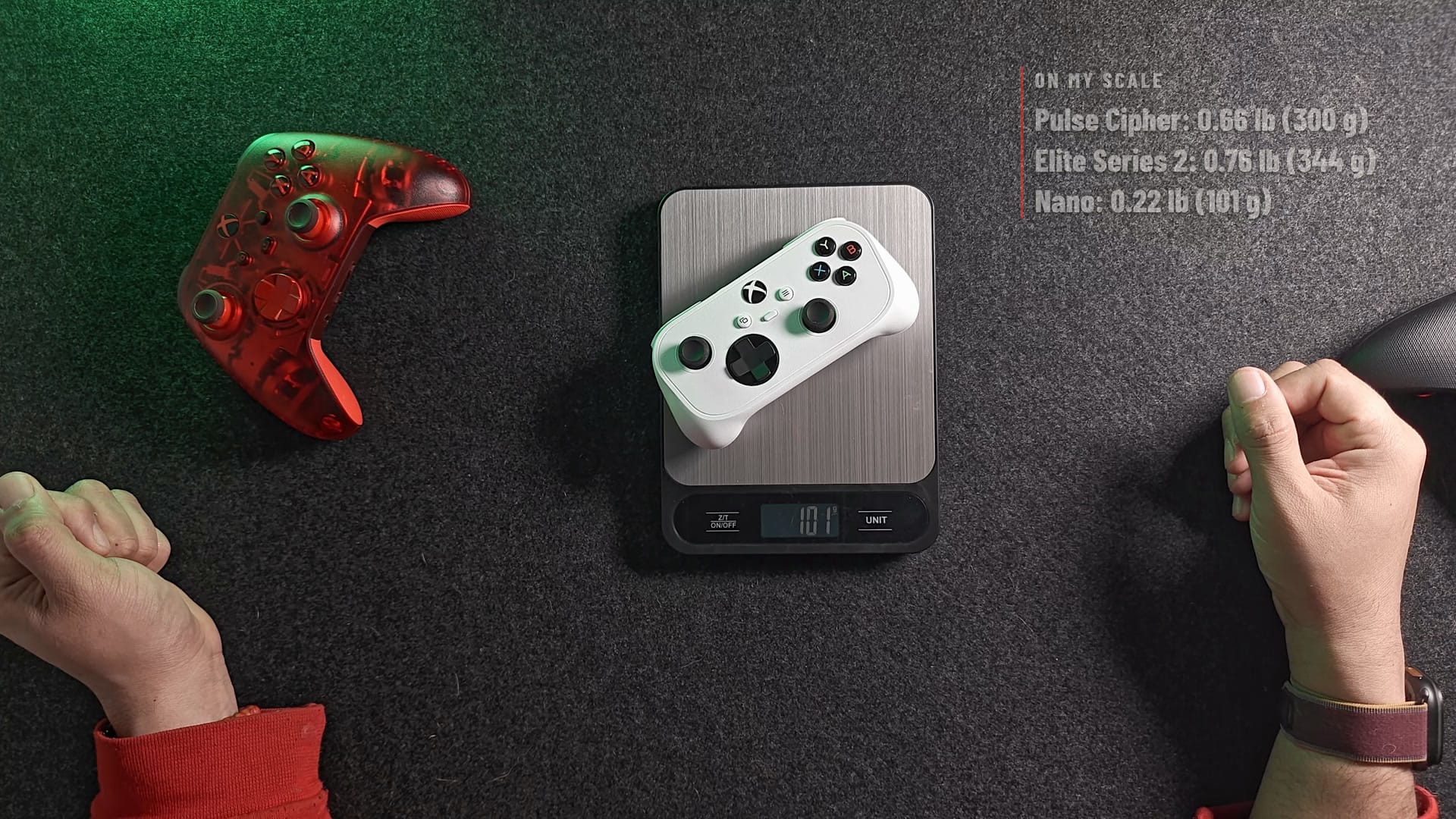
| Controller | Weight on my scale |
|---|---|
| Xbox Nano Controller | 101 g |
| Pulse Cipher Special Edition (regular Xbox controller, rechargeable battery) | 300 g |
| Xbox Elite Series 2 (paddles on) | 344 g |
Looking down at it, it reminds me of a Nintendo and a Super Nintendo controller, like a fusion of the two.
Is it comfortable for adult hands?
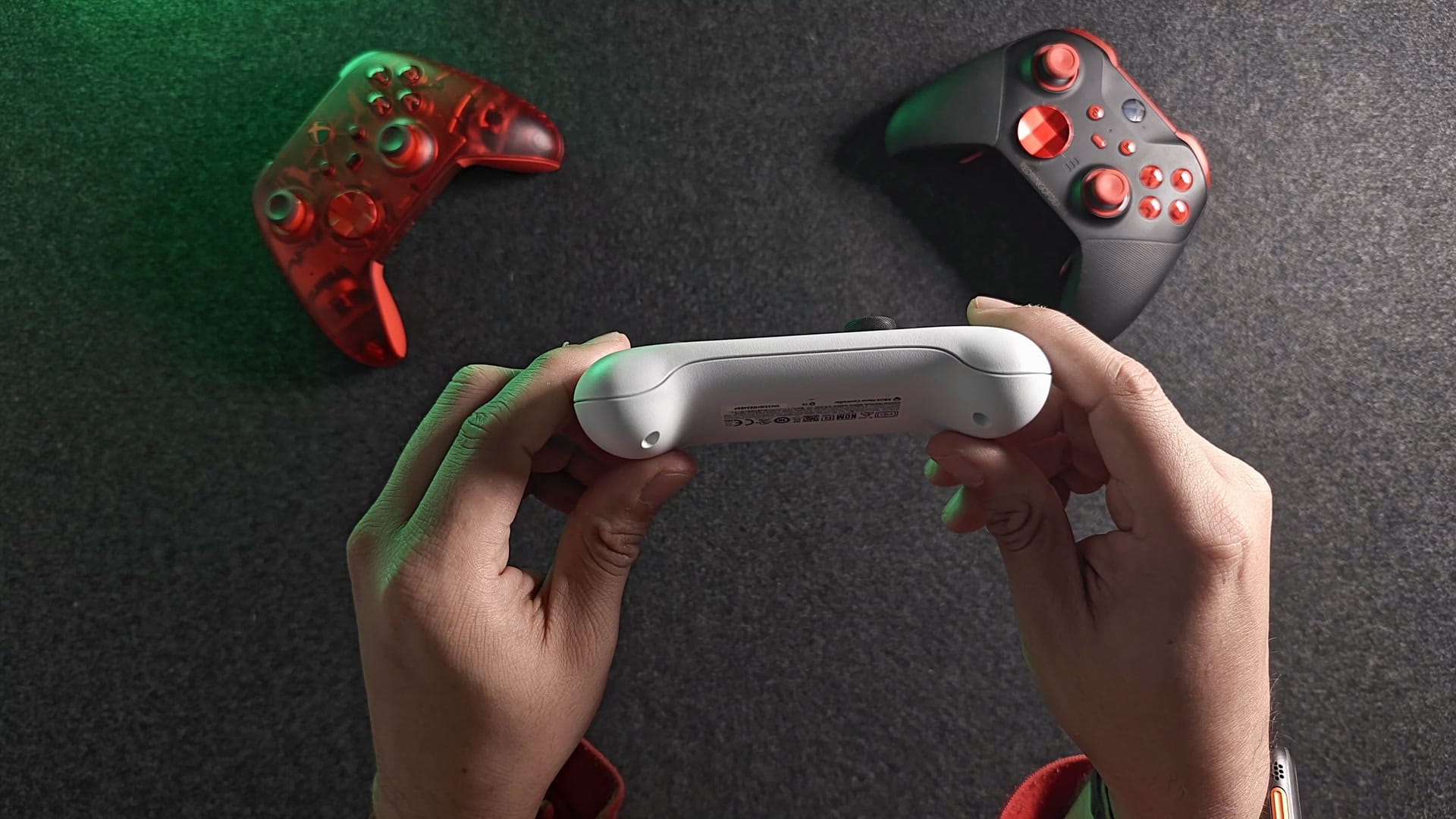
For short sessions, yes, at least for my medium-sized hands. Turn it over and the back has moulded grips, and they do a lot of work. I can curl my middle fingers around them so they rest there supported, which leaves my thumbs and index fingers free for the sticks, buttons and bumpers.
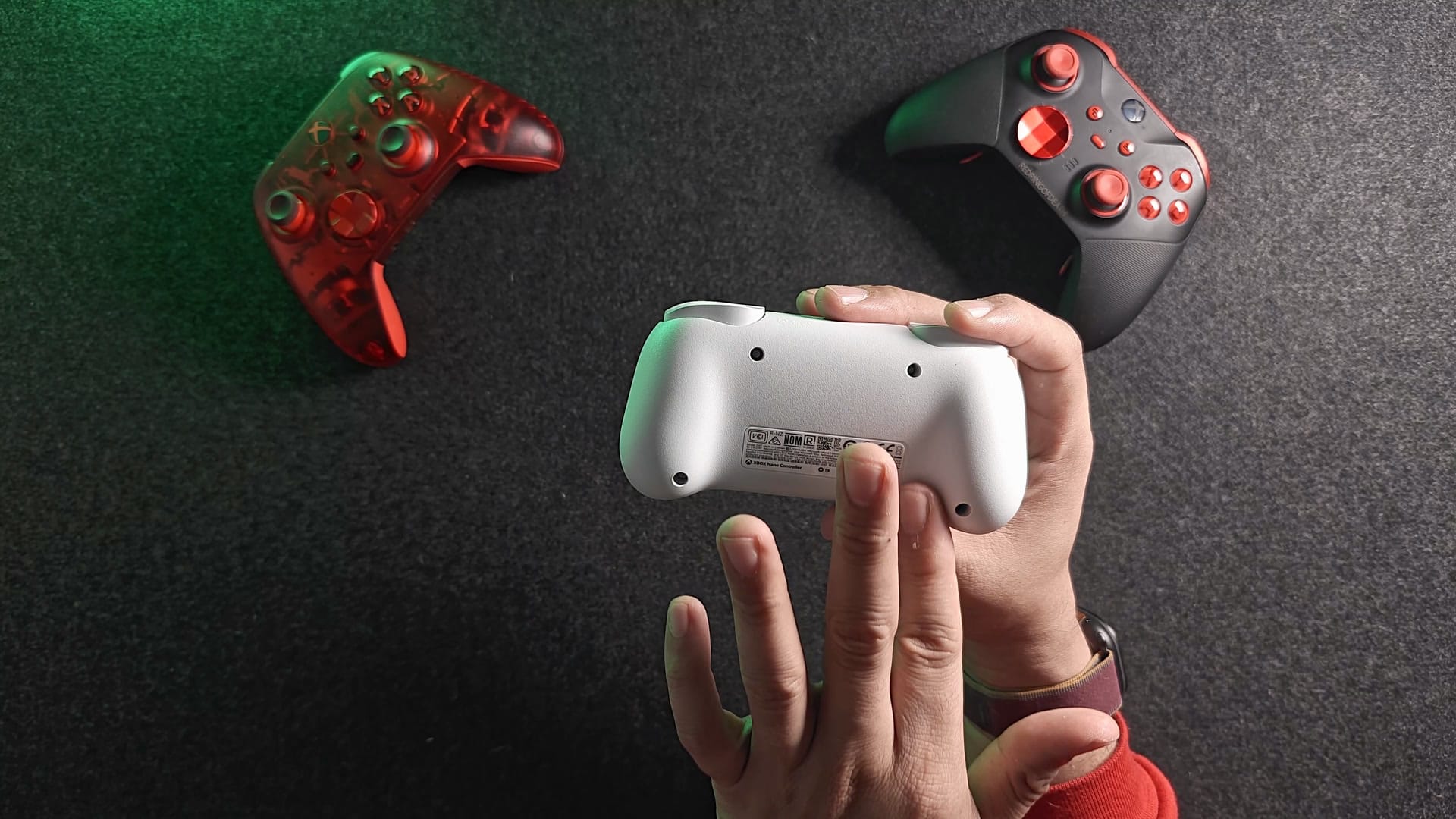
There’s a second way to hold it, too. If I cup it on three fingers and pull it in closer to my thumbs, the grip gets tighter and the triggers are easier to reach, but the bumpers get harder to hit. So you trade one for the other.
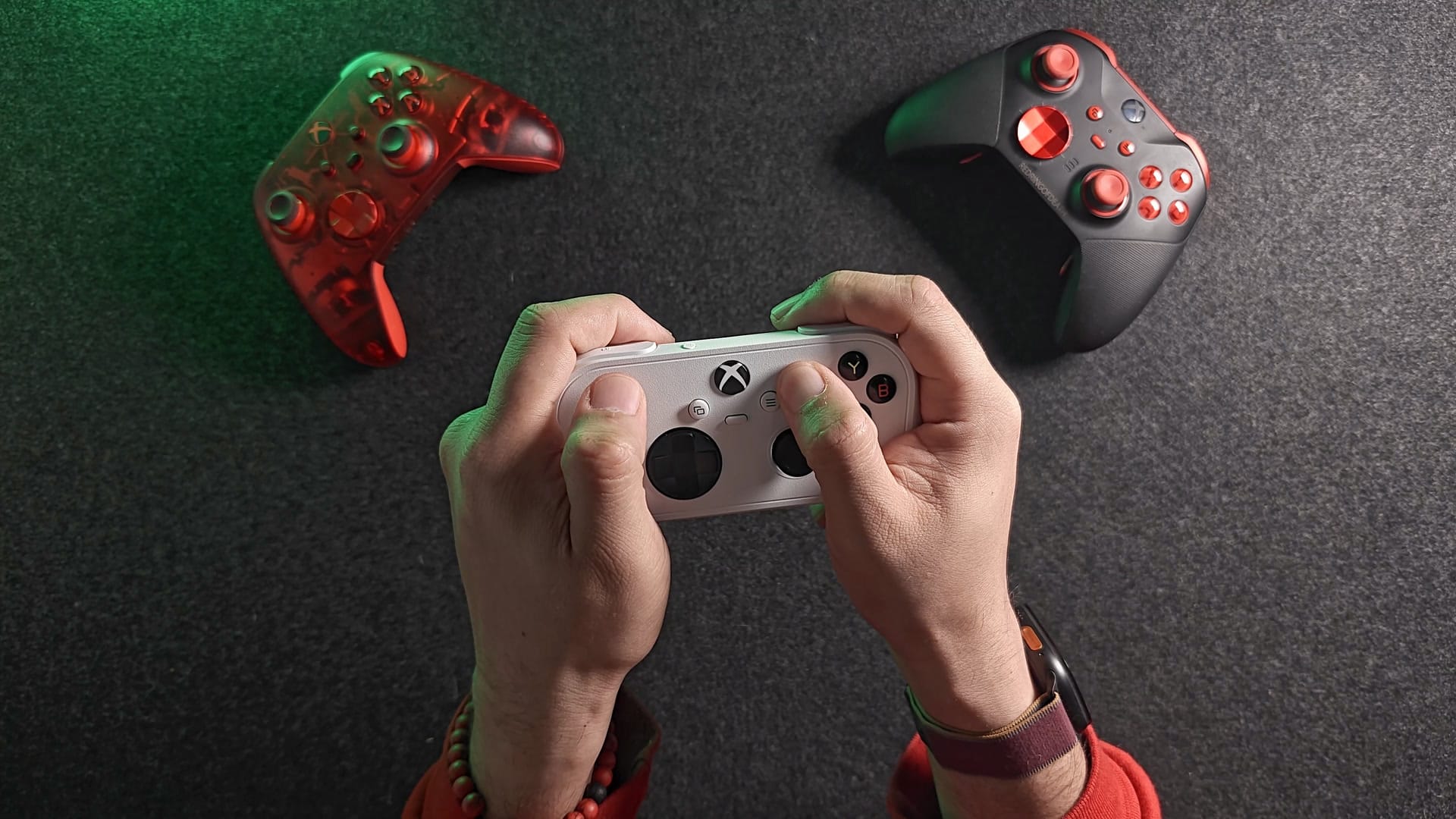
I don’t think it’s meant for long sessions in adult hands, though I could see myself pulling one off. For long sessions I’ll always reach for a full-size controller, and when I play Gears of War, I’ve already got my Gears of War: E-Day controller sitting next to the Xbox.
Who is the Xbox Nano Controller for?
Portability and sharing, as far as I can see. It’s a controller to throw in a backpack for quick games on a phone, a handheld or Xbox Cloud Gaming. It’s also one to leave next to the TV for kids, younger siblings or friends who come over and want to join in. Microsoft pitches it at younger players, smaller hands and anyone who wants something portable, and its product page suggests giving it as a gift. I agree: it feels made to be gifted.
I already travel with handhelds that have their controls built in: my Legion Go 2, my AYN Odin 2 Portal Max and my Switch 2. So for me, the Nano is mostly a phone companion. It pairs over Bluetooth and you’re playing. Microsoft also started a US preview on November 4 called cloud connect, where the Nano sends your input over Wi-Fi straight to the cloud server running your game instead of over Bluetooth to the TV. For now it’s an early test on supported smart TVs and the web, and it doesn’t list phones. That puts it up against the clip-on phone controllers that wrap around your phone, like the GameSir X5 Lite for XBOX, the abxylute S9 and the Backbone One, which I compared in my phone controller showdown.
Xbox Nano Controller vs GameSir X5 Lite for XBOX: which is better for phone gaming?
The one that fits how you want to hold your phone, because they go about it very differently. The GameSir X5 Lite for XBOX is $44.99 and clamps around your phone, so the phone and the controls are one thing in your hands, and it has some features the Nano doesn’t. The Nano is a regular controller, so you need somewhere to put the phone, but it works with your Xbox, your PC and your TV too. And there’s something to be said for carrying a first-party Xbox controller around in your bag.
| Xbox Nano Controller | GameSir X5 Lite for XBOX | Regular Xbox Wireless Controller | |
|---|---|---|---|
| Price | $49.99 | $44.99 | $64.99 to $69.99 list, by colour |
| Type | Separate controller | Clamps around your phone | Separate controller |
| Weight | 101 g (my scale) | 143 g (my scale) | 300 g (my scale, rechargeable battery) |
| Battery | Built in, USB-C | Powered by the phone | 2 AA or a rechargeable pack |
| Rumble | No | No | Yes |
| Headphone jack | No | No | Yes |
| Works with Xbox consoles | Yes | No | Yes |
What does it not do?
Three things to know before you buy. It has no rumble, so no vibration in games, including the impulse triggers a regular Xbox controller has. It has no 3.5 mm headphone jack. And there’s no cable in the box. Microsoft also doesn’t publish battery life, and its store page notes that over Bluetooth on phones, only selected devices are supported and some features may not work.
It only comes in white for now. Whether the sticks are the drift-resistant Hall effect or TMR kind that many cheaper controllers now use is a question a lot of people are asking, and Microsoft hasn’t said. Nobody has published a teardown that settles it either.
Is the Xbox Nano Controller worth $50?
For what it’s made for, it’s a very cost-effective little controller. It’s small, light and first-party, with every standard Xbox button, a built-in battery and Bluetooth, for $49.99. Keep an eye on sales, though: Microsoft’s store sometimes has the regular Xbox controller for about the same money. It isn’t a pro controller and it isn’t trying to be. If you want something to share, to give a kid, or to carry for phone and cloud gaming, it’s a very cost-effective way in. If you want rumble, a headphone jack or long sessions in big hands, a full-size controller is the better buy.
What’s next?
My polling test. I’ll measure its latency, polling rate, stick shape and how well the sticks centre, and add it to the database I keep of every controller I test. That’s also where the octagon question gets settled. I don’t know yet whether I’ll make a video about it. If enough of you are interested I will, and otherwise I may just publish the results.
Until then, my honest first impression is that it’s cute. It’s the kind of thing I’d stick in my bag, maybe inside a case, or with a silicone cover on it eventually.
On the shelf
Xbox controllersSee the whole story →Nerd Alert
Your Turn
What are YOUR thoughts
What have your experiences been? Let us know.