News · News · Handheld Gaming · PC Gaming · Handheld PCs
Unifideck Can Now Install Xbox Game Pass Games on Steam Deck, But Read Microsoft’s Terms First
A free Decky plugin now installs Game Pass games on a Steam Deck running SteamOS. Microsoft’s terms have something to say about how it does it.
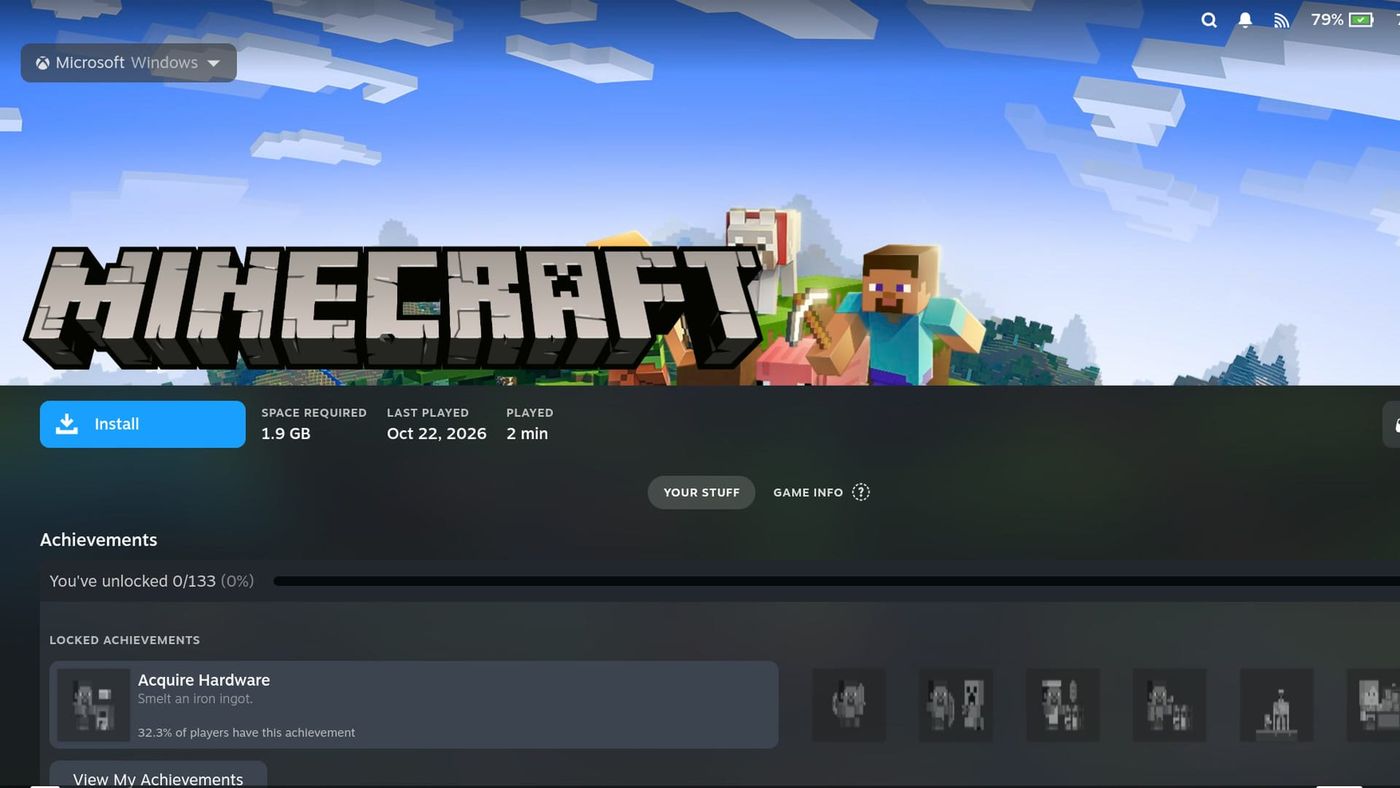
Picture a Minecraft page in your Steam Deck’s library, laid out exactly like a Steam game, with a blue Install button on it. That’s the screenshot on Unifideck’s new release, and it’s real. Version 0.8.0 came out on November 9, and it downloads Xbox PC games, Game Pass included, onto a Deck running SteamOS. No Windows. No streaming.
Now the part that stopped me. Tucked in Unifideck’s own project files is a note about the technology underneath, and it calls it “anti-circumvention territory.” You sign in to this thing with the Microsoft account that holds your game collection, so Microsoft’s terms deserve a real read before anyone taps Install.
Can you really install Game Pass games on a Steam Deck now?
Yes, as long as you’re fine with the word experimental. Unifideck 0.8.0 lets you install the PC games you own on Xbox or get through PC Game Pass, and the release notes promise achievements, offline play and cloud saves along with them. You turn it on in the plugin’s settings and sign in with your Microsoft account.
Unifideck is a plugin for Decky Loader, the community add-on that puts extras inside the Deck’s Game Mode. Its whole job is pulling your other stores into one library, so Epic, GOG, Amazon, Ubisoft and Battle.net games sit next to your Steam ones. Xbox games now land in a Microsoft tab with their artwork, according to Steam Deck HQ. If your plan and your country include cloud streaming, you get to pick between streaming a game and downloading it.
Unifideck isn’t the first to get here. Xodus Nexus, a separate launcher, was installing PC Game Pass games on a Deck by October. What Unifideck adds is a spot in Game Mode right next to your other stores.
The timing is good, too. For most Deck owners on SteamOS, Game Pass has meant streaming, and streaming is getting a meter. Xbox’s new cloud limits arrive this month, and outside a few exempt members, the best plan gets 15 hours. That won’t get you far into a big RPG. PC Game Pass never had cloud at all, so you can see why an Install button looks good right now.
Does Unifideck break Microsoft’s terms?
Going by the plain words, yes. Microsoft’s Services Agreement tells you not to “circumvent or bypass any technological protection measures in or relating to the software or Services.” In everyday English, that’s anything built to keep a locked thing locked. The next line down bans decrypting or reverse engineering software that’s part of those services.
Now put that next to the project doing the work. Open the front page of Xodus, which Unifideck builds on, and one of the ticked boxes on its progress checklist is “On-demand .exe decryption.” Scroll back to the top and it tells you to “use at your own risk.” Then there’s a note in Unifideck’s own repository, written in September while the developer decided whether to build this, and when it gets to Xodus decrypting protected packages, it calls that “anti-circumvention territory.” The people making this know exactly where it sits.
“But I’m paying for Game Pass.” You are. The whole thing is built around games you own or subscribe to, and it does check your license to download. Microsoft’s rule on decrypting has no exception for paying customers, though.
The Xbox subscription terms don’t help either. PC Game Pass is described as playing “PC games on compatible Windows 10/11 PCs.” That’s a description of what you’re buying more than a ban on anything else, but SteamOS isn’t in it.
What can Microsoft do to your account?
Quite a lot, on paper. “If you violate these terms or Policies, we may take action against your account” is the line, and that action goes all the way up to closing it. Picture the games you’ve bought, your subscription and whatever money is sitting in your balance. A closed account can lose all three.
So the thing on the table is bigger than one subscription. If your Microsoft account has years of Xbox purchases on it, those are what’s exposed.
What can’t be settled?
Two things, and I’d rather say so plainly than guess.
The first is the law. Microsoft’s ban on decrypting carries an exception, “except and only to the extent that the applicable copyright law expressly permits doing so.” Whether any copyright law covers someone decrypting a game they’re licensed to play is a question for a lawyer, and it may well have different answers in different countries. A terms page can’t answer it.
The second is what Microsoft will actually do. So far, I can’t point you to a single reported ban over Xodus, and Microsoft has stayed quiet. That’s silence, and silence isn’t permission. Xodus has been in the open since last year, so Microsoft could step in tomorrow or never.
How does it actually work?
A game from Microsoft’s store comes as a locked package, and on Windows, Microsoft’s own software holds the key. Xodus does that job on Linux. It signs in, confirms your license, downloads the package and unlocks the game as it runs.
Going by that September note, the game stays encrypted on your storage and only gets decrypted in memory when you launch it. That’s also why regular Proton, the translation layer that runs Windows games on a Deck, can’t play these. They need Xodus’s own build of it.
Xodus comes from people who’ve done this kind of thing before. Much of the work is by imLinguin, one of the developers behind Heroic Games Launcher, the fan-made way to get Epic and GOG games on a Deck. Unifideck keeps its own builds of those pieces as separate downloads, which works in your favor: when a game gets fixed, you don’t have to reinstall the plugin.
Which games work?
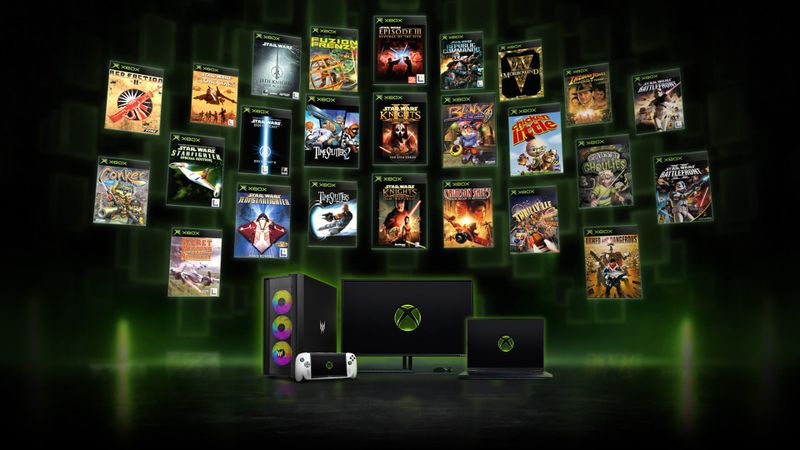
Most of them, based on one person’s testing so far. Noah Kupetsky at Steam Deck HQ got the majority running pretty decently and hit a few that won’t run at all. Older Xbox classics started working during that testing, which means Crimson Skies on a Steam Deck, and that’s a fun sentence to write. The catch is that nothing in the plugin labels the broken ones yet, or the pre-orders you can’t download, so a big download can still end in a game that won’t start.
Xodus has its own limits. A game has to be packaged in the format most current PC releases use, so some older ones miss out, and Gears of War 4 is the one it names.
One heads-up if you already use Unifideck’s Microsoft sign-in: turning this on might log you out, and you’ll have to log in twice in the same window.
What are the other ways to play Game Pass on a Deck?
There are two that don’t involve decrypting anything, and both come with an asterisk. Microsoft has a support page that walks you through streaming in the Edge browser on a Deck, and that same page comes with a disclaimer: no official support for Edge on SteamOS.
Or you can put Windows on the Deck, which makes it the kind of PC the Game Pass terms describe. Valve publishes the drivers for that, but “Windows on Deck” support is something it won’t give you.
Neither is as tidy as an Install button in Game Mode. That’s exactly why this plugin is getting attention.
What else is in Unifideck 0.8.0?
Plenty, and none of it touches the terms question above. The one you’ll notice first is the look: game pages now use Steam’s own layout, so a GOG game stops feeling like a guest in your library. Epic, GOG and Xbox games get Steam-style achievement popups too, and that’s a small thing right up until you’ve played without them. The rest is in the release notes.
One fix is worth noticing if you’re handing this plugin your Microsoft login: Xbox sign-in now verifies Microsoft’s certificates, the check that proves you’re really talking to Microsoft. Steam Deck HQ’s write-up mentions it was built with AI assistance, and how much you trust that with your login is your call.
What happens next?
Microsoft decides how long this lasts. A statement, a ban wave or a change to its services could end it any day. Until one of those happens, it’s an experiment that runs on your account.
On the shelf
Handheld PCsSee the whole story →Nerd Alert
Your Turn
What are YOUR thoughts
What have your experiences been? Let us know.